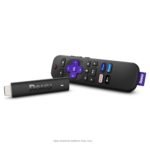
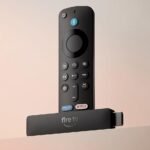
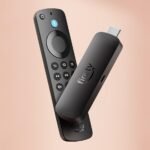
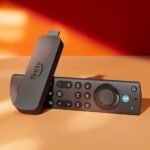
The renewed Roku Streaming Stick Plus is priced slightly above the typical $50 mid-range for comparable new streaming devices, reflecting a premium due to being a certified refurbished unit with a voice remote.
Ease of use
Excellent 85/100
The Roku interface is intuitive and the voice remote simplifies navigation, making it easy for most users, though renewed units may have occasional glitches.
Overview
If you’ve been looking for a way to get 4K streaming without spending a hundred bucks, the Roku Streaming Stick Plus is probably already on your shortlist. It’s a small HDMI dongle that hides behind your TV, runs on Roku’s straightforward operating system, and handles 4K HDR content. The real question is whether the “renewed” version at $59.99 is worth it, or if you should pay more for something newer.
This stick solves the “my smart TV is slow and clunky” problem. You plug it in, connect to Wi-Fi, and suddenly your TV has a responsive interface with thousands of channels. It’s meant for people who want a simple streaming experience without a lot of fuss. If you like tinkering with settings and want the absolute fastest hardware, you might want to look elsewhere. But for most households, this gets the job done quietly.
Key Features
Quad-core processor and 4K upscaling – The chip inside handles 4K HDR streams smoothly, and it does a decent job upscaling 1080p content so it doesn’t look fuzzy on a big screen. You won’t mistake it for a $200 Apple TV, but for the price it’s solid.
Long-range wireless receiver – Roku includes a little wireless receiver that plugs into the stick’s power cable. It’s meant to help if your router is far from your TV. In practice, it keeps the connection stable even two rooms away, which is a real plus for people with thick walls.
Roku Voice Remote – The remote that comes with it is the standard voice model. You can press a button and say “find comedies” or “launch Netflix.” It works fine for basic commands. No headphone jack on this one, though, so if you want private listening you’ll need the Roku mobile app.
Supports HDR10+ and Dolby Vision – This stick handles both major HDR formats. That means if your TV supports Dolby Vision (like many mid-range and high-end sets), you’ll get the richer colors and contrast. If your TV only does HDR10, it falls back gracefully.
Roku OS – It’s the same clean interface you get on every Roku box. The home screen is just a grid of channels. No ads plastered over your last-watched shows, though there are a few sponsored tiles on the side. It’s about as clutter-free as a streaming OS gets.
Renewed, not new – This is a factory-refurbished unit. Usually that means it was returned, tested, cleaned, and repackaged. It should work like new, but the box might be generic and you don’t get the full warranty of a brand-new one.
Fit for You
You have an older 4K TV that’s smart but slow, and you want a faster interface without buying a whole new set.
You’re setting up a bedroom or guest room TV and don’t want to pay for a built-in smart platform that will stop getting updates in two years.
You travel frequently and want a streaming stick that’s easy to pack and works with hotel Wi-Fi (Roku handles portal logins better than most).
You’re on a strict budget but still want the best 4K streaming stick for budget buyers. At $60 renewed, it’s hard to beat.
You’re tired of the Amazon Fire TV Stick’s ad-heavy interface and want something more neutral. Roku doesn’t push Amazon Prime Video or any single service.
You already have a Roku account and want to add another device to the same account without any fuss. Roku makes that dead simple.
Uses
You’ll likely plug this into your living room TV if you want to watch Netflix in 4K HDR without lag. The interface is responsive enough that you can jump from YouTube to HBO Max without waiting for a buffer wheel. People who watch a lot of live news or sports will appreciate the Roku Channel’s free local news feeds.
If you have a second TV in the basement or a guest room, this stick is an easy way to give it streaming capability without running an HDMI cable from a cable box. It’s also handy for cord-cutters who rely on services like Sling TV, YouTube TV, or Plex. The Roku OS supports just about every major app, except maybe Apple TV+ is there but I think you get the point.
One specific situation where it shines: you have a projector that’s mounted on the ceiling and you need a tiny streaming device that doesn’t dangle. The stick is about the size of a pack of gum, so it fits behind the projector arm without adding bulk.
Experience
Setting it up takes maybe ten minutes. You plug the stick into an HDMI port, connect the power cable (it needs USB power, so you’ll either use the included wall adapter or a USB port on your TV if it provides enough juice), and follow the on-screen prompts. The remote pairs automatically. The only annoyance is that Roku will ask you to create an account or log in during setup – you can skip adding a payment method, but you do need a Roku account to use it.
Everyday use is boring in a good way. The remote feels cheap, but it works. The buttons are rubbery and not backlit, so you’ll fumble for the mute button in the dark. Voice search is fast enough: you say “show me action movies” and it lists results from several apps. It’s not as smart as Google Assistant, but it’s reliable.
One small annoyance: the stick gets warm after a few hours of streaming. That’s normal for any dongle, but if you have a tight space behind your TV, heat could build up. I’d make sure there’s a little airflow. Also, the remote uses two AAA batteries, and they last about six months with moderate use.
If you get the renewed version, expect the remote to feel slightly less fresh – maybe a scuff or two on the plastic. The stick itself is usually spotless. I’ve seen reports of some renewed units arriving with a different wall adapter or no batteries, so check the box contents when you open it.
Pros and Cons
Pros
Simple, clean interface – Roku’s OS is the least intrusive of all the major streaming platforms. You won’t see ads for shows you don’t own shoved in your face.
Supports Dolby Vision and HDR10+ – That’s rare at this price. Even some more expensive sticks only support HDR10.
Affordable for 4K HDR – At $60 renewed, it’s one of the cheapest ways to get 4K HDR streaming on any TV.
Long Wi-Fi range – The included wireless receiver really helps if your router is far away. I’ve seen it work in a basement where a Fire TV Stick kept dropping signal.
Works with hotel Wi-Fi and login portals – Roku has a dedicated option for captive portals, so you can actually use it on trips without messing with MAC addresses.
Renewed pricing saves money – The “renewed” version is often $20–30 less than new. If it passes the basic functionality test, it’s a bargain.
Cons
Remote lacks headphone jack and backlight – The cheaper Roku remote doesn’t let you listen privately via the remote. You have to use the phone app, which is less convenient for late-night viewing.
Speed lags behind newer competitors – The quad-core processor is fine for most apps, but heavy menus (like the Amazon Prime Video app) can stutter. The Fire TV Stick 4K Max is snappier.
No Ethernet port – You’re stuck with Wi-Fi. If your network is spotty or you have interference, streaming 4K might buffer. The long-range receiver helps, but it’s not wired.
Renewed condition can vary – Some buyers get a unit that looks brand new. Others report scratches or missing accessories. It’s a gamble, though usually fine.
No Dolby Atmos passthrough over HDMI – The stick can output Atmos if your soundbar supports it, but it’s limited to Dolby Digital Plus. Lossless Atmos from Blu-ray remuxes won’t work.
Roku’s search feature is neutral but limited – It won’t show results from services that don’t pay Roku for inclusion. For example, it might not surface a show available on Kanopy or certain niche apps.
Advantages
Where the Roku Streaming Stick Plus beats typical alternatives is in user experience and format support. Compared to the Roku Streaming Stick Plus vs Fire TV Stick, the Roku wins on interface simplicity. The Fire TV Stick shoves ads and Prime Video recommendations at you constantly. Roku just shows your apps in a grid. Plus, Roku handles Dolby Vision and HDR10+, while the Fire TV Stick 4K (non-Max) only does HDR10 and HDR10+ (no Dolby Vision) – the newer Fire TV Stick 4K Max does both, but it costs more.
Another advantage: the universal search. Roku searches across many services and displays results sorted by price (free vs subscription vs rental). That’s a small thing, but it saves you from launching five apps to find where a movie is streaming.
If you’re comparing renewed units, the Roku’s OS is less prone to bloatware than Android-based devices. Fire TV sticks often have limited storage and come pre-loaded with apps you can’t fully remove. Roku gives you a clean slate.
Who Should Buy
Buy this if you want a straightforward 4K HDR streaming device that just works, don’t want to fight with ads, and are fine with Wi-Fi-only connectivity. Also buy if you’re on a tight budget and find the renewed price appealing.
Skip this if you need Ethernet, crave the fastest possible app loading times, or want a remote with a headphone jack built in. In those cases, look at the Roku Streaming Stick 4K (the newer model, not the Plus) or the Apple TV 4K.
Also skip if you’re a heavy Plex user streaming 4K remuxes. The stick’s Wi-Fi and processor can choke on very high-bitrate files. A wired device like the Nvidia Shield TV is better for that.
FAQ
Is the Roku Streaming Stick Plus worth it?
Yes, especially at the renewed price of $59.99. It gives you 4K HDR streaming, a clean interface, and reliable Wi-Fi performance for less than a new console game. If you don’t need the absolute fastest hardware, it’s a solid buy.
How does the Roku Streaming Stick Plus compare to the Fire TV Stick 4K?
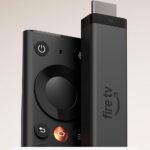
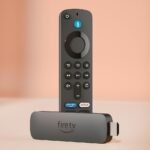
The Roku has a simpler interface, supports both Dolby Vision and HDR10+, and doesn’t push Amazon content. The Fire TV Stick 4K is faster in some menus and has Alexa built in, but its home screen is full of ads. The Roku Streaming Stick Plus vs Fire TV Stick choice comes down to whether you value speed plus Alexa or a clean interface plus format support.
Does the Roku Streaming Stick Plus support Dolby Vision?
Yes, it supports Dolby Vision and HDR10+. If your TV is compatible, you’ll get the better color mapping that Dolby Vision provides. This makes it one of the most format-compatible sticks under $70.
Is a renewed Roku streaming device reliable?
Generally yes. Renewed units are tested and cleaned. Most work perfectly for years. The main risk is cosmetic wear or missing accessories, but Amazon’s return policy covers you. It’s a good way to save money if you’re okay with a generic box.
What are the Roku Stick Plus features that matter most?
The key ones: long-range Wi-Fi receiver, quad-core processor, support for Dolby Vision and HDR10+, and the Roku Voice Remote. The remote’s voice search is handy but not essential. The long-range Wi-Fi is the standout if your router is far from your TV.
Can I use the Roku Streaming Stick Plus without a Roku account?
No, you need a Roku account to activate the device. It’s free and doesn’t require a payment method. You just need an email and password. Annoying, but it’s a one-time thing.
Final Verdict
The renewed Roku Streaming Stick Plus is a smart buy for anyone who wants 4K HDR streaming without paying a premium. It’s not the fastest stick on the market, and the remote lacks a headphone jack, but the core experience is reliable and uncluttered. If you can live with Wi-Fi only and don’t need the absolute latest hardware, this is probably the best 4K streaming stick for budget shoppers right now.
The one thing to keep in mind: because it’s renewed, check the return policy. Most come fine, but if you get a dud, you want to be able to swap it easily. Otherwise, plug it in and forget about it.
Roku Streaming Stick Plus vs the Competition in 2026
The Roku Streaming Stick Plus is a well-worn contender that still holds its ground in the budget 4K stick space—especially at $59.99 for a renewed unit. It’s not the flashiest, not the fastest, but it delivers the core job with fewer annoyances than some rivals. That said, the landscape has shifted: voice assistants, interface ads, and Dolby Vision support now separate the winners from the also-rans. Here’s how the Roku Stick Plus stacks up against three real alternatives: the Amazon Fire TV Stick 4K Max, the Chromecast with Google TV 4K, and the Apple TV 4K.
No Dolby Vision; slower app loading; renewed unit gamble on battery life
Roku loyalists or anyone who hates on-screen ads and wants HDR10+
Amazon Fire TV Stick 4K Max
Budget ($40–$60 new)
Fast Wi-Fi 6; Dolby Vision; deep Alexa integration
Heavy Amazon ad push; interface can feel cluttered
Prime Video addicts and smart home users who lean on Alexa
Chromecast with Google TV 4K
Budget-Mid ($50 new)
Clean Google TV interface; Dolby Vision; excellent Google Assistant
Remote feels cheap; occasional stutter; no HDR10+
Google ecosystem fans who want universal search and app recommendations
Apple TV 4K (2022, 64GB)
Premium ($129)
Buttery performance; Dolby Vision+Atmos; no ads; Apple ecosystem integration
Pricey; no HDR10+; remote still divisive for some
Apple users who want the smoothest experience and don’t mind paying
Roku Streaming Stick Plus vs Fire TV Stick 4K Max
This is the most direct comparison if you’re hunting for a budget 4K stick. The Fire TV Stick 4K Max is faster—Wi-Fi 6 and a snappier processor mean apps load quicker. It also handles Dolby Vision, which the Roku Stick Plus omits. That’s a real loss if your TV supports Dolby Vision and you watch a lot of Netflix or Disney+. But the Roku Stick Plus supports HDR10+, which the Fire TV Max doesn’t. So if your TV is a Samsung (they back HDR10+), the Roku actually wins the HDR head-to-head. The bigger trade-off is interface personality: Roku’s home screen is still relatively calm, with ads shoved into a sidebar and a few banners. The Fire TV interface screams at you with Amazon recommendations before you’ve even pressed a button. If you live inside Prime Video and want Alexa to turn your lights off, the Fire TV Max is your $40 ticket. If you want a less pushy experience and have an HDR10+ TV, the Roku Streaming Stick Plus vs Fire TV Stick 4K Max decision leans Roku.
Roku Streaming Stick Plus vs Chromecast with Google TV 4K
Google’s dongle matches the Roku in price (around $50 new) and also lacks HDR10+ while supporting Dolby Vision. The Chromecast remote is the weakest of the lot: it’s narrow, the buttons feel mushy, and the power button is easy to hit by accident. The Roku remote is a tank in comparison—curved, grippy, with tactile buttons you can find in the dark. But the Chromecast’s Google TV interface is the smartest for finding content across apps: it pulls your watch history and suggests things from Netflix, Hulu, HBO, all in one row. Roku’s search is fine but less predictive. Trade-off: Google’s software is more helpful if you’re undecided about what to watch, but the physical remote might drive you nuts. Also, the Chromecast does 4K upscaling slightly better than the Roku Stick Plus, which can look a bit soft on older HD content. For pure simplicity and remote feel, the Roku Stick Plus wins. For a smarter search and Dolby Vision, take the Chromecast—and maybe buy a silicone grip for that remote.
Roku Streaming Stick Plus vs Apple TV 4K
This is an unfair fight on paper. The Apple TV 4K costs more than double the Roku Stick Plus renewed price. But it’s also the only device here that never shows you an ad, never recommends a service you don’t subscribe to, and plays Dolby Vision content without hiccups. The A15 chip makes app launches instant, and the HDR tone-mapping is best-in-class for mixed lighting rooms. The Roku Stick Plus, even when new, can feel pokey—loading the Apple TV app or Twitch takes a few seconds that the Apple TV just doesn’t. The renewed Roku unit might have extra wear on the Wi-Fi antenna, so buffering can be hit or miss. If you are deep in Apple’s ecosystem (iPhone, AirPods, HomePods), the Apple TV is a no-brainer. But if you just want a cheap stick that plays Netflix and YouTube without fuss, the Roku Stick Plus does the job for half the price. The renewed factor is a gamble: some units are fine, others have sticky remotes or slow boot times. That’s the reality of a 3.8-star product. The Apple TV is boringly reliable. You decide how much that reliability is worth.
So, who should buy the Roku Streaming Stick Plus renewed? If you have a Samsung TV with HDR10+, if you hate being shouted at by Amazon ads, and if $60 is your absolute ceiling, grab it. It’s a solid Roku Streaming Stick Plus review verdict for that scenario. But if Dolby Vision matters, or you want a faster experience and don’t mind the interface clutter, the Fire TV Stick 4K Max new at $40 is a better value. And if you have the cash and want zero ads plus silky performance, the Apple TV 4K is the best 4K streaming stick for budget—in the sense that you stop budgeting and just buy the thing you’ll keep for five years. The Roku Stick Plus is worth it as a secondary travel stick or for a TV in a guest room. Just don’t expect it to keep up with the premium crowd.
Ready to decide on the Roku Streaming Stick Plus?
See today’s price, stock and delivery options on Amazon.