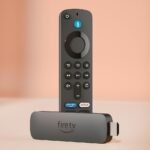
Comprehensive feature set including remote finder, backlit buttons, and TV controls justifies a premium positioning over basic remotes.
Price vs. rivals
Typical
CheaperTypicalPricier
Priced slightly above typical smart TV remotes due to backlit buttons and remote finder, but below high-end alternatives like the Apple TV Siri Remote.
Ease of use
Excellent 92/100
The remote's familiar layout, backlit buttons, and integrated Alexa voice control make it very intuitive for most users, while the remote finder feature adds convenience without complexity.
Overview
This Amazon Fire TV Alexa Voice Remote Pro review answers the big question: is it worth $34.99? For most people, yes—especially if you lose remotes, watch in the dark, or want TV controls without a separate clicker. It’s the best Fire TV remote for backlit buttons and includes a remote finder. The newest model, sometimes called the backlit Fire TV remote 2026, solves the two biggest annoyances of streaming: hunting for a missing remote and fumbling for the right button in a dark room. It’s for anyone who owns a Fire TV, Fire Stick, or compatible Fire Edition TV and wants one controller for everything—volume, power, input, plus Alexa.
Key Features
Backlit buttons – The buttons light up when you pick up the remote or press any key. No more guessing which is mute and which is the home button when the lights are off. The glow lasts about six seconds, plenty of time to find your channel or app.
Remote finder – Say “Alexa, find my remote” to your Echo, Fire TV, or the remote itself (if it’s within earshot). The remote chirps loud enough to hear under a couch cushion. It works even when the remote is paired but the TV is off.
TV controls built in – Volume up/down, mute, power, and input switcher are right there. You can ditch your TV remote entirely for everyday use. It uses IR or HDMI-CEC, so it works with most brands.
Dedicated Alexa button – Press and hold to ask for shows, control smart home devices, or check the weather. It’s the same Alexa you already know, just on your thumb.
Programmable shortcuts – Two customizable buttons let you open any app or channel with one press. Set one to Netflix, the other to YouTube—or to a smart home scene if you’re feeling fancy.
Voice control for TV – Beyond the remote finder, you can say “Alexa, turn on the TV,” “Alexa, switch to HDMI 2,” or “Alexa, volume up.” It’s genuinely handy when the remote is across the room.
Fit for You
You lose your remote inside the couch at least once a week and spend five minutes patting cushions.
You watch TV or stream shows after the room goes dark and hate squinting at unlit buttons.
You have a soundbar or AV receiver and wish one remote could control volume for everything without teaching it codes.
You’re tired of juggling two remotes—one for the TV and one for the Fire Stick—and want one to rule them all.
You ask Alexa to play stuff by voice but still have to grab the remote to pause or adjust volume.
Uses
Picture this: you’re settled in bed, lights off, ready to watch the next episode. You pick up the remote and the buttons glow softly. One press for volume, one for play. No phone flashlight needed.
Or maybe you’re in the kitchen, hands dirty, and you’ve left the remote on the counter. You shout “Alexa, find my remote” toward the living room. A chirp leads you right to it, buried under a towel.
Another common scene: you’re visiting a friend who has a Fire TV. You press the power button on this remote and their TV turns on. Then you press input and switch to the Fire HDMI. It just works—no pairing or menu diving.
Experience
Setting it up is almost too easy. Plug the batteries in (two AAs are included), hold the home button for ten seconds, and it pairs. That’s it. You’ll then spend maybe two minutes in settings to assign the two programmable buttons. One warning: the remote finder only works if the remote is already paired to your Fire TV, so don’t lose it before you set it up.
The remote itself feels solid, a little heavier than the basic Fire Stick remote. The rubbery back gives grip you don’t notice until you pick up a slick plastic one later. Button travel is short but clicky—you’ll hear a soft tap with each press. The backlight is the star. It triggers on motion, so just picking it up lights the keys. It’s not blinding, just enough to read labels. The only small annoyance: if you set the remote down face-up, the light stays on for a few seconds, wasting a bit of battery.
Battery life is decent—owners tend to mention several months with average use. The remote uses Bluetooth, not IR, for most functions, so you don’t have to point it at the TV. You can even control volume from another room if the TV is loud enough to hear. The IR blaster is only used for TV power and input when CEC isn’t available.
One everyday quirk: the voice button is on the top edge, not the face. It takes a day to stop looking for it on the front. Once you adjust, it’s actually easier to find by feel. The mute button sits right next to volume up—you’ll accidentally mute a few times before muscle memory kicks in.
Pros and Cons
Pros
Backlight changes everything – Once you use a remote that lights up in the dark, you won’t want to go back. It’s a feature you didn’t know you needed until 10 PM on a Tuesday.
Remote finder actually works – The chirp is loud enough to hear across a 2,000-square-foot apartment, even if the remote is under a blanket.
TV controls are reliable – Volume and power work with most TVs, soundbars, and receivers without complicated setup. Just point and press.
Two programmable buttons save time – Launching apps directly beats scrolling through the home row. Set one to your most-used service and the other to a smart home command if you’re into that.
Good build for the price – At $34.99, it feels like a $50 remote. The rubberized back and metal buttons (the voice and mute ones) add a premium touch.
Cons
No headphone jack – You can’t plug in headphones for private listening like you can with some Roku remotes. If that matters to you, the Fire TV Omni remote or a Bluetooth headset is needed.
Backlight isn’t adjustable – It’s either on or off. You can’t dim it or change the duration. For some, the glow might be too bright in a pitch-black room.
Mute button position – It’s too close to volume up. Expect to accidentally mute your show a few times before your thumb learns the layout.
Only works with Fire TV devices – If you have a Roku or Apple TV, this remote won’t pair. It’s a Fire TV ecosystem exclusive.
Remote finder requires Alexa – You need an Echo, Fire TV, or the remote itself to trigger the chirp. If you lose the remote and have no other Alexa device, you’re out of luck until you find it manually.
Advantages
Compared to the standard Fire TV remote (the one that comes with most Fire Sticks), this Pro version gives you backlighting, remote finder, and TV controls. The basic remote costs $15 less, but you get none of those upgrades. If you’ve ever wanted one remote that does everything, this is the one.
In a Fire TV remote vs Roku voice remote comparison, the Roku Voice Remote Pro (about $30) has a headphone jack and a rechargeable battery, but it lacks remote finder and a dedicated mute button. The Fire TV remote wins on backlight and findability. If you lose things often, go with Fire. If private listening is life, go with Roku.
Best Fire TV remote for backlit buttons – No other Fire remote lights up. If you watch at night, this is the only choice.
Remote finder exclusivity – You can’t get this feature on any other streaming remote at this price. Roku’s cheapest finder-capable remote costs more and has fewer buttons.
Full TV control without logins – Volume, power, input—it just works out of box. No need to teach codes or download an app.
Who Should Buy
Buy it if: You watch TV in a dark room, lose the remote regularly, or want to consolidate two remotes into one. Also buy it if you own multiple Fire TVs and want a spare that works with all of them.
Skip it if: You never lose your remote and always watch with the lights on. The standard Fire TV remote is perfectly fine and saves $15. Also skip it if you need a headphone jack—get the Roku Voice Remote Pro or use Bluetooth headphones with your TV.
Consider it if: You have an older Fire Stick that came with the basic remote. The upgrade is worth it for the backlight alone, especially if you share a bedroom with someone who doesn’t want bright lights.
FAQ
Is the Fire TV Alexa Voice Remote Pro worth it?
Yes, especially if you care about backlit buttons and remote finder. At $34.99, it’s the most feature-packed Fire TV remote you can buy. The standard remote is cheaper but missing those two key upgrades.
How long does the battery last?
Expect two to three months with typical usage, depending on how often you trigger the backlight. The remote uses two AA batteries. A low-battery warning appears on your TV screen before they die.
Does it work with any Fire TV device?
It works with all Fire TV streaming devices (Stick, Cube, Edition TVs) that run Fire OS 5 or newer, which is virtually everything produced since 2017. Check compatibility on Amazon’s site for older models.
Can you use the remote finder without an Echo?
Yes. You can press the remote finder button on the remote itself—it’s the small button on the back near the bottom. That makes it chirp immediately. You can also ask an Echo or the Fire TV itself to find it.
Is the backlight always on?
No, it only lights up when you pick up the remote or press any button. It stays on for about six seconds then fades. There’s no way to make it stay on permanently or adjust the timeout.
Does this remote control soundbar volume?
Yes, if your soundbar is connected to the TV via HDMI-ARC or optical. The remote sends IR commands for volume, so as long as the remote can “see” the soundbar’s IR receiver (usually a small window), it works. Some soundbars also accept volume via HDMI-CEC.
Final Verdict
The Amazon Fire TV Alexa Voice Remote Pro is a straightforward upgrade for anyone who uses a Fire TV daily. The backlight and remote finder solve real, common frustrations—not just features on a spec sheet. For $34.99, it’s an easy buy if you’ve ever muttered “where’s the remote?” in the dark.
The one thing to keep in mind: it’s tied to the Fire TV ecosystem. If you ever switch to a Roku or Apple TV, this remote becomes a paperweight. But if you’re staying with Fire TV, this is the remote to get. The Pro model earns its name.
Fire TV Alexa Voice Remote Pro vs the Competition in 2026
Amazon’s latest version of the Fire TV Alexa Voice Remote Pro tries to solve the two biggest annoyances of a streaming remote: losing it, and not being able to see the buttons when the lights are off. At $34.99, it’s not cheap, but it’s not outrageous either. The question is whether its backlit keys and remote finder justify the premium over simpler alternatives, or if you’d be better off with a rival’s approach. Here’s how it stacks up against three well-known remotes you’re likely considering.
Product
Price Range
Key Strength
Key Weakness
Best For
Amazon Fire TV Alexa Voice Remote Pro
$34.99 (mid)
Backlit buttons, remote finder, built-in TV controls
No headphone jack, no way to customize the voice button’s behaviour
Fire TV owners who watch in the dark and lose remotes regularly
Roku Voice Remote Pro (2nd Edition)
About $30 (mid)
Private listening via headphone jack, remote finder, rechargeable battery
No backlit buttons, TV controls are optional (via IR) on some TVs
Roku users who want private listening or need a rechargeable remote
Apple Siri Remote (2nd Generation)
$60 (premium)
Touchpad scroll, premium aluminum finish, very responsive
No remote finder, no backlit buttons, tiny battery life if you use Siri heavily
Apple TV owners who love the touch surface and don’t watch in pitch black
Standard Fire TV Remote (included with most Fire Sticks)
Free with device; standalone ~$20 (budget)
Dirt cheap, works with any Fire TV device
No backlight, no remote finder, no TV volume or power buttons
Anyone on a tight budget who never loses the remote
Fire TV Alexa Voice Remote Pro vs Roku Voice Remote Pro
You’ll see “Fire TV Alexa Voice Remote Pro vs Roku voice remote” comparisons a lot, and the split is straightforward. The Amazon remote gives you backlit buttons — every key glows softly when you pick it up, which is a godsend if you watch movies in a dim room. The Roku remote skips the backlight entirely. What it offers instead is a 3.5mm headphone jack for private listening, so you can crank the volume without waking anyone up. Both have remote finders (you press a button on the streaming box to make the remote chirp), but the Roku’s is louder. The Roku also charges via USB-C, while the Fire TV Pro uses two AAA batteries that you’ll replace every few months. If you regularly watch late at night with headphones, the Roku Voice Remote Pro is the better pick. If you’ve fumbled around for the mute button one too many times, the Fire TV Pro wins.
Fire TV Alexa Voice Remote Pro vs Apple Siri Remote
The Apple remote costs nearly twice as much, and you feel that in the hand — milled aluminum, a clicky touchpad, and a dedicated Siri button that actually works well. But it’s missing two things that the Fire TV Pro has: backlit buttons and a remote finder. The touchpad can be swiped to scrub through video, which is nice, but in a dark room you’re guessing where the edges are. The Fire TV Pro’s physical buttons are always in the same spots and backlit, so you don’t have to look. The Apple remote also doesn’t have a finder, so if it slides down the side of a sofa, you’re hunting by touch. For $34.99, the Amazon remote gives you features that Apple simply doesn’t offer at any price. If you already own an Apple TV and love the touch navigation, stick with the Siri Remote. But if you’re choosing a streaming platform from scratch and darkness is a factor, the Fire TV Pro is a more practical design.
What about the basic Fire TV remote?
The standard remote that ships with most Fire TV Sticks is fine — until it isn’t. You can’t control your TV’s volume or power with it, and there’s no backlight or remote finder. If you’ve ever accidentally left it in the kitchen or had to use your phone’s flashlight to find the home button, you know the pain. The Fire TV Alexa Voice Remote Pro solves all of that for an extra $15 or so. You get dedicated TV volume and mute buttons, a power button that turns off your TV and soundbar, and the ability to say “Alexa, find my remote” to make it beep. The basic remote is fine for a bedroom or a kid’s setup, but if you use your Fire TV daily in a living room, the Pro’s upgrades are worth the small premium. It’s the best Fire TV remote for backlit buttons and remote finder in one package.
So, is the Fire TV Alexa Voice Remote Pro worth it? If you watch TV in a dark room, lose your remote at least once a month, or want to ditch a separate TV remote, yes. The backlit keys alone make it the most comfortable Fire TV remote to use at night. The remote finder is a bonus that saves you from crawling behind furniture. But if you’re a Roku user, the Roku Voice Remote Pro’s private listening and rechargeable battery are stronger arguments, and if you’re on an Apple TV, the Siri Remote’s touchpad might feel too good to trade. For everyone else with a Fire TV, this remote fixes the three biggest frustrations without breaking the bank.
Ready to decide on the Fire TV Alexa Voice Remote Pro?
See today’s price, stock and delivery options on Amazon.