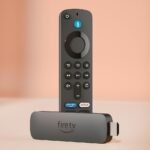
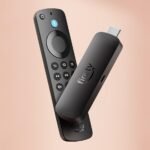
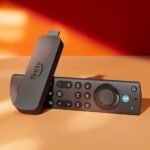
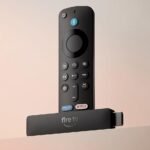
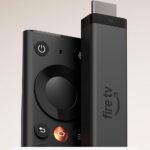
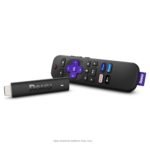
This Amazon Fire TV Stick 4K review answers the only question that matters: is it worth $35? For most people, yes. You get sharp 4K HDR streaming, Wi-Fi 6 for a stable connection, and built-in Alexa voice control, all in a stick you plug into your TV and forget about. Not perfect, but a solid buy.
Delivers flagship-level features and high user satisfaction at a price that undercuts most comparable streaming devices.
Price vs. rivals
Cheaper
CheaperTypicalPricier
Priced notably below typical new retail for this model, aligning with other like-new streaming sticks that offer similar features.
Ease of use
Excellent 88/100
With its intuitive interface, voice control, and simple plug-and-play setup, the Fire TV Stick is very easy for the average person to use.
Overview of the Amazon Fire TV Stick 4K Review
The Amazon Fire TV Stick 4K is a streaming stick that plugs into your TV’s HDMI port and gives you access to Netflix, Prime Video, Hulu, Disney+, and thousands of other apps. It solves the problem of a smart TV with a slow, clunky interface—or a TV that isn’t smart at all. This model adds Wi-Fi 6 and the new AI-powered Fire TV Search, which actually understands what you mean when you say “find that movie with the guy from The Office.”
Who is this for? People who want a fast, affordable streaming experience without buying a new TV. It’s also for anyone already in the Amazon ecosystem who wants Alexa to control their entertainment. If you just watch a few streaming services and want something simple, this stick is for you.
Key Features in This Amazon Fire TV Stick 4K Review
4K HDR picture quality – Supports Dolby Vision, HDR10+, and HLG. Colors pop and blacks stay deep, which matters if you have a decent 4K TV. You’ll notice the difference compared to a basic HD stick.
Wi-Fi 6 support – If your router has Wi-Fi 6, expect fewer buffering drops and faster load times, especially in homes with lots of devices competing for bandwidth. Older Wi-Fi 5 routers still work fine, but you won’t get the speed boost.
Alexa voice remote – The remote has a dedicated Alexa button. You can say “play Succession on HBO Max” or “find horror movies from the 80s” and it actually works. The new AI-powered search handles vaguer requests better than before.
AI-powered Fire TV Search – This is the big new feature. Instead of scrolling through menus, you can ask for shows by actor, genre, or even vague descriptions. It’s surprisingly good at figuring out what you mean.
Over 1.8 million movies and shows – Access to all the major streaming services plus free ad-supported channels like Freevee, Pluto TV, and Tubi. You also get live TV options through services like Sling and YouTube TV.
Compact size – The stick is small enough to hide behind your TV. No box to stash, no extra cables. Just plug it into HDMI and a USB power port and you’re done.
Fit for You
Your current smart TV has a slow, laggy interface that makes you want to throw the remote through the screen.
You already buy stuff on Amazon and want Alexa to control your TV, lights, and soundbar from the same remote.
You live in a house with multiple people streaming, gaming, and video-calling at the same time, and your Wi-Fi could use the help that Wi-Fi 6 provides.
You travel occasionally and want a streaming device small enough to slip into a laptop bag and plug into hotel TVs.
You’re tired of paying for cable and want live TV through streaming services without a long-term contract.
You have a 4K TV but haven’t bothered to get a streaming device that actually takes advantage of it.
Uses
You’re settling in for movie night. You grab the remote, press the Alexa button, and say “find action movies with car chases.” The AI-powered search pulls up a list across Netflix, Prime, and Hulu. No scrolling through menus. You pick one and it starts playing in 4K HDR within seconds.
It’s Saturday morning and you want to catch up on news. You flip to the live TV tab and pull up your local news via a free streaming service. No cable box, no antenna. The picture is clear and the stream doesn’t stutter because the Wi-Fi 6 connection keeps things stable even when your kids are gaming upstairs.
You’re packing for a weekend trip. You unplug the Fire Stick from your TV, wrap the cord, and toss it in your bag. At the hotel, you plug it into the HDMI port, connect to the hotel Wi-Fi, and have access to all your streaming accounts without logging into a hotel TV system.
Experience
Setup takes about five minutes. Plug the stick into an HDMI port, plug the USB power cable into the included power adapter or a TV’s USB port, and follow on-screen instructions. The remote pairs automatically. You’ll need an Amazon account and Wi-Fi password. That’s it.
The interface is familiar if you’ve used a Fire TV device before. A row of your recent apps at the top, recommendations below, and the Alexa button always ready. The new AI-powered search is the improvement you notice most. Instead of exact show titles, you can ask vague questions and get reasonable answers. It’s not perfect—sometimes it pulls up the wrong show or service—but it’s much better than typing with the on-screen keyboard.
One annoyance: the home screen has ads. Sponsored content and Amazon promotions appear in the top row and on the screensaver. You can’t remove them entirely. They’re not overwhelming, but if you hate any kind of advertising on your TV, this might bother you.
The remote feels solid for a $35 device. The buttons have a nice click, and the volume rocker on the side is convenient. The remote uses two AAA batteries that come in the box. Expect to change them every few months depending on how much you use Alexa.
Storage isn’t something you think about with a streaming stick, but the Fire TV Stick 4K has about 5.5 GB of usable space for apps. Most streaming apps are small, so you won’t run out unless you install a ton of games. If you do, you’ll get a “storage full” message and have to delete something.
The stick runs warm after a few hours of use. That’s normal. It’s not hot enough to worry about, but you’ll notice it if you touch it. Make sure the HDMI port you use has some airflow around it.
Pros and Cons
Pros
Price is hard to beat – At $35, you get 4K HDR, Wi-Fi 6, and Alexa in one small device. Comparable streaming sticks cost the same or more with fewer features.
Wi-Fi 6 makes a real difference – In a house with multiple devices, the Fire TV Stick 4K’s Wi-Fi 6 performance keeps streams smooth and load times fast. It’s noticeable when your network is busy.
Alexa voice control is genuinely useful – The ability to search, control playback, and even ask about the weather without picking up your phone is convenient. The new AI search makes it better.
Picture quality is excellent – Dolby Vision and HDR10+ support mean you get the best possible picture from your 4K TV, assuming the content supports it.
Compact and portable – It’s small enough to take anywhere. No extra boxes or bulky power bricks.
Cons
Home screen has ads – Amazon pushes its own content and sponsored promotions on the home screen. You can’t turn them off. It’s not a dealbreaker for most people, but it’s worth knowing.
Interface can feel busy – The default home screen shows a lot of rows—recommendations, apps, live TV, and ads. It takes a little time to customize it to your liking by rearranging or removing rows.
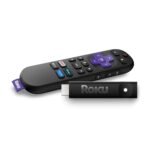
Remote doesn’t have a headphone jack – Unlike the Roku Streaming Stick 4K remote, you can’t plug headphones into this remote for private listening. You’d need to use the Alexa app on your phone instead.
USB power cable is short – The included cable is about three feet long. If your TV’s USB port is hard to reach or doesn’t provide enough power, you may need a longer cable or an outlet adapter.
Some apps run better on other platforms – A few streaming services, like Apple TV+, don’t feel as polished on Fire TV as they do on Roku or Apple TV. Menus lag slightly and updates come later.
Advantages
Better voice search than most competitors – The AI-powered Fire TV Search understands natural language better than Roku’s voice search or Google TV’s. You can say “that movie where the dog dies” and it’ll figure out Marley & Me.
Wi-Fi 6 performance at this price – Most streaming sticks in this price range still use Wi-Fi 5. The Fire TV Stick 4K Wi-Fi 6 performance gives it an edge in households with many connected devices.
Deeper Amazon integration – If you use Amazon services like Prime Video, Music, or Photos, the Fire Stick puts them front and center. It also controls Alexa-compatible smart home devices from the remote.
Fire TV Stick 4K vs Roku Streaming Stick 4K – The Roku has a cleaner interface and a headphone jack on the remote, but the Fire Stick has better voice search, Wi-Fi 6, and tighter Amazon integration. If you want Alexa and faster Wi-Fi, go with the Fire Stick.
Who Should Buy
Buy it if: You want the best streaming stick for 4K HDR at a reasonable price. You’re already in the Amazon ecosystem or you want Alexa voice control. Your home has a busy Wi-Fi network and Wi-Fi 6 would help.
Skip it if: You hate ads on your home screen and want a completely clean interface. In that case, the Roku Streaming Stick 4K is a better choice. Also skip if you need a headphone jack on the remote for private listening.
Skip it if: You’re deeply invested in Apple’s ecosystem—Apple TV+ is less polished here, and AirPlay isn’t built in. The Apple TV 4K would be a better fit, though it costs four times as much.
Skip it if: You only watch one or two streaming services and don’t need voice search or Wi-Fi 6. A cheaper HD stick would work just as well for you.
FAQ
Is the Amazon Fire TV Stick 4K worth it?
Yes, at $35 it offers excellent value for the features you get: 4K HDR with Dolby Vision, Wi-Fi 6, and Alexa voice control. The only reason to skip it is if you hate the ad-supported home screen or need a headphone jack on the remote.
How long does the Fire TV Stick 4K last?
Most owners get three to four years of regular use before the remote starts wearing out or the interface feels slow. Amazon pushes software updates for several years, so you won’t lose access to new apps quickly.
Is the Fire TV Stick 4K better than Roku?
It depends on what you value. The Fire TV Stick 4K has better voice search, Wi-Fi 6, and deeper Amazon integration. The Roku Streaming Stick 4K has a cleaner, ad-free home screen and a headphone jack on the remote. Both are good choices.
Does the Fire TV Stick 4K work with any TV?
Yes, as long as your TV has an HDMI port. That includes older HDTVs, though you won’t get 4K HDR on them. The stick will still stream at 1080p just fine. It also works with projectors and monitors with HDMI input.
What is the Fire TV Stick 4K Alexa+ feature?
The Fire TV Stick 4K Alexa+ features include the new AI-powered Fire TV Search, which understands natural language requests like “show me comedies from the 90s.” It also includes hands-free Alexa control if you have an Echo device nearby, plus full smart home control from the remote.
Does the Fire TV Stick 4K support Wi-Fi 6?
Yes, this model has Wi-Fi 6 support, which gives you faster speeds and better performance in homes with many devices connected to the same network. You’ll need a Wi-Fi 6 router to take advantage of it, but it also works with older routers.
Is the Fire TV Stick 4K 2026 model review different from the previous version?
This Fire TV Stick 4K 2026 model review focuses on the new AI-powered search and the continued inclusion of Wi-Fi 6. The design and remote are similar to the previous version, but the voice search is noticeably smarter and the software is smoother.
Final Verdict: Amazon Fire TV Stick 4K Review
The Amazon Fire TV Stick 4K is a smart buy for anyone who wants a fast, feature-rich streaming experience without spending much. The 4K HDR picture is excellent, the Wi-Fi 6 performance helps in busy homes, and the Alexa voice control with AI search saves time. The ad-supported home screen and the lack of a headphone jack on the remote are the main trade-offs, but at $35, this is still the best streaming stick for 4K HDR for most people.
One thing to keep in mind: if you’re comparing the Fire TV Stick 4K vs Roku Streaming Stick 4K, the choice comes down to whether you want Alexa and Wi-Fi 6 or a cleaner interface and a headphone jack. Either way, you’re getting a solid streaming stick at a fair price.
Amazon Fire TV Stick 4K vs the Best Streaming Sticks in 2026
The $34.99 price tag on the newest Amazon Fire TV Stick 4K puts it in a funny spot. It costs less than a decent dinner out but still packs Wi-Fi 6, Alexa+ voice search, and a claimed library of over 1.8 million movies and shows. That feels like a steal until you realize the competition has been sharpening their own knives. Roku, Google, and Apple all have 4K HDR sticks that cost more—or sometimes less—and each one forces a trade-off you need to know about before you click “buy.”
Product
Price Range
Key Strength
Key Weakness
Best For
Amazon Fire TV Stick 4K (newest)
Budget (under $40)
Wi-Fi 6, Alexa+ with AI-powered Fire TV Search, huge content library
Amazon-heavy interface with ads, voice search still misses some third-party apps
Alexa households, budget buyers who want fast Wi-Fi and don’t mind the ads
Roku Streaming Stick 4K
Budget (similar $30–$40)
Clean, neutral interface, excellent remote, supports almost every app
No voice search on par with Alexa or Google, 4K HDR support less consistent
People who just want to watch stuff without a smart assistant yelling back
Google Chromecast with Google TV (4K)
Budget–Mid ($30–$50)
Google Assistant integration, personalized recommendations, works with Android phones
Remote is plasticky and easy to lose, occasional stutter in 4K HDR
Android users, Google Home smart-home fans, people who like the Google TV row UI
Apple TV 4K (3rd gen)
Premium ($129+)
Insanely fast A15 chip, clean no-ad interface, tight integration with Apple ecosystem
Price is 4x the Fire Stick, no voice remote on cheapest model, limited Dolby Atmos support compared to Fire Stick
Apple fans who want speed, privacy, and don’t care about budget
Amazon Fire TV Stick 4K vs Roku Streaming Stick 4K
This is the fight that keeps streaming nerds awake at night. On paper, both cost about the same, both do 4K HDR, both have decent app stores. But the Fire TV Stick 4K pulls ahead in two ways that actually matter in a messy living room. First, the Wi‑Fi 6 support. If your router handles it, you’ll get smoother 4K streams even when your partner is gaming two rooms away. Roku’s stick is still on Wi‑Fi 5. Second, Alexa+. The new AI‑powered Fire TV Search actually understands when you say “find that romcom where the dog talks” and spits out results fast. Roku’s voice search is fine, but it’s limited to titles and actors—ask it to find “something like Succession but funnier” and you’ll get a blank stare. Trade‑off? Roku’s interface is blissfully free of Amazon product banners. Fire TV’s home screen shoves Prime Video and a couple of sponsored rows in your face. If you hate ads more than you love fast voice search, Roku wins. Otherwise, the Fire TV Stick 4K vs Roku Streaming Stick 4K comparison leans Fire.
Amazon Fire TV Stick 4K vs Google Chromecast with Google TV
The Chromecast is the Google version of the same idea: a dongle that turns an old HDMI port into a smart TV. It also has a remote, Google Assistant, and a recommendation engine that tries to guess your mood. But in 2026, the Chromecast’s age is starting to show. Its 4K HDR playback can hiccup when you jump from Netflix to Hulu after a pause—something the Fire Stick handles without a glitch thanks to its newer processor and Wi‑Fi 6. The Chromecast’s remote is also a slight letdown: it’s slippery, and the buttons have a cheap click. Fire TV’s remote feels solid in the hand and includes dedicated buttons for Prime Video, Disney+, and Netflix—plus the volume rocker is actually on the side, not the edge. The Chromecast bests it in one specific area: if your whole home runs on Google Nest speakers and you want to cast from your phone like it’s 2015, that’s where it shines. But if you’re choosing the best streaming stick for 4K HDR with consistent performance, the Fire Stick edges out the Chromecast.
Amazon Fire TV Stick 4K vs Apple TV 4K
This comparison is almost unfair. Apple TV 4K costs roughly four times as much as the Fire Stick. For that money you get an A15 chip that makes menus feel like they’re reading your mind, a remote with a clickpad that actually works, and zero ads anywhere. It’s the closest thing to a luxury streaming device. So why wouldn’t you just buy it? Because the Fire Stick does 90% of the same stuff for a quarter of the price. Yes, Apple TV has better Dolby Atmos support for home theater geeks. Yes, its video processing is slightly cleaner in dark scenes. But when you’re watching Stranger Things on a normal TV, the difference is invisible. And the Fire Stick’s Alexa+ features let you say “show me action movies under 2 hours” and get a list that includes free options, not just Prime. Apple’s Siri doesn’t do that as well. So is the Fire TV Stick 4K worth it? If you’re on a budget, absolutely. The Apple TV is only the better choice for people with airpods in their ears, MacBooks on their laps, and money that’s already burning a hole in their pocket.
So who should pick the Amazon Fire TV Stick 4K? Anyone who lives inside the Alexa ecosystem—you’ve got Echo Dots, you ask the weather by yelling at a lamp. Also anyone who wants Wi‑Fi 6 without spending over $50, or who just flat-out doesn’t want to pay $130 to stream 4K HDR. If you hate seeing ads on your TV home screen, Roku Streaming Stick 4K is your alternative. If you’re an Android phone user who casts everything and already talks to Google Assistant, the Chromecast with Google TV makes more sense. But for the $34.99 price and the voice search that actually works, the Fire Stick 4K is the most capable streaming stick for most people in 2026.
Ready to decide on the Amazon Fire TV Stick 4K?
See today’s price, stock and delivery options on Amazon.