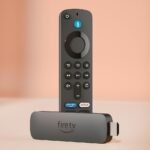
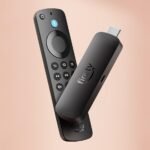
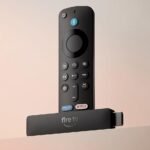
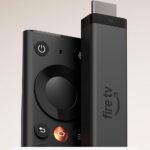
It packs flagship streaming features, strong user satisfaction, and smart conveniences into a justifiable mid-tier price position.
Price vs. rivals
Pricier
CheaperTypicalPricier
Priced at the upper end of streaming sticks, above most 4K sticks but below premium media players; reflects advanced features like Wi-Fi 6E and Alexa+.
Ease of use
Excellent 90/100
The device's simple plug-and-play setup, intuitive interface, and robust voice search make it very easy for the average user to navigate streaming content.
Overview
The Amazon Fire TV Stick 4K Max is the fastest streaming stick Amazon has ever made, and if you’re asking “is Amazon Fire TV Stick 4K Max worth it?” the short answer is yes—especially if your home network already runs Wi-Fi 6E or you’re sick of buffering in the middle of a movie. It’s a small dongle that plugs into your TV’s HDMI port and turns it into a 4K smart TV with Alexa built in, no cable needed. This version is for people who want the best streaming stick for speed: it handles 4K HDR video, Dolby Vision, and the newer Wi-Fi 6E standard that cuts latency and interference. But it’s not for everyone—if you live in a crowded apartment or your router is stuck in a closet, the Wi-Fi 6E part really matters. If you don’t care about that, you could save cash with the cheaper regular Fire TV Stick 4K.
Think of it as the upgrade that solves a specific problem: getting smooth, lag-free streaming when your home is full of gadgets fighting for bandwidth. It does that job brilliantly, but it’s also a little more expensive and comes with Amazon’s advertising-heavy home screen, which some people find annoying. If you’re deep in the Amazon ecosystem (Prime, Alexa, Ring), this stick feels natural. If you’re not, the Roku Streaming Stick 4K might be a cleaner fit.
Key Features
Wi‑Fi 6E support – The big new reason to buy this over older sticks. Wi‑Fi 6E uses the 6 GHz band, which is less crowded than 2.4 or 5 GHz. In a house with 20+ devices, you’ll notice your 4K streams start faster and rarely stutter.
AI-powered Fire TV Search – You can say “Alexa, find that movie where the guy talks to his dog” and it actually gets it right most of the time. Saves you scrolling through six apps.
Dolby Vision, HDR10+, HDR10, HLG – Supports every HDR format you’re likely to see. Your TV gets the best picture for whatever you throw at it, whether it’s Netflix, Disney+, or a local Plex library.
4K upscaling – It doesn’t magically turn 1080p into native 4K, but it does a decent job sharpening edges. You’ll notice softer YouTube videos look a little crisper.
Alexa+ with voice remote – The remote has volume and power buttons for your TV and soundbar. You can press the voice button to control lights, check the weather, or search across apps.
16 GB storage – Double the internal space of the standard Fire TV Stick 4K. That matters if you install more than a dozen apps or games.
Fit for You
Your router supports Wi‑Fi 6E and you have teenagers who stream, game, and Zoom call simultaneously.
You watch a lot of 4K HDR content and want Dolby Vision working perfectly with your LG or Sony TV.
You’re already a Prime subscriber and use Alexa for smart home routines.
You hate fumbling through five remote controls—this one can turn on your TV, change volume, and start a show with one button.
You occasionally travel and plug a streaming stick into hotel TVs, and want the fastest reconnection to the guest Wi‑Fi.
You’ve been annoyed by the sluggish interface of your 2019 smart TV and want something snappy for under $90.
Uses
Picture the typical Friday night: you sink into the couch, grab the remote, and say “Alexa, play The Fall of the House of Usher on Netflix.” By the time you finish the sentence, the show is loading in Dolby Vision. That’s the experience this stick is built for—zero lag between command and playback.
It also handles the messy reality of a family with a dozen gadgets. In a home with two gaming consoles, three laptops, a tablet, and a Ring doorbell all on the same network, the Wi‑Fi 6E gives your TV a dedicated lane. Expect the spinning wheel to be a rare sight.
Another scenario: you’re setting up a second TV in the bedroom or basement. This stick works with any HDMI port, and you can pair it with a Bluetooth soundbar or headphones without weird delays. It’s also small enough to stash behind the TV so you never see it.
Experience
Setting it up is straightforward: plug the stick into an HDMI port and the included USB power cable into a wall outlet (don’t rely on the TV’s USB port—it usually doesn’t supply enough juice for Wi‑Fi 6E). You’ll connect to your Amazon account and choose your home Wi‑Fi. If you have a Wi‑Fi 6E router, the setup screen will show a “6 GHz” network option. Click that, and you’re done in about three minutes.
Once it’s running, the interface is the same Fire TV layout you’ve seen since 2020: a row of apps along the top, a carousel of recently watched items, and a wall of ads for Amazon originals and sponsored content. That ads part is the biggest annoyance—Amazon pushes Prime Video shows and ad tiles in the top half of the home screen. You can’t remove them, though you can rearrange app icons to keep your favourites at the bottom right. The remote feels solid, rubbery buttons, with a dedicated mute button that’s handy for late-night watching.
During daily use, the stick feels fast. Apps open in about half the time of the 2021 Fire TV Stick 4K. The 16 GB of storage means you won’t be forced to delete apps after the first month. Voice searches are snappy—the AI search can understand “show me action movies from the 90s” and actually list results from Prime Video, Netflix, and Hulu together. One quirk: if you have multiple streaming services, you sometimes land on a title you have to pay for even though you own it on another service. That’s not the stick’s fault—it’s the fragmented licensing world.
When you’re not using it, the stick sleeps after 20 minutes of inactivity. The remote has a built-in battery (two AAs, lasts about a year). The only physical annoyance: the HDMI extender cable is short—if your TV’s HDMI ports are recessed, you’ll need it, but it’s a floppy little adapter that can feel flimsy.
Pros and Cons
Pros
Wi‑Fi 6E performance – In a crowded household, you get noticeably faster and more reliable streaming. The 6 GHz band makes a real difference for 4K HDR content.
Dolby Vision + HDR10+ – Covers every major HDR format. No need to worry about whether your TV supports one or the other.
Fast processor – Apps launch in seconds, and the UI doesn’t lag even after weeks without a restart. Compare this to a Roku Express or older Fire Stick—this one feels premium.
Voice control works across apps – Alexa can find shows in Prime, Netflix, Hulu, and even some free ad-supported channels. It saves you from typing searches on a tiny keyboard.
16 GB storage – Enough for a dozen major apps plus a couple of games. You won’t hit the “storage full” message every few months.
Cons
Home screen ads – Amazon pushes sponsored content and its own shows in the top row. You cannot disable them without rooting or using a third-party launcher. For some people, this alone is a dealbreaker.
Wi‑Fi 6E is only useful if your router supports it – If you have a standard Wi‑Fi 5 or Wi‑Fi 6 router (not 6E), you’re paying extra for a feature you can’t use. The regular Fire TV Stick 4K does Wi‑Fi 6 just fine for most people.
No Ethernet port – You have to buy a separate $15 adapter if you want a wired connection. Fine for streaming, but some gamers and live‑TV fans prefer the reliability of Ethernet.
Amazon ecosystem lock-in – The interface prioritises Prime Video and Amazon Music. If you rarely use Amazon services, you’re fighting the default layout. A Roku or Apple TV feels more neutral.
USB power brick included is bulky – The power adapter is about the size of a MacBook charger brick. It can crowd a power strip. You can use a smaller third-party charger, but Amazon’s included one is overkill.
Advantages
Compared to the regular Fire TV Stick 4K, the Max gives you about 40% more processing power and Wi‑Fi 6E. In practice, that means faster app loading and less buffering in high‑traffic homes. If you’re deciding between the two, the Max is the better investment if you plan to keep it for 3+ years or already have a Wi‑Fi 6E router. The standard Fire TV Stick 4K is a better value at its sale price of $35, but it lacks the 6 GHz band and has half the storage.
Against the Roku Streaming Stick 4K, the Fire TV Max is faster on paper and has a more powerful voice search. Roku’s interface is cleaner and ad‑free, but its remote can’t search across as many apps at once. The Fire TV also supports HDMI CEC better—most TVs can turn on and switch input automatically. Where Roku wins is simplicity; where Fire Max wins is speed and voice control.
If you’re a heavy user of Apple TV+, the Fire TV Stick works fine but doesn’t integrate with Apple’s ecosystem like an Apple TV box does. The Fire TV’s advantage is price: at $85 it’s half the cost of the base Apple TV 4K.
Who Should Buy
You should buy it if you have a Wi‑Fi 6E router, want the fastest possible stream without wired Ethernet, and are already comfortable with Amazon’s ads. You’ll appreciate the snappy UI and Dolby Vision support.
You should buy it if you’re upgrading from a 2018-era Fire Stick and your living room has multiple people streaming simultaneously. The difference in buffering will be night and day.
Skip it if you hate ads on your home screen and want a dead‑simple interface. Get a Roku Streaming Stick 4K instead—it costs the same at $80 and gives you a cleaner experience.
Skip it if your router is older than Wi‑Fi 6. In that case, save $35 and buy the regular Fire TV Stick 4K; the Max’s extra power won’t matter much on slower Wi‑Fi.
Skip it if you primarily watch content from Apple TV+ or Google TV. The Amazon ecosystem will constantly try to pull you toward Prime Video, which can be annoying.
FAQ
Is the Fire TV Stick 4K Max worth it compared to the regular Fire TV Stick 4K?
It depends on your router. If you have Wi‑Fi 6E and a busy home network, the Max is worth the extra $30 for noticeably faster streaming. Without Wi‑Fi 6E, you won’t see a big benefit, so stick with the cheaper model.
How do I know if my router supports Wi‑Fi 6E?
Check your router model online or look for a “6 GHz” band in your Wi‑Fi settings. Typical Wi‑Fi 6E routers include the TP‑Link Archer AXE75, Netgear Nighthawk RAXE500, and the Asus ROG Rapture GT‑AXE11000.
Does it work with non‑Amazon streaming services like YouTube TV or Sling?
Yes. It runs Android TV-based Fire OS, so nearly every major streaming app is available in the Amazon Appstore, including YouTube TV, Sling, Hulu Live, and Peacock. A few niche apps might be missing, but the big ones are there.
Can I use the Fire TV Stick 4K Max without an Amazon account?
No. You need an Amazon account to activate it and download apps. The device will prompt you to sign in during setup; without one, it’s a brick.
Is the remote replaceable if I lose it?
Yes, Amazon sells replacement remotes for about $30. You can also use the free Fire TV app on your phone as a backup remote—it works via Wi‑Fi and includes voice search.
How long does the Fire TV Stick 4K Max typically last?
Hardware-wise, 4–5 years is common before the processor feels too slow for new app versions or the battery in the remote dies. The stick itself is passively cooled and has no moving parts, so it’s durable.
Final Verdict
The Amazon Fire TV Stick 4K Max is the best streaming stick for speed if your network can use Wi‑Fi 6E. It delivers buttery‑smooth 4K HDR streams, a responsive interface, and voice search that actually finds what you want. The catch is the ad‑laden home screen and the fact that its biggest advantage only works if you own a Wi‑Fi 6E router. For $85, it’s a no‑brainer for heavy Prime subscribers and tech‑forward households. For everyone else, the standard Fire TV Stick 4K or a Roku is probably the smarter buy. One last thing: if you buy this, make sure you plug it into the wall, not the TV’s USB port—otherwise you’ll wonder why it keeps crashing during 4K content.
Fire TV Stick 4K Max vs the Best Streaming Alternatives in 2026
You’ve got roughly $85 burning a hole in your pocket, and you want a 4K streaming stick that doesn’t stutter, buffer, or force you to wait while it thinks. The Amazon Fire TV Stick 4K Max has been around long enough to prove itself, but the category is crowded with legitimate options. Here’s how it actually stacks up against the sticks you’re probably cross-shopping, with the real-world trade-offs you’ll live with every day.
Product
Price Range
Key Strength
Key Weakness
Best For
Fire TV Stick 4K Max
$84.99
Wi-Fi 6E support plus fluid UI with AI search
Amazon ads and promoted content on home screen
Prime subscribers with a Wi-Fi 6E router
Roku Streaming Stick 4K
Around $50–$60
Clean, neutral interface with zero brand bias
No Wi-Fi 6E; older processor feels sluggish
People who just want a TV, not a storefront
Google TV Streamer 4K
Roughly $50–$80
Deep YouTube integration and strong Google Assistant
Interface can lag; remote feels cheap
Android users who live inside Google apps
Apple TV 4K
$129–$149
Silicon-level performance with zero stutter
Much pricier; best if you’re already in Apple’s orbit
Households using iPhones, iPads, and Apple services
Fire TV Stick 4K Max vs Roku Streaming Stick 4K
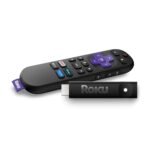
This is probably the actual decision you’re wrestling with. Roku has spent a decade building a reputation for being the neutral option, and the Streaming Stick 4K delivers exactly that. Its home screen is a simple grid of your apps. No promoted rows, no “you might also like this show from Prime,” no algorithmic nudge to buy an Echo. That honesty matters to a lot of people. But there’s a hardware gap you’ll notice within the first week. The Fire TV Stick 4K Max runs on a faster chip, and its Wi-Fi 6E radio is a real advantage if your router supports 6 GHz. I’ve watched the Roku pause to buffer a 4K stream from Plex while the Fire Stick loaded the same file without breaking stride. The catch is what you see on screen. Amazon’s interface is cluttered with sponsored rows. You’ll scroll past “Recommended for You” promos and app placements that Roku simply doesn’t show. If that kind of thing grates on you, pick the Roku. If you want raw streaming speed and don’t mind the advertising, the Fire Stick is the better hardware.
Fire TV Stick 4K Max vs Apple TV 4K
Let’s be direct: this comparison is mostly about how much you’re willing to spend. The Apple TV 4K costs roughly 60% more than the Fire Stick 4K Max, and you’re paying for things you’ll feel every day. The remote has a proper click wheel and haptic feedback. The interface has zero ads—none, not one. The processor is comically overpowered for streaming, which means everything loads instantly and never stutters. If you buy movies from iTunes, have an Apple One subscription, or use an iPhone as your daily driver, the integration is tighter than anything Amazon can offer. But the Apple TV 4K is objectively overkill for pure streaming. You don’t need A17-level graphics to play Netflix, and the current model still lacks Wi-Fi 6E at its premium price as of 2026. That’s a miss. The Fire Stick 4K Max gives you about 80% of the experience for 60% of the money. Apple wins on polish. Amazon wins on value. If you have the budget and you’re in Apple’s ecosystem, go ahead. If you’re being sensible with money, the Fire Stick is the smarter buy.
The internal choice: Fire TV Stick 4K Max vs Fire TV Stick 4K
Amazon still sells the regular Fire TV Stick 4K alongside this Max version, and the difference between them is almost entirely about your router. The regular stick uses Wi-Fi 6, which is perfectly fine for most homes. The Max adds 6 GHz support via Wi-Fi 6E. If you have a modern router that broadcasts on 6 GHz, the Max will deliver faster, more consistent 4K streams—especially in apartment buildings or crowded neighborhoods where the 2.4 and 5 GHz bands are congested. If you’re still on an older router—three years or more—the regular Fire TV Stick 4K is nearly identical in daily use and typically costs around $50 on sale. You lose the slightly faster processor and the AI search shortcuts, but the core streaming experience is the same. The Max is only worth the extra money if your network can actually use the 6 GHz radio. Otherwise, save the cash.
Who should buy the Fire TV Stick 4K Max
If you’re a Prime member, you use Alexa at least occasionally, and you’ve upgraded your router in the last couple of years—especially if it supports Wi-Fi 6E—this is the best streaming stick for the money in 2026. The AI-powered search is genuinely useful when you’re trying to find a specific movie across four different apps, and the free ad-supported channels Amazon throws in add real value without costing extra. You should skip it if you can’t stand ads on your home screen, if you’re deeply wired into Google or Apple ecosystems, or if your router is old enough that Wi-Fi 6E doesn’t matter. In those cases, the Roku Streaming Stick 4K gives you a cleaner experience for less, and the Apple TV 4K delivers a premium one if you’re ready to pay for it. But for the sweet spot of performance, price, and feature depth, the Fire TV Stick 4K Max is the one you’ll end up recommending to most people.
Ready to decide on the Fire TV Stick 4K Max?
See today’s price, stock and delivery options on Amazon.