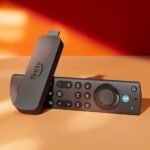
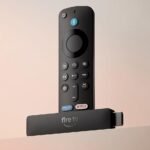
Is the Amazon Fire TV Stick 4K Select worth it? For $49.99, this Amazon Fire TV Stick 4K Select review shows it’s the best streaming stick for 4K TV if you want a simple remote, Alexa built in, and don’t want to pay Roku or Apple prices. It’s not perfect, but it nails the basics for most people.
Offers robust 4K streaming and voice control at a competitive price point that balances features and affordability.
Price vs. rivals
Typical
CheaperTypicalPricier
Priced at the typical mid-range for 4K streaming sticks, similar to key competitors.
Ease of use
Excellent 85/100
The Fire TV Stick's straightforward setup and Alexa voice search make it easy for most users, though the menu layout may require a bit of familiarization.
Overview
The Fire TV Stick 4K Select is Amazon’s mid-tier streaming stick. It sits between the basic HD stick and the pricier 4K Max. It does one job well: turning a regular TV into a smart one with sharp 4K picture, a snappy interface, and voice search that actually works.
It’s really for anyone tired of juggling a cable box, a game console, and a TV remote. You plug it into an HDMI port, connect to Wi-Fi, and all your apps live in one place. The remote is genuinely comfortable, and the Alexa button means you’re never scrolling through an on-screen keyboard again.
Key Features
4K Ultra HD and Dolby Vision: If you have a decent 4K TV, this is where the money goes. Streaming Netflix or Disney Plus looks crisp, and HDR really makes colors pop.
Alexa voice control: The remote’s microphone lets you say “Alexa, open Peacock” or “find action movies.” It’s fast, and it’s better at picking up regular speech than you’d expect at this price.
AI-powered search: This is the new trick. You can search across all your apps at once, so you don’t have to open Hulu, then Prime, then Netflix separately to find one film.
Free and live TV: Amazon’s free channels are built in. Pluto, Tubi, and Amazon’s own Freevee are right there, which is handy if you cut cable and don’t want to pay for everything.
Wi-Fi 6 support: This matters more than most people think. In a household with phones, laptops, and consoles all battling for bandwidth, the stick holds a stable connection better than older models.
Fit for You
You have a 4K TV but no smart features, or the built-in apps are slow and useless.
You find typing with a remote’s arrow keys painful and want to just say what you’re looking for.
You cut cable but still want local news or free ad-supported channels without another subscription.
You want one clean interface for Netflix, Prime, Hulu, and YouTube instead of switching TV inputs constantly.
You’re on a budget and it’s hard to justify $100+ for an Apple TV or Nvidia Shield.
You own a Fire TV soundbar or Echo speakers and want everything to work together.
Uses
Late night is where this thing earns its keep. You’re on the couch, you say “Alexa, play The Office,” and it’s on without you lifting a finger. The AI search saves real time. One search for “Oscar winners 2024” pulls up results from every app you have, not just Prime.
Traveling is another moment. It’s small enough to slip into a laptop bag, and hotel TVs usually accept HDMI input. Plug it in, hop on the hotel Wi-Fi (the stick handles the captive log-in page better than you’d think), and your shows are there.
Sports fans get something too. Live TV channels like YouTube TV and Sling load quickly, and the 4K upgrade actually shows during football or basketball. The stick doesn’t stutter during fast panning. For the price, that’s a pleasant surprise.
Experience
Setup takes about ten minutes. You plug it in, wait for the remote to pair, and enter your Wi-Fi password. Amazon’s guided setup assumes you’ve done this before, so there’s no annoying tutorial. You might have to update the software first thing, though, and that takes a few minutes.
The home screen is busy. Amazon pushes their own content — Prime Video rows sit right at the top, front and center. If you find corporate self-promotion annoying, you can install a different launcher, but that requires extra steps. For most people, it’s just there, and you scroll past it. The apps you actually use are pinned near the top, so the clutter is manageable.
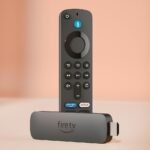
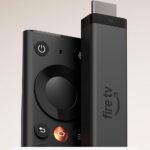
The remote is great. It’s lightweight, fits comfortably in one hand, and the buttons are clicky. The power and volume buttons can control your TV, so you can throw the TV remote in a drawer. The one annoyance? The stick is tiny, but it needs a power adapter plugged into a wall outlet. If your wall outlet is behind your TV stand, that’s one more cable to hide.
During a heatwave, the stick does what most do: it gets warm. That’s normal, there’s no fan, just passive heat. I haven’t heard widespread complaints about it overheating, but don’t tuck it behind a closed cabinet with no airflow. Give it room to breathe and it’ll be fine.
Pros and Cons
Pros
Fast for the price: Menus load quickly, apps open in about two seconds, and skipping around a show doesn’t involve endless buffering.
Remote with real buttons: Play/pause, rewind, and a dedicated mute button. It sounds basic, but not every streaming remote has them.
Strong voice search: Alexa understands natural phrasing. You don’t have to talk like a robot.
Good 4K performance: Dolby Vision and HDR10+ support mean you’re using your TV’s full potential.
You’re locked into the Amazon ecosystem: If you use Prime, buy from Amazon, or own an Echo, this slots right in and makes everything a bit easier.
Cons
Yes, those ads on the home screen: Amazon recommends content relentlessly, some of it paid. You can’t disable this, only scroll past it.
No Ethernet port: You’re relying on Wi-Fi only. With a strong router, it works flawlessly, but a poor signal means stutters.
Expanding storage is tedious: There’s not much internal space for apps, and moving games or huge apps to an SD card involves arcane steps in settings.
No Dolby Atmos passthrough: You can get Atmos on the 4K Max, but this stick only handles standard audio formats. Audiophiles, notice.
The power brick: It takes up a wall outlet, and the cable is short. If your outlet is far, you’re buying an extension cord.
Advantages
The Fire TV Stick 4K Select beats typical alternatives because of the remote and the ecosystem. Roku’s remote is fine, but its voice search is limited to “search a specific service,” not “what should I watch.” Chromecast with Google TV has the same AI search idea, but its interface is more cluttered and the remote feels cheaper. For households that already pay for Amazon Prime, this stick is a no-brainer.
Comparing Fire TV Stick 4K Select vs Chromecast comes down to this: Google casts from your phone more smoothly, but Fire TV handles voice commands naturally from the remote, plus it does free TV channels without any extra fiddling. Also, Fire TV has better support for gaming controllers if you ever decide to try retro emulation runs on it.
Who Should Buy
You buy it if: You want cheap, fast, smart TV benefits on an older or non-smart TV.
You buy it if: You’re fine with an interface that’s a little busy but still works fine.
You buy it if: You use a soundbar and want the remote to also control TV volume, then it’s perfect for you.
You skip it if: You hate homepage recommendations and want a cleaner experience, then a Roku is a better fit.
You skip it if: You need Ethernet for gaming-like streaming or you live somewhere to a dead-zone Wi-Fi in the living room.
FAQ
Is the Fire TV Stick 4K Select worth it?
Yes, at $49.99, you get the best value in streamers. It performs fast, has excellent voice search, and doesn’t cost close to what Apple or the Shield ask for similar features.
Is Fire TV Stick 4K Select vs Chromecast better?
Fire TV is better if you prefer a remote and consistent interface and are part of the Prime ecosystem. Chromecast is better if you want to launch everything from your phone and have a clean Android experience.
What are the Fire TV Stick 4K Select specs?
The stick supports 4K Ultra HD, Dolby Vision, HDR10+ and has Wi-Fi 6. It has 8GB storage and 1.5GB RAM, runs Fire OS, and ships with the Alexa Voice Remote. That’s plenty solid for streaming apps.
How long does it last?
Expect it to last 4–5 years comfortably. Amazon keeps pushing software updates for old generations, and the hardware here is new enough that it won’t slow down anytime soon.
Do I need 4K to use this Fire TV Stick?
No. It plays 1080p fine if you connect it to a standard HD TV. But if you’re paying for a 4K TV and don’t use this, you’re leaving visual quality on the table.
Is the Fire TV Stick 4K Select easy to set up?
Easy. Plug into HDMI, plug into power, turn on the TV. Pair the remote, connect Wi-Fi, and you’re in. The Fire TV Stick 4K Select setup guide gets started in under 10 minutes, and the on-screen prompts walk you through it right.
Final Verdict
If you have a 4K TV and the least expensive practical way to get it streaming is $49.99, get the Fire TV Stick 4K Select. It won’t give you a pristine, ad-free home screen, and it won’t brag about audiophile-grade sound. It will, however, do what you actually need, which is play your shows at excellent quality with a remote that feels right. Just know where that power outlet is before you start plugging things in.
Amazon Fire TV Stick 4K Select vs the Alternatives: Which Streaming Stick Wins in 2026?
At $49.99, the Amazon Fire TV Stick 4K Select sits in the thick of the streaming-stick market, where every rival is fighting for a spot under your TV. It does 4K Dolby Vision and HDR10+, plus it throws in Alexa voice control and something Amazon calls “AI-powered search” that actually works pretty well for finding shows across apps. But it also has ads on the home screen and an interface that pushes Prime Video hard. That trade-off is the whole conversation. So let’s compare it to the real competitors you’re probably weighing up right now.
Product
Price Range
Key Strength
Key Weakness
Best For
Amazon Fire TV Stick 4K Select
$49.99 (typical)
Alexa voice control and AI-powered show discovery
Home screen clutter with ads and heavy Amazon promotion
People who already use Alexa and want fast search across apps
Google Chromecast with Google TV (4K)
$49.99 (typical)
Clean, personalized Google TV interface with Google Assistant
No ethernet port, remote feels a bit cheap in hand
Google ecosystem fans who prefer a content-first, not store-first, UI
Roku Streaming Stick 4K
$39.99 – $49.99
Simplest, fastest interface with no algorithm-driven clutter
Voice search is weaker, no Dolby Vision on some apps
People who just want a remote and a grid of apps, nothing more
Apple TV 4K
$129 – $149
Brutally fast A15 chip, tight iPhone/iCloud integration
Price is 2.5x the Fire Stick, remote is divisive (click pad vs buttons)
Apple household members who want the snappiest experience and gaming
Amazon Fire TV Stick 4K Select vs Chromecast with Google TV
The Chromecast with Google TV is the closest direct rival at the same $50 price. Both do 4K HDR and both have a voice remote. The difference is how they present your viewing options. Google’s interface is built around “For You” rows that mix recommendations from all your services without pushing one store. Amazon’s interface shoves Prime Video rows front and center, and it serves up sponsored banners. You can hide some of it, but not all. On the upside, the Fire Stick’s new AI search actually understands “that movie where a guy fights a shark in a tornado” and pulls it up from Netflix, Hulu, or Prime. Google Assistant is better at answering general questions but less fluid at cross-app movie hunting. The remote feel matters too: Amazon’s remote has a nice textured grip and dedicated buttons for Netflix, Disney+, and Prime. Chromecast’s remote is smoother plastic and the volume rocker wobbles. If you want a neutral, app-grid-first experience, take the Chromecast. If you want the fastest path from voice command to playback and you don’t mind some promotional noise, take the Fire Stick.
Amazon Fire TV Stick 4K Select vs Roku Streaming Stick 4K
Roku has been the simplicity king for years, and the Streaming Stick 4K still is. Its home screen is just a grid of your apps with no ads (except one small banner on the right side, which you can toggle off). The remote has a headphone jack for private listening, something neither the Fire Stick nor Chromecast offers. That alone is a killer feature if you watch TV while someone else sleeps. But the tradeoff is voice search. Roku’s voice is functional for launching apps and searching a few services, but it doesn’t handle fuzzy queries like “show me horror movies from the 90s”. The Fire Stick’s Alexa does that easily. Roku also lacks Dolby Vision support in some apps like Netflix on older models (though the latest stick added it, still spotty). Amazon’s stick supports Dolby Vision everywhere it’s available. So if you simply want to open Netflix, pick a show, and never think about the operating system, buy the Roku. If you want a smarter voice assistant and consistent HDR across services, the Fire Stick wins.
Amazon Fire TV Stick 4K Select vs Apple TV 4K
This comparison is almost unfair because the Apple TV 4K costs $129 to $149, nearly three times the Fire Stick. You get a lot for that premium. The A15 chip makes every menu transition instant, games from Apple Arcade run smoothly, and if you own an iPhone you can use it as a remote, share photos, or pipe your AirPods audio to the TV. The Fire Stick feels a generation behind in raw speed – there’s a half-second lag when scrolling through the Prime Video library. But for watching movies and streaming apps, both do the same job. Apple’s remote (the silver touchpad one) is polarizing; some hate the swipe-to-scroll, others get used to it. Amazon’s remote is pure tactile buttons and a D-pad. If you have $130 to spare and you live in the Apple ecosystem (iPhone, Mac, AirPods), the Apple TV is a genuinely better experience. If $50 is your budget or you want Alexa to control your lights, thermostat, and TV all at once, the Fire Stick is the smart choice. You won’t miss the speed for normal streaming, only if you plan to play games or need HomeKit.
So who should buy the Amazon Fire TV Stick 4K Select? Anyone who already has Echo speakers, Ring cameras, or other Alexa gear – it’s the cheapest way to add voice control to your TV. The AI search is genuinely handy for skipping the guesswork across Netflix, Hulu, and Prime. But if ads on your home screen annoy you, or you don’t care about voice search at all, pick the Roku Streaming Stick 4K instead. Its private listening and no-nonsense interface are a better fit for people who just want to watch shows, not shop them. And if you’re deep in Google’s world, the Chromecast with Google TV offers a cleaner, equally priced alternative with no brand bias in its rows.
Ready to decide on the Amazon Fire TV Stick 4K Select?
See today’s price, stock and delivery options on Amazon.