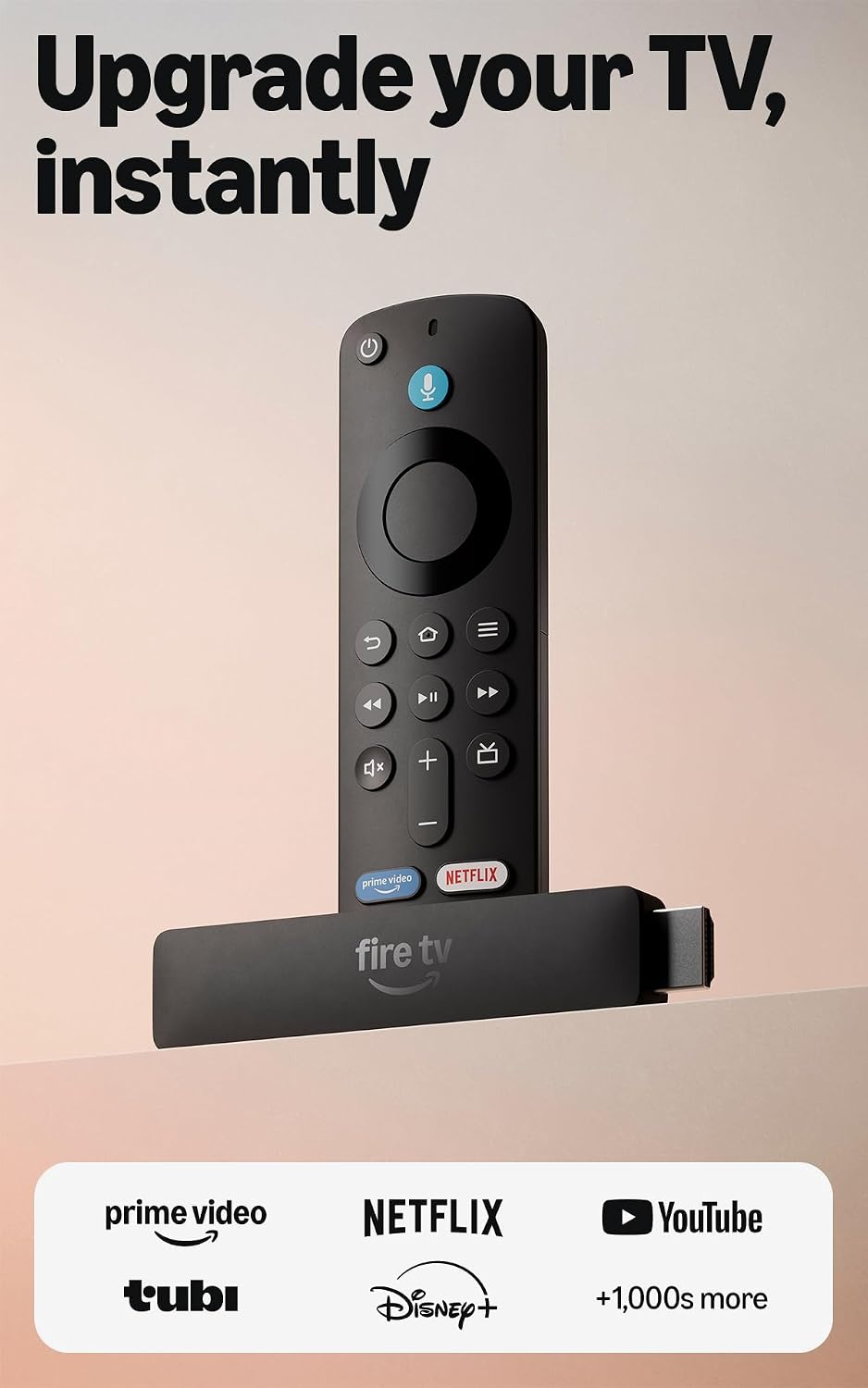
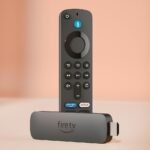
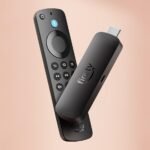
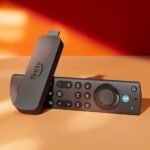
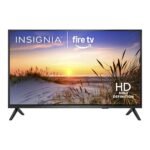
Is the Amazon Fire TV Stick HD worth it? For $39.99, the newest Fire TV Stick HD is the easiest recommendation I can make to anyone who wants a no-fuss streaming device, especially if you’re already living in Amazon’s ecosystem. This Amazon Fire TV Stick review will tell you straight: it’s not the fastest stick on the market, but it nails the basics with a clear picture and a remote that just works.
Offers a robust set of streaming and voice control features at an exceptionally low price, making it a top value choice in its category.
Price vs. rivals
Typical
CheaperTypicalPricier
Priced at a typical mid-range point for streaming sticks, comparable to most popular alternatives without being the cheapest or most expensive option.
Ease of use
Excellent 88/100
The device is very easy for an average person due to the simple plug-and-play setup, intuitive Alexa voice remote, and straightforward access to free live TV, though occasional menu navigation may take a moment to learn.
Overview
The Fire TV Stick HD is Amazon’s entry-level streaming dongle, sitting below the 4K models in the lineup. It plugs into your TV’s HDMI port, draws power from a USB cable (your TV’s port or the included wall adapter), and turns any dumb TV into a smart one. The problem it solves is simple: your TV’s built-in apps are slow, outdated, or missing the services you actually pay for.
The HD here means 1080p Full HD output. If you don’t own a 4K TV, or you’re setting up a bedroom set, a guest room, or a spare TV in the garage, you don’t need to spend extra on 4K hardware. It’s really for people who want a fast, reliable streaming experience without thinking about it.
Key Features
1080p Full HD streaming: The picture is crisp and colors look punchy on any modern TV. You won’t get 4K, but you also won’t feel shortchanged because the source content is mostly HD anyway.
Alexa Voice Remote: This is the best part of the package. The remote has dedicated power, volume, and mute buttons, so it replaces your TV remote entirely. Press and hold the mic button, say “open Netflix,” and it just happens.
Powered by the TV: The stick draws power from your TV’s USB port, so there’s no wall wart taking up an outlet. It does mean the TV has to be on to stream, which is fine for most people.
Alexa+ integration: The newer model supports more conversational Alexa queries. You can ask “What should I watch tonight?” and get recommendations across your subscribed apps, not just Amazon Prime Video.
Free & live TV: The home screen has a live TV row that aggregates free channels from services like Pluto TV, Tubi, and Amazon’s own Freevee. There’s a real lineup of news and entertainment without a subscription.
Fast setup: Amazon says effortless, and they mean it. Plug it in, it connects to Wi-Fi, you sign into your Amazon account, and it grabs your apps automatically. Five minutes from box to watching.
Fit for You
You have a non-smart TV or a smart TV whose apps are so slow you’ve given up on them.
You’re a cord cutter who uses a mix of Netflix, Hulu, Disney+, and free ad-supported channels.
You already buy stuff from Amazon and want a home screen that surfaces what you’re likely to watch.
You want one remote that controls the TV power, volume, and input without fumbling with three remotes on the coffee table.
You travel and want a pocket-sized streaming device that works in hotel rooms or vacation rentals.
You’re setting up a TV for the kids or a guest bedroom and don’t want to spend $80 on a 4K box.
Uses
Picture the living room TV that’s mostly used for nightly Netflix. The Fire TV Stick HD sits behind the TV, invisible, and the Alexa Voice Remote is the only thing you touch. You press the power button once, the TV turns on, the stick boots, and you’re back to the show you were binging last night.
Then there’s the free live TV angle. When the cable news talking heads get too loud, you can flip over to the live TV row and find something like a classic movie channel or a nature documentary stream. It’s not replacing cable, but it’s surprisingly watchable for the price of zero dollars a month.
In the bedroom, you can plug the stick into your TV and power it from the USB port on the back. No extra cables visible, no second remote. That’s the hidden win of this design—it disappears into your setup.
Experience
Setup is genuinely the smoothest part of this device. You plug it in, pick your Wi-Fi network, type your Amazon password once, and it syncs your apps. The remote pairs automatically out of the box. The only hiccup people mention is that if your TV’s USB port doesn’t provide enough power, you’ll need to use the included wall adapter instead—a small thing, but good to know before you mount it behind a wall.
In daily use, the interface is zippy enough. It’s not the snappiest streaming stick on the market; you’ll see a few frames of loading here and there when opening apps or scrolling through the home screen. But it’s never frustrating, and it’s a clear step up from the built-in apps on budget TVs.
The remote is where Amazon nailed it. The buttons have a satisfying click, the size feels right in your hand, and the voice recognition is quick and accurate. Saying “play The Boys on Prime Video” gets you there instantly. The volume and power buttons work with just about any TV brand, which is the kind of thing you don’t appreciate until you’ve had a universal remote that didn’t actually control anything.
The small annoyances? The home screen is crowded with ads and sponsored rows. You can’t get rid of them. Also, the stick runs a bit warm to the touch after a long binge session—not hot, just warm, and it’s never affected playback. And if you’re a pure Roku person, you’ll find the interface busier than you’d like.
Pros and Cons
Pros
Unbeatable price: For $39.99, you get a fully featured streamer plus a voice remote that controls your TV. There’s nothing else at this price with this feature set.
Alexa built in: The voice search is accurate and fast, and it works across apps. You don’t need to remember which service has which show; just ask.
Plenty of free content: The live TV row and free apps like Tubi and Pluto TV mean you can watch without a single subscription.
Compact and portable: It’s smaller than a pack of gum. Throw it in a bag and you have your streaming library anywhere.
Universal remote: The volume and power buttons work with most TVs, so you can retire the original remote.
Cons
Not 4K: If you have a 4K TV, you’re leaving resolution on the table. The Fire TV Stick 4K costs a bit more and is the better choice for that setup.
Ad-heavy home screen: Amazon pushes movies and shows at you on the home screen. It’s tolerable, but it’s a constant reminder you’re on a storefront.
Only 8GB of storage: Apps fill this up quicker than you’d expect. You’ll have to delete one to install another eventually, especially with games.
Wired connection not included: If your Wi-Fi is spotty, you can’t plug in an Ethernet cable without buying a separate adapter.
Not the fastest: It’s responsive, but a Roku Express feels slightly quicker in menu navigation. Barely a difference, but it’s there.
Advantages
In the battle of Amazon Fire TV Stick vs Roku Express, the Fire TV Stick HD wins for most people. The Roku Express is similarly priced and has a cleaner interface, but it lacks a voice remote that controls TV power. The Fire TV Stick HD’s Alexa integration is also more capable—you can ask it to reorder toilet paper or check the weather, not just control playback.
The best streaming stick for cord cutters often comes down to ecosystem preference. If you live in Prime Video, buy from Amazon, or use Alexa devices around the house, the Fire TV Stick HD is the obvious pick. It deep-links to your Amazon content, and the recommendations get better the more you watch.
For the price, the advantage is clear: you’re paying $40 for a device that does everything a $100 streamer does, just at a lower resolution and a slightly slower pace. For a bedroom or guest TV, it’s the smartest $40 you’ll spend.
Who Should Buy
Buy it if you have a non-4K TV and want a smooth, voice-controlled streaming experience for under $50.
Buy it if you’re already using Alexa for other things—it slots right in.
Buy it if you’re tired of your TV’s slow, clunky apps and don’t want to spend a lot to fix the problem.
Skip it if you have a 4K TV and want to watch everything in Ultra HD. Get the Fire TV Stick 4K instead.
Skip it if you hate ads on your home screen. Roku’s interface is cleaner, though you’ll lose the voice remote convenience.
Skip it if you have a hotel-style setup where the TV’s USB port can’t power the stick—you’ll need the wall adapter, which means one more cable.
FAQ
Is the Amazon Fire TV Stick HD worth it?
Yes, the Amazon Fire TV Stick HD is worth it at $39.99 because it delivers reliable 1080p streaming, a voice remote that controls your TV, and access to a massive app library plus free live TV channels—all for less than a night out.
How does the Fire TV Stick HD compare to the Fire TV Stick 4K?
The HD model caps at 1080p, while the 4K model outputs Ultra HD and has slightly faster hardware and better Wi-Fi. If your TV does 4K, spend the extra $10; if not, the HD version is all you need.
Is the Fire TV Stick HD compatible with any TV?
If your TV has an HDMI port, you’re good. The stick plugs directly in, and the remote’s volume and power buttons work with most major TV brands including Samsung, LG, Sony, and Vizio.
Can I watch live TV without a cable subscription?
Yes. The home screen includes a live TV row that pulls in free channels from Pluto TV, Tubi, and Amazon’s Freevee. You can watch news, sports highlights, classic shows, and movies with no subscription—just a Wi-Fi connection.
Does the Fire TV Stick HD support all streaming apps?
It supports the major ones: Netflix, Hulu, Disney+, Prime Video, YouTube, Peacock, Paramount+, and hundreds of others. The only notable missing app is not available on any mainstream streaming device, so you’re covered.
Final Verdict
The Amazon Fire TV Stick HD is the right buy for most people with a 1080p TV. It costs very little, sets up in minutes, and the Alexa Voice Remote alone is worth the price of admission. The catch is the ad-supported home screen and limited storage, but neither gets in the way of the core experience.
If you’re a cord cutter looking for the best streaming stick under $50, this is it. If you have a 4K set, spend a few dollars more and get the 4K version. For everyone else, stop reading and add it to your cart.
Amazon Fire TV Stick HD vs the Competition in 2026
The Amazon Fire TV Stick HD is the default answer for a lot of people, and for good reason. At $39.99, it sits right in the budget sweet spot where you aren’t paying for 4K hardware you don’t need, but you’re still getting a modern interface and a voice remote that actually works. It doesn’t try to be the fastest or the fanciest; it tries to be the most convenient, and for the average living room, that’s usually enough.
Product
Price Range
Key Strength
Key Weakness
Best For
Amazon Fire TV Stick HD
$39.99
Alexa integration and live TV aggregation
Ads on the home screen
Amazon Prime households
Roku Express 4K+
Around $40
Clean, ad-light interface
Basic voice search only
People who hate clutter
Google Chromecast with Google TV (HD)
Around $30
Google Assistant and personalized recommendations
Less storage, can feel slow
Android users
ONN. Streaming Stick (Walmart)
Under $20
Rock-bottom price
Cheap remote, slower UI
Ultra-budget buyers
Amazon Fire TV Stick HD vs Roku Express
This is the classic showdown. The Roku Express 4K+ costs about the same as the Fire TV Stick HD, and it’ll give you a 4K picture if you ever upgrade your TV. But the real difference isn’t resolution—it’s the home screen. Roku keeps things simple: a grid of apps, no sponsored rows pushing you toward content you didn’t ask for. The Fire TV Stick HD, by contrast, has a homepage that’s half apps, half Amazon’s marketing department. You’ll see banners for shows on Prime Video, and you’ll occasionally scroll past a “sponsored” tile that looks like a real app. It’s not a dealbreaker, but it’s a constant background noise you have to tune out.
Where the Fire TV Stick wins is the remote. Roku’s voice search is functional, but it’s just search. The Fire TV Stick HD’s Alexa Voice Remote setup takes about thirty seconds, and then you can say things like “play Ozark on Netflix” or “find action movies” and it just works. If you already buy paper towels from Amazon, the Fire TV Stick HD plugs into that ecosystem. If you want a device that stays out of your way, the Roku Express is the better pick. Honestly, if you hate ads—even small ones—skip Amazon and get the Roku.
Amazon Fire TV Stick HD vs Google Chromecast with Google TV
The Chromecast with Google TV (HD version) is a curious alternative because it looks similar on paper but feels different in practice. Its remote has a mute button (which the Fire TV Stick doesn’t), and the interface does a better job of pooling recommendations from all your services, not just Google’s own. But the hardware is less forgiving. The Fire TV Stick HD feels snappier when you’re jumping between apps; the Chromecast can stutter if you’ve got too many notifications piling up.
For the Amazon Fire TV Stick vs Roku Express argument, the Fire TV Stick’s edge is the “free & live TV” row. That’s a genuinely useful feature that pulls in over a hundred channels you can watch without a cable login—think Pluto TV, Tubi, and Amazon’s own Freevee. The Chromecast has those apps too, but you have to download them and know they exist. Amazon just puts them on the home screen, which is great for cord cutters who want to flip through something like regular TV without setting up a dedicated app library. If you live in Google’s world—Android phone, Google Home speakers—the Chromecast is tempting. But the Fire TV Stick HD is the better streamer for pure speed.
Fire TV Stick HD Features and the Alexa+ Remote
The “newest model” of the Fire TV Stick HD is mostly a refinement. The remote now has a dedicated button for live TV, which is handy if you actually use that feature. But the real upgrade is Alexa+. It’s a smarter search that understands context, like “show me movies with that guy from The Office” and then actually filters by actor. That works far better than the old version, which would sometimes throw up a random results page. Setup is genuinely effortless: you plug the stick into an HDMI port, power it from a USB port on your TV, and it pairs with the remote automatically.
One thing to watch out for: the “powered by your TV” USB cable is a nice idea, but older TVs sometimes don’t deliver enough juice, which causes the stick to randomly restart. If that happens, you’ll need to use the included wall adapter instead. It’s a small quirk, but a frustrating one if your TV is from around 2017. The remote itself is comfortable and responsive, with good tactile buttons. The only real omission is a headphone jack—you’ll need to use your phone’s Bluetooth for private listening, which adds an extra step.
Is the Amazon Fire TV Stick worth it? For $39.99, yes—if you fit a certain profile. Choose it if you want a lag-free interface, you appreciate Alexa voice commands that actually understand you, and you like the idea of free live TV channels bundled right into the menu. Skip it if you’re a hardcore Android user (buy the Chromecast), or if advertising on your TV device genuinely annoys you (buy the Roku Express 4K+, which adds 4K for the same price). If you’re on the tightest budget of all, the Walmart ONN. stick works, but you’ll feel the compromise in every slow menu transition. The Fire TV Stick HD is the best streaming stick for cord cutters who just want things to work without fussing—and it beats the competition on raw ease of use, even if Amazon can’t resist a little self-promotion on your screen.
Ready to decide on the Amazon Fire TV Stick HD?
See today’s price, stock and delivery options on Amazon.