Honestly? The Amazon Fire HD 10 is worth it if you want a big screen for movies, reading, and casual browsing without spending iPad money. For $154.99, you get a 10.1-inch Full HD display, decent performance for the price, and tight integration with Amazon’s ecosystem. Just know what you’re giving up—no Google Play Store out of the box, and the 32 GB fills up fast. But as a dedicated entertainment tablet? It’s a solid bet.
Offers strong performance and display quality at an entry-level price.
Price vs. rivals
Cheaper
CheaperTypicalPricier
Priced well below typical mid-range tablets, making it one of the most affordable 10-inch options despite solid features.
Ease of use
Excellent 88/100
The Fire HD 10 is generally very easy for the average person to use, with a familiar touchscreen interface and straightforward access to popular apps.
Overview
The Amazon Fire HD 10 is a budget tablet built for one thing: relaxation. You’re buying it to watch Netflix in bed, read Kindle books on the couch, or hand to a kid for kids’ content. It solves the problem of needing a cheap, capable screen for media that doesn’t feel like a toy. But it’s not a laptop replacement, and it’s not for heavy multitasking. Think of it as a big phone screen without the phone—and without Google services unless you sideload them.
It’s really for people who already live inside Amazon’s world: Prime Video, Kindle, Audible, Alexa. If that’s you, this tablet makes a lot of sense. If you need full Android, you’ll want to look at Samsung’s Galaxy Tab A8 instead.
Key Features
10.1” 1080p Full HD display – Sharp enough for movies and crisp text. Colors are vibrant, though black levels are typical LCD—not OLED-deep. Fine for casual viewing.
Octa-core processor and 4 GB RAM – Enough for streaming, light games, and web browsing. You won’t notice lag opening apps, but don’t expect to run demanding games at high settings.
32 GB internal storage, expandable via microSD – The 32 GB fills up fast with apps and offline video. Thank goodness you can add a card up to 1 TB. Buy one if you plan to download movies.
Amazon ecosystem integration – Alexa is always listening if you want it, and you get easy access to Prime Video, Kindle, Amazon Music, and the Amazon Appstore. No Google Play Store pre-installed.
Hands-free with Show Mode – The optional charging dock turns it into an Alexa smart display. Handy if you want to watch recipes while cooking or set timers without touching the screen.
USB-C charging and decent battery – USB-C is a nice upgrade over micro-USB on older models. Battery lasts around 12 hours of mixed use, which is fine for a full day of streaming.
Fit for You
You lie on the couch and want a bigger screen than your phone for Netflix without spending $400.
You read Kindle books and want a lightweight device that’s easier on the eyes than a phone, but don’t want a dedicated e-reader.
You have young kids and need a durable, cheap tablet that you can lock down with Amazon Kids+.
You want an Alexa screen for the kitchen without buying an Echo Show.
You’re a Prime member who watches Prime Video, listens to Amazon Music, and buys from Amazon—you’ll get the most out of this.
Uses
Streaming movies on the couch is where the Fire HD 10 shines. The 1080p screen is plenty big for two people watching together, and the speakers are loud enough that you don’t need headphones unless you’re in a noisy room. It’s also surprisingly good for reading—the screen isn’t as eye-friendly as an e-ink Kindle, but for PDFs, magazines, or comics, the color display is better.
Another common scene: handing it to a kid on a long car ride. Amazon’s Kids Mode is mature—you set screen time limits, pick age-appropriate content, and the included case is chunky but protective. The tablet itself is light enough that a 5-year-old can hold it.
One thing it’s not great for: serious productivity. Typing on the on-screen keyboard is cramped even in landscape, and the Amazon Appstore lacks many office apps. Sure, you can attach a Bluetooth keyboard, but the experience is sluggish for anything beyond email.
Experience
Setting up the Fire HD 10 is a five-minute affair, provided you have an Amazon account. Plug it in, connect to Wi-Fi, sign in, and it’s done. You’ll immediately notice the lock screen shows ads unless you pay an extra $15 to remove them—annoying, but you get used to it.
Day-to-day, it’s responsive enough. Apps open without the stutter you’d expect from a $150 tablet. The trick is that Amazon’s Fire OS is a heavily skinned version of Android, and it prioritizes Amazon’s own services. You’ll see recommendations for Prime Video and Kindle books everywhere. If you’re a Prime member, that’s convenient. If not, it feels pushy.
The little annoyances: the power button is on the top edge, easy to hit by accident when you’re holding it in landscape. The charging port is USB-C, which is great, but the cable included is short. You’ll want a longer one for bedside use. Also, the back picks up fingerprints quickly—nothing a case can’t hide.
Storage management is the biggest daily irritation. Out of the box, the 32 GB model has about 20 GB free after system files. A few large games or a couple of downloaded movies, and you’ll be scrambling for a microSD card. It’s not a dealbreaker, but factor in $10–20 for a 128 GB card.
Pros and Cons
Pros
Price – $155 is hard to beat for a 10-inch tablet that streams Netflix, Hulu, and Prime Video well.
Display quality – 1080p at this size is crisp and colorful. No 4K, but for 10 inches you won’t miss it.
Battery life – 12 hours of mixed use is realistic. You can binge a whole season without reaching for the charger.
Expandable storage – The microSD slot saves you from buying the pricier 64 GB version.
Amazon Kids+ integration – Best-in-class parental controls for a cheap tablet. Huge content library.
Cons
No Google Play Store – You can’t install Chrome, Gmail, or many Android apps without workarounds. The Amazon Appstore has fewer choices.
Ads on lock screen – The base model shows sponsored content. Paying $15 to remove it feels like a nickel-and-dime move.
32 GB is tight – You’ll need a microSD card right away if you download movies or install many apps.
Performance ceiling – It’s fine for streaming and light games, but it stutters on heavy apps like photo editors or 3D games.
Build feels plasticky – It’s light, but the back panel flexes a bit. Not fragile, but you’ll want a case if you’re clumsy.
Advantages
The Fire HD 10 beats most tablets under $200 on display quality and ecosystem convenience. For streaming movies from Prime Video, Netflix, or Hulu, it’s arguably the best tablet for streaming movies at this price—the screen is bright enough for a sunny room and the speakers have more presence than you’d expect.
Compared to its main rival, the Samsung Galaxy Tab A8, the Fire HD 10 has a sharper screen (1080p vs the Tab A8’s 1200p? Actually both are 1080p-ish, but the Fire’s color calibration is better for video). The Tab A8 comes with the Google Play Store and a cleaner Android experience, which matters if you need proper apps. For pure media consumption in Amazon’s world, the Fire wins on value. The Samsung is better if you want a general-purpose Android tablet.
Another advantage: the Fire HD 10 is lighter than the Tab A8. You’ll notice after an hour of holding it one-handed in bed. And the Show Mode dock option gives it a second life as a smart display—something the Samsung doesn’t offer.
Who Should Buy
Buy it if you want a cheap tablet for movies, reading, and Alexa in the home. You’re a Prime member and don’t mind the Amazon app store.
Buy it if you need a kid-friendly tablet. Kids Mode is excellent, and at this price you won’t panic if it gets dropped.
Skip it if you rely on Google apps (Gmail, Google Maps, Chrome) for daily use. Get a Samsung Galaxy Tab A8 or an iPad instead.
Skip it if you want to do serious work or multitasking. The 4 GB RAM and Fire OS limitations make it frustrating for productivity.
Skip it if you want a premium feel. The plastic build and lock-screen ads remind you it’s budget.
FAQ
Is the Amazon Fire HD 10 worth it?
Yes, for its price. You get a big, sharp screen for streaming, decent battery life, and tight integration with Amazon’s services. The main trade-off is the lack of Google Play Store, which limits app selection unless you sideload.
How does the Amazon Fire HD 10 compare to the Samsung Galaxy Tab A8?
The Fire HD 10 has a better screen for video and is cheaper, but the Tab A8 runs full Android with Google Play Store. If you need Google apps, get the Tab A8. If you’re deep in Amazon’s ecosystem, the Fire is the better buy.
Can you read books on the Amazon Fire HD 10?
Yes, it’s a solid choice for reading. The Kindle app works perfectly, and the color screen is great for magazines and comics. It’s heavier than a dedicated e-reader, so you might prefer a Paperwhite for long sessions.
Is the Amazon Fire HD 10 good for streaming movies?
Absolutely. The 1080p display is vibrant enough for movie night, and the speakers have reasonable volume. Just note that the Dolby Atmos support is only for headphones, not the built-in speakers.
Can you install Google Play on the Fire HD 10?
Yes, through a sideloading process using APK files. It’s not officially supported and can be tricky for non-technical users. You’ll lose some features like Google Pay, but many people do it successfully.
How long does the battery last on the Amazon Fire HD 10?
Amazon claims up to 13 hours of mixed use. Real-world owners report 10–12 hours of video streaming or reading, which is enough for a long flight or a day of casual use.
Final Verdict
The Amazon Fire HD 10 is a smart buy for anyone who wants a big, cheap screen for entertainment inside Amazon’s garden. It’s not a tablet for everything—you’ll feel the limits if you need Google apps, fast performance, or premium build. But at $154.99, it’s one of the best deals for streaming movies, reading, and keeping kids busy.
The one thing to keep in mind: the 32 GB storage is tight, so budget an extra $15 for a microSD card or choose the 64 GB version if you find it on sale. Other than that, this is the tablet to get if you’re not ready to spend iPad money.
The Amazon Fire HD 10 sits in a weird sweet spot — it’s cheap enough to impulse-buy but actually capable enough that you won’t hate yourself for using it daily. At $154.99, it undercuts almost every name-brand 10-inch tablet, but you trade a fully open Android experience for Amazon’s walled garden. If you’re mainly watching Prime Video, reading Kindle books, and occasionally checking email, the Fire HD 10 makes sense. But how does it hold up against the Samsung Galaxy Tab A8, the Lenovo Tab M10 Plus, and even the pricier Apple iPad? Let’s get specific.
Product
Price Range
Key Strength
Key Weakness
Best For
Amazon Fire HD 10
~$150
Brilliant value for Prime subscribers; solid 10.1″ Full HD screen
Fire OS locks you out of Google Play; mediocre speakers
Streaming Prime Video, reading Kindle books, casual use
Samsung Galaxy Tab A8
~$180 – $230
Full Android with Google Play; decent build quality
TFT display is noticeably worse than Fire HD 10’s IPS; slower charging
Light productivity, YouTube, kids’ education
Lenovo Tab M10 Plus (3rd Gen)
~$150 – $190
Good stereo speakers; clean Android 12 (or 13) with wide app support
Media consumption that’s not locked to Amazon ecosystem
Apple iPad (9th generation)
~$329 – $350
Far better app ecosystem and longevity; much faster A13 chip
Two to three times the price; Lightning port is ancient
Anyone who wants a real tablet they’ll use for years
Amazon Fire HD 10 vs Samsung Galaxy Tab A8
Right out of the box, the Tab A8’s screen disappoints. It’s a TFT panel that looks washed out next to the Fire HD 10’s vibrant IPS display, especially when you’re bingeing something dark like Reacher. The Amazon Fire HD 10 vs Samsung Galaxy Tab A8 comparison really comes down to software. The Tab A8 gives you the full Google Play Store — no sideloading required — so you can install Chrome, Netflix, and any app you want without fighting the Fire OS restrictions. But the Fire HD 10’s octa-core processor and 4 GB RAM (up from 3 GB in earlier versions) actually make it snappier in daily use than the Tab A8’s slower chip. If you live inside Amazon’s ecosystem, the Fire wins. If you want to install a random PDF annotation app or use YouTube without tinkering, the Tab A8 is the better bet.
Amazon Fire HD 10 vs Lenovo Tab M10 Plus (3rd Gen)
The Lenovo Tab M10 Plus is the dark horse here. It costs around the same as the Fire HD 10, runs clean Android, and its dual speakers sound genuinely fuller — the Fire HD 10’s single bottom-firing speaker is a letdown for movie nights on your lap. But Lenovo’s performance is worse. Its MediaTek Helio P22T struggles with multitasking; you’ll notice stutter when switching between a browser and a video stream. For “best tablet for streaming movies”, the Fire HD 10’s screen is sharper and its app integration with Prime Video (including X-Ray) is unbeatable. However, if you primarily watch Netflix or Disney+, the Lenovo is a fine alternative that doesn’t force you to sideload. The question is: is the Amazon Fire HD 10 worth it if you never use Prime services? Probably not. Get the Lenovo instead.
What about the Apple iPad (9th gen)?
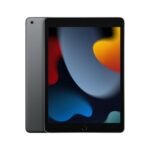
Let’s be blunt: the iPad 9 costs more than double the Fire HD 10. But it’s a completely different product category. The iPad’s A13 chip will still feel fast three years from now. It gets OS updates for five or six years. The Fire HD 10 will likely stop getting security patches after 2028. If you only want a cheap device for reading Kindle books in bed and maybe watching a movie on a plane, the Fire HD 10 is totally fine. But if you’re asking “Fire HD 10 specs and performance” and thinking about using it for note-taking, light photo editing, or even typing documents, the iPad is worth every extra dollar. The Amazon Fire HD 10 for reading is excellent — Amazon’s Kindle app is the same on both, and the Fire’s screen is big enough. But for anything beyond that, you’ll feel the limits fast.
Who should buy the Amazon Fire HD 10? You, if you’re already paying for Prime and want a cheap, dedicated screen for Prime Video, Kindle books, and maybe a few casual games. It’s the best budget choice for an Amazon-centric household. Who should pass? Anyone who wants to install Google apps without hassle, or who expects a tablet to stay fast for more than two years. Those folks should look at the Lenovo Tab M10 Plus for similar money, or save up for the Apple iPad 9th gen if they want something that actually feels premium.
Ready to decide on the Amazon Fire HD 10?
See today’s price, stock and delivery options on Amazon.