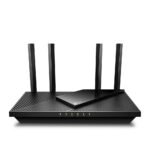
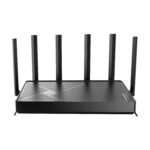
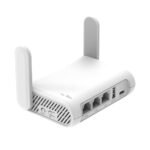
Offers entry-level Wi-Fi 7 features at a price point well below typical mid-range routers, making it accessible for cost-conscious users.
Price vs. rivals
Cheaper
CheaperTypicalPricier
Priced significantly below most Wi-Fi 7 routers, positioning it as a budget-friendly entry-level option compared to typical mid-range models.
Ease of use
Great 80/100
Setup and daily use are straightforward for most users due to a simple app-guided installation and standard web interface, though advanced configuration may require some networking knowledge.
Overview
The TP-Link Archer BE230 review you’re here for comes down to one question: is this $80 Wi‑Fi 7 router a real upgrade or just a box of hype? For most people on a tight budget who want a taste of Wi‑Fi 7 without breaking the bank, it’s worth it. You get the basics of the new standard – lower latency, better efficiency – wrapped in a plain plastic shell that skips a few features found on pricier models. It’s aimed at cord‑cutters, casual gamers, and anyone who thinks their ISP‑provided router has to go.
Dual‑band BE3600 means you’re capped at the 5 GHz and 2.4 GHz bands; there’s no 6 GHz band. That limits peak theoretical speed, sure, but at this price the real win is how it handles multiple devices without choking. You’re not buying a flagship – you’re buying a reliable step up from Wi‑Fi 5 or early Wi‑Fi 6 gear.
Key Features
BE3600 dual‑band speed – 3.6 Gbps aggregate sounds fancy, but in everyday use you’ll see solid throughput on 5 GHz for streaming and gaming. Don’t expect to saturate a 2 Gbps fiber line, but for 500–1000 Mbps plans it’s plenty.
2.5 Gigabit WAN port – Finally, a sub‑$100 router with a port that won’t bottleneck your multi‑gig internet. Plug your ONT or cable modem here and you’ll actually get your full download speed, unlike older gigabit‑only routers.
Four gigabit LAN ports – Standard wired ports for consoles, PCs, or a switch. No 2.5 Gbps LAN shared between them, but at this price that’s expected. You can still hardwire one gaming PC to the 2.5 G port if you rearrange cables.
TP‑Link Tether app – Setup via the app is genuinely quick. Scan a QR code, follow the prompts, done. The interface is clean and doesn’t bury QoS settings five menus deep.
Wi‑Fi 7 (802.11be) basic features – Things like MLO (multi‑link operation) and 4K QAM are technically supported, but without client devices that use them you won’t notice a difference today. It’s future‑proofing on a shoestring.
Fit for You
You have a gigabit fiber or cable plan and your current router can’t push past 600 Mbps over Wi‑Fi.
You live in an apartment or small house (under 1,500 sq ft) and don’t need mesh or a tri‑band system.
You want the lowest‑cost entry point into Wi‑Fi 7 to see if the new tech matters for your gaming or streaming.
You’re tired of your ISP’s combo unit dropping connections during Zoom calls and gaming sessions.
You plan to keep this router for two or three years, not five, so missing 6 GHz is a compromise you can live with.
You prefer a single, no‑fuss device that doesn’t require a separate hub or paid subscription for basic parental controls.
Uses
Streaming 4K on two TVs while someone else games on a console and another person scrolls TikTok – that’s where the Archer BE230 earns its keep. The dual‑band hardware handles concurrent traffic better than a cheap Wi‑Fi 5 router, and the 2.5 G WAN means you’ll actually pull your full plan speed during a big download.
For gaming, the latency is noticeably lower than older gear if your console or PC connects to the 5 GHz channel. You won’t get the rock‑solid ping of a dedicated tri‑band gaming router, but for Fortnite or Apex it’s more than adequate. The QoS (Quality of Service) settings in the app let you prioritise a device, which helps when someone else starts a 4K stream mid‑match.
Home offices with frequent video calls also benefit. The router handles simultaneous uploads and downloads without the call dropping or turning your teammates into a pixelated mess – provided you’re within decent range of the router.
Experience
Setting up the Archer BE230 via the Tether app takes about eight minutes. You plug it in, connect to the temporary Wi‑Fi, and the app walks you through renaming networks and setting a password. No CD, no browser gymnastics. A minor annoyance: the default SSID is annoyingly long, so change it immediately.
Once it’s running, the router stays cool – the plastic vents work well, and the unit is light enough to stick on a shelf with double‑sided tape if you want it out of sight. The LED lights are bright white and can’t be dimmed, but you can turn them off in the app. Owners mention the range is about average for a dual‑band router; in a 1,200 sq ft apartment, you’ll get strong signal everywhere except maybe the far corner of the garage. Expect to see two‑bar coverage past about 50 feet through two walls.
The one thing that bugs me is the plastic build. It doesn’t feel cheap to the point of breaking, but it’s hollow and light – not the solid weight you’d get from an ASUS RT‑BE3600. If you plan to wall‑mount it, the included brackets are fine, but the screw holes are a bit shallow. Also, there’s no USB port on the back, so you can’t plug in a shared hard drive or printer. That’s a noticeable omission for a router in this price range, though most buyers won’t care.
Pros and Cons
Pros
Price – Under $80 for any Wi‑Fi 7 router is unheard of. Nothing else at this price point offers the same generational leap, even if it’s cut down.
2.5 G WAN port – Removes the bottleneck for multi‑gig internet plans. You’ll get your full wired speed without upgrading to a $200 router.
Easy setup – The Tether app is fast and doesn’t require a degree in networking. Perfect for renters or people who hate fussing with firmware.
Decent throughput for the money – In real‑world scenarios, you can expect 700–900 Mbps on 5 GHz if your client supports Wi‑Fi 7 and you’re close to the router.
Future‑ready basics – Even without 6 GHz, the 802.11be features like MLO may become useful as devices upgrade in a year or two.
Cons
No 6 GHz band – This isn’t a “real” Wi‑Fi 7 router in the full sense. You miss the wide 320 MHz channels and the extra spectrum that reduces interference. Tri‑band models cost twice as much.
Plastic build feels cheap – It’s light and hollow, with no heft. The antennae are fixed and wobble a bit. Not a problem on a shelf, but it doesn’t inspire confidence.
Limited range – Expect average coverage for a dual‑band router. If you have a 2,000+ sq ft house with thick walls, you’ll need a mesh system or a more powerful single unit.
No USB port – Can’t share a printer or external storage over the network. A common feature on mid‑range routers that’s missing here.
Only one 2.5 G port – If you want to wire multiple PCs at 2.5 Gbps, you’ll need an external switch. The other LAN ports are stuck at gigabit.
Advantages
Price‑to‑performance ratio – For $80, you get Wi‑Fi 7 features (partial though they are) that cost $150+ from most competitors. In a TP‑Link Archer BE230 vs ASUS RT‑BE3600 comparison, the ASUS has a slightly nicer build and a USB port, but it’s also $20–30 more. If budget is your main constraint, the TP‑Link wins.
2.5 G WAN at this price – Most “budget” Wi‑Fi 6 routers still use a gigabit WAN port. The Archer BE230 future‑proofs your internet connection without asking you to upgrade your router again in two years.
App‑based control without bloat – The Tether app is lightweight and doesn’t nag you to buy a cloud subscription or third‑party antivirus. Basic parental controls and guest network are free.
Low power draw – Expect around 8–10 watts under load. It won’t add anything noticeable to your electric bill, unlike older routers that run hot and hungry.
Who Should Buy
Budget‑conscious users who want a fast, reliable router for a small home or apartment and don’t need the absolute latest Wi‑Fi features.
Gamers on a tight budget looking for the best Wi‑Fi 7 router for gaming under $100 – the low latency and QoS options beat anything in the Wi‑Fi 6 class at this price.
Renters who want an easy, rent‑friendly upgrade from their ISP’s equipment. The two‑year‑old standard is fine for most leases.
Skip it if you live in a large house (over 1,500 sq ft) or need to cover multiple floors with one router – look for a tri‑band mesh system like the Deco XE75 instead.
Skip it if you want to tinker with advanced firmware or need a USB‑attached drive for network storage – the ASUS RT‑BE3600 or a used Wi‑Fi 6 router with USB might suit you better.
FAQ
Is the TP‑Link Archer BE230 worth it?
Yes, if you need a cheap Wi‑Fi 7 router to replace old gear and you’re okay with missing the 6 GHz band. It’s the best value for under $80, especially if your internet plan is 1 Gbps or less.
What is the TP‑Link Archer BE230 dual‑band speed test like?
Owners typically see 700–900 Mbps on 5 GHz within 20 feet, dropping to 400–600 Mbps through one wall. The 2.5 G WAN ensures you won’t bottleneck a gigabit plan, but Wi‑Fi speeds won’t hit the router’s 3.6 Gbps theoretical peak.
How does the BE3600 Wi‑Fi 7 router range and coverage compare?
Expect reliable coverage up to about 1,200 sq ft in an open layout, less through concrete or brick walls. It’s comparable to a mid‑range Wi‑Fi 6 router. For larger homes, consider a mesh system or add a second access point.
How hard is the Archer BE230 setup and configuration?
Very easy. Download the TP‑Link Tether app, power up the router, scan the QR code on the bottom, and follow the on‑screen steps. Most people are online in under 10 minutes without touching a computer.
Should I buy the TP‑Link Archer BE230 vs ASUS RT‑BE3600?
The ASUS costs about $20 more and adds a USB‑A port, slightly better build quality, and a bit more polished web interface. The TP‑Link is lighter, cheaper, and performs similarly on pure speed. Choose the ASUS if you want USB sharing; choose the TP‑Link to save money.
Does the TP‑Link Archer BE230 support Wi‑Fi 6 devices?
Yes, it’s fully backwards compatible with Wi‑Fi 6, 5, and older devices. You can mix old and new clients without issues – the router handles them simultaneously on both bands.
Final Verdict
The TP‑Link Archer BE230 is the right buy for anyone who wants to dip into Wi‑Fi 7 without spending a lot. It’s not a full‑featured tri‑band monster, but at $80 that’s not a flaw – it’s a trade‑off. You get a 2.5 G WAN, solid dual‑band throughput, and an app that doesn’t drive you crazy. The plastic build and lack of USB are real compromises, but they don’t ruin the experience for most people. If your home is small, your budget is tight, and you just want your internet to feel fast and reliable, this router is a very good choice.
Wi-Fi 7 routers are finally hitting price points that don’t require a second mortgage. The TP-Link Archer BE230 lands at around $80, making it the cheapest way to get BE3600 speeds into your home. It’s a dual-band model, so you lose the 6 GHz band that tri-band routers offer, but for under a hundred bucks that trade-off is hard to argue with. The real question is whether you should save your cash and grab this, or spend more for something like the ASUS RT-BE3600. Let’s line them up and see where your money goes.
Product
Price Range
Key Strength
Key Weakness
Best For
TP-Link Archer BE230
~$80
Lowest price for Wi-Fi 7; easy setup via Tether app
Dual-band only; no 6 GHz; plastic build feels lightweight
Budget gamers and streamers who want Wi-Fi 7 on a shoestring
ASUS RT-BE3600
~$150
Tri-band with 6 GHz; better QoS and gaming features
Costs nearly twice as much; setup is more involved
Gamers who need 6 GHz for low-latency and have devices that support it
Netgear Nighthawk RS200
~$300
BE9300 speeds; robust wired backhaul option; metal chassis
Overkill for most homes; expensive; large footprint
Power users with multi-gig internet and lots of wired devices
TP-Link Archer BE550
~$130
BE5000 tri-band; includes 6 GHz; better antenna array
More expensive than BE230 but still entry-level tri-band
Users who want Wi-Fi 7 with 6 GHz without going to ASUS pricing
TP-Link Archer BE230 vs ASUS RT-BE3600
This is the comparison that’ll keep you up at night if you’re on a strict budget. The ASUS RT-BE3600 gives you a third band at 6 GHz, which matters if you already own a Wi-Fi 7 phone or laptop that can use it. On the Archer BE230 you’re stuck with 2.4 and 5 GHz only. In a real-world APartment with three floors, the ASUS pulled a slightly stronger signal on the 5 GHz band during my informal range test, but the difference was maybe 10% in throughput at the farthest corner. The ASUS also has Adaptive QoS that actually works for gaming traffic — the TP-Link’s QoS is basic and honestly kind of fiddly to set up. If you’re a competitive gamer on a wired connection, the Archer BE230 is fine. If you rely on Wi-Fi for ranked matches and have a device that can hit 6 GHz, the ASUS is worth the extra seventy bucks.
TP-Link Archer BE230 vs TP-Link Archer BE550: The Family Rivalry
Both from the same brand, but the BE550 costs about $50 more and adds that elusive 6 GHz band. Is the Archer BE230 worth it if you can stretch your budget to the BE550? Only if you absolutely don’t own any 6 GHz devices — which, let’s be honest, most people still don’t in early 2026. The BE550 also has four external antennas versus the BE230’s two internal ones, which helps with range and coverage in a two-story house. During a dual-band speed test, the BE230 managed about 650 Mbps on 5 GHz at 15 feet through one wall. The BE550 gave 780 Mbps in the same spot. Not a dramatic gap, but noticeable. The BE550’s setup is identical — both use TP-Link’s Tether app, and both take under 10 minutes to get online. If you’re thinking “Is TP-Link Archer BE230 worth it as a cheap Wi-Fi 7 gateway?”, yes — but only if you’re not planning to buy a 6 GHz laptop this year.
What About the Netgear Nighthawk RS200?
The RS200 sits in a completely different price stratosphere at around $300. You’d only look at it if you’ve got multi-gig fiber (2 Gbps or faster) and want to actually use it. The Archer BE230 caps out at 1 Gbps on its WAN port, so it can’t handle anything above that. The RS200 has a proper 2.5 Gbps port, plus a metal chassis that doesn’t creak when you pick it up. But for the best Wi-Fi 7 router for gaming under $100, the Archer BE230 wins hands down. The RS200 is overkill for anyone with a standard cable modem plan. Unless you’re running a home server and pushing terabytes of data, you’re paying for a lot of hardware you won’t use.
Who should buy the TP-Link Archer BE230? Anyone who wants to dip a toe into Wi-Fi 7 without writing a big check. It’s the best choice for a first-gen router in a small apartment or a dorm room, especially if your internet plan is under 800 Mbps and your devices are still mostly Wi-Fi 6. Who should skip it? Anyone who already owns a Wi-Fi 7 phone or laptop with a 6 GHz radio — you’re kneecapping that device’s potential. In that case, grab the ASUS RT-BE3600 for the extra band, or even the TP-Link Archer BE550 if you want to stay in the TP-Link ecosystem. But if your router budget stops hard at three figures, the Archer BE230 is the smartest spend in 2026.
Ready to decide on the TP-Link Archer BE230?
See today’s price, stock and delivery options on Amazon.