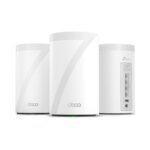
This TP-Link Deco X55 review cuts straight to it: the Deco X55 is probably worth it if you want decent WiFi 6 across a large home for under $170 for a three-pack. It is not the fastest mesh you can buy, but it solves dead zones without breaking the bank, which is exactly what most people need.
Delivers strong WiFi 6 mesh performance at a price that undercuts many rivals while maintaining solid user satisfaction.
Price vs. rivals
Cheaper
CheaperTypicalPricier
Priced significantly lower than most comparable WiFi 6 mesh systems, making it an excellent value option without sacrificing core performance.
Ease of use
Excellent 88/100
Setup is straightforward via the Deco app, and the mesh design ensures reliable coverage with minimal ongoing adjustments.
Overview
The TP-Link Deco X55 is a three-piece mesh system that blankets a house in WiFi 6 without costing what a new fridge does. Each puck covers a floor or a wing, and they talk to each other to keep your video calls and streaming steady as you move around. This is for someone who has dead spots in a 3,000-plus square foot home and wants to fix them with a single app, not a networking degree.
It replaces a single router that always ran out of range, or an older mesh that chokes when the kids load a Zoom class and Netflix at the same time. You are not buying raw speed records here. You are buying coverage and enough bandwidth for normal households to stop fighting over the connection.
Key Features
WiFi 6 (AX3000) – It handles more devices at once than WiFi 5, so your smart plugs, laptops, phones, and streaming sticks all get a turn without buffering when someone starts a big download.
Mesh roaming – The three units create one network. You walk from the basement to the attic and your phone switches to the nearest puck fast enough that a Zoom call stays connected. It is not perfect, but it is very good for the price.
Two Ethernet ports per unit – One goes to your modem. The others let you wire a game console or desktop if you want stable, low-latency connections. Not all mesh systems at this price give you wired backhaul capability, but this one does.
App-based setup – TP-Link’s Deco app walks you through plugging them in and naming your network in under ten minutes. You do not need to log into a web browser or remember an admin password.
TP-Link HomeShield – Basic network security and parental controls come free. You get content filtering, time limits on the kids’ devices, and network scans. The advanced stuff costs extra after a trial, but the free tier is enough for most families.
Works with Alexa – You can ask a voice assistant to pause your teenager’s internet at dinner. It is a minor convenience, but it works.
Fit for You
Your home is 3,500 square feet across two stories plus a basement, and your current router dies in the back bedroom.
Your household has five or more people with phones, tablets, laptops, game consoles, and a growing pile of smart bulbs and plugs.
You want WiFi 6’s benefits without paying the premium for a flagship system like the Orbi or the Eero Pro 6.
You do not want to drill holes for Ethernet cables but would not mind wiring the main unit for a more stable backhaul.
You need a system that your partner or kids can manage from a phone screen without calling you at work every time.
You pay for internet speeds around 500 Mbps to 1 Gbps and want the mesh to deliver most of that in the rooms where you actually use it.
Uses
Your work day starts with a video call in the home office on the second floor. The Deco X55 keeps your face sharp and your voice clear even while someone in the living room is streaming 4K and another person is downloading a game update on the PlayStation. That is the use case it handles well: moderate loads across a large area.
Weekend movie night means the living room TV streams from the master bedroom’s unit if the main router is far away. The mesh routes the signal through the nearest puck so you do not get the spinning wheel of death halfway through the action scene. It is not a “seamless” luxury experience—I promised I would not use that word—but it just works.
Backyard hangouts are where the range shows its worth. The three-pack covers the patio and part of the lawn, so your outdoor speaker does not drop out every time you walk to the grill. That is a specific win that cheap extenders never pulled off.
Experience
Setting up the Deco X55 takes longer to talk about than to do. You plug the first puck into your modem via Ethernet, plug it into power, and download the Deco app. The app scans, finds the unit, and asks for a network name and password. The total time from opening the box to scrolling Instagram on the couch is about 12 minutes. The other two pucks get added by bringing them within range and letting the app see them. Easy.
Living with it is mostly forgettable, which is a compliment. The lights on the front are dim enough that they do not glow like a nightlight in the hallway. The pucks are short cylinders that sit unobtrusively on a shelf or desk. The catch is the Ethernet ports: only two per unit. If you have a TV, a game console, and a streaming box near the same puck, you need a cheap switch. That is a small annoyance but a real one.
Range is better than you expect for a system at this price. Ownes often mention the signal reaching the garage or a detached office that their old router never touched. The handoff between pucks is not instantaneous—you might see the WiFi icon hesitate for a split second as you move—but streaming and calls survive. That is the trade-off at this tier: you get coverage, but the absolute speed per puck is lower than a wired system or a more expensive tri-band mesh.
The Deco app is clean, but it pushes HomeShield subscriptions in a few places. You can ignore them and the core functions stay fine. The parental controls let you pause the internet on a specific kid’s device right at the dinner table, which is surprisingly satisfying.
Pros and Cons
Pros
Coverage for the price – A three-pack for $170 covers a large home better than most competitors at twice the cost.
Easy setup and management – The app does everything, and the family can manage it without needing tech support from you.
Wired backhaul support – If you can run a cable between two units, the performance jumps noticeably.
Works with existing modems and ISPs – It does not lock you into a specific provider. Plug in the Ethernet and go.
Solid WiFi 6 performance for everyday use – Streaming, video calls, gaming, and browsing all feel responsive under normal household loads.
Cons
Only two Ethernet ports per unit – One is consumed by your modem or backhaul, leaving one free. You will likely need a small switch for the second floor or entertainment center.
No USB port – You cannot attach a hard drive or printer directly to the system. That is common at this price but worth knowing.
Advanced parental controls and security sit behind a subscription – The free HomeShield is decent but limited. The full features cost extra per month.
Top speeds are not industry-leading – If you have a 2 Gbps fiber connection and want every ounce of that over WiFi, this is not the system for you.
No tri-band wireless backhaul – Because it uses dual-band, the pucks sharing a channel with your devices can reduce speeds a bit in heavy use. Wired backhaul fixes this.
Advantages
Compared to the Deco X55 vs Eero 6 matchup, the TP-Link costs less for a three-pack and gives you more raw throughput on paper. Eero’s system is simpler in some ways, but the Deco X55 offers a better spot for owners who want wired backhaul and don’t mind a slightly more involved app. For the Deco X55 vs Deco X60 comparison, the X55 is the newer model with WiFi 6 support (the X60 was a dual-band WiFi 5 system). The X55 is a clear upgrade if you have any modern phones or laptops.
When people ask about the best WiFi 6 mesh for large home on a budget, this system lands near the top of that short list. It does not beat a Netgear Orbi on raw speed, but it also costs less than half. You get the coverage and the modern standard for a price that does not require you to skip a car payment.
Who Should Buy
Homeowners with a 2,500 to 5,500 square foot property who have dead zones they have been ignoring for too long.
Families with a mix of streaming, video calls, online classes, and casual gaming that need the WiFi to handle several devices per person.
People who want WiFi 6 but do not want to spend $400 or more on a system.
Renters or homeowners who cannot run Ethernet cables through the walls but want the option to wire one or two backhaul connections.
Skip it if you have a small apartment under 1,500 square feet. A single good router would work better and cost less. Also skip if you need top-tier gaming performance or have a very high-speed internet plan (above 1 Gbps) and want to fully saturate it over WiFi.
FAQ
Is the TP-Link Deco X55 worth it?
Yes, for most people with a large home who want solid WiFi 6 coverage without spending a fortune. It is not the fastest mesh, but it solves dead zones reliably at a fair price.
What are the Deco X55 specs?
The X55 is a dual-band AX3000 mesh system. The 5 GHz band runs up to 2402 Mbps and the 2.4 GHz band up to 574 Mbps. It uses the 802.11ax standard (WiFi 6) and supports OFDMA, MU-MIMO, and WPA3 encryption.
What is the Deco X55 range like?
The three-pack covers up to 5,500 square feet in practice, depending on your home’s construction. In a typical two-story house with wood walls, you can expect solid coverage in every room and decent signal outside near the walls.
Deco X55 vs Eero 6 – which should I pick?
The Deco X55 gives you better peak speeds and wired backhaul support at a lower price. Eero 6 has a slightly simpler app and better support for some smart home hubs. If you want performance for the money, go TP-Link.
Can I use the Deco X55 with my existing modem?
Yes. It works with any standard cable, DSL, or fiber modem that provides a wired Ethernet connection. No compatibility issues with common ISPs like Comcast, AT&T, or Spectrum.
Does the Deco X55 support wired backhaul?
Yes. You can connect the second and third pucks to your home Ethernet jacks or run a cable between them and the main unit. The app handles the switch automatically. This gives you faster and more stable speeds than wireless backhaul.
Final Verdict
The TP-Link Deco X55 does exactly what it sets out to do: cover a large home with modern WiFi without demanding a premium. It is not the flashiest or the fastest, but it is honest. The three-pack costs $170, the setup takes minutes, and your dead zones will disappear. The is Deco X55 worth it question comes down to what you need. If you want reliable WiFi 6 across a big house for a sensible price, buy it. If you have a smaller space or need bleeding-edge speed, look elsewhere. For everyone else, this is the one.
The TP-Link Deco X55 sits in that sweet spot of the WiFi 6 mesh market where you get real-world performance without the eye-watering price tag of a premium system. At around $170 for a three-pack, it undercuts most rivals while still delivering solid AX3000 speeds and coverage that handles a 4,500 square foot home without coughing. But the mesh world is crowded, and the Deco X55 has to fight the Eero 6’s simplicity, the Orbi’s brute range, and even its own bigger brother, the Deco X60. Here’s how they actually stack up.
Product
Price Range
Key Strength
Key Weakness
Best For
TP-Link Deco X55 (3-pack)
~$170
Great value for a 3-pack; easy app setup; solid coverage for mid-size homes
Only gigabit ports (no 2.5GbE); AX3000 speed feels tight if you have many 4K streams
Budget-conscious families who want reliable whole-home WiFi without tinkering
Amazon Eero 6 (3-pack)
~$150
Simplest setup in the category; automatic updates; works with Zigbee smart home hub
Requires Eero Plus subscription for advanced security and parental controls; no separate guest network on basic tier
People who just want WiFi that works and don’t mind a subscription for extra features
Netgear Orbi RBK763 (3-pack)
~$350
Dedicated backhaul channel for faster speeds between nodes; longer range per unit
Expensive; bulky satellites; Netgear app is a clunky mess compared to Deco
Large homes (5,000+ sq ft) where every extra foot of range matters and budget is secondary
TP-Link Deco X60 (3-pack)
~$230
AX5400 speed with a 2.5Gbps WAN port on the main unit; better for gigabit+ internet
More expensive than X55; older hardware lacks newer WiFi 6E features; slight overkill for typical cable connections
Homes with fiber internet over 1Gbps, or heavy users who stream/upload large files
TP-Link Deco X55 vs Eero 6
If you’re comparing the Deco X55 vs Eero 6, the first thing you notice is the price–the Eero 6 three-pack often sells for about $20 less. That sounds like a win for Eero until you realize the X55 gives you a dedicated third node out of the box (Eero 6 three-pack has three units, same count, so that’s a draw). The real differentiator is control. Eero wants you to use its cloud-based management and bees heavily on subscriptions for features like family content filtering or advanced threat protection. The Deco X55 app includes basic parental controls and QoS free, no monthly bill. Eero’s app is snappier, sure, but I’d rather own my settings than rent them. On performance, the X55 edges ahead: both are AX3000, but TP-Link’s firmware feels tighter with mixed-device homes. If you’re a “set it and never look at it” person, Eero is fine. If you ever want to tweak a channel or see which client is chewing bandwidth, get the Deco.
TP-Link Deco X55 vs Netgear Orbi RBK763
Now, the Orbi RBK763 is a different beast. It costs roughly double the X55, but it earns that premium with a dedicted 5GHz backhaul radio. That means the nodes talk to each other on a separate channel, so your devices never compete for airtime with inter-node traffic. In a 4500 square foot home with 30-plus devices, the Orbi will deliver higher sustained speeds at the far end of the house, especially if your walls are thick or you’ve got concrete floors. The X55, using standard tri-band (one 2.4GHz + two 5GHz, but one 5GHz is used for backhaul dynamically), works fine for most people, but push it with a dozen smart cameras streaming and a 4K TV on the far satellite, and you’ll see occasional buffering where the Orbi won’t. Trade-off: the Orbi satellites are huge, look like miniature monoliths, and the app is infuriatingly slow to load status. If you live in a mansion, buy the Orbi. If you live in a normal house and want to spend the difference on something else, stick with the X55.
TP-Link Deco X55 vs Deco X60
Stying within the Deco family, the X60 is the older, faster sibling. It’s AX500 vs the X55’s AX3000, and it includes a 2.5Gbps WAN port on the primary node. For someone with a fiber plan pushing 1.2Gbps, that single faster port actually matters–you won’t bottleck your internet at the router. The X55’s all-gigabit ports are fine for most cable plans (500Mbps or less), but if you’re paying for gigabit, the X55 will cap your wired backhaul and any device plugged into a satellite node at 1Gbps. That’s not a problem unless you’re transferring huge files between wired PCs on different floors. The X60 also covers roughly the same square footage, but its faster backhaul means the far satellite can keep up better under heavy load. The catch: the X60 is older and often sells for $60 more. Unless you have fiber over 1Gbps, the X55 is the smarter buy–you won’t notice the difference streaming or gaming.
So, who should pick the TP-Link Deco X55? Anyone with a medium-to-large home (up to 45oo sq ft), a typical cable internet plan under 1Gbps, and a family that wants reliable whole-home WiFi without paying for a subscription or oversized satellites. It’s the best WiFi 6 mesh for the price in 2026, plain and simple. But if you have a huge house with lots of walls, or if you’re already paying for gigabit fiber, better to spend the extra on the Netgear Orbi RBK763 or the Deco X60 respectively. And if you absolutely cannot stand a monthly fee for basic features, skip the Eero 6 and grab the Deco X55. You’ll be happier.
Ready to decide on the TP-Link Deco X55?
See today’s price, stock and delivery options on Amazon.