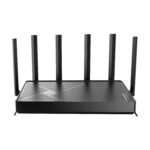
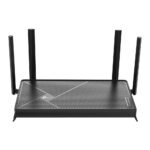
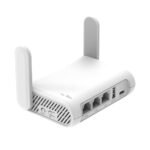
Is the TP-Link Archer AX21 worth it? At around $55, it’s the cheapest way to get real WiFi 6 performance without feeling like you settled. This TP-Link Archer AX21 review will tell you exactly where it shines, where it cuts corners, and whether it’s the right router for your home.
Offers Wi-Fi 6 at a budget price point with strong user satisfaction.
Price vs. rivals
Cheaper
CheaperTypicalPricier
Priced significantly below most competing Wi-Fi 6 routers, offering strong value in the entry-level segment.
Ease of use
Excellent 85/100
The setup is straightforward through the TP-Link Tether app, and the web interface is clear, making it easy for most users to configure.
Overview
The Archer AX21 V5 is TP-Link’s entry-level WiFi 6 router. It’s an AX1800 model, meaning a combined speed of about 1.8 Gbps across the 2.4 GHz and 5 GHz bands. For most apartments and smaller houses, that’s plenty.
It solves the problem of a slow, crowded network. If your old router chokes when everyone’s on Zoom, streaming, or gaming, this is the affordable fix. It’s not for huge homes or heavy wired setups, but for the average household, it’s a solid upgrade.
Key Features
WiFi 6 (802.11ax) support – That means better handling of multiple devices at once. Your phone, laptop, smart TV, and twelve smart bulbs won’t fight for bandwidth the way they did on WiFi 5.
Four external antennas – These give decent coverage for a 1,500–2,000 sq ft space. Expect solid signal through a couple of walls, but not through a concrete floor.
Gigabit Ethernet ports – One WAN and four LAN ports. Standard stuff. If you need to wire a desktop or a console, it’s fine. No 2.5 GbE, which is fair at this price.
TP-Link Tether app – The app is straightforward. You can set up, change passwords, check connected devices, and run a speed test without logging into a web browser.
OFDMA and MU-MIMO – These are the WiFi 6 technologies that split the signal into smaller chunks for multiple devices. On this router, they work, but don’t expect miracles if you have 30+ gadgets.
WPA3 encryption – The latest security standard is here. That’s a nice bonus, especially for a budget router.
Fit for You
You live in an apartment or a house under 1,800 sq ft and want faster WiFi for less than $60.
Your family has 4–8 devices each – phones, laptops, streaming sticks, game consoles – and your current router keeps dropping connections.
You’re a gamer on a budget who needs low lag for online shooters but doesn’t need the flashy RGB or gaming software that doubles the price.
You want to future-proof a little without spending on a premium WiFi 6 router you won’t use to its full potential.
You’re replacing an ISP-provided combo modem/router that charges you a rental fee every month.
Uses
On a typical evening, you’ll have two people on separate Zoom calls, a kid streaming a 4K movie in the living room, and someone gaming in the back bedroom. The Archer AX21 handles that load without stutter, as long as the modem is decent.
If you’re comparing the TP-Link Archer AX21 vs Netgear Nighthawk, the Nighthawk typically costs double. The AX21 keeps up in basic home use but loses on advanced QoS and gaming traffic prioritization. Casual gamers won’t notice the difference.
For a dedicated gaming setup, this is often called the best WiFi 6 router for gaming under $100, and it’s hard to argue. It’s not the fastest in its class, but at $55 it undercuts everything else that actually supports OFDMA well.
Experience
The Archer AX21 setup is about as painless as it gets. You plug it in, open the Tether app, and it walks you through creating a network name and password. Five minutes, maybe six if you have to update the firmware first.
Once it’s running, the router is quiet and stays cool to the touch. The antennas are fixed – you can tilt them but not detach them. That’s fine for most desks.
Small annoyances? The status LEDs are bright. You’ll want to tape over them if the router sits in your bedroom. Also, the web interface is a little dated. It works, but it’s not as polished as the app. Most people will only use it once.
Owners tend to mention that range is good but not amazing. If you live in a 2,000 sq ft ranch, you’ll get signal in the far corners, but speed may drop noticeably past two walls. A mesh system would be better for odd-shaped homes.
The TP-Link AX1800 WiFi 6 router features are exactly what you’d expect from a budget AX model. You get the core WiFi 6 benefits – better efficiency, less battery drain on phones that support it – but you don’t get fancy things like dual-WAN, link aggregation, or USB ports. The Archer AX21 has zero USB. If you need to share a printer or an external drive over the network, this is not the router for you.
Pros and Cons
Pros
Price – At $55, it’s the cheapest WiFi 6 router from a major brand. No competition at this price point.
Reliable everyday performance – It won’t crash or reboot unexpectedly. It just works, which is more than some expensive routers can say.
Simple app – You can manage everything from your phone without ever opening a browser. Parental controls are basic but functional.
Solid security – WPA3, automatic firmware updates if you turn them on, and TP-Link’s HomeCare suite (free for the first year) for antivirus and QoS.
Cons
No USB port – You cannot attach external storage or a printer. That’s a real limitation for some people.
Basic QoS – The traffic prioritization is per-device, not per-application. You can’t give priority to video calls over downloads with fine-grained control.
Limited range – It’s fine for a normal house, but if your home is over 2,000 sq ft or has thick walls, you’ll want a mesh system or a Wi-Fi extender.
Bright LEDs – All four indicator lights are blue and fairly intense. No way to turn them off in the app (you can disable via the web interface, but it’s not obvious).
No Wi-Fi 6 on the 2.4 GHz radio – Wait, that’s misleading. The 2.4 GHz band uses Wi-Fi 6 too, but many budget routers only enable the new standard on 5 GHz. The Archer AX21 does support Wi-Fi 6 on both bands, but the 2.4 GHz throughput is still capped at ~600 Mbps. That’s standard for the spec.
Advantages
Costs less than half of most competing WiFi 6 routers from ASUS or Netgear.
Offers real OFDMA and MU-MIMO, which improve performance in homes with many connected devices.
Setup is genuinely easy – the app is well designed and guides you step by step.
Works with any internet plan up to about 600 Mbps. If you have gigabit fiber, you’re limiting yourself with the AX21’s ethernet ports, but for 99% of people that’s fine.
Who Should Buy
Buy it if: You want WiFi 6 on a tight budget, your home isn’t huge, and you don’t need USB ports or advanced gaming features.
Buy it if: You’re replacing an old WiFi 5 router and want noticeably better performance for streaming and multiple devices.
Skip it if: Your home is over 2,000 sq ft or has concrete walls. Look at a mesh system like the TP-Link Deco line or the Eero 6.
Skip it if: You need to connect a printer or an external drive via USB. The Archer AX21 has no USB port at all – check the TP-Link Archer AX73 or a Netgear Nighthawk instead.
Skip it if: You require advanced QoS for gaming or a dedicated gaming VPN router. The Archer AX21 is fine for casual gaming, but serious players might want a router with more CPU power and customizable traffic rules.
FAQ
Is the TP-Link Archer AX21 worth it?
Yes, for the price. It’s the best value WiFi 6 router under $60. You get genuine improvement over WiFi 5, easy setup, and good enough range for most apartments and small houses.
How long does the TP-Link Archer AX21 last?
Expect 3–5 years before you feel the need to upgrade. The hardware is solid, and TP-Link provides firmware updates for several years. After that, WiFi 7 might be worth jumping to.
Is the TP-Link Archer AX21 safe for home use?
Yes. It supports WPA3 encryption, and the Tether app lets you manage guest networks and block unknown devices. TP-Link’s HomeCare adds antivirus and intrusion prevention for the first year.
Can I use the Archer AX21 with a mesh system?
No. This is a standalone router. TP-Link has a separate mesh product line (Deco) that works with OneMesh, but the Archer AX21 does not support mesh networking or EasyMesh.
Does the Archer AX21 work with a VPN?
You can set up a VPN client on the router itself (OpenVPN and PPTP). Performance will be limited by the processor – expect around 50–80 Mbps. For faster VPN, use a software client on your device.
How does the TP-Link Archer AX21 compare to the Netgear Nighthawk AX1800?
The Nighthawk typically costs $120–$150. It has a better processor, slightly longer range, and a USB port. But the Archer AX21 gives you 90% of the performance for half the price. Unless you need USB or heavy QoS, the AX21 is smarter.
Final Verdict
The TP-Link Archer AX21 is the router you buy when you want WiFi 6 without paying a premium. It does the basics well – stable connections, simple control, and enough speed for streaming and gaming. The missing USB port and average range are the real trade-offs.
If you have a typical home and a typical budget, this is the one. At $55, it’s almost impossible to beat for the money. Just know what you’re getting: a solid router, not a magic wand. And turn those LEDs off in the web settings.
TP-Link Archer AX21 vs the Competition: Best Alternatives in 2026
The TP-Link Archer AX21 has held the budget WiFi 6 crown for a few years now, and at $54.99 in 2026, it’s still hard to beat if your internet plan stays under 500Mbps. It’s an AX1800 router with two spatial streams, four gigabit ports, and TP-Link’s clean Tether app for Archer AX21 setup and daily management. The TP-Link AX1800 WiFi 6 router features list is short and honest: you get OFDMA, basic WPA3, and decent 2.4GHz range for smart home devices, but there’s no USB port, no multi-gig LAN, and no support for DFS channels. It’s a stripped-down, focused product that does the core job well at a price that makes rivals look overpriced.
Product
Price Range
Key Strength
Key Weakness
Best For
TP-Link Archer AX21
$54.99
Clean app, fast setup, solid WiFi 6 at the lowest price
No USB, no DFS, 2×2 only, mostly plastic build
Budget buyers who want WiFi 6 without paying for extras they won’t use
Netgear Nighthawk RAX10
Roughly $70
Slightly better range, familiar Nighthawk brand name
Same 2×2 limits, worse app, $15+ more for minimal gain
Shoppers who trust the Netgear badge over raw value
Asus RT-AX1800S
Around $65
Full Asuswrt firmware with VPN server, VLAN, granular QoS
Slower CPU, fiddlier setup, same 2×2 radio ceiling
Tinkerers and power users who need router-level control on a budget
TP-Link Archer AX55
About $90–$100
AX3000 speed, extra Ethernet ports, faster chipset
Nearly double the cost, still no USB port
Homes with internet plans over 500Mbps who want headroom
TP-Link Archer AX21 vs Netgear Nighthawk RAX10
On paper these two are siblings—both AX1800, both 2×2, both four gigabit jacks. Spend that extra fifteen bucks on the Netgear and you get… not much that matters in your living room. The Nighthawk’s app is clunkier for initial setup, and the hardware itself feels no more solid in the hand. The AX21’s Tether app is genuinely nicer to use, and the Archer AX21 setup process from plug-in to online takes under five minutes. The RAX10 does have a slight edge in 5GHz range in some homes, but unless you’re wrestling with a tricky floor plan, that edge won’t show up in daily use. If you’re comparing these two, the real question is whether the Netgear name is worth the cash. For most people, it isn’t.
TP-Link Archer AX21 vs Asus RT-AX1800S
Asus routers are loved by people who want to tweak every setting, and the RT-AX1800S delivers that with a proper VPN server, VLAN tagging, and QoS that lets you throttle specific devices. The AX21 can’t do any of that—it’s a set-and-forget box. But there’s a price for all that control: the Asus feels slower in basic routing tasks, and its setup requires more patience. If you need to route a work VPN through a separate SSID or prioritize a gaming PC’s traffic with rules, the Asus is the obvious pick. If you just want WiFi that works after a five-minute setup via your phone and never think about it again, the AX21 is faster and simpler.
TP-Link Archer AX21 vs TP-Link Archer AX55
This one’s a family feud. The AX55 steps up to AX3000, giving you two 5GHz streams at 2402Mbps instead of 1201Mbps, plus a slightly faster CPU. It’s the better choice if your internet plan is gigabit or you regularly shift large files around your home network. But at roughly $90–$100, it’s nearly double the AX21’s price. For plans under 500Mbps, the AX21 handles everything without breaking a sweat, and you won’t see a speed difference in normal use. The AX55 makes sense when your connection demands it—otherwise, that extra money buys you nothing you’ll actually feel.
So who should choose the TP-Link Archer AX21? If your internet plan is 500Mbps or slower, you just want WiFi 6 for a handful of phones, laptops, and a TV, and you’d rather spend the saved cash on something else, it’s the obvious call. If you’re a gamer looking for the best WiFi 6 router for gaming under $100 but have a gigabit connection and want room to grow, save up for the Archer AX55 instead. And if you need advanced router features like a VPN server or per-device bandwidth rules, the Asus RT-AX1800S is the better fit despite its slower feel. The is TP-Link Archer AX21 worth it question comes down to one thing: are you fine with what it leaves out? For most people, the answer is yes.
Ready to decide on the TP-Link Archer AX21?
See today’s price, stock and delivery options on Amazon.