You spend hours hunched over a laptop, and your neck reminds you of it every evening. The right gear can fix that, or at least stop making it worse. Maybe you need a stand to get your screen to eye level, a hub to connect your monitors, or a laptop that doesn't run out of battery by lunch. We sorted through the options so you don't have to.
This list is ranked. Each pick earned its spot from our reviews, which look at specs, product listings, and patterns in verified buyer feedback. Nobody on our team physically tested these items, so we rely on what the data and owners actually say. The result is a shortlist of six that solve real problems without the hype.
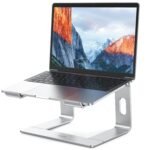
The BESIGN LS03 Laptop Stand is the rare cheap product that doesn't feel cheap. Solid aluminum at a price that undercuts plastic stands, it raises your screen to one of two tilt angles and lets heat escape through the open frame. Owners of hot-running laptops report a real difference. The detachable design packs flat, so you can stash it in a drawer or take it to a café. But it only offers two angles, not infinite adjustability. If your desk and chair setup is unusual, you might land between them. Also, skip it if your laptop weighs over six pounds; the friction joint gets wobbly.
Solid aluminum build at a plastic price
Detachable design is genuinely useful
Only two angle options, not infinite adjustability
The MacBook Air M5 15-inch is the laptop most people should buy. It gets the big things right: a huge 15.3-inch display, ridiculous battery life that lasts a full work day, total silence thanks to no fans, and a fast M5 chip that handles local AI tasks better than any previous Air. The keyboard and trackpad remain the benchmark. But it throttles under sustained heavy loads like video rendering, and the port selection is limited to two Thunderbolt ports on one side. If you need peak performance for 4K video or gaming, look at a Pro. Otherwise, you will love it.
The UGREEN USB-B to USB-C Cable is a smart buy for a boring but essential job. It connects printers, scanners, and MIDI gear with a 6.6-foot nylon braid that won't crack after a year of desk life. Owners report it works with MIDI controllers out of the box, no drivers needed. The reversible USB-C end is a small but real convenience. But this is a USB 2.0 cable, so if your device supports USB 3.0, you are leaving speed on the table. For everyone else running older peripherals, it delivers exactly what you need without the premium markup.
The MacBook Neo 13-inch is a focused machine built for the AI-powered future. The A18 Pro chip's Neural Engine is genuinely fast; tasks that used to require cloud processing now happen instantly on the device. It undercuts the MacBook Air in price while offering a newer chip, and the 512GB SSD gives you usable storage out of the box. The catch is 8GB RAM, which is fine for most but the bare minimum for heavy video editing or VMs. The 60Hz display also feels a generation behind. If you can live with those limits, this is one of the best laptops Apple makes for the money.
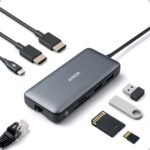
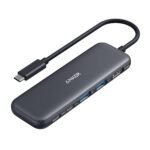
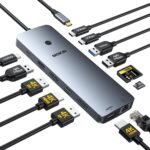
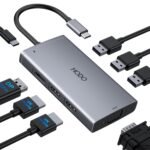
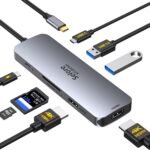
The Anker 8-in-1 USB C Hub gives you dual 4K HDMI outputs at a price where most hubs offer only one. Owners report reliable passthrough charging at up to 85W and an aluminium build that exceeds expectations for the price. The Ethernet port stabilizes video calls. But the HDMI outputs are capped at 30Hz at 4K, so it's not ideal for gaming or smooth video playback. The short six-inch cable forces the hub to sit close to your laptop, which can be annoying. If your workflow is spreadsheets, documents, or video calls, buy it. For smooth 60fps on a big screen, save up for a Thunderbolt dock.
The CableCreation USB B to C cable is a good, honest solution for a specific job. At 6.6 feet, it reaches across a desk or behind a shelf without needing an extension. The reversible USB-C end saves you the frustration of flipping the connector around. Owners say the USB-B end fits printers snugly and doesn't wobble. But no cable tie is included, so it can tangle in a bag. And the straight connector design needs a clear path to your printer's port. For a printer or scanner, it's a clean, low-cost solution. For faster data or power, get a cable that says exactly what it supports.
If you want the single most useful upgrade for your desk, start with the BESIGN LS03 stand. It fixes your posture without costing much. If you need a new laptop, the MacBook Air M5 15-inch handles almost everything most people do. For connecting monitors, the Anker 8-in-1 hub is hard to beat on price. Pick the one that matches your biggest annoyance, and skip the rest.
How we picked
We ranked the 29 products we have reviewed in this category. Average shopper rating carries the most weight, followed by the value and ease-of-use scores from each review. Where two versions of the same product scored well, we kept one. Our reviews are research-based: they draw on specifications and verified buyer feedback, not lab testing. A product with very few ratings does not get extra credit for a perfect score.