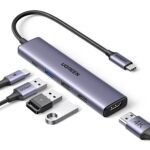
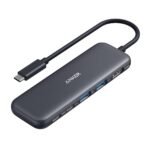
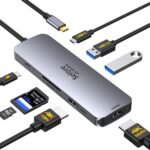
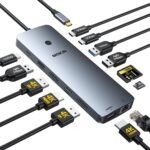
The quick answer to the Anker USB C Hub review question is yes, it’s worth it — but only if you understand what it’s actually good at. This 8-in-1 hub solves the “one port laptop” problem without breaking the bank, and it handles dual monitors better than a lot of things twice its price. At $53.99, the real catch is which monitors you bring to it.
Extremely low price for a dual 4K HDMI docking station with high user rating, offering exceptional value versus comparable models.
Price vs. rivals
Cheaper
CheaperTypicalPricier
Priced below typical mid-range options for similar 8-in-1 dual-monitor hubs, reflecting Anker's competitive yet value-oriented positioning.
Ease of use
Excellent 90/100
Easy plug-and-play setup with most modern laptops, though minor compatibility checks may be needed.
Overview
This is Anker’s 8-in-1 USB C Hub, also called the PowerExpand+. It takes the single USB-C port on your laptop and turns it into HDMI (twice), Ethernet, SD card reader, USB-A (two of them), and a passthrough USB-C for charging. It’s a practical answer for anyone whose laptop manufacturer decided one port is enough.
The hub is aimed at people who need a fixed desk setup they can snap into quickly — remote workers, students with a single monitor at home, or anyone trying to turn a modern ultrabook into a proper workstation. It’s not for gamers or video editors who need high refresh rates.
Key Features
Two HDMI ports for dual monitors — Both output at 4K, but only at 30Hz. You’ll get crisp desktop icons and readable text, but don’t plan on smooth 60fps video on both screens at once. For productivity work, it’s perfectly fine.
USB-C Power Delivery passthrough — You plug your laptop’s charger into the hub, and the hub powers your laptop while you use everything else. It supports up to 85W input, so most ultrabooks stay charged.
Gigabit Ethernet port — Wired networking when Wi-Fi is flaky. Plug it in, and you’re online instantly. No driver fuss on Windows or Mac.
Two USB-A 3.0 ports — 5Gbps transfer speed, which means moving large files to a flash drive feels snappy. Fine for a mouse, keyboard, or external SSD.
SD and microSD card slot — Sits flush on the side. Good for photographers who still use dedicated cameras, though the reader is not as fast as a dedicated UHS-II card reader.
Compact aluminium body — The outer case helps with heat dissipation. You’ll feel it get warm after a few hours of use, but that’s normal for a hub doing this much work.
Fit for You
You use a MacBook Air or a Dell XPS and want to plug into two monitors at your desk without carrying a separate dock.
You work from a co-working space and need one cable to connect everything when you sit down.
You take photos with a camera that still uses an SD card and want to load them onto your laptop without a dongle.
Your office Wi-Fi drops during video calls, and you need a wired Ethernet connection that actually stays connected.
You’re building a simple home office setup for under $60 and don’t want to spend more on the dock than you did on the monitor.
Uses
Picture your typical workday: You walk in, sit down, and plug one USB-C cable into your laptop. The hub wakes your two monitors, your mouse and keyboard come online, and your ethernet cable gives you a stable connection for back-to-back Zoom calls. That’s the main use case, and it handles it well.
Another common scene: You’re editing a batch of photos from a weekend trip. Pop the SD card in, load them into Lightroom while the external drive connected to the USB-A port backs them up. The hub keeps charging your laptop the whole time. No swapping cables, no fumbling.
It’s also handy for presentations. You can plug into a conference room projector via HDMI while keeping your laptop plugged into power. Dual monitors are nice, but even single-monitor setups benefit from having that second HDMI port ready to go.
Experience
Setup is genuinely instant. Plug it into your laptop, and both monitors light up. No driver installation on Windows 10 or 11, no configuring on a recent Mac. The USB-C cable is attached permanently — it’s about 6 inches long, which is fine for a desk but too short if you want to hide the hub behind a monitor.
The hub sits flat on your desk. It’s not heavy, but the aluminium body gives it a premium feel. You’ll notice it gets warm to the touch after an hour of dual-monitor use plus charging. That’s the aluminium doing its job as a heatsink, but it can feel alarming if you’re used to plastic dongles that stay cold.
Owners tend to mention that the HDMI ports work best when both monitors are identical in resolution and refresh rate. If you try one 4K monitor at 30Hz and one 1080p monitor at 60Hz, things can get flaky — the hub seems to prefer matching outputs. That’s a limitation of USB-C hubs at this price point, not Anker specifically.
The SD card slot works fine for casual use but isn’t fast enough for offloading a full day of wedding photos quickly. You’ll get around 80MB/s read speed, which is slow compared to a $20 dedicated reader. But for the occasional import, it’s fine.
Pros and Cons
Pros
Dual monitor support at a fair price — Most sub-$60 hubs only offer one HDMI. Anker gives you two, and they both work at 4K resolution.
Reliable passthrough charging — Your laptop charges at up to 85W without issues. The hub doesn’t try to steal power for itself.
Build quality exceeds the price — Aluminium casing, solid ports, cables that don’t feel like they’ll snap after two months.
Ethernet port saves video calls — Once you plug in, the connection is stable. No lag, no dropout.
Anker’s warranty and support — 18-month warranty and reasonably responsive customer service, which matters more for a hub than for a cable.
Cons
HDMI outputs are capped at 30Hz at 4K — This makes it less than ideal for gaming or smooth video playback on large monitors. If you need 60Hz, look for a Thunderbolt dock instead.
Short, fixed cable — The 6-inch cable means the hub has to sit close to your laptop. You can’t route it behind your desk without an extension.
Runs warm under heavy use — Nothing dangerous, but if you like your desk gear to stay cool, this might bother you during a long work session.
SD card reader is on the slower side — Fine for occasional use, but if you transfer large video files daily, get a dedicated reader.
Dual monitor compatibility can be picky — Mixed resolutions or mismatched refresh rates sometimes cause one screen to flicker or stay black until you reboot.
Advantages
In the Anker vs AmazonBasics USB C Hub comparison, Anker wins on build and reliability. The AmazonBasics version is cheaper but uses cheaper internals — users report more dropouts and fewer monitors working at the same time. Anker’s hub also has a better heat management design, which matters when you run it for eight hours straight.
The dual-monitor support is the main advantage over single-HDMI hubs. Most competitors at this price only let you extend to one external display. Anker gives you two, and both run at 4K. Not many people need that, but if you do, this is the one.
Port selection is practical without being wasteful. Two USB-A ports, Ethernet, SD, and dual HDMI. No VGA, no mini DisplayPort, no fluff. It covers what a typical office worker actually needs.
Who Should Buy
Remote workers with two monitors — If your setup is a laptop plus two 1080p or 4K displays, this hub will do exactly what you need at a fair price.
Students living in dorms — One cable to connect a monitor, wired internet, and a flash drive for assignments. Simple.
Casual photographers — The SD slot isn’t fast, but for occasional imports it saves you from carrying a dongle.
Anyone who hates dongle chaos — Instead of three separate adapters, you get one silver block. Your bag will thank you.
Skip it if — You need 4K at 60Hz, you game on an external monitor, or you work with video files large enough that slow SD read speeds cost you time. In those cases, look for a Thunderbolt 3/4 dock, even if it costs double.
FAQ
Is the Anker 8-in-1 USB C Hub worth it?
Yes, for most people. If you need two external monitors at 4K for productivity work, it’s the best option under $60. You trade 60Hz refresh for affordability and reliability.
Can this hub run two external monitors at the same time?
Yes, it supports dual monitors via its two HDMI ports. Both can output at 4K resolution, but only at 30Hz. For coding, writing, or spreadsheets, that works fine.
Does the Anker 8-in-1 USB C Hub charge my laptop?
Yes. The USB-C PD port accepts up to 85W input and passes it through to your laptop. You plug your charger into the hub, and the hub powers your machine while you use the ports.
Is this hub safe for a MacBook Pro or MacBook Air?
Yes, it works with Apple Silicon and Intel Macs. Anker includes the necessary chipset for stable macOS compatibility. Just make sure your Mac supports video output over USB-C — newer MacBook Air models do, but the M1 MacBook Air can only drive one external display, not two.
How long does the Anker 8-in-1 USB C Hub last?
Based on user reports, these hubs hold up for several years with daily use. The aluminium body helps with heat and physical durability. The cable is reinforced at the connection point, which is where most hubs fail.
Final Verdict
The Anker 8-in-1 USB C Hub delivers on its promise: dual monitors, reliable charging, and enough ports for a proper desk setup, all for $53.99. It’s not perfect — the 30Hz limit and short cable are real compromises — but for the price, nothing else does dual 4K monitors as solidly.
If your workflow is spreadsheets, documents, coding, or video calls, buy it. If you need smooth 60fps on a big screen, save up for a Thunderbolt dock. This hub knows exactly who it’s for, and for them, it’s the right call.
The market for USB-C hubs is crowded, but this Anker model keeps popping up in searches for the best USB C hub for dual monitors. At $53.99, it sits right in the middle of the price spectrum—not a budget throwaway, not a premium splurge. You get two HDMI ports (one 4K@60Hz, one 4K@30Hz), plus a pass-through power delivery port, USB-A and USB-C data ports, and a microSD/SD slot. The real question is whether it’s the right pick for you, or if one of the alternatives below handles your specific setup better.
Product
Price Range
Key Strength
Key Weakness
Best For
Anker 8-in-1 USB C Hub
$50–$55
Dual HDMI output with one 4K@60Hz port
Cable is short (about 8 inches), heat builds under heavy load
Laptop users who need two external monitors without a huge desk footprint
AmazonBasics 7-in-1 USB C Hub
Under $30
Cheapest reliable hub with USB-C pass-through charging
Only one HDMI port (4K@30Hz); no dual monitor support
Single monitor setups on a tight budget
Plugable UD-6950H Dual HDMI Docking Station
$90–$110
Two 4K@60Hz HDMI ports plus Ethernet and more USB ports
Bulky, requires external power brick; overkill for light use
Power users running two high-resolution monitors or needing a permanent dock
Satechi Slim USB C Hub (7-in-1)
$70–$80
Ultra-thin aluminum body that matches MacBooks, includes headphone jack
Only one HDMI (4K@60Hz), no dual monitor option; HDMI port is on a short pigtail
Mac users who want matching aesthetics and a compact travel hub
Anker 8-in-1 USB C Hub vs AmazonBasics USB C Hub
The Anker vs AmazonBasics USB C Hub matchup is really about “do you need two screens or one?” The AmazonBasics 7-in-1 costs nearly half the price, and if you only plug one external monitor into your laptop, it’ll do the job fine—just don’t expect 4K above 30Hz. What you lose, beyond the second HDMI port, is build quality. The AmazonBasics shell feels hollow, and the USB-A ports are tighter than they should be; you’ll wiggle the plug a couple times before it seats. The Anker’s aluminum chassis feels denser, and the two HDMI outputs actually let you extend or mirror at different resolutions. Is Anker USB C hub worth the extra $25? For a single monitor user, probably not—save the cash. For anyone with a dual-screen desk, absolutely.
Anker 8-in-1 vs Plugable UD-6950H: the dual-monitor showdown
If you’re hunting for the best USB C hub for dual monitors, these two are the main contenders, but they target different kinds of “dual.” The Anker gives you one 4K@60Hz port and a second at 30Hz—fine for a main display and a side document screen. The Plugable UD-6950H pushes two 4K@60Hz streams simultaneously, plus it throws in a Gigabit Ethernet port and four USB-A 3.0 ports. That’s a proper docking station, not just a hub. But it’s also twice the size and needs a chunky power adapter that won’t fit in a laptop bag pocket. The Anker dual monitor docking station is a better companion for a laptop you actually carry; the Plugable is for a desk that never moves. If you don’t need the second 4K@60Hz or the Ethernet, the Anker is the smarter, cheaper choice. If you do, save up for the Plugable.
Anker 8-in-1 USB C Hub vs Satechi Slim: style vs substance
Satechi’s Slim hub is beautiful—it’s a thin slice of brushed aluminum that sits flush against the side of a MacBook. It also includes a headphone jack, which the Anker lacks. But the trade-off stings: you only get one HDMI port. That makes the Satechi a non-starter for anyone who needs the Anker 8-in-1 USB C Hub vs Satechi for a dual-monitor workflow. The Satechi is also pricier ($70-80) for fewer ports. Where it wins is portability. The Anker’s cable is fixed and short; the Satechi (some versions) uses a right-angle connector that stays out of the way. If you never need a second screen and you’re obsessive about your desk matching your space-gray laptop, get the Satechi. Otherwise the Anker gives you more functionality for less money.
So who should buy the Anker 8-in-1 USB C Hub?
This hub is for the person who wants a single, affordable device to turn a modern laptop into a dual-monitor workstation without cluttering the desk with multiple adapters. It’s an ideal USB C hub for laptop docking if your laptop has just one USB-C port and you need both a 4K main display and a second screen for Slack or Spotify. That said, if you only ever connect one external monitor, skip the Anker and grab the AmazonBasics 7-in-1—you won’t miss the second HDMI. And if you need a full-fledged dock with Ethernet and two true 4K@60Hz outputs, the Plugable UD-6950H is the real answer, even if it’s heavier on your wallet and your bag.
Ready to decide on the Anker 8-in-1 USB C Hub?
See today’s price, stock and delivery options on Amazon.