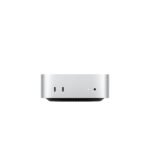
This MacBook Neo offers strong perceived value by bringing Apple's advanced A18 Pro chip and ecosystem at a price well below typical premium tiers, though limited memory and storage keep it in the mid-range.
Price vs. rivals
Cheaper
CheaperTypicalPricier
Priced well below typical premium ultrabooks, placing it in the budget-friendly segment for a high-brand laptop, likely due to the lower RAM configuration and positioning as an entry-level AI-focused model.
Ease of use
Excellent 95/100
The familiar macOS interface, seamless integration with Apple ecosystem, and Touch ID make this laptop highly intuitive for everyday tasks.
Overview
The MacBook Neo is Apple’s answer to the question: what if the Air had the Pro’s brain? It wraps the new A18 Pro chip — built specifically for on-device AI and Apple Intelligence — in a familiar 13-inch notebook. This MacBook Neo review will show you exactly where it shines and where it cuts corners.
It solves the problem of needing modern AI performance (think real-time transcription, image generation, local LLMs) without the weight or the Pro-level price tag. This is the laptop for the person who needs cutting-edge neural engine power but mostly lives in a browser, email, and creative apps.
Key Features
A18 Pro Chip: This is the star. It has a faster Neural Engine than anything before, meaning AI tasks like upscaling photos or generating images happen locally, instantly, and privately.
8GB Unified Memory: Yes, it’s 8GB. It feels tight if you’re stacking Chrome tabs and running heavy creative suites. But because it’s unified architecture, the OS and AI features use it incredibly efficiently. You won’t notice the limit unless you push it hard.
512GB SSD Storage: The sweet spot for most people. Fast enough that apps launch immediately, and spacious enough for your apps and active projects. Heavy media hoarders will want external storage.
Liquid Retina Display: Bright, color-accurate, and perfectly fine for a laptop in this class. No ProMotion or mini-LED, but for the price, you get a sharp, pleasant screen for work and media.
Touch ID & Indigo Finish: The fingerprint reader is fast and reliable. The new Indigo color is deeper than Space Gray and looks sharp in person.
Fit for You
You frequently use AI writing assistants or image generators and want them to run on your laptop, not the cloud.
You’re a student who needs a laptop that lasts all day and can handle research, papers, and the occasional creative project.
You’re a developer experimenting with local machine learning models or Apple’s new AI frameworks.
You want a reliable daily driver for work that doesn’t stutter on a dozen Office tabs and a video call simultaneously.
You’re upgrading from an Intel Mac and the speed difference in everyday tasks will genuinely surprise you.
Uses
Imagine you’re on a Zoom call. The 1080p FaceTime HD camera makes you look clear, not grainy. The A18 Pro processes the background blur effect without breaking a sweat. You’ll look presentable without extra lighting.
Or you’re editing a short video in iMovie. The 512GB SSD handles the 4K footage, and the unified memory means scrubbing through the timeline is smooth. When you use the “Enhance” AI feature, it processes the frame in a second instead of ten.
For daily office work — email, Slack, Notion, a dozen Chrome tabs — this thing is overkill in the best way. It stays cool, silent, and fast. You’ll forget it’s working.
Experience
Setup is the standard Apple process—turn it on, scan your fingerprint, done. The keyboard is the reliable Magic Keyboard, comfortable for long typing sessions. At just over 3 pounds, it disappears into a bag. You won’t dread carrying it.
The small annoyance: 8GB of unified memory. While it handles 90% of tasks beautifully, you will see the RAM pressure go up if you keep 30+ Chrome tabs open alongside Photoshop and Slack. It doesn’t crash, but the system might swap to the SSD, which is slower. Owners tend to mention this specifically.
Another thing: the 60Hz screen. If you’ve used a 120Hz iPad Pro or iPhone, you’ll notice the difference in smoothness when scrolling. If you haven’t, you won’t care. It’s a crisp display, just not a high-refresh-rate one. Battery life is excellent. Expect to go a full work day without hunting for an outlet.
There’s a fan inside, unlike the MacBook Air. You’ll hear it spin up if you’re exporting video or running a heavy AI model, but it’s a low whoosh, not a jet engine.
Pros and Cons
Pros
Incredible AI Performance: The A18 Pro’s Neural Engine is genuinely fast. Tasks that used to require cloud processing now happen instantly on the device.
Great Price for an Apple Silicon Laptop: At $789.99, it undercuts the MacBook Air while offering a newer chip. The value proposition is strong.
Solid 512GB SSD: You’re not stuck with the base 256GB. This is a usable amount of storage for most people right out of the box.
Excellent Build Quality: It feels solid, quiet, and premium. The Indigo color is a nice change from Silver and Space Gray.
Touch ID is Fast: It unlocks instantly and makes logging into apps and websites frictionless.
Cons
8GB RAM is the Floor: If you’re a power user running VMs, heavy Docker containers, or 4K video editing, you’ll want more memory. 8GB is fine for most, but it’s the bare minimum.
60Hz Display: In a world where even phones have 120Hz, a $789 laptop with 60Hz feels a generation behind. It’s smooth, but not ProMotion smooth.
Limited Ports: You get two Thunderbolt ports and a headphone jack. No HDMI, no SD card slot. You’ll need dongles for external displays or transfer cards.
Not for Heavy Gaming: The integrated GPU is capable, but the game library on macOS is limited. This isn’t a gaming laptop.
Advantages
MacBook Neo vs MacBook Air is a common debate. The Neo has the newer A18 Pro chip, which is noticeably faster for AI tasks and has a better Neural Engine. The Air is fanless, but the Neo’s active cooling means it can sustain peak performance longer. If AI performance is your priority, the Neo wins.
It’s arguably the best laptop for AI tasks in this price range. The A18 Pro is specifically designed for on-device intelligence. For running local LLMs, AI image tools, or Apple Intelligence features, there’s nothing faster at this price.
Compared to a Windows alternative at $800, you get a better build, longer battery life, and a much more coherent ecosystem experience.
Who Should Buy
Buy it if: You need a fast, modern laptop for work, school, or creative tasks and you want to be ready for the AI-powered future of macOS. The A18 Pro makes it future-proof for the next 4-5 years.
Skip it if: You’re a professional video editor or data scientist who needs 16GB+ RAM and a 120Hz display. In that case, look at the MacBook Pro.
Skip it if: You heavily rely on Windows-only software or need native x86 compatibility. The Neo runs Apple Silicon, which is ARM-based.
FAQ
Is the MacBook Neo worth it?
Yes, especially if you want access to Apple Intelligence and fast on-device AI performance without paying for a MacBook Pro. The A18 Pro chip makes it a unique value at $789.99.
How does MacBook Neo vs MacBook Air compare?
The Neo has a newer A18 Pro chip with a stronger focus on AI tasks, while the Air is fanless and aims for ultra-portability. The Neo generally offers better sustained performance under load.
Is the MacBook Neo the best laptop for AI tasks?
At its price point, yes. The A18 Pro’s 16-core Neural Engine is purpose-built for AI workloads like real-time translation, image generation, and machine learning models.
How good is the MacBook Neo A18 Pro performance?
It’s excellent. The A18 Pro delivers leading single-core CPU performance and a massive leap in AI processing power. For everyday apps and advanced AI features, it feels instant.
Is 8GB unified memory enough on the MacBook Neo?
For most typical users (browsing, email, office work, media), 8GB is plenty. Power users with heavy virtual machine or large file workflows should consider a 16GB configuration if available.
What are the MacBook Neo 512GB SSD specs like?
The 512GB SSD is fast, offering read/write speeds typical of Apple’s high-quality internal storage. It’s enough for your OS, apps, and active projects, though media professionals may need external drives.
Final Verdict
The 2026 MacBook Neo 13-inch is a focused machine. It doesn’t try to be everything to everyone. It’s a laptop for people who want the best possible performance for AI and everyday tasks at a reasonable price. The A18 Pro chip is genuinely a leap forward.
The catch is simple: you have to be okay with 8GB RAM and a 60Hz screen. If those are fine, this is one of the best laptops Apple makes for the money. This MacBook Neo review concludes it’s a winner for the right buyer.
This MacBook Neo review starts from a slightly odd place: the $789.99 price. That’s low for Apple, but not impulse-buy low. It lands where most shoppers actually live, below the MacBook Air and far below the MacBook Pro. For a 13-inch Mac with a 512GB SSD and an A18 Pro built around Apple Intelligence, it’s an unusually honest price. The real question in this comparison is not whether the Neo is good. It’s which trade-offs you can live with.
Product
Price Range
Key Strength
Key Weakness
Best For
Apple MacBook Neo 13-inch (2026)
Around $789.99
A18 Pro with Apple Intelligence; 512GB SSD
8GB unified memory; 60Hz display
Cost-conscious Mac buyers who want current AI features
Apple MacBook Air 13-inch (M4)
Higher than the Neo
Thinner and lighter; stronger M4 chip
Pricier; same 60Hz Liquid Retina panel
Shoppers with extra budget for more performance
Dell XPS 13
Mid-to-premium
Aluminum chassis, optional OLED
Costs more; ARM driver quirks on some models
Windows users who put design first
Lenovo ThinkPad X1 Carbon
Premium
Excellent keyboard, practical ports
No Apple Intelligence; higher starting price
Typing-heavy professionals on Windows
ASUS Zenbook 14 OLED
Budget-to-mid
Vivid OLED display for the money
Softer build feel; trackpad lags behind Apple’s
Windows buyers who care most about the screen
MacBook Neo 13-inch vs MacBook Air
Here’s the short version of MacBook Neo vs MacBook Air: the Air is the laptop people dream about, and the Neo is the one they can put in a shopping cart without wincing. For everyday work, the MacBook Neo A18 Pro performance is surprisingly close to the M4. You won’t feel the difference in Pages, Safari, or a full afternoon of conference calls. The gap appears when you export 4K video or keep a big local AI model loaded alongside everything else. The MacBook Neo 8GB unified memory is the config to scrutinize; it’s fine now, but it’s the one part of the MacBook Neo 512GB SSD specs that doesn’t match the storage generosity. The Air’s M4 and higher memory ceiling are worth the extra cash if you already know you need the headroom.
MacBook Neo 13-inch vs Dell XPS 13
The Dell XPS 13 is the Windows option that feels closest to Apple’s design language. Its aluminum body and optional OLED panel can make the Neo’s Liquid Retina look a little plain side-by-side. But that polish costs more, and the XPS still doesn’t run Apple Intelligence. If you’re set on Windows, this is a genuine alternative and a good one. If you’re not, the MacBook Neo gives you the 1080p FaceTime camera, Touch ID, and Apple Intelligence for less. You trade a bit of build flash for a chip built around AI. For most undecided buyers, that’s the right trade.
MacBook Neo 13-inch vs ThinkPad X1 Carbon
Then there’s the Lenovo ThinkPad X1 Carbon, the anti-Neo in key ways. It costs more, and spends that money on the best keyboard in the industry plus actual USB-A and HDMI ports. The Neo can’t match that keyboard, but the A18 Pro’s on-device AI tools make it the best laptop for AI tasks under $800. If you type all day for a living, the ThinkPad’s keyboard might be worth the premium. If you don’t, the Neo’s lower price and Apple Intelligence make a more modern package for the same kind of work.
Who should choose the MacBook Neo 13-inch? The buyer who would rather have 512GB of storage and Apple Intelligence now than a thinner Air later. If your daily work lives in a browser and a few Mac apps, the MacBook Neo is worth it. On the “is MacBook Neo worth it” question, I land at a yes when the price is $789.99, because the A18 Pro and the 512GB SSD cover the important bases. Skip it if you already know your next project is a long 4K render or a large local model. That person should save for a MacBook Air with more memory. And Windows-only offices should buy the ThinkPad X1 Carbon or Dell XPS 13 instead. For everyone else, the MacBook Neo 13-inch is the best budget Mac of 2026.
Ready to decide on the MacBook Neo 13-inch?
See today’s price, stock and delivery options on Amazon.