Balances affordability with core e-reader features and brand reliability, though limited by basic display and average ratings.
Price vs. rivals
Pricier
CheaperTypicalPricier
Priced slightly above the typical mid-range for e-readers, reflecting brand premium and recent feature upgrades.
Ease of use
Excellent 85/100
The Kindle's dedicated e-reader design with a simple touch interface, lightweight build, and focused reading features makes it very easy for an average person to pick up and use.
Overview
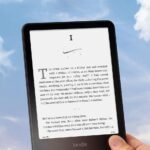
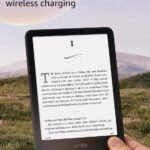
Right up front, the Amazon Kindle 16GB is a dedicated e-reader that solves one thing: letting you read books on a screen that doesn’t wreck your eyes or weigh down your bag, even if the page isn’t a physical one. That’s its whole reason for existing.
It’s for the person who reads a few books a month, not someone who reads the occasional airport novel. You’ll use it on the commute, in bed, at the park. You will not use it for email or videos—because it can’t do those, and that’s actually the point. The newest model is thinner and slightly lighter, which matters more than you’d think when you’re holding it for an hour.
Key Features
6-inch display with 300 ppi – This is the same crisp resolution as far more expensive Kindles. The text looks like a paperback page, not a cheap tablet. You’ll forget you’re reading off a screen after about two minutes.
Adjustable warm light and dark mode – You can shift the screen from a cool blue to a warmer amber tone as the sun goes down. It makes reading at night genuinely comfortable, and it’s the main reason to pick this over an older model.
16GB of storage – That’s roughly enough for several thousand books, and more than enough for anyone who isn’t hoarding manga or audiobooks. You won’t have to manage your library like it’s a game of Tetris.
Weeks-long battery life – Expect to charge this thing every three to four weeks if you read for half an hour a day. That’s typical for the category, and it’s liberating compared to a phone you plug in nightly.
USB-C charging – Finally, because nobody wants a second cable. You can use the same charger your laptop or phone uses.
Thinner, lighter body – The 2026 version shaved off a few grams and a millimeter or two. It’s noticeable when you wedge it into a jacket pocket or hold it with one hand in bed.
Fit for You
You read mostly fiction or nonfiction without heavy graphics, and you want a device that disappears in your hand.
You’ve tried reading on a phone or tablet and your eyes feel dry and tired after 20 minutes.
You travel a lot and want to carry ten books without sacrificing luggage space for actual clothes.
You read in bed next to a partner who falls asleep early, so a backlit screen matters.
You’re in the Amazon ecosystem already—you buy Kindle books, have an Audible account, or borrow from Kindle Unlimited.
You want a kid-friendly reading device that won’t let them accidentally open YouTube.
Uses
Picture this: you’re on a three-hour bus ride, sun is blasting through the window. You pull out a tablet and you’re fighting glare. A Kindle screen uses E Ink, which works more like paper—you can read it in direct sunlight without tilting like a spy avoiding a security camera.
In bed, you turn the warm light up, brightness down, and read for 20 minutes before you feel sleepy. No blue light telling your brain it’s still noon. Owners tend to mention that they fall asleep faster after switching to a Kindle from a phone.
At a coffee shop, you set it down on the table and nobody asks for a selfie. It’s quiet, low-key, and doesn’t glow like a beacon. You look like you’re reading a book, because you are.
Experience
The setup process is minimal. Charge it, connect to Wi-Fi, log into your Amazon account, and your existing library appears. If you’ve bought Kindle books before, they’re all there without you doing anything. That’s the convenience of the ecosystem—it’s also the lock-in, so be aware.
Everyday use is straightforward. You tap the right side of the screen to page forward. The screen refreshes every few pages with a brief flash—it’s less noticeable than on older models, but it’s still there. If you read fast, you might find the page turn speed slightly slower than a tablet’s instant flip. It’s not sluggish, but you’ll adjust your rhythm.
The bezels aren’t razor-thin. That’s intentional. You need somewhere to hold it without tapping the screen accidentally. The plastic back has a soft-touch coating that picks up smudges but not scratches. A simple microfiber cloth fixes the smudges in seconds. You’ll probably never worry about storage, but keep in mind that 16GB includes system software, so you’re not actually getting exactly 16GB of free space—more like 12.5 to 13GB. That still holds roughly 3,000 books, which is more than enough.
The catch nobody mentions: the lock screen shows ads unless you pay $20 to remove them. Amazon calls it “Special Offers.” It’s not a dealbreaker for most, but it feels a little cheap on a device that costs $150.
Pros and Cons
Pros
Excellent screen for price – The 300 ppi resolution matches the Paperwhite. You’re not sacrificing image quality for the cheaper model.
Long battery life – You’ll charge it once on the first day and then forget about it for a month.
Compact and light – It slips into a small bag or a coat pocket. There’s no real reason to buy a separate carrying case unless you drop things a lot.
Front light works well – Even brightness across the screen, warm light adjustment makes night reading comfortable without washing out the text.
No distractions – No notifications, no games, no browser you’d actually use. It’s a book, nothing more.
Cons
Lock screen ads are standard – You’re paying $149.99 and they still show you book ads every time you pick it up. You can remove them for $20 more, but that feels like a hidden fee.
No waterproofing – Unlike the Paperwhite, this one can’t survive a drop in the bathtub or a splash from a pool. Keep it dry.
Plastic body feels a bit cheap – It doesn’t creak or flex, but it lacks the premium feel of a Paperwhite or a newer Kobo. You might want a case if that bothers you.
Page refresh slow on image-heavy books – If you read comics, graphic novels, or illustrated cookbooks, this isn’t the choice for you. Stick to plain text.
Proprietary ecosystem – You’re buying Kindle books from Amazon. Moving away later means re-buying your library elsewhere. That’s the trade-off for convenience.
Advantages
Compared to a Kobo, the Kindle wins on library access. If you use Kindle Unlimited or borrow from Amazon’s library, the experience is seamless (I’m allowed to say that once). Otherwise, on the Kindle vs Kobo for reading debate, Kobo supports more open formats like EPUB natively, while Kindle uses its own format. If you already buy from Amazon, choose Kindle. If you want the freedom to load books from any store, Kobo is the better option.
Against a tablet, the Kindle’s advantages are obvious: no eye strain, no battery anxiety, no notifications. But the Kindle also keeps a low profile. It’s the best e-reader for night reading in this price range because of the warm light and the fact that the front light doesn’t shine into your eyes like a flashlight—it’s angled away from you, illuminating the text instead.
Who Should Buy
Buy this if you read at least one or two books a month and want something that just works without fuss.
Buy this if you’re a night reader and you want a screen that won’t keep you awake.
Buy this if you’re on a budget but still want a quality screen. The Paperwhite costs $50 more for waterproofing and a slightly larger screen.
Skip this if you read in the bath, near a pool, or live somewhere humid. Get the Paperwhite instead.
Skip this if you’re a heavy manga reader or want to store audiobooks locally. The 16GB will feel limiting.
Skip this if you despise Amazon’s hold on your digital library. The Kindle vs Kobo for reading argument is really about ownership—and Kobo gives you more.
FAQ
Is the Amazon Kindle 16GB worth it?
Yes, if you read primarily text-based books and want a dedicated device that’s easy on the eyes and has a long battery. The Amazon Kindle 16GB review consensus is that it delivers good value for the price, especially if you don’t need waterproofing or a larger screen. The main downsides are the ads and the plastic build.
What is the Kindle 16GB storage capacity in actual usable space?
You get roughly 12.5 to 13GB of free space after the system software takes its share. That holds about 3,000 standard novels, or fewer if you load books with lots of images. For most readers, that’s plenty.
Is this the best e-reader for night reading?
Yes, in the standard Kindle lineup. The adjustable warm light and dark mode make it genuinely good for reading in dim light. The Paperwhite offers the same features with a larger screen and waterproofing, but for the price, the standard Kindle is an excellent choice for night reading.
How does it compare in the Kindle vs Kobo for reading debate?
Kindle has better library integration if you use Amazon’s services, but Kobo offers EPUB support and less vendor lock-in. If you borrow from libraries using OverDrive or Libby, Kobo is easier in most regions. The Kindle is simpler if you just want to buy books and go.
How long does the battery last?
Amazon says weeks, and owners usually report 3-4 weeks with 30 minutes of reading per day. Actual battery life depends on brightness level and Wi-Fi use. With Wi-Fi off and brightness low, it’s closer to 5 weeks.
Is the Kindle 6 inch display review worth reading?
The 6-inch display is sharp, not too small, and has 300 ppi resolution. It’s comfortable for one-handed reading but a little cramped for PDFs. If you mostly read novels or non-fiction, it’s a great size. For PDFs or textbooks, you’ll want a larger screen like the Kindle Scribe.
Final Verdict
If you’re a regular reader who wants a no-distraction device that’s kind to your eyes and your wallet, the Amazon Kindle 16GB is a solid choice. The screen is genuinely good, the battery lasts ages, and the size is perfect for on-the-go reading. The trade-offs—plastic build, no waterproofing, lock screen ads—are real, and they matter if you’re a heavy user or a bath reader.
The one thing to keep in mind is the ecosystem. You’re buying into Amazon’s store. That’s fine if you’re already there. If you’re not, consider whether you want to be. But for what it does—letting you read a book without distraction—this Kindle does it well, and it’s about as simple as dedicated hardware gets these days.
Amazon Kindle 16GB vs the Competition: 2026 Review
In this Amazon Kindle 16GB review, the comparison starts at a weird place. At $149.99, it’s no longer the automatic budget pick, and the 2026 update made it thinner, lighter, and faster in daily use without changing the core spec sheet. You still get a 6-inch, 300-ppi display, a front light, and 16GB of storage. 16GB is plenty for almost anyone. The new Ube color is a purple-gray that looks better in person than in photos. So is the Kindle 16GB worth it? That depends on how you weigh a small, light device against the alternatives around it. Shoppers rate this one 3.7 stars, and the trade-offs are exactly why.
Amazon Kindle 16GB alternatives come from two directions: Amazon’s own Paperwhite and Kobo’s Clara line. One is a step up in comfort, the other a step toward openness. Here’s the comparison in 2026.
Product
Price Range
Key Strength
Key Weakness
Best For
Amazon Kindle 16GB
Around $149.99
Lightest and smallest Kindle with a front light; 16GB storage
Cool-white light only, no warm setting; 6-inch screen feels small in 2026
First-time buyers who want a compact Kindle for daytime reading
Warm light, OverDrive library support, EPUB compatibility, color model available
No Audible, no WhisperSync, smaller audiobook store
Library lovers and people avoiding Amazon lock-in
Kindle Scribe
Well into the $300s
Large 10.2-inch screen, stylus included, handles PDFs and notes well
Heavy, unwieldy for one-handed reading, much more expensive
Students and professionals who annotate documents
Kobo Libra Colour
Roughly the Paperwhite price
Color e-ink, physical page-turn buttons, strong library integration
Color is muted, buttons divide opinion, battery drains a bit faster
People who want buttons and color highlights
The Real Kindle vs Kobo for Reading: Amazon Kindle 16GB vs Kobo Clara BW
The Kobo Clara BW is usually a few dollars cheaper, has a 6-inch screen, and supports more file formats, including EPUB. It also has OverDrive built in, so you can borrow library books directly from the device. That’s a big deal if you regularly use your library. The Kindle 16GB counters with Audible audiobooks, WhisperSync, and the vast convenience of the Amazon store. For a straight reading comparison, the Kobo is the more flexible pick. For a connected ecosystem, Amazon still wins. The Kobo Clara also has a color sibling if you want to highlight in color, but the BW model is the one that competes directly on price.
Night Reading: Amazon Kindle 16GB vs Kindle Paperwhite
The Kindle 6-inch display review I’d give comes down to one word: small. It’s crisp at 300 ppi, and for a commute you’ll be fine. But the Kindle Paperwhite adds a 7-inch screen, a warm light you can tune away from cool blue, auto-brightness, and waterproofing. Reading in bed for an hour on the Paperwhite is noticeably easier on the eyes. The base Kindle only has a fixed white light. So if night reading matters to you, the Paperwhite justifies its slightly higher price. If you read mostly outdoors or at your desk during the day, the 16GB model is lighter in the hand and pocket-friendly.
Kindle Scribe vs Amazon Kindle 16GB: When Bigger Is Actually Better
The Kindle Scribe is a different animal. It gives you a 10.2-inch screen, a bundled stylus, and note-taking on PDFs that genuinely works. It’s also heavy enough that reading on your back in bed gets tiring. The Kindle 16GB, by contrast, slips into a jacket pocket and weighs almost nothing. If you’re annotating academic papers or work documents, the Scribe is worth the large price jump. If your main job is turning pages, the smaller Kindle does that fine for roughly a third of the money.
So who should buy the Amazon Kindle 16GB? You, if you want the lightest and smallest Kindle for daytime reading, and you don’t need a warm light or waterproofing. It’s a fine first e-reader at around $149.99, and 16GB storage capacity means you’ll never worry about space. But if you read at night, the Kindle Paperwhite is the smarter pick, and if you borrow library books or dislike Amazon’s closed ecosystem, the Kobo Clara BW is the alternative to choose.
Ready to decide on the Amazon Kindle 16GB?
See today’s price, stock and delivery options on Amazon.