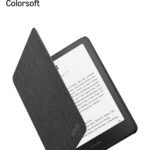
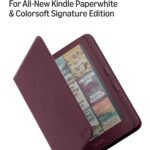
The Amazon Kindle Colorsoft review you’re looking for: it’s a great color e-reader, but only if comics, graphic novels, or colour-coded notes are your thing. For pure novel reading, the cheaper Paperwhite still wins. At $320, you’re paying for that colour screen and premium build – and it delivers, with trade-offs.
New color display and premium build justify a higher price tier for dedicated e-reader enthusiasts.
Price vs. rivals
Pricier
CheaperTypicalPricier
This model is priced significantly higher than most e-readers, reflecting its premium features like a color display, aluminum design, and auto-adjusting front light. It commands a premium over typical monochrome models and even most color alternatives, positioning it as a high-end flagship.
Ease of use
Excellent 88/100
The familiar Kindle interface combined with auto-adjusting lighting and a clear color display makes it straightforward for most users to navigate and enjoy reading without significant learning effort.
Overview
The Kindle Colorsoft is Amazon’s first e-reader with a colour display. It uses a Kaleido-style colour E Ink panel layered over a standard black‑and‑white screen. The result: you get proper greyscale text for books, plus faded but usable colour for images, covers, and comics.
It solves the problem of lugging around a tablet just to read coloured content. Owners tend to use it for manga, magazines, and highlighted PDFs. But if you read only black‑and‑white novels, this is overkill – you’re paying extra for a feature you won’t use.
Key Features
7‑inch colour E Ink display – Colour looks like a glossy magazine page from a few years ago: soft, not vibrant. Fine for comics, not for photo books. The black‑and‑white text is crisp at 300 PPI, same as Paperwhite.
Aluminum body, thinner design – It feels noticeably lighter and more premium than the plastic Paperwhite. You’ll notice the difference holding it one‑handed for an hour; it’s less fatiguing.
Auto‑adjusting front light (warm + cool) – Works well. The colour temperature shifts automatically from daylight to warm amber at night. Useful if you read in bed or under a desk lamp.
32 GB storage – Plenty for a massive comic library. A typical 200‑page colour comic file is about 150 MB, so you can store around 200 full‑colour graphic novels before hitting the limit.
Wireless charging (Signature Edition) – Handy if you already have a Qi charger on your nightstand. The standard USB‑C port works fine too. Charging speed is average – expect 2‑3 hours to full.
IPX8 waterproofing – You can read it poolside or in the bath without panic. Same rating as the Paperwhite. Avoid salt water, obviously.
Fit for You
You read comics, graphic novels, or manga every week and hate switching between a tablet and a Kindle.
You annotate PDFs or textbooks with colour‑coded highlights and need to see which colour is which.
You want a dedicated reading device that doesn’t tempt you with Instagram or email. The Colorsoft is a Kindle – no apps, no notifications.
You’re a heavy library user who borrows colour magazine issues from Libby or Kindle Unlimited.
You already own a Paperwhite and wish it could show your book covers in colour, because the greyscale versions are boring.
You have a Qi charger collecting dust. The wireless charging is a nice bonus, not a deal‑maker.
Uses
Reading a colour comic on the Colorsoft is the whole reason to buy it. The colour layer softens the saturation – reds look brickish, blues lean to slate – but it’s totally legible and less harsh on the eyes than an iPad. For word‑balloon conversations, the text stays sharp, and the colour helps distinguish characters’ outfits. You won’t mistake it for a glossy print, but you also won’t feel the urge to charge it after two hours of reading.
Best color e-reader for comics is a fair label – mostly because the competition (PocketBook, Kobo) have similar colour tech but worse store integration. With Amazon’s ComiXology library and Kindle Unlimited, you can pull down thousands of colour issues instantly. The screen’s 7‑inch size is a compromise: bigger than a standard comic page, but fine for one‑handed reading on the bus. You’ll zoom occasionally for dense panels.
For note‑taking, the Colorsoft works with sticky‑note highlights and colour categories. If you highlight a passage in blue, it stays blue on the page – that’s genuinely useful for students or researchers. Just don’t expect to write on the screen with a stylus; this isn’t a Remarkable.
Experience
Setup is the same as any modern Kindle: plug it in, connect to Wi‑Fi, sign into your Amazon account. The colour screen impresses right away during the language‑selection step – your cover art suddenly makes sense. The aluminium back feels cool and solid, like a good phone. It’s thin enough to slide into a jacket pocket, though the 7‑inch size means it won’t fit a jean pocket.
Everyday reading is where the trade‑offs show up. The colour layer reduces contrast slightly compared to the Paperwhite’s black‑and‑white screen. In direct sunlight, text is still readable – but the heavier you stack colour, the more you notice the greyish background. Kindle fans who value crisp black lettering will prefer the Paperwhite. For comics, the reduced contrast is acceptable because the colour adds clarity to panels.
Kindle Colorsoft battery life is shorter than a Paperwhite. Expect roughly four to six weeks with varied reading (some comics, some novels), or about two weeks if you’re only reading colour content with the front light on medium. That’s still excellent compared to a tablet – you’ll charge it maybe once a month. The auto‑brightness sensor works reliably, though you can manually override it.
A small annoyance: the screen refreshes with a full black flash every few page turns, more often in colour mode. That’s normal for colour E Ink. It doesn’t break the immersion, but you’ll notice it during fast‑paced action sequences. A minor irritation: the power button is on the bottom edge, same as the Paperwhite. You’ll hit it accidentally when holding the device one‑handed unless you flip the orientation.
Pros and Cons
Pros
Colour screen for comics and magazines – It’s the only Kindle that can show a colour cover or panel. That alone justifies the upgrade for comic fans.
Premium build and lighter weight – The aluminium back and thinner profile make it feel more like a premium gadget, not a toy. Easy to hold for long sessions.
Auto‑adjusting warm light – Works smoothly; you’ll forget it’s there until you move from a bright window to a dark room and the screen doesn’t blind you.
Huge storage (32 GB) – You can load a library of thousands of comics without ever worrying about “low storage” warnings.
Wireless charging and USB‑C – No need to hunt for the proprietary cable – a standard Qi pad or any modern phone charger works.
Cons
Colour is muted, not vibrant – If you’re expecting iPad‑level saturation, you’ll be disappointed. Colours look like a dusty magazine, not a wet glossy print.
Screen contrast is lower than Paperwhite – The colour layer adds a faint haze. Black text on a white background is less crisp. Noticeable side‑by‑side.
Battery life is shorter than any black‑and‑white Kindle – Still weeks, but you’ll charge it roughly twice as often if you read mostly in colour.
No stylus support – You cannot write or draw directly on the screen. The colour highlighting is limited to digital notes, not freehand.
Price is high for an e-reader – $320 is nearly twice the cost of a Paperwhite. The colour feature isn’t essential for most readers.
Occasional colour refresh flashes – The screen blacks out for a split second every few page turns. E‑ink standard, but more frequent than on a black‑and‑white Kindle.
Advantages
Compared to a tablet, the Colorsoft wins on battery life, screen readability in sunlight, and lack of blue‑light fatigue. You can read a full colour comic for two hours and your eyes feel fine. On an iPad, that same session might leave you with dry eyes. It’s also lighter than any tablet.
Versus the Kindle Paperwhite – The Paperwhite is better for plain novels (higher contrast, longer battery, lower price). The Colorsoft wins only if you need colour. In a Kindle Colorsoft vs Kindle Paperwhite decision, ask yourself: “Do I read colour content at least twice a week?” If yes, go Colorsoft. If no, save $100.
Against other colour e-readers (Kobo Libra Colour, PocketBook InkPad Color) – Amazon’s store is a huge advantage. ComiXology, Kindle Unlimited, and seamless library borrowing via Libby. The hardware itself is similar – but the ecosystem pulls ahead for most buyers.
Build quality – The aluminium body feels more durable than plastic rivals. It won’t flex in a bag.
Who Should Buy
Buy it if you’re a comic reader who wants a dedicated device, not a tablet. The colour works well enough for panels, and the library integration is smooth.
Buy it if you annotate PDFs with colour coding and need to distinguish your highlights at a glance.
Buy it if you love the feel of a premium gadget and don’t mind paying extra for it.
Skip it if you read only novels or text‑heavy non-fiction. Get the Paperwhite Signature Edition instead – better contrast, longer battery, lower price.
Skip it if you expect vibrant, tablet‑like colours. The Colorsoft is a gentle pastel version of colour, not a punchy one.
Skip it if you need a stylus for note‑taking – this isn’t a replacement for a Remarkable or an iPad with Apple Pencil.
FAQ
Is the Amazon Kindle Colorsoft worth it?
Yes, if you regularly read comics, graphic novels, or colour‑coded documents. For pure novel reading, no – the Paperwhite does a better job for less money.
How long does the Kindle Colorsoft battery last?
You’ll get around four weeks with mixed colour and black‑and‑white reading, or two weeks if you stick to colour content with the light on. That’s excellent by tablet standards, but half the Paperwhite’s endurance.
Is the Kindle Colorsoft screen good for comics?
It’s the best dedicated e‑reader screen for comics. Colours are soft, not vibrant, but panels are legible and the 7‑inch size is comfortable for one‑handed reading. You won’t mistake it for a colour print, but you’ll love not needing a tablet.
Does the Kindle Colorsoft have a warm light?
Yes, it has an auto‑adjusting front light with a warm‑to‑cool range. It works smoothly and helps reduce eye strain at night. You can also set it manually if you prefer a fixed temperature.
Can I take notes on the Kindle Colorsoft with a stylus?
No. The screen is not a touch‑pen layer – it only responds to your finger for tapping and swiping. You can highlight text and add sticky notes, but you can’t draw or write freehand.
Is the Kindle Colorsoft waterproof?
Yes, IPX8 rated – it survives immersion in 2 metres of fresh water for 60 minutes. Fine for the bath, poolside, or reading on the beach in a light drizzle. Just keep it away from salt water.
Final Verdict
The Kindle Colorsoft is a niche device done well. It’s the best option for comic readers who want an e‑reader’s battery life and a tablet’s colour. The aluminium build and auto light are nice bonuses, but the core reason to buy it is that colour screen – and its limitations (muted colours, lower contrast, shorter battery) are honest trade‑offs you should accept before spending $320.
One thing to keep in mind: colour E Ink is still evolving. The Colorsoft is a solid first attempt from Amazon, but if you’re not sure you need colour today, the Paperwhite remains the smarter choice for most. If you are sure, this is the best color e‑reader for the Amazon ecosystem – and that’s worth more than any spec sheet.
Amazon Kindle Colorsoft vs the Competition in 2026
The Amazon Kindle Colorsoft is a genuine first for Amazon: a color e-reader that tries to keep everything people like about Kindles while adding a full-color display. At $319.99 for the Signature Edition with 32GB and auto-adjusting light, it sits in a curious spot—more expensive than a Paperwhite, less than a premium tablet, and staring down some real competition from dedicated color e-readers that have been at this longer. It’s not trying to replace your phone or your iPad. But it is trying to be the best dedicated device for reading comics, graphic novels, and color-heavy nonfiction. Whether it pulls that off depends on what you’re willing to trade.
Product
Price Range
Key Strength
Key Weakness
Best For
Amazon Kindle Colorsoft Signature Edition 32GB
Around $320
Color display with Kindle ecosystem integration
Battery life takes a hit with color use; pricey for an e-reader
Comics and graphic novel fans already in Amazon’s library
Kindle Paperwhite Signature Edition 32GB
Around $190
Exceptional battery life; proven, sharp display
No color; plastic build feels cheaper
Serious book readers who don’t need color
Kobo Libra Colour
Around $220
Color display plus physical page-turn buttons
Slower processor; smaller content ecosystem
Note-takers and library users who want buttons
iPad Mini 7 (256GB)
Around $500+
Full color, high refresh rate, app ecosystem
Heavier; shorter battery; distractions from notifications
Multimedia readers who want one device for everything
Amazon Kindle Colorsoft vs Kindle Paperwhite: The Sibling Rivalry
This is the comparison most buyers will wrestle with. The Paperwhite Signature Edition costs about $130 less, lasts weeks on a charge instead of days, and uses the same underlying reading software. You’d think the choice is simple—save money unless you need color. But the Colorsoft does more than add a color layer. Amazon gave it an aluminum back that feels noticeably more premium than the Paperwhite’s slippery plastic. The bezels are slightly narrower, and the auto-adjusting front light works a bit smarter, shifting warmth gradually rather than in abrupt steps. For black-and-white reading, both are excellent, but the Colorsoft’s screen has a faint texture over it—necessary for the color filter—that makes text look just a hair softer. Not bad. Not as crisp. If you read mostly novels and want something that disappears in your hand, the Paperwhite is still the better buy. If you read a lot of nonfiction with charts, travel guides, or anything where color carries meaning, the Colorsoft pulls ahead.
Amazon Kindle Colorsoft vs Kobo Libra Colour: The Color E-Reader Shootout
Kobo beat Amazon to the color e-reader punch by about six months, and the Libra Colour remains the most direct alternative. At roughly $100 less, it gives you a color Kaleido 3 display (same tech as the Colorsoft), physical page-turn buttons, and stylus support for note-taking. The buttons are a real advantage if you read one-handed—you can flip pages without shifting your grip. Amazon’s answer is basically “use touch or swipe,” which works but isn’t as satisfying. Where the Colorsoft wins is polish. The Kindle store has more color comics available, Amazon’s send-to-kindle workflow is simpler, and the overall software feels snappier. The Kobo is slower when turning pages in large PDF files and its note-taking, while functional, lags behind a dedicated tablet. If you borrow e-books from the library a lot, the Kobo handles Libby natively without needing a phone. If you buy everything from Amazon and want color without fuss, the Colorsoft is the smoother experience.
Amazon Kindle Colorsoft vs iPad Mini: For the Comics Reader Making a Choice
This is the real “should I just get a tablet?” debate. The iPad Mini is a glorious comics machine—full 2266×1488 resolution, no color filter overlay, fast page turns, and apps like Marvel Unlimited and Hoopla that don’t exist on Kindles. It’s heavier (about 293g vs the Colorsoft’s 215g) and you’ll charge it every day or two instead of every week. The bigger issue is distractions. An iPad is a computer. You’ll check email, watch YouTube, get notifications. A Kindle is a book. The Colorsoft keeps you reading. For the person who wants a dedicated comics reader that won’t tempt them with Instagram, the Colorsoft is the right call. For the person who also wants to watch anime, browse webcomics, and use a stylus for sketching, the iPad Mini justifies its higher price and shorter battery. But be honest with yourself: if you’ve bought comics on Amazon before, the Colorsoft works out of the box with your library. The iPad requires you to buy again through other apps.
Pick the Amazon Kindle Colorsoft if you’re deep in Amazon’s ecosystem, read a mix of color and black-and-white content, and value a dedicated reading experience over battery life. Skip it if you read only novels—the Paperwhite saves you money and gives you better endurance. Consider the Kobo Libra Colour if you want physical buttons and take notes while reading, or if you borrow most of your books from the library. And if your reading life is really about comics, manga, and multimedia, the iPad Mini is a better device that costs more but does far more. The Colorsoft is a lovely niche product for a specific kind of reader. Figure out which one you are before you buy.
Ready to decide on the Amazon Kindle Colorsoft?
See today’s price, stock and delivery options on Amazon.