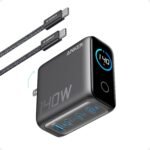
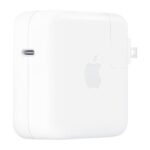
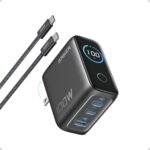
Delivers exceptional value by combining high-wattage charging with broad MacBook compatibility at a price well below typical alternatives.
Price vs. rivals
Cheaper
CheaperTypicalPricier
Priced well below typical Apple-branded alternatives and many premium third-party options, positioning it as a budget-friendly choice.
Ease of use
Excellent 93/100
Plug and play with any compatible MacBook; just connect the USB-C cable and it delivers optimal charging.
Overview
The Anker 140W charger review you’re about to read is pretty straightforward: if you own a 16-inch MacBook Pro and want one charger for both your laptop and your phone, this is probably it. For $39.99, it solves the “three bricks, one outlet” problem better than most. It’s for anyone who travels with a USB-C laptop and hates carrying separate power adapters for each device.
Anker has been making reliable charging gear for years. This 140W model uses GaN technology, which means it’s smaller and cooler than the old silicon bricks. It replaces the bulky 140W Apple charger you got with your MacBook Pro 16 – and it gives you two extra USB-C ports for your phone, tablet, or earbuds. The catch? It’s not a perfect replica of Apple’s charger, but for half the price, you get a lot more flexibility.
Key Features
140W total output via USB-C – One single port can deliver the full 140W needed to fast-charge a 16-inch MacBook Pro (2021 or later). That’s the same power as Apple’s own brick, but in a smaller package.
Three ports (two USB-C, one USB-A) – You can plug your laptop, phone, and a pair of earbuds all at once. The charger intelligently splits power so nothing gets starved – though if you max out two laptops, expect the wattage to drop per port.
GaN technology – Gallium Nitride lets this thing stay cool even under load. It’s about 30% smaller than the old Apple 140W brick, so it actually fits in the front pocket of a backpack.
Folding prongs – The US plug folds flat. It’s a small thing, but it stops the prongs from gouging your laptop sleeve or snagging on other cables in your bag.
Compatible with Power Delivery 3.1 – That’s the protocol that enables the full 140W charging speed on newer MacBooks. Older 100W PD chargers will still work, but they’ll charge slower.
Smart temperature control – Anker’s own thermal monitoring cuts power if things get too hot. Owners mention it rarely even gets warm, let alone hot like some cheap 140W chargers do.
Fit for You
You own a 14-inch or 16-inch MacBook Pro and want the fastest possible charge without paying Apple’s $99 price tag.
You travel frequently and need one charger to handle your laptop, phone, and maybe an iPad or Nintendo Switch in the hotel room.
You’re tired of digging through a tangle of cables because each device came with its own brick – this replaces three separate chargers.
You have a MacBook Air (M2 or M3) and want a future-proof 140W charger that can also charge a second device at full speed when you upgrade later.
You work in a coffee shop and want to maximize the single outlet – one charger for you, another for a friend’s laptop, plus your phone.
Uses
You’re at your desk with a 16-inch MacBook Pro plugged in, drawing 100W, while your iPhone 15 Pro Max is on the second USB-C port pulling 27W. The third USB-A port charges your AirPods case. Total draw stays under 140W, so everything gets its share without the brick protesting.
On a road trip, you toss the charger in your daypack. At the airport gate, you plug into the seat power – the folding prongs mean no bent plug. Your MacBook Air (13-inch) charges fully in about 90 minutes. You can also top up your iPad at the same time.
When you’re at a friend’s place and they’ve got the old 60W charger, you hand them this one. They plug in their Dell XPS 15 (which asks for 100W) and you both charge at once. The power distribution means each laptop gets about 60–70W, which is still plenty fast for a top-up during a movie.
Experience
Setting this thing up takes zero effort – you open the box, unfold the prongs, and plug it in. The USB-C ports are springy and hold cables securely; no wiggling. The charger itself feels dense but not heavy – about the weight of a deck of cards.
Daily use is where it wins. You stop thinking about which port to use or whether you’re overloading it. The LED indicator on the front (a tiny, dim light) tells you it’s getting power. Some people wish it were smaller, but compare it with Apple’s 140W brick: this Anker is maybe 20% shorter and thinner. It does not block adjacent outlets on a power strip, which is a relief.
The minor annoyance: the USB-A port only goes up to 12W. That’s fine for earbuds and older phones, but if you have a modern Android phone that charges at 25W or more, you’ll want to use the USB-C port instead. Also, the included cable is just that – a high-quality USB-C to USB-C cable rated for 140W, but it’s only about 1.5 meters. If you need 2 meters, buy an aftermarket one rated for 240W.
Cleaning is as simple as wiping the matte plastic with a damp cloth. No vents to clog. Noise? None. It’s completely silent – no fan, no coil whine. Even under full load for an hour, it stays cool enough to touch comfortably.
Pros
Packs three ports into a 140W brick – Most 140W chargers are single-port. This one charges three devices at once, which is rare at this price.
Significantly cheaper than Apple’s version – $39.99 vs $99 for the same wattage output on a single port. You get more ports for less.
Compact and travels well – GaN makes it small enough to stash in a slim laptop sleeve. Folding prongs protect your bag.
Runs cool and quiet – No fan, no heat issues in normal use. Many cheap 140W chargers get hot enough to worry about.
Works with non-Apple laptops too – Dell, HP, Lenovo USB-C laptops that support PD 3.0 or 3.1 will charge fast, as long as they ask for 100W or less on a single port.
Cons
USB-A port is limited to 12W – It will charge an iPhone slowly. If you mostly use USB-C devices, this isn’t a problem, but don’t expect fast charging from that port.
Not all 140W modes are simultaneous – You only get full 140W from one port when the others are idle. Plug in two laptops, and each gets around 60–70W; still fast, but not the absolute max.
Included cable is short for some setups – 1.5 meters works on a desk, but if your outlet is behind a sofa or across a room, you’ll need a longer cable.
No international plug adapters included – The prongs are fixed US-style. If you travel abroad often, you’ll need a separate travel adapter or a different charger.
Plastic build feels decent but not premium – It’s matte, sturdy plastic, but the Apple brick has a more polished shell. Not a durability concern, just a feel thing.
Advantages
Where this Anker charger really shines compared to typical alternatives is the port count. Most 140W USB-C chargers – including Apple’s own and many third-party ones – give you a single USB-C port. You then have to carry a separate multi-port charger for your phone, or use the laptop’s ports to charge other devices, which drains battery. The Anker lets you plug everything into one wall outlet.
It also beats the Apple 140W charger on price by a lot – $39.99 vs $99. And because it uses GaN, it’s smaller and cooler. The only real downside compared to the Apple charger is the included cable length, but you can buy a longer one for $10.
Another advantage: it works seamlessly with the best 140W charger for MacBook Pro 16 scenarios, but also handles a MacBook Air 13-inch or 15-inch at full speed, making it the best 140W USB-C charger for MacBook Air owners who want future-proofing.
Who Should Buy
Buy it if you have a USB-C laptop that can charge at 100W or higher, especially a MacBook Pro 16 or 14. You’ll appreciate the multi-device charging and the lower price.
Buy it if you travel and want to carry one charger instead of three. It’s compact enough for a carry-on and the folding prongs are a life saver.
Skip it if you need a single ultra-portable charger and don’t mind slower charging – the Anker Nano series (smaller, but only 30–45W) might pack smaller. Also skip if you absolutely need a 2-meter included cable.
Skip it if you own a 16-inch MacBook Pro and plan to charge at full 140W while also fast-charging a second high-power laptop at the same time – the power sharing means you’ll get around 60W each, not 140W. In that case, buy two single-port 100W or 140W chargers.
FAQ
Is the Anker 140W Charger worth it?
Yes, it’s worth it for most people. You get the same 140W charging speed as Apple’s brick, plus two extra ports, for less than half the price. The only reason to reconsider is if you need a longer cable or prefer a metal build.
How does the Anker 140W Charger compare to the Apple 140W Charger?
The Anker is smaller, cheaper, and has three ports instead of one. The Apple charger includes a braided 2-meter cable and a slightly more premium feel. In the Anker 140W charger vs Apple 140W charger decision, most people will prefer the Anker’s versatility unless they specifically want the Apple cable.
Can it charge a MacBook Air at full speed?
Yes. The MacBook Air (M2 or M3) typically charges at up to 70W, so the Anker can easily deliver that via any USB-C port. Even if you’re also charging a phone, the MacBook Air will get its full power. It’s the best 140W USB-C charger for MacBook Air if you want future-proofing.
Is it safe for overnight charging?
Yes. Anker includes over-current, over-voltage, and temperature protection. The charger will stop delivering power if it detects a problem. Owners have reported no issues leaving it plugged in overnight with a laptop or phone.
How long does it last?
Expect years of daily use. Anker’s GaN chargers have a reputation for reliability, and the warranty covers defects. The connectors are rated for thousands of plug/unplug cycles. The only wearable part is the cable, which carries a limited lifespan like any cable.
Can it charge a Nintendo Switch while also charging a laptop?
Yes. The Switch draws about 15W in handheld mode, so you can plug it into the USB-C port while the main laptop gets the remaining 125W. The USB-A port is fine for low-power accessories like a controller.
Final Verdict
The Anker 140W charger is the best bet for anyone with a high-power USB-C laptop who wants to cut cord clutter. It charges a 16-inch MacBook Pro at full tilt, handles a phone and earbuds at the same time, and costs less than the official Apple brick. The compromises – a short cable, a slow USB-A port, plastic build – are minor for most people.
If you’re asking yourself “is Anker 140W charger worth it” after reading this, the answer is yes, as long as you don’t need two full 140W outputs simultaneously. Buy it, toss it in your bag, and forget about carrying three different power bricks.
The Anker 140W Charger has been the budget king of high-speed MacBook charging for a couple of years now. At $39.99 it undercuts Apple’s own brick by more than half, but that doesn’t mean it’s the right pick for everyone. Some rivals pack more ports, others fold their prongs, and a few just feel nicer to plug in. The table below lays out the main choices so you can quickly see where your money goes.
Product
Price Range
Key Strength
Key Weakness
Best For
Anker 140W Charger
$40
Cheap 140W output with GaN efficiency
Only two ports; no foldable plug
Budget-conscious single-laptop users
Apple 140W USB-C Power Adapter
$99
Perfect MagSafe 3 compatibility, premium feel
Expensive, big, only one port
MacBook Pro 16 owners who want no-compromise charging
Satechi 165W GaN USB-C Charger
$80
Three ports (2C+1A), 165W total
Heavier and pricier than Anker
Power users charging a laptop plus two devices at once
Ugreen 140W GaN Charger
$35
Foldable prongs, slightly smaller
USB-A port only 18W; slower trickle for secondary devices
Travelers who hate protruding plugs
Anker 140W Charger vs Apple 140W Charger
Look, the Apple 140W charger is a beautifully built hunk of plastic. It charges a 16-inch MacBook Pro at the full 140W over MagSafe 3 without any fuss, and it feels solid in the hand. But it costs $99 – two and a half times the Anker. The Anker 140W Charger vs Apple 140W Charger showdown really comes down to the MagSafe 3 connector. Apple’s charger can hit 140W over MagSafe, while the Anker maxes out at 140W over USB-C PD. That means if you want MagSafe-only charging at full speed, you need Apple’s brick. But for 99% of people, USB-C PD charging at 140W works exactly the same – the Anker charges your MacBook Pro 16 from zero to 50% in about 30 minutes, same as Apple. The Anker is also smaller thanks to GaN, and it has a second USB-C port (though only 20W). So unless you absolutely must use MagSafe to get 140W, the Anker makes more sense. The Apple one is for people who really hate third-party accessories or who buy everything from the same store.
Anker 140W Charger vs Satechi 165W GaN
Satechi’s 165W charger costs about twice as much as the Anker ($80-ish), but it gives you three ports: two USB-C and one USB-A. The big difference is total power allocation. The Satechi can deliver up to 140W out of a single port, same as Anker, but it’s designed to share power intelligently among three devices. If you regularly plug in a MacBook Pro, an iPad, and an iPhone at the same time, the Satechi will split 165W dynamically – your laptop still gets 100W+, your iPad gets 30W, and your phone gets 18W. The Anker’s second port is stuck at 20W, so if you plug in an iPad you’ll only get slow charging. Satechi also has a foldable plug and a slightly longer cord. But the Anker is lighter and less than half the price. For most people charging just a laptop and a phone, the Anker is plenty. If you’re the family travel hub for everyone’s devices, the Satechi is the better “best 140W charger for MacBook Pro 16” alternative, because it handles the whole load.
Anker 140W Charger vs Ugreen 140W GaN Charger
Ugreen’s 140W GaN charger is the closest competitor to the Anker – it’s usually $5–10 cheaper and includes foldable prongs. That folding plug is a real win if you toss your charger into a backpack daily; the Anker’s fixed prongs stick out and scratch things. But the Ugreen has a quirk: its USB-A port is limited to 18W, and its second USB-C port only hits 60W when used alone. The Anker’s second USB-C is a lowly 20W port, but it doesn’t pretend to be more. Build quality-wise, both feel fine – not premium, not flimsy. The Anker runs a little cooler under full load, based on common reports, and it has a slightly better warranty (18 months versus 12). So the choice is simple: if you need foldable prongs and every dollar counts, get the Ugreen. If you care about heat management and a longer warranty, go with the Anker. Both are far better value than Apple’s $99 brick.
So Is the Anker 140W Charger Worth It?
For $40, the Anker 140W Charger is the default recommendation if you own a MacBook Pro 16, MacBook Air 15, or any laptop that can pull 100W or more over USB-C. It’s not flashy, the prongs don’t fold, and the second port is weak, but it delivers full 140W consistently without overheating. If you’re a single-device charger who wants to save $60 over Apple’s official adapter, get the Anker. If you travel a lot and hate carrying multiple bricks, the Satechi 165W handles three devices better. And if you’re on a strict budget or really need foldable prongs, the Ugreen 140W GaN charger is a worthy alternative. But for the vast majority of MacBook Pro 16 owners asking “is Anker 140W charger worth it,” the answer is a clear yes – it does the same job for less than half the price, and that’s hard to beat.
Ready to decide on the Anker 140W Charger?
See today’s price, stock and delivery options on Amazon.