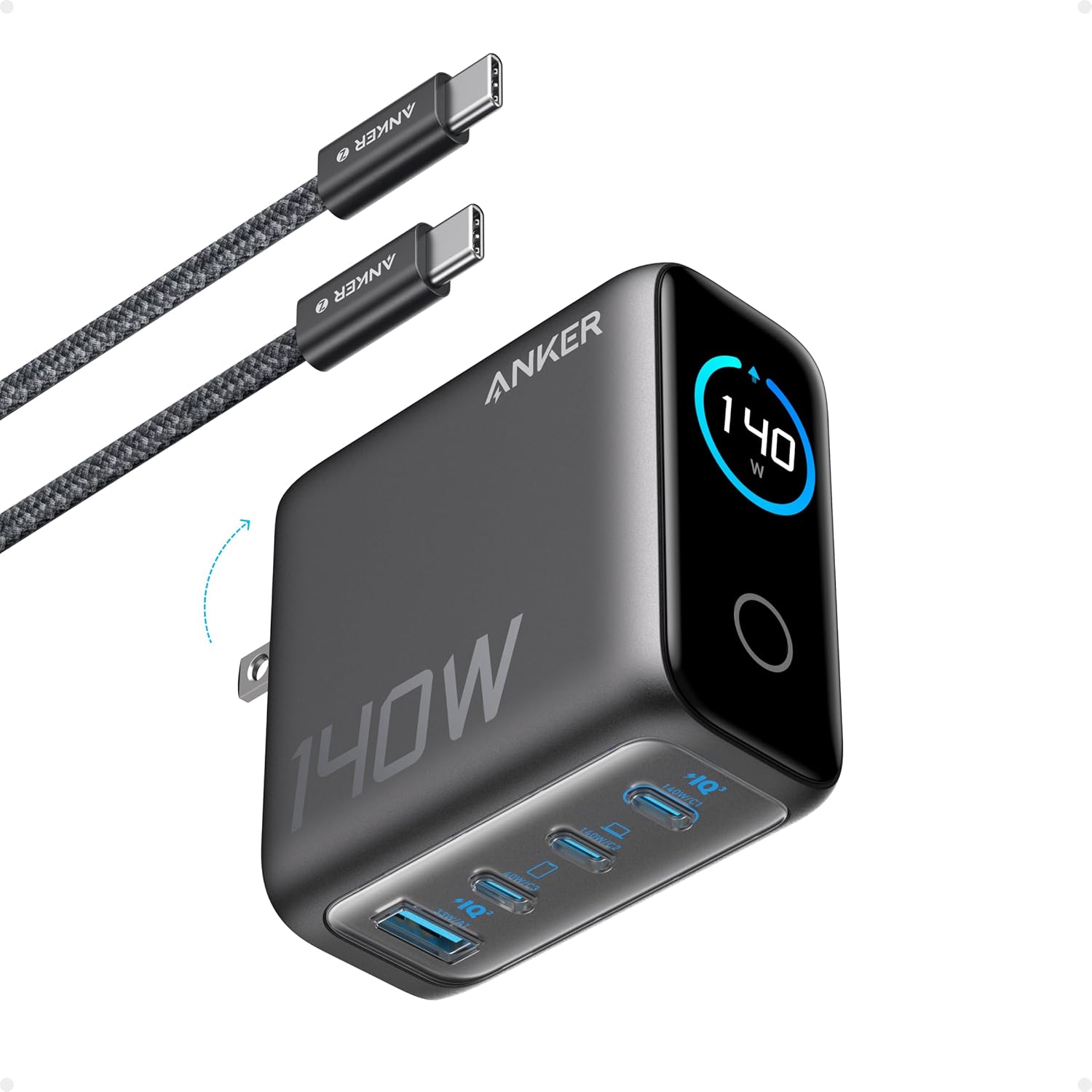
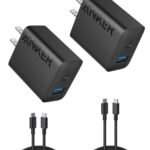
If you’re wondering whether the Anker 140W GaN charger review hype is real, the short answer is yes—with a couple of caveats. This four-port brick charges a 16-inch MacBook Pro at full speed, talks to you through a tiny screen, and won’t hog your power strip. For $79.99, it’s a legit alternative to Apple’s single-port charger, but only if you actually need all those ports and the display gimmick doesn’t annoy you.
Offers high-power fast charging with smart display at a competitive price for its feature set.
Price vs. rivals
Pricier
CheaperTypicalPricier
Priced at a premium relative to standard 100W GaN chargers, but competitive with other 140W models featuring smart displays.
Ease of use
Excellent 92/100
The high rating and straightforward plug-and-play design with a clear smart display make it very easy for an average person to charge multiple devices simultaneously.
Overview
This is Anker’s latest take on a 140W GaN charger, and it packs four ports into a block barely bigger than Apple’s one-port 140W brick. The headline trick is a small smart display that shows charging status for each port—something you rarely see on a charger. Under the hood, it uses GaN (gallium nitride) tech to keep size and heat down while pushing 140W from a single USB-C port, or splitting that wattage across all four ports.
Who’s it really for? People who travel with a MacBook Pro, an iPad, and a phone, and don’t want to carry three separate bricks. Also for desk users who are tired of wrestling with a power strip full of wall warts. If you only charge a phone and a tablet, this is overkill—you’d be fine with a smaller 65W charger.
Key Features
140W single-port output – The top USB-C port can deliver the full 140W needed for a 16-inch MacBook Pro to fast-charge. That’s the same as Apple’s own 140W adapter, but in a smaller package.
Four ports total – Two USB-C ports (one 140W, one 100W) and two USB-A ports. When you plug in multiple devices, the charger intelligently reallocates power so nothing stops charging.
Smart display – A small screen on the front shows real-time wattage per port and overall power. It’s not essential, but it’s satisfying to see exactly how fast your phone is pulling juice.
GaN technology – Runs cooler and is about 30% smaller than a traditional silicon charger of the same wattage. You’ll notice this when you pack it in a bag or reach behind a desk.
Folding plug – The prongs fold flat into the body, so it won’t scratch your laptop or snag on other gear in a backpack pocket.
Safety features – Overcurrent, overvoltage, and temperature protection are built in. Anker’s track record here is solid—they’ve been making chargers for years.
Fit for You
You own a 14- or 16-inch MacBook Pro and want to charge it at full speed without carrying Apple’s bulky brick.
You travel for work and need one charger for your laptop, phone, earbuds, and maybe a camera battery—all from a single wall outlet.
You share a desk or hotel room and often have two laptops to charge at once (one via the 140W port, the other via 100W).
You’re the kind of person who likes data: seeing exactly how many watts each device is pulling satisfies a certain curiosity.
You’ve ever had a charger overheat or shut down during a heavy load and want something that runs cooler and more reliably.
Uses
Picture a Monday morning. You’ve got a 16-inch MacBook Pro at 15% battery, an iPad Pro that’s been sitting in a bag all weekend, an iPhone that’s barely alive, and your partner’s Android phone also needs juice. With this one charger plugged into one outlet, you can hit all four devices. The MacBook will grab 100W while the iPad takes 20W and the phones split the rest—everyone gets something without you swapping cables.
At a coffee shop, you’re the hero at the crowded table. One outlet, four devices, no drama. The smart display shows 97W feeding your MacBook, 18W to the iPad, and 7W to your phone. It’s a small pleasure, seeing the numbers shift as devices slow down their draw.
On a weekend trip, it replaces three separate chargers. The folding prongs mean you can toss it in a side pocket without a protective case. And because it’s GaN, it won’t feel like a warm brick after an hour of charging the whole fleet.
Experience
Setting it up is as simple as opening the box and plugging it in. The smart display lights up immediately, showing a basic UI with port labels and live wattage numbers. The screen is small—maybe an inch wide—and the text is readable from a couple feet away. Owners tend to mention that the display can be a bit dim in bright sunlight, but indoors it’s fine.
In everyday use, the charger stays noticeably cooler than Apple’s 140W brick under the same load. After charging a MacBook Pro from empty to full, it’s warm to the touch but not hot. The folding plug is tight and doesn’t wobble. One minor annoyance: the USB-A ports are on the bottom edge, so if you’re using a stiff cable it can push the charger away from the wall slightly. Not a dealbreaker, but worth knowing.
The smart display’s real benefit is giving you feedback. You’ll see when a device is almost full and drawing low wattage, so you know it’s okay to unplug. The screen stays on constantly, which some people find distracting in a dark bedroom. If you’re sensitive to small lights, you might want to turn it away. There’s no way to dim or disable it—Anker hasn’t added that feature yet.
Pros and Cons
Pros
Full 140W to a single device – Charges a 16-inch MacBook Pro at the same speed as Apple’s own charger, which costs $99 and has only one port.
Four ports in a compact body – About the size of a deck of cards, it’s one of the smallest 140W multi-port chargers available.
Smart display is genuinely useful – You can spot a failing cable or a device that’s drawing less power than expected without guessing.
Runs cool – GaN means it keeps its cool even under sustained 140W load, which extends the life of the charger.
Folding plug and solid build – Feels dense and well-made, with no creaks or loose parts.
Cons
Smart display can’t be turned off – The screen stays lit all the time. Fine for a desk, but annoying in a dark bedroom or hotel room.
USB-A ports are limited to 12W each – That’s fine for phones and earbuds, but slow for tablets. You’ll want to use USB-C for anything that supports fast charging.
Price is higher than some 140W alternatives – At $79.99, it’s cheaper than Apple’s brick but more expensive than no-name GaN chargers that skip the display and offer similar specs.
No cable included – You’ll need your own USB-C to USB-C cable that supports 140W (e.g., Anker’s own 240W cable, sold separately). If you’re buying from scratch, factor in that extra cost.
Advantages
Where this charger really earns its keep is the Anker 140W vs Apple 140W charger comparison. Apple’s brick offers one port, no display, and costs $99. This Anker gives you four ports, a screen, and lower price. The trade-off is that Apple’s charger is slightly more refined (better cable management, no display light), but for most people, Anker wins on sheer utility.
If you’re looking for the best 140W GaN charger for MacBook Pro that also handles your other gear, this is a top contender. The only real rivals are other multi-port GaN bricks from brands like Ugreen or Baseus, which often lack the display and sometimes have worse power allocation algorithms. Anker’s software logic is solid—it doesn’t glitch when you plug or unplug a device.
For travelers, the 4-port GaN charger for travel category is crowded, but this one’s folding plug and compact size put it near the top. The display adds a bit of thickness, but you’re still saving space versus carrying three separate adapters.
Who Should Buy
Buy it if: You use a power-hungry laptop like a 16-inch MacBook Pro and want to charge it fast while also topping up two or three other devices. The smart display is a bonus, not a deal-maker.
Buy it if: You travel internationally (it works on 100–240V) and need one charger to handle your entire tech kit without bringing a power strip.
Skip it if: You only charge a phone and a tablet. Get a $30 65W GaN charger instead—it’s smaller and cheaper.
Skip it if: The constant display light will drive you crazy in a dark room. Look at Anker’s 737 charger (PowerCore III) or a simpler 140W GaN brick without a screen.
FAQ
Is the Anker 140W GaN Charger worth it?
Yes, if you need to fast-charge a MacBook Pro and also charge other devices from one outlet. The display adds a small premium, but you’re getting four ports in a compact, cool-running brick that beats Apple’s single-port option on value.
Is the Anker 140W smart display charger safe for iPhone and Android?
Absolutely. It uses standard USB Power Delivery and Qualcomm Quick Charge protocols, so it’s safe for any modern phone. The charger’s internal safety features protect against overcurrent and overheating.
How does the Anker 140W vs Apple 140W charger compare in size?
Anker’s brick is about 30% smaller and lighter, thanks to GaN technology. It’s roughly the size of a deck of cards, while Apple’s is taller and bulkier. Anker also has three extra ports and a display, all in a smaller volume.
Can this charger run two laptops at full speed?
No single charger can deliver 140W to two laptops simultaneously. With both USB-C ports in use, the top port outputs 100W and the second outputs 40W. That’s enough to charge one MacBook Pro quickly and a second laptop more slowly (or an iPad at full speed).
Does the smart display work when the charger is unplugged?
No. The screen only lights up when the charger is plugged into AC power and has at least one device connected. It turns off after a few seconds with no load, but stays on dimly when charging.
How long does this charger last?
Anker builds chargers that typically outlast the devices they power. The GaN components are rated for thousands of hours. The only wear point is the folding plug hinge, which feels solid and should handle years of daily use.
Final Verdict
The Anker 140W GaN Charger is a smart, capable brick for anyone who needs serious power in a portable package. It handles a MacBook Pro at full speed, serves up to four devices, and the display is a genuinely useful extra—not just a gimmick. The main thing to remember is that its constant screen glow and lack of an included 140W cable are real drawbacks. If you can live with those, it’s one of the best all-in-one chargers you can buy for $79.99.
You’re looking at the Anker 140W GaN charger—$79.99, four ports, a tiny screen that shows wattage—and wondering how it stacks up against the other big names. It’s not the cheapest, it’s not the most expensive, and it does something no other charger in this category does: a live power display. But is that screen worth the premium over a no-frills alternative, or should you just spend extra on Apple’s own brick? Here’s a blunt comparison to help you decide, whether you’re shopping for the best 140W GaN charger for MacBook Pro or just need a travel-friendly 4-port GaN charger for travel.
People who trust Apple’s own hardware and carry one device
Ugreen 140W GaN USB-C Charger
~$70
Three USB-C ports; slightly smaller than Anker
No display; no USB-A; LED is too bright at night
Travelers who want three USB-C ports and don’t need a screen
Baseus 140W GaN USB-C Charger
~$55
Lowest price; four ports (2C+2A); foldable prongs
Build feels cheaper; wattage sharing less flexible
Budget shoppers who need a 140W block and don’t mind quirks
Anker 140W GaN Charger vs Apple 140W USB-C Adapter
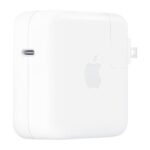
Apple’s own 140W charger is a monolith—big, heavy, single-port. It delivers the full 140W to a 16-inch MacBook Pro without negotiation, and the aluminum shell feels like it could survive a drop off a desk. But you get one USB-C port and no GaN technology, so it’s twice the size of the Anker. The Anker 140W GaN charger is the obvious pick if you charge more than one device at once: plug in a MacBook Pro (it pushes 100W to one port, which is plenty for fast charging), an iPad, and an iPhone, and the smart display shows you exactly how many watts each is pulling. That’s actually useful when you’re at a coffee shop and want to know if your MacBook is getting full speed. The Apple brick is still the best 140W GaN charger for MacBook Pro if you’re a purist who hates sharing power—but for most people, the Anker is more practical and $20 cheaper. Is Anker 140W charger worth it over Apple? Yes, unless you need that single-port guarantee.
Anker 140W GaN Charger vs Ugreen 140W GaN
Ugreen’s 140W GaN charger is the closest rival on paper: three USB-C ports, foldable prongs, and a price around $70. It’s a few millimeters smaller than the Anker, which matters in a packed bag. But there’s no screen, and there’s no USB-A port—so if you still use a cable with a USB-A connector for an older Kindle or a headset, you’re stuck with an adapter. The Anker gives you one USB-A alongside three USB-C, plus that live display. For travel, the display is a neat party trick: you can see when your phone hits 80% and slow-charging kicks in. Ugreen’s charger also has an annoyingly bright blue LED that glows like a landing strip in a dark hotel room. The Anker’s screen goes dim after a few seconds and doesn’t blind you. If you don’t care about the display and never use USB-A, save the $10 and get the Ugreen. Otherwise, the Anker is a better 4-port GaN charger for travel because it handles more cable types and shows you what’s happening.
Anker 140W GaN Charger vs Baseus 140W GaN
Baseus makes the cheapest 140W GaN block you’ll find, around $55. It has four ports (two USB-C, two USB-A) and foldable prongs, which is a great deal on a spec sheet. But the build quality feels hollow—the plastic creaks under pressure, and the port allocation is wonky. For example, if you plug two laptops in, the second one might only get 20W while the first hogs 100W. The Anker handles multi-device power distribution more intelligently: you can run a MacBook at 100W, a second USB-C device at 20W, and the third port at 20W without dropouts. The Baseus also lacks any kind of display or status light, so you’re guessing if you’re actually getting fast charging. If you’re on a tight budget and only charge one laptop plus a phone, the Baseus works fine. But the Anker 140W GaN charger review we’re writing here is clear: for a few extra dollars, you get better build, smarter power sharing, and a screen that actually tells you something useful. The Anker is the better buy for anyone who wants reliable multi-device fast charging without surprises.
So who should click “buy” on the Anker? If you own a MacBook Pro and a couple of other USB-C gadgets, and you like seeing exactly how much power each one gets, the Anker 140W smart display charger is the best 140W GaN charger for MacBook Pro in 2026 for most people. Who should skip it? If you need absolute single-port simplicity and trust Apple’s engineering above all, the Apple 140W adapter is still solid—just be ready for its size. If you want to save every dollar and don’t mind a flimsier feel, the Baseus does the job. And if you want the same port count without the display, the Ugreen is a fine alternative. But for that sweet spot of price, versatility, and a genuinely useful feature, the Anker wins the comparison.
Ready to decide on the Anker 140W GaN Charger?
See today’s price, stock and delivery options on Amazon.