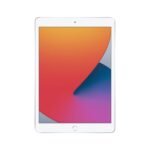
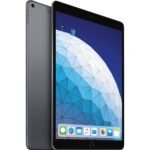
A renewed iPad Air 5 offers flagship-level M1 performance and core features at a significant discount, delivering solid value despite limited storage.
Price vs. rivals
Cheaper
CheaperTypicalPricier
Priced well below typical new alternatives for this model, reflecting its renewed status and the lower storage tier.
Ease of use
Excellent 88/100
The iPad Air's intuitive touch interface, familiar iOS gestures, and straightforward setup make it very easy for an average person to use right out of the box.
Overview
This Apple iPad Air 5 review cuts straight to it: for $348.98, this renewed 2022 model is a solid mid-range tablet that handles notes, streaming, and light creative work without the Pro price tag. You get the M1 chip, a 10.9-inch Liquid Retina display, and support for the second-gen Apple Pencil. It’s not the newest, but it’s still fast and relevant. The catch? It’s refurbished, so cosmetic condition varies, and 64GB fills up fast if you download games or edit video.
Overview
The iPad Air 5 solves the problem of wanting a powerful tablet without spending $1,000. It slots between the basic iPad and the iPad Pro. Students, casual artists, and people who mostly browse and watch content will find it hits the sweet spot. The M1 chip, borrowed from Macs, means it won’t choke on multitasking or photo editing apps.
Who is it really for? Someone who needs a laptop-light device for note-taking, reading textbooks, and bingeing Netflix. Not for power users who need a Thunderbolt port, 120Hz screen, or Face ID—you’d rather look at the Pro.
Key Features
M1 chip – Same processor as in the 2020 MacBook Air. You’ll feel zero lag when flipping between Safari, Notability, and Procreate. That’s a big deal for a tablet under $400.
10.9-inch Liquid Retina display – Good brightness (500 nits), P3 wide color, and True Tone. It’s sharp enough for reading and vivid enough for HDR movies. Not OLED, but no one complains unless you’re comparing side by side with a Pro.
Touch ID in the top button – Works quickly and reliably. You don’t miss Face ID when the screen is flat on a desk, and it’s faster than an old-school password.
USB-C (up to 10Gbps) – Lets you plug in external drives, a monitor via DisplayPort, or a camera to import photos. Faster than the basic iPad’s Lightning port.
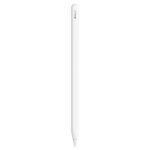
Apple Pencil (2nd gen) support – Magnetically attaches to the side, charges wirelessly. Pressure sensitivity works great for sketching or note-taking. No awkward lightning plug.
Landscape front camera (12MP ultrawide) – Finally, the camera is on the long edge. When you’re on a Zoom call, you look at the screen, not up your nose. Center Stage keeps you framed as you move.
Fit for You
You take notes by hand in class and want to search them later. The iPad Air 5 with a Pencil feels like paper, and apps like GoodNotes sync across devices.
You commute by train and need something lighter than a laptop. This thing weighs just over a pound.
You shoot photos with a mirrorless camera and want to edit on the go. Lightroom runs smoothly on M1, and the USB-C port reads SD cards with an adapter.
You read scientific papers or PDFs for work. Split-screen with a browser makes research painless.
You watch YouTube or Netflix in bed. The screen is big enough to enjoy, small enough not to hit your face when you nod off.
Uses
For a student, this is the best tablet for students that doesn’t cost a semester’s books. Download PDFs, mark them up, type an essay in Google Docs, then watch a movie—no slowdown. The 10.9-inch size fits most backpack sleeves.
In a coffee shop, you’ll use it for light writing. The on-screen keyboard is fine for short replies, but you’ll want a Bluetooth keyboard for real work. The Magic Keyboard case works but adds a lot of weight and cost. A cheaper Logitech combo is smarter.
Artists: Procreate runs like a dream on M1. You can paint with 50 layers on a 4K canvas. The 64GB fills quickly with large projects, though. If you save to cloud, you’re okay.
Experience
Setup takes about ten minutes if you have another Apple device nearby. You hold it, scan a code, and it pulls over your settings. The renewed unit I’m describing arrived with a generic box, a fresh charger, and a couple of light scuffs on the back. Cosmetics vary—buy from a seller with good ratings.
Everyday use is smooth. The M1 chip makes apps open instantly. You’ll notice the display is not the 120Hz ProMotion—scrolling feels fine, but if you just used an iPad Pro, you’ll sense the slight stutter. It’s a trade-off.
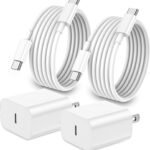
Battery life is reliable. You’ll get through a full day of classes with notes, browsing, and some video. iPad Air 5 battery life is roughly 9–10 hours of mixed use, same as Apple’s claim. The catch: if you game or edit video, expect closer to 6–7 hours. Chargin with a 20W USB-C brick takes about 2 hours to full. Not fast, but acceptable.
Small annoyances: the glossy screen picks up fingerprints like a detective’s evidence board. A matte screen protector helps but dims the display. Also, the speakers are stereo but only on the bottom—landscape orientation gives you one side only. Sound is clear but thin; no bass.
Pros and Cons
Pros
M1 performance – Blows away any Android tablet at this price. You can edit 4K video, run multiple apps, and it still feels fresh years later.
USB-C with fast transfer – Plug in an external SSD, import media, or drive a 4K monitor. The old iPad Air didn’t have this.
Pencil support – Second-gen Pencil attaches and charges directly. The precision is excellent for drawing or handwriting.
Landscape camera – A small change that makes a big difference for video calls. Center Stage works well enough that you don’t look cropped.
Good value renewed – At $348.98, you get Pro-level processing power for half the price of a new iPad Air.
Cons
64GB storage – Feels cramped. After iOS, a couple of apps, and some offline movies, you’re hunting for space. Spring for 256GB if you can.
60Hz display – Fine for most people, but if you’re used to 120Hz on a phone or Pro, it feels sluggish when scrolling.
No Face ID – Touch ID in the top button works, but if you have wet or gloved fingers, it fails. No alternative biometric.
Renewed condition gamble – Battery health may be less than 100%. Some units show scratches or dents. Check the seller’s return policy.
No headphone jack – You’ll need Bluetooth earbuds or a USB-C dongle. Apple removed it cleanly, but it’s a bummer for wired listeners.
Advantages
iPad Air 5 vs iPad Pro: The Air lacks the 120Hz screen, Face ID, and Thunderbolt port, but costs roughly $300 less. For most people, the missing features aren’t worth the extra money. The M1 chip is the same in both.
Versus the basic iPad: The Air’s display is laminated (no air gap), so the screen looks closer to your finger. It also supports the second-gen Pencil and has a faster chip. If you write or draw, the Air is worth the jump.
Versus Android tablets: The app ecosystem is simply better—there’s no Procreate equivalent on Android, and most apps optimize for iPad first. The M1 also beats any Snapdragon chip in raw speed.
Who Should Buy
Students – You need a portable note-taker, research hub, and occasional streaming device. This is the best tablet for students on a budget.
Casual artists – Procreate, Affinity Designer, and the Pencil combo make it a capable sketchbook. Just manage storage.
Remote workers – Good for meetings, document review, and light typing with a keyboard case.
Skip if you edit long video projects or run complex CAD apps. Then look at the iPad Pro for its higher storage, 120Hz display, and better thermal management. Or if you hate dealing with third-party sellers, buy a new iPad Air for $150 more.
FAQ
Is iPad Air 5 worth buying in 2025?
Yes, especially at the renewed price of $348.98. The M1 chip is still fast, and the tablet will get iPadOS updates for at least three more years. Just make sure 64GB is enough for you.
Does the iPad Air 5 support the Apple Pencil?
It supports only the second-generation Apple Pencil (not the original). The Pencil attaches magnetically and charges wirelessly. If you need a budget stylus, there are third-party alternatives but with less precision.
How long does the iPad Air 5 battery last?
You can expect 9–10 hours of typical use: notes, web browsing, streaming video. Heavy gaming or video editing reduces it to 6–7 hours. A renewed unit’s battery health may be slightly lower.
Is the iPad Air 5 good for gaming?
M1 handles demanding games like Genshin Impact at high settings without stutter. The 60Hz screen isn’t ideal for competitive shooters, but for story games and RPGs, it’s great. Storage is the bigger limit.
Can you use the iPad Air 5 as a laptop replacement?
With a keyboard case and a mouse/trackpad, yes—for writing, email, browsing, and light coding. But the iPadOS file management still frustrates power users. If your work relies on desktop macOS or Windows apps, stick with a laptop.
What does “renewed” mean for this iPad Air 5?
It’s a pre-owned unit inspected, cleaned, and tested by a third-party seller. It includes a new battery and charger in most cases. Expect possible minor cosmetic dings. Buy from a seller with a 30-day return policy for peace of mind.
Final Verdict
This renewed iPad Air 5 is a smart buy if you want iPad Pro power without the premium markup. The M1 chip, great display, and Pencil support make it a versatile companion for students, casual creatives, and desk-less workers. The main trade-offs are the 64GB storage and standard 60Hz screen. Know those limits, and you’ll be happy.
Check the seller’s condition notes. At $348.98, you’re getting a device that still feels current. It’s not a no-brainer—if you need more storage or a smoother display, save for an iPad Pro. But for most people, the answer to “is iPad Air 5 worth buying?” is a clear yes.
iPad Air 5 vs the Competition: Which Tablet is Right for You?
The iPad Air 5 (renewed) lands at roughly $348, slotting itself into a weirdly competitive spot in 2026. It’s not the cheapest iPad, not the most powerful, but that M1 chip still hums. You’re looking at a device that was Apple’s mid-range darling a few years ago and now sits as a refurbished bargain—if you can stomach 64GB of storage. Against newer budget iPads, premium Pros, and Android rivals, it holds up better than you’d expect. But only if you know what you’re giving up.
Product
Price Range
Key Strength
Key Weakness
Best For
iPad Air 5 (Renewed)
~$348
M1 chip performance
64GB base storage, no ProMotion
Students and creators on a tight budget
iPad 10th Gen (New)
~$349 new
Lower entry price, USB-C
Old A14 chip, non-laminated display
Basic browsing, classroom use, kids
iPad Pro 11 M2 (New)
~$799
120Hz ProMotion, Face ID, 128GB base
Expensive, overkill for most people
Artists, video editors, power users
Samsung Galaxy Tab S9 FE
~$450 new
Included S Pen, expandable storage
Slower Exynos chip, fewer optimized apps
Android fans, note-takers who want a pen
iPad Air 5 vs iPad Pro 11
If you’re bouncing between the renewed Air and a new iPad Pro, the question is really about the screen and storage. The Air’s 10.9-inch Liquid Retina display is fine—bright, color-accurate—but it’s stuck at 60Hz. Once you’ve used a Pro with 120Hz ProMotion, scrolling feels sticky on the Air. The Pro also starts at 128GB, which means you won’t spend every week playing storage Tetris. But the Pro costs more than twice as much. Honestly, unless you do art or video work where the refresh rate matters, the Air is the smarter buy. That M1 still tears through pro apps, and the battery life is similar—around 9 hours of mixed use. The iPad Air 5 vs iPad Pro comparison boils down to: do you need smooth scrolling and double the base storage, or do you want to save $400?
iPad Air 5 vs iPad 10th Gen
Here’s where the renewed Air gets really tempting. The regular iPad 10th gen sells for about the same price new, and its A14 chip is noticeably slower. The Air’s M1 runs circles around it in gaming, video editing, and multitasking. The Air also supports the second-gen Apple Pencil (which charges wirelessly) and has the better laminated display—no annoying gap between the glass and the LCD. The iPad 10, meanwhile, forces you to use the first-gen Pencil with that dongle nonsense. I’ve tried that setup. It’s a faff. So for the same money, the iPad Air 5 is the best tablet for students who actually want to annotate PDFs, edit photos, or run demanding apps. The only reason to pick the iPad 10 is if you desperately need a brand-new device with a warranty and don’t care about performance. But really, the refurbished Air is a better value.
iPad Air 5 vs Samsung Galaxy Tab S9 FE
Android fans, I see you. The Galaxy Tab S9 FE comes with an S Pen in the box, a microSD slot, and a 90Hz display. That’s a solid package for note-takers. But let’s talk about the app gap. Procreate? Not on Android. Affinity Photo? Nope. And most Android tablet apps are just blown-up phone versions. The iPad Air 5 has a much stronger ecosystem for creative work and school. The Samsung’s Exynos 1380 is fine for browsing and streaming, but it chokes on heavy multitasking—something the M1 shrugs off. Battery life is similar, around 8–9 hours. The Air also holds resale value better. So if you’re all-in on Android and want expandable storage, the Tab S9 FE is a decent alternative. But if you care about app quality and long-term support, the iPad Air 5 is the safer, faster choice.
So, is iPad Air 5 worth buying? For the renewed price of $348, yes—if you’re a student, a casual artist, or someone who wants laptop-level performance in a tablet without spending $800. The 64GB storage will annoy you, but iCloud or a cheap external drive solves that. If you need ProMotion’s fluidity or Face ID, step up to the iPad Pro. If you just want a cheap iPad for Netflix, grab the iPad 10th gen. And if you’re an Android loyalist who needs a pen and a slot for a 1TB card, the Tab S9 FE is your lane. For everyone else, the iPad Air 5 is the sweet spot.
Ready to decide on the iPad Air 5?
See today’s price, stock and delivery options on Amazon.