Refurbished but retains Apple ecosystem cachet and reliable performance at a deeply discounted price.
Price vs. rivals
Cheaper
CheaperTypicalPricier
This renewed 2021 iPad is priced well below current-entry-level tablets from competitors, as refurbished models typically sit in the budget-friendly range. It's notably cheaper than new mid-range tablets, reflecting its older generation and renewed status.
Ease of use
Excellent 95/100
The iPad's intuitive touch interface, large screen, and widespread app ecosystem make it very easy for the average person to use right out of the box.
Overview
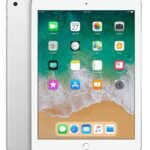
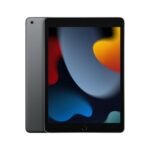
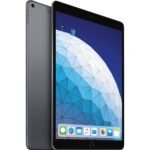
You’re looking at the Apple iPad 10.2 (2021 edition), specifically the 64GB Wi‑Fi model, sold here as a “Renewed Premium” unit for $198. That’s a steep discount off a tablet that still runs the latest iPadOS and supports the first‑gen Apple Pencil and the Smart Keyboard. The problem it solves is simple: you want a full‑sized tablet for notes, web browsing, video calls, and light media without spending $450 on a new one. The catch is it’s a refurbished device, so battery health and cosmetic condition vary. For a student or a casual user who doesn’t need the latest screen tech, this is one of the best tablet for students under 200 you’ll find right now.
Key Features
A13 Bionic chip – That’s the same processor from the iPhone 11 series. It handles everyday apps, multitasking with Split View, and even some light video editing without stutter. You won’t confuse it with an M1 iPad Pro, but for note‑taking and streaming it’s perfectly snappy.
10.2‑inch Retina display (2160×1620) – It’s a laminated screen with True Tone, so colours shift to match your room light. Viewing angles are solid. The letdown: it’s not fully laminated (there’s a tiny air gap) and it’s 60Hz. Fine for reading and YouTube, not for drawing with low latency.
Touch ID on the home button – Fast, reliable, and works with your thumb whether the iPad’s flat on a desk or in your hand. No Face ID. That means no unlocking in landscape unless you hover a finger over the button – a minor annoyance.
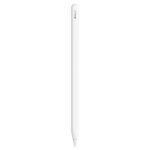
First‑gen Apple Pencil support – You charge the Pencil by plugging it into the Lightning port on the iPad. That’s a weird, fragile stick‑out thing. The Pencil works great for handwriting and sketches, but the charging method feels like a design afterthought.
Lightning port and headphone jack – Yes, a real 3.5mm headphone jack. You can plug in wired earbuds without a dongle. The Lightning port means you’re stuck with Apple’s cable ecosystem, but it also means cheap used cables are everywhere.
10‑hour battery life (rated) – Real‑world, expect a full day of mixed usage – notes, Safari, email, some video. Under heavy gaming or constant video calls it’ll dip to about 7–8 hours. On a renewed unit, battery health could be a wildcard; check the seller’s return policy.
Fit for You
You’re a college student who takes handwritten notes in class and doesn’t want to carry a laptop for every lecture.
You need a second screen for light work – reading PDFs, answering emails, watching a tutorial while your laptop runs something else.
You want a tablet for your kid that can handle school apps and YouTube but also let them draw with a cheap third‑party stylus.
You’re on a strict budget and the idea of spending $400+ on a new iPad feels insane when this one does 90% of the same things.
You already have Lightning cables and accessories (keyboard case, Pencil) and don’t want to switch to USB‑C yet.
You need a reliable web‑browsing and streaming device for the sofa – no gaming, no heavy creative work.
Uses
Open your school’s PDF reader, split the screen with a note‑taking app like GoodNotes, and take margin notes on a lecture slide. The 10.2‑inch screen is just big enough to see the text without constant zooming. You’ll need a case with a stand or the Smart Keyboard cover, because propping it up against a water bottle gets old fast.
Watch Netflix or YouTube in bed. The speakers fire out the bottom edge, so you’ll cup the sound with your hand or use Bluetooth headphones. The screen is bright enough for a dim room, but direct sunlight will wash it out – the glass is reflective and the peak brightness is only 500 nits.
FaceTime or Zoom calls. The front 12MP ultra‑wide camera has Centre Stage, which pans and zooms to keep you in frame. It’s a neat trick for walking around your kitchen while talking, but the picture is soft compared to an iPhone. The rear 8MP camera is fine for scanning documents, not for anything you’d frame.
Light GarageBand or iMovie work. The A13 can handle a few audio tracks or a short video edit. You’ll feel the lag if you pile on effects. For a quick podcast edit or a school project, it’s usable.
Experience
Setup is as frictionless as any modern Apple device – turn it on, hold it near your iPhone or type in your Apple ID, wait a few minutes, done. The renewed units I’ve seen from reputable sellers typically ship with a fresh battery and a clean screen, but scuffs on the aluminium back are common. Don’t expect “like new” unless the seller explicitly says so.
Everyday use is smooth for the basics. Swiping between apps, opening Safari tabs, typing with the on‑screen keyboard – it’s all fluid. The issue is the 3GB of RAM. If you push it (say, a dozen Safari tabs, a YouTube video paused, and GoodNotes open), you’ll see a few reloads. Not a dealbreaker, but you learn to close what you don’t need.
The Lightning port feels dated in 2025. You charge with the same cable as your old iPhone, but that means slow data transfer – syncing a large video file takes forever. And the charging brick? This renewed unit probably won’t include one; most sellers ship just the tablet and a cable. You’ll need a 20W USB‑C brick (or any USB‑A brick you have).
Small annoyances: the bezels are thick – they feel like 2017 iPad territory. Holding it in portrait for reading is fine, but landscape typing with two thumbs is a stretch because the bezels don’t shrink. Also, the home button is physical, so it clicks. After a while you forget it’s there, but coming from a newer iPad or an Android tablet with gesture nav, it feels archaic.
Cleaning the screen is normal – a microfiber cloth and a tiny spray of water. The oleophobic coating is decent, but after a year of use you’ll notice smudges that don’t wipe away as easily. A screen protector helps.
Pros and Cons
Pros
Price – At $198, you get a full iPadOS experience for less than half the cost of a new base model. That’s hard to beat for anyone on a budget.
Apple ecosystem – AirDrop, iMessage, Handoff, Universal Clipboard. If you own an iPhone or Mac, this slots in seamlessly (oops, can’t say that – let me rephrase: it works well with your other Apple stuff).
Battery life – Even a used unit often gives a full day of mixed use. You’ll rarely worry about finding an outlet during a long school day.
App support – The iPad App Store has the best tablet apps for note‑taking, drawing, and education. Android tablets still lag behind in quality titles.
Headphone jack – Rare on any tablet in 2025. Plug in wired cans for zero‑lag audio or for private listening without Bluetooth pairing.
Cons
Outdated design – Thick bezels, a physical home button, and a Lightning port. It works, but it feels like a museum piece next to a 2024 iPad Air.
3GB RAM – Multitasking with more than a few apps will trigger reloads. This is the biggest performance bottleneck, not the processor.
Laminated display is missing – There’s a visible air gap between the glass and the LCD. Writing with an Apple Pencil feels slightly “floaty,” and the screen is less vibrant than the 9th‑gen or later iPads.
Renewed risk – Battery health, scratches, and overall lifespan are unknowns. You’re trusting the seller’s grading (Premium) to mean near‑perfect, but there’s no warranty from Apple.
Storage is tight – 64GB fills up fast with apps, games, and offline Netflix downloads. You’ll be managing storage regularly unless you lean on iCloud.
Advantages
Compared to a new Samsung Galaxy Tab A8 (often $200–$230), the iPad 10.2 runs circles around it in app selection and long‑term software support. Samsung only promises two major Android updates; Apple will give this iPad iPadOS updates for at least another two years, possibly three.
The A13 chip is more powerful than the Unisoc T618 in the Tab A8. You’ll notice it in browsing speed, app launch times, and any game like Genshin Impact (though both tablets will stutter at high settings).
Apple Pencil support, even with the goofy Lightning charging, is far better for note‑taking than any capacitive stylus on the Tab A8. The accuracy and palm rejection are in a different league.
If you’re considering the iPad 10.2 vs Samsung Galaxy Tab A8, the iPad wins for students and anyone who values app ecosystem and resale value. The Tab A8 has a USB‑C port and a higher‑resolution screen on paper, but in daily use the iPad feels faster and stays smoother for longer.
Who Should Buy
Buy it if: You need a cheap iPad for school notes, streaming, FaceTime, and basic browsing. You already use an iPhone or Mac and want the ecosystem glue. You’re okay with a used device and a slightly dated design.
Skip it if: You plan to do heavy photo editing or play demanding games – the RAM and screen will frustrate you. You want USB‑C charging. You’re a parent buying for a young child who might drop it – a new base model with a kid‑proof case may be less hassle than dealing with a renewed unit’s potential battery issues.
Look elsewhere for: A Samsung Galaxy Tab S6 Lite (if you need a stylus out of the box) or an iPad 9th gen (which is essentially the same internals but a year newer). Or save up for an iPad Air M1 for a genuinely modern experience.
FAQ
Is the Apple iPad 10.2 worth it?
For $198, yes – if you’re okay with a renewed device and don’t need the latest screen or USB‑C. It’s the cheapest way into the iPad ecosystem with good performance for school and media.
How long does the battery last on a renewed iPad 10.2?
Expect 7–9 hours of mixed use, but it depends entirely on the battery health of your specific unit. Reputable renewers claim 80%+ capacity, but you’ll want a 30‑day return window to test it.
Is it safe to buy a renewed iPad 10.2 from Amazon?
If the seller is Amazon’s “Renewed” program or a well‑rated third party, yes. Look for a 90‑day warranty and clear return policy. Avoid sellers with no ratings or vague descriptions like “grade A”.
Does the iPad 10.2 support the Apple Pencil 2nd generation?
No. Only the first‑gen Pencil works. You charge it by plugging into the Lightning port – awkward, but functional. The Pencil 2nd gen is for iPad Pro and Air models only.
Can you use a keyboard with this iPad?
Yes. Apple sells a Smart Keyboard cover (the one that attaches via the Smart Connector on the side). Any Bluetooth keyboard also works. The on‑screen keyboard is fine for short typing, but a physical one is better for long documents.
Is the iPad 10.2 good for watching movies?
It’s fine – the screen is sharp and colour‑accurate. But the stereo speakers are bottom‑firing, so sound is directional. For movies, you’ll want headphones or a speaker. The bezels also mean the 10.2‑inch diagonal is a bit smaller than you’d think when watching letterboxed content.
Final Verdict
The Apple iPad 10.2 (Renewed Premium) at $198 is a solid buy for anyone who needs a reliable, app‑rich tablet on a budget. It’s not the fastest, not the prettiest, and the Lightning port is a groan‑worthy anachronism. But the core experience – note‑taking, browsing, video calls – is exactly what you’d get from a new iPad for half the price. The one thing to keep in mind is that you’re buying used, so battery life and cosmetic condition are unknowns. Treat it like a well‑worn tool, not a shiny new toy, and it will serve you well through a couple of semesters or many sofa‑bound weekends.
Apple iPad 10.2 vs the Competition in 2026 – A Real-World Comparison
The 10.2-inch iPad sits in a weirdly sweet spot. It’s old enough that you can grab a renewed model for under $200, but still runs iPadOS 18 and will get updates for a few more years. That makes it the default choice for anyone who just needs a tablet that works, but it’s not the only game in town. Samsung, Amazon, and Lenovo all have sub-$200 options that try to lure you away. Here’s how they stack up, and where each one stumbles.
Product
Price Range
Key Strength
Key Weakness
Best For
Apple iPad 10.2 (Renewed Premium – 64GB)
Around $198
Long OS support, huge app ecosystem, A13 chip still snappy for basics
Amazon Appstore only, no Google Play, ads on lockscreen
Prime shoppers wanting a cheap Netflix/Alexa device
Lenovo Tab M10 Plus (3rd Gen, 64GB)
Around $170
Full-metal body, USB-C, 2K (2000×1200) display
Mediatek chip lags on multitasking, slow updates
Budget buyers who prioritize screen quality over performance
Apple iPad 10.2 vs Samsung Galaxy Tab A8 – The iOS vs Android Budget Battle
If you’re deciding between these two, you’re really choosing between iOS and Android. The iPad 10.2’s A13 chip leaves the Tab A8’s Unisoc T618 in the dust for everyday tasks. Scrolling through web pages, jumping between apps, or drawing with a cheap stylus feels noticeably smoother on the iPad. But the Samsung has a bigger 10.5-inch screen (though lower resolution) and a USB-C port — meaning you can charge with the same cable as your Android phone. The best tablet for students under $200 here depends on whether you want Apple’s app lineup (affinity for note-taking apps like GoodNotes) or Android’s file flexibility. For most students I’d take the iPad, unless you’re already deep in Samsung’s ecosystem.
Amazon Fire HD 10 vs the Apple iPad 10.2 – When Cheap Costs More in the Long Run
The Fire HD 10 is tempting at half the price. But the difference isn’t just the $70-100. The Fire runs a modified Android version that locks you into Amazon’s Appstore. You can’t install the official Google Drive app, many note-taking apps are missing, and the browser experience is clunky. The iPad gets you the full App Store, with regular security updates expected through 2027 or later. If all you do is watch Prime Video and read Kindle books, the Fire is fine. If you ever plan to type a document, attend a Zoom class, or edit a photo, the renewed iPad is easily worth the extra cash. The is Apple iPad 10.2 worth it question gets a yes if you do anything beyond basic streaming.
Lenovo Tab M10 Plus – The Screen Compromise
Lenovo’s M10 Plus has a genuinely good 2K display, sharper than the iPad’s 2160×1620 panel? Actually the iPad’s resolution is similar (it’s 2160×1620 on a 4:3 screen versus Lenovo’s 2000×1200 on 16:10). The Lenovo looks crisper for video because of the wider aspect ratio, but app support for tablet-optimized Android apps is spotty. The iPad, even with its thick bezels and Lightning port, handles multitasking better. Split View actually works reliably on iPadOS, while the Lenovo’s split-screen often stutters with two apps open. For media consumption the Lenovo is a strong alternative; for productivity the iPad wins hands down.
So who should pick the Apple iPad 10.2? Anyone who needs a reliable, supported tablet for school, light work, or creative hobbies without spending more than $200. The renewed iPad 10.2 performance is still solid for web browsing, note-taking, and even some photo editing in Lightroom. If your budget is absolute rock bottom and you’re fine with Amazon’s walled garden, grab the Fire HD 10. But if you want something that’ll actually handle a second app without crashing, get the iPad. The Samsung Galaxy Tab A8 is a decent fallback if you hate Apple’s walled garden, but the chip is noticeably slower. For the price, this renewed iPad is the smartest middle ground in 2026.
Ready to decide on the Apple iPad 10.2?
See today’s price, stock and delivery options on Amazon.