Exceptional value with premium-grade features like 4K HDMI and 100W PD at an entry-level price, widely praised by users.
Price vs. rivals
Cheaper
CheaperTypicalPricier
Priced significantly below most comparable models from top brands, but slightly above the cheapest generic alternatives.
Ease of use
Excellent 92/100
Its simple plug-and-play functionality and clear labeling make it extremely easy for any user to connect devices without confusion.
Overview
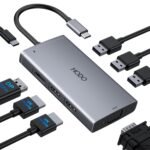
The UGREEN USB C Hub 5-in-1 is a compact adapter that adds an HDMI port, two USB-A ports, a USB-C data port, and 100W power delivery passthrough to your laptop. It solves the basic problem: you get one USB-C port on your laptop and need to connect a monitor, mouse, keyboard, and keep charging. At $13.99, it’s cheap enough that you don’t have to overthink it—and the 4.6-star average rating suggests most buyers don’t regret it. This review is for someone who wants a low-cost, no-surprises hub for light desk work or travel, not for a pro running multiple 4K displays.
Key Features
4K HDMI output at 30Hz – Works great for presentations or a second monitor for spreadsheets, but won’t satisfy gamers or video editors who need 60Hz. The refresh rate is a known trade-off at this price.
100W power delivery (PD) passthrough – Means you plug your laptop charger into the hub, and the hub passes up to 85W to the laptop (the hub itself uses about 15W). Enough to keep a MacBook Pro charged under normal use, but not enough for heavy rendering while running a full battery.
Two USB-A 3.0 ports (5Gbps) – Fast enough for external SSDs or backing up photos. You’ll notice the speed when transferring a big video file, but it won’t match a direct Thunderbolt connection.
One USB-C data port (5Gbps) – For plugging in a USB-C drive or a phone. Note: it doesn’t support video out or charging—only data.
Aluminum alloy shell – Looks and feels nicer than glossy plastic. It also helps dissipate heat: the hub gets warm under load, not hot enough to worry about, but noticeable against your leg if you use it in a coffee shop.
Fit for You
You own a MacBook Air or a Windows ultrabook that has only one or two USB-C ports and you want to plug in a monitor, mouse, and charger at once.
You travel for work and need a one-cable dock for hotel rooms—the hub is smaller than a deck of cards and weighs almost nothing.
You’re on a budget and don’t feel like spending $50+ on a premium hub when you only use HDMI occasionally.
You’ve already got an Anker or a Satechi hub but need a backup for your bag or desk at the office.
You use a laptop stand and want a hub that stays plugged in without pulling the laptop off balance—the short attached cable helps.
You mainly do office work: documents, email, video calls, and light photo editing. You don’t need dual 4K output or fast SD card readers.
Uses
Picture this: you arrive at a coworking space with your laptop, a portable monitor, a wireless mouse receiver, and a phone that needs charging. One UGREEN hub handles all three connections plus keeps your laptop powered from the wall. The HDMI plugs in, the monitor shows up immediately—no driver installs, no configuration. That’s the use case it nails.
Another realistic moment: you’re at home, sitting on the couch, and you want to hook your laptop to the TV for a movie. The hub lets you do that while keeping the laptop charged and a USB drive with the movie file plugged in. The 4K output is limited to 30Hz, so action scenes might feel slightly less smooth, but for most films you won’t notice.
Then there’s the “I need to charge my phone, sync data, and use a mouse” scenario. Two USB-A ports mean you can plug a wired mouse and a USB flash drive at the same time, no juggling. The USB-C data port handles the phone cable if your phone is modern enough.
Experience
Setting it up is as simple as plugging the hub into your laptop’s USB-C port. It clicks in firmly, no wobble. The first time you connect an HDMI monitor, the image appears within two seconds—typical for a cheap USB-C hub. The USB ports recognize flash drives instantly. Charging works as expected: if you plug a 60W or 100W charger into the hub’s PD port, your laptop sees the power and starts charging.
After a few weeks of daily use, the hub gets warm near the HDMI connector, but it’s within normal range for a USB-C adapter. The aluminum shell makes it feel more solid than the plastic doodads you find for $10. The short cable (about 6 inches) keeps the hub close to the laptop, which is fine on a desk but can be annoying if your laptop port is on the right side and your monitor cable comes from the left—you might need to reposition things.
A minor annoyance: the USB-A ports are fairly tight for some flash drives. They work, but you’ll feel resistance when inserting. Also, there’s no LED indicator—you just have to trust it’s working. That’s fine once you’re used to it, but first time you might wonder if it’s connected.
Storage is easy: it goes in a pocket or the smallest compartment of a laptop bag. The hub doesn’t come with a carrying case, but at this size you don’t need one. It’s not the kind of thing you’ll clean—dust collects in the HDMI port opening, but you can blow it out.
Pros and Cons
Pros
Low price for a complete set of ports – At $13.99, you get HDMI, USB-A, USB-C data, and PD passthrough. Many hubs cost twice as much and offer similar capabilities.
100W power delivery passthrough works reliably – Your laptop stays charged under normal use. It won’t fast-charge a power-hungry workstation, but for a MacBook Air or a Dell XPS it’s enough.
Small and light – About the size of a large keychain. Easy to toss in a bag without adding bulk.
Aluminum build looks better than plastic – No cheap glossy finish that scratches after a week. The hub matches most silver or space grey laptops.
No extra drivers needed – Works out of the box on Windows 10/11, macOS, Chrome OS, even Linux with basic support.
Cons
HDMI is limited to 4K at 30Hz – If you need smooth 60Hz for gaming or video work, this isn’t the hub for you. Look for one with HDMI 2.0 or a DisplayPort alternative.
USB-C data port doesn’t charge or output video – It’s strictly for data transfer. Don’t expect to plug a second monitor or a peripheral that needs power delivery through that port.
Short attached cable can be awkward with certain laptop positions – If your laptop’s USB-C port is on the right and your desk setup forces the cable to the left, you’ll feel the tension. A detachable cable would be more flexible.
No SD or microSD card slot – Photographers and videographers will need a separate reader. The hub is meant for basic office accessories, not media workflows.
Build quality is decent but not premium – The USB-A ports feel a little tight, and the HDMI port on mine had a slight wiggle. It’s okay for the price but not what you’d call robust.
Advantages
Price versus Anker and other big brands – A similar Anker 5-in-1 hub usually costs $25–$35. The UGREEN delivers the same set of ports for about half the price. You lose things like a longer warranty or a braided cable, but for the majority of buyers that’s a fair trade.
Stable 4K output for its class – Many sub-$20 hubs struggle with flicker or dropped signals, especially at 4K. Owners tend to mention that the UGREEN holds a consistent picture.
PD passthrough doesn’t interfere with data – On some cheaper hubs, plugging in the charger can kill the USB ports or make the HDMI act weird. That doesn’t happen here—the ports keep working while the laptop charges.
Wide laptop compatibility – Works with MacBooks, Dell, Lenovo, HP, and even some tablets like the iPad Pro (though power delivery passthrough on iPads isn’t officially supported).
Who Should Buy
Buy it if you need a simple, cheap hub for a secondary monitor, a mouse, and charging—especially for travel or a secondary desk.
Buy it if you’re adding a USB-C port to an older laptop that lacks HDMI—great for connecting to projectors or conference room screens.
Buy it if you already own a premium hub but want a backup for $14 that does 80% of the same job.
Skip it if you need 4K at 60Hz or dual monitors—this hub only mirrors or extends one external display at 30Hz.
Skip it if you rely on SD cards, Ethernet, or audio jacks—this hub doesn’t have them. Look for a 7-in-1 or 8-in-1 option from UGREEN or another brand.
Skip it if you want something that looks like it belongs in an iMac setup—the aluminum is fine, but the cable is plastic and the logo is subtle but not invisible.
FAQ
Is the UGREEN USB C Hub 5-in-1 worth it?
For $13.99, yes, if your needs match what it offers: one 4K HDMI at 30Hz, two USB-A ports, one USB-C data port, and 100W PD passthrough. It’s not the best USB C hub for laptops if you require high refresh rates or multiple displays, but for everyday office use it’s a solid buy.
Does the UGREEN USB C Hub work with MacBook?
Yes, it works with MacBook Air and MacBook Pro models that have USB-C ports (2016 and later). The HDMI output works for mirroring or extending the display. Just note that the 30Hz limit is more noticeable on a large Apple display than on a smaller monitor.
Can I charge my laptop while using the hub?
Yes, the UGREEN USB C hub with 100W power delivery lets you plug your laptop’s USB-C charger into the hub’s PD port, and the hub passes power through to the laptop while you use the other ports. You’ll get up to about 85W delivered to the laptop.
How does the UGREEN USB C Hub compare to Anker?
In an UGREEN USB C Hub vs Anker comparison, the Anker often has a slightly more premium feel (braided cable, tighter port tolerances) and sometimes a longer warranty. But the UGREEN matches the port set and power delivery for half the price—most buyers won’t notice a difference in daily use.
Does it support 4K at 60Hz?
No, the UGREEN 5-in-1 USB C hub 4K HDMI output is limited to 30Hz. If you need 4K at 60Hz for smooth gaming or video editing, look for a hub that explicitly states HDMI 2.0 support. This one is built for static displays or media consumption, not high-motion content.
Is the hub safe for my laptop?
Yes. The hub uses standard USB-C protocols and meets basic safety certifications (CE, FCC). The power delivery passthrough is designed to regulate voltage and current. Owners rarely report issues like bricked ports or damaged batteries, though no hub is immune to defective units—buy from a retailer with a good return policy.
Does it work with Nintendo Switch or other tablets?
It works with USB-C devices that support DisplayPort Alt Mode, which includes the Nintendo Switch (docked mode requires the original power adapter, and the HDMI output works). For an iPad Pro, it can output video and connect USB devices, but charging passthrough may not work reliably—Apple’s power negotiation is picky.
Final Verdict
The UGREEN USB C Hub 5-in-1 is a perfectly adequate, low-cost solution for anyone who needs to add a handful of ports to a modern laptop. It’s not flashy, it doesn’t do everything, and the 30Hz HDMI limit will bother some people—but for the price, it’s hard to argue with. If you’re the kind of person who wants to plug in a monitor, a mouse, and a flash drive without spending more than fifteen bucks, this is your hub. The one thing to keep in mind: don’t expect it to handle high-bandwidth tasks like external 4K gaming or fast file transfers from multiple drives. For everything else, it works, and it works well enough.
UGREEN USB C Hub 5-in-1 vs the Competition in 2026
The UGREEN USB C Hub 5-in-1 sits right at the budget end of the market – $13.99 puts it in impulse-buy territory. But cheap doesn’t always mean flimsy. It packs a 4K HDMI port at 30Hz, a 100W Power Delivery pass-through, two USB-A 3.0 ports, and a USB-C data port. That’s a lot of staples for the price. The question isn’t whether it works – it does – but who should stop here, and who should spend more. Below, I’ve lined it up against three better-known rivals: Anker’s PowerExpand 5-in-1, Satechi’s Aluminum hub, and Belkin’s USB-C Multimedia Hub. One of these will fit your laptop, your wallet, and your patience for dropped frames on an external monitor.
Product
Price Range
Key Strength
Key Weakness
Best For
UGREEN USB C Hub 5-in-1
Budget ($13.99)
Unbeatable price; includes 100W PD + 4K HDMI
HDMI limited to 30Hz; plastic build feels light
Anyone on a tight budget who needs basic ports for casual use
Anker PowerExpand 5-in-1
Mid-range (~$25–$35)
Solid aluminum body; 4K HDMI @ 60Hz on some models
PD capped at 60W on older versions; USB-A ports aren’t always 3.0
MacBook users who want better build and smoother video
Satechi Aluminum USB-C Hub
Premium (~$50–$70)
Matched MacBook finish; USB-A, HDMI 2.0, and microSD/SD card slot
Higher price; no dedicated USB-C data port (shared with PD)
Creative pros who need SD card access and a design that doesn’t look like an afterthought
Belkin USB-C Multimedia Hub
Premium (~$50–$60)
Reliable brand; 4K @ 60Hz; pass-through PD up to 100W
Only three ports total (HDMI, PD, USB-A); no extra USB ports
Minimalists who only need one external display and one USB device
UGREEN USB C Hub 5-in-1 vs Anker PowerExpand 5-in-1
Anker’s PowerExpand 5-in-1 has been the go-to mid-range pick for years. It’s typically $25–$35, so double the UGREEN’s price. The main difference? The Anker often ships with HDMI 2.0 capable of 4K at 60Hz, while the UGREEN is stuck at 30Hz. If you plug your laptop into a 4K monitor for any actual work – editing code, dragging windows around – 60Hz makes the cursor feel attached to your hand. 30Hz feels like a cheap projector. The UGREEN also uses a glossy plastic shell that scratches if you look at it wrong. Anker’s aluminum body stays cool and takes a drop. But here’s the thing: the UGREEN gives you two USB-A 3.0 ports and a dedicated USB-C data port, while the Anker sometimes drops one of those to USB 2.0. If you’re plugging in an external SSD and a mouse, the UGREEN will actually run both at full speed. Anker’s trade-off is build quality plus better video, at a higher cost. Pick your poison.
UGREEN USB C Hub 5-in-1 vs Satechi Aluminum Hub
Satechi’s hub is the prettiest option if you own a MacBook Pro. It sits flush against the side, matches the space gray finish, and includes an SD card slot that UGREEN doesn’t even pretend to offer. The price bump – often $55 or more – is for that card reader, the nicer metal, and a higher 4K refresh rate. But the Satechi has a weird quirk: its USB-C PD port also acts as the data connection to your laptop. That means you can’t use the PD port for data and charge at the same time – it’s one or the other. UGREEN’s 5-in-1 keeps a separate PD input, so you can charge and plug a USB-C drive simultaneously without playing musical cables. If you never use a USB-C drive, Satechi wins on looks and SD support. If you actually juggle multiple USB-C peripherals, the UGREEN is less annoying.
UGREEN USB C Hub 5-in-1 vs Belkin USB-C Multimedia Hub
Belkin’s hub is the odd one out here because it only offers three ports: HDMI, PD, and one USB-A. That’s it. No second USB-A, no USB-C data, no card reader. It costs around $50. So who buys it? People who only ever need one external display and one USB device – maybe a mouse or a flash drive – and want absolute reliability. Belkin’s HDMI output is full 4K @ 60Hz, and the PD pass-through handles 100W without breaking a sweat. The UGREEN gives you three extra ports for a fraction of the cost, but the HDMI is worse and the build is plasticky. If you’re the type who hates dongle clutter and only ever plugs in a monitor and a charger, Belkin’s simplicity is actually a feature. But for nearly everyone else, UGREEN’s port variety beats Belkin’s premium name.
So who should pick the UGREEN USB C Hub 5-in-1? Anyone whose laptop only has one or two USB-C ports, who works on a 1080p or 1440p monitor (where 30Hz is fine), and who doesn’t mind a plastic shell that lives in a bag. It’s the best USB C hub for laptops on a budget, and for $13.99 it’s hard to argue with. But if you run a 4K monitor at 60Hz and need smooth mouse movement, skip the UGREEN and grab the Anker PowerExpand 5-in-1 – that extra $15–20 buys you a much better display experience. And if you’re a photographer with an SD card and a matching MacBook, Satechi’s aluminum hub is the alternative that actually looks like it belongs.
Ready to decide on the UGREEN USB C Hub 5-in-1?
See today’s price, stock and delivery options on Amazon.