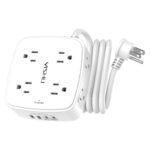
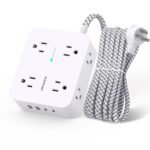
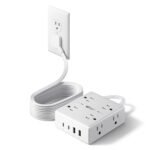
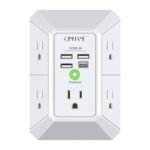
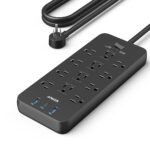
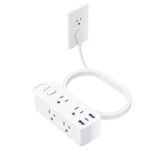
At an exceptionally low price, this power strip offers generous outlets, USB ports, and surge protection with outstanding user ratings, delivering far more value than typical budget options.
Price vs. rivals
Cheaper
CheaperTypicalPricier
This power strip is priced well below the typical range for similar surge protectors with multiple outlets and USB ports, making it a budget-friendly option among its peers.
Ease of use
Excellent 95/100
The familiar design with labeled outlets and USB ports makes it simple for anyone to plug in devices without confusion.
Overview of the Yintar Power Strip Review
This Yintar power strip review comes down to one honest question: do you need an affordable, no-fuss way to turn one outlet into six plus USB ports? If you do, it’s worth it. For $12.99, you get a 6-foot cord and basic surge protection. It’s not fancy, but it solves the real problem of not having enough outlets by your bed or desk.
It’s really for anyone plugging in standard household gear—a lamp, laptop charger, phone cable. Don’t expect it to protect a home theater. Expect it to work. That’s the whole pitch, and it nails it for the price.
Key Features
6 Widely Spaced AC Outlets: They are spaced far enough apart that most bulky wall warts won’t block the adjacent socket. You can actually use all six without playing Tetris with your plugs.
3 USB Charging Ports: Three ports total, but they share a single 5V/2.4A output. It’s fine for overnight charging of phones, wireless earbuds, or a Kindle. Don’t expect to fast-charge an iPad Pro at full speed.
6-Foot Extension Cord: The flat cord is nice and long enough to reach behind most desks or nightstands. It’s thick enough to feel safe, but flexible enough to route easily along baseboards.
1080J Surge Protection: This is entry-level protection. It’ll handle power strips surges from a lamp or a phone charger. It’s not meant to safeguard a $3,000 computer setup. Keep that in mind.
Flat Wall Plug: The plug sits flush against the wall. This is a huge deal if your bed or desk sits right in front of the socket. It won’t stick out and get knocked.
Integrated LED Indicator: A small green light tells you the surge protection is active. If it goes out, the protection is gone, but the strip still works as a basic outlet extender.
Fit for You
You share a dorm room and the built-in wall outlet is behind your roommate’s dresser.
You have a nightstand with a lamp, two phones, and an alarm clock fighting for one outlet.
You need a simple, long-corded strip for a desk without drilling holes or mounting anything.
You are outfitting a guest room or an Airbnb and want something cheap that just works.
You need a travel strip for a hotel room with limited bedside outlets.
You work on a crafting table or workbench where tools, a phone, and a speaker need power.
Realistic Uses for the Yintar 6ft Extension Cord Surge Protector
The obvious place is a bedroom. You plug the lamp into one outlet, the phone charger into another, and the clock into a third. The USB ports handle a second phone and smartwatch overnight. It cleans up the mess behind your nightstand.
In a dorm room, this is almost a necessity. Most dorms have outlets placed in annoying spots, often far from the bed. The 6-foot cord reaches where you actually sit. Plus, you can share the USB ports with your roommate without fighting over a wall brick.
It earns its keep on a home office desk, too. Monitor, laptop, desk lamp, and a speaker take up the AC outlets. The USB ports stay on, so your phone and wireless earbuds charge even if you’re not at your desk. Just keep in mind the 2.4A limit if you’re plugging in multiple tablets.
Everyday Experience with the Yintar Power Strip
Setup is about as simple as it gets. You take it out of the box, plug it into the wall, and start using it. The light comes on. No switches to flip. No confusing instructions. You will notice the plastic feel immediately—it is light, and the shell flexes a bit under pressure. That is the trade-off for the price.
The flat plug is the single best design choice here. If you have furniture pushed tight against the wall—like a bed frame or a heavy desk—this plug saves you from having to pull everything out just to access the socket. It stays out of the way.
One minor annoyance is that the USB ports don’t have individual switches. They are always live as long as the strip is plugged in. That means your cables are always drawing a tiny bit of standby power unless you unplug them. It’s not a dealbreaker, but a switch would have been nice.
The cord itself is a standard 18AWG, which is typical for this category. It doesn’t get warm under normal loads, but don’t chain it with another strip or an extension cord. Owners often mention the cord hides well behind furniture. It’s black, flat, and unobtrusive.
For daily charging, the USB ports are slow but steady. You plug your phone in at night and wake up at 100%. If you try to charge a phone while watching video, it will trickle charge or barely hold the current level. That’s the reality of shared 2.4A across three ports. Use the AC brick for fast charging.
Pros and Cons
Pros
Extremely cheap for the feature set: $12.99 for six outlets and three USB ports is hard to beat. You’d pay twice that for a Belkin with the same specs.
Flat plug really matters: It solves the furniture-crowding problem that most power strips ignore. This is a genuine quality-of-life detail.
Spaced outlets accept bulky adapters: You can fit six standard plugs without sacrificing any slots. That is rare in budget strips.
Lightweight and easy to pack: It’s not heavy or bulky, so it’s fine to toss in a suitcase for hotel stays.
USB ports are convenient for overnight charging: You free up the AC outlets for other devices. That’s the whole reason to get a combo strip.
Cons
The plastic build feels cheap: It creaks a little if you grip it. It won’t survive being stepped on. For home use, it’s fine, but don’t treat it roughly.
No individual switches for USB or outlets: You cannot turn off specific ports. The entire strip is live or nothing. A power switch on the strip itself would be an improvement.
USB ports charge slowly under load: If you plug in two tablets and a phone at the same time, expect slow charging. The 2.4A is shared across all three ports.
Low joule rating (1080J): You should not rely on this for expensive electronics. It is basic surge protection. A lightning strike or heavy surge is going to pass through.
No mounting holes or keyhole slots: You cannot easily mount this under a desk. It just sits wherever you put it. For some people, that’s a missed feature.
Advantages of This Affordable Power Strip with USB Ports
When you compare the Yintar vs Belkin power strip in the same price tier, the Yintar usually offers more USB ports or a longer cord for the same money. Belkin builds a slightly more solid feeling product, but you pay a premium for that. The Yintar cuts cost on the housing material and gives you the same electrical functionality.
For an affordable power strip with USB ports, it checks all the basic boxes. It includes surge protection, even if it’s modest. It has a generous 6-foot cord. The USB ports are there when you need them. You don’t have to spend extra on wall chargers just for low-draw devices.
Another quiet advantage is the lack of a clunky transformer block in the plug. Many budget strips have a huge molded plug that blocks the second outlet on your wall. The Yintar keeps it slim, so you still have one wall outlet free for something else, like a vacuum or a fan.
Who Should Buy This Power Strip
You’ll love this if: You need a simple, cheap way to power a desk or nightstand. It’s best for LED lamps, phone chargers, fans, and laptops.
You’ll love this if: You are a student looking for the best power strip for dorm room setups. It’s light, long, and cheap enough to replace if it gets damaged.
You’ll love this if: You have furniture flush against the wall and need a flat plug to reach the outlet.
Skip this if: You need to charge multiple iPads or fast-charge a modern Android phone. The USB ports are too weak for that. Get a GaN charger instead.
Skip this if: You are protecting a expensive computer or TV. You want a strip with a higher joule rating (2000J+) and maybe a warranty for connected equipment.
Skip this if: You want a metal or braided power strip that feels premium on a desk. This is all plastic and looks like a budget item.
FAQ
Is the Yintar 6ft power strip worth it?
Yes, it is absolutely worth it for basic use. If you need extra outlets for lamps, chargers, and small electronics, this performs exactly as advertised. The only catch is the low USB charging speed and the plastic build.
How does the Yintar vs Belkin power strip compare?
Belkin generally offers higher build quality, a higher joule rating, and better USB charging, but costs about double. The Yintar wins on pure value. It gives you similar everyday function for a fraction of the price. Pick Yintar for budget, Belkin for durability.
What is the USB output on this surge protector?
The total USB output is 5V/2.4A, shared across all three ports. That means if you plug in one device, it can get the full 2.4A. Plug in three devices, and the current splits, usually resulting in slower charging for each.
Can I use this in my dorm room?
Yes, it works well in dorm rooms. The 6-foot cord reaches from the wall to your bed or desk. The flat plug helps it fit behind furniture. Just check your school’s policy on surge protectors—most require them, and this one qualifies.
Does the Yintar power strip charge phones fast?
No, it does not support fast charging protocols. For iPhones, you get standard 5W charging speeds. For Android phones, you will not get any proprietary fast charging. It is best used for overnight charging or topping off slowly while you work.
How long is the cord exactly?
The cord is 6 feet long from the plug to the strip. That is measured as a straight line. It’s long enough for most nightstands and desks. If you need something longer for a living room or workshop, you might need a 10-foot or 15-foot strip.
Final Verdict
If you need a surge protector purely for convenience, this is the one to grab. This Yintar power strip review keeps it simple: it’s cheap, it works, and it includes USB ports that handle overnight charging just fine. The flat plug and spaced outlets are genuinely thoughtful features you don’t always get at this price.
The one thing to keep in mind is that you are paying $12.99. The plastic feels light, the USB ports are slow for multiple devices, and the surge protection is basic. Don’t ask it to do a premium product’s job. Ask it to add six outlets and three USB ports to your bedroom for pocket change, and it will do exactly that without any drama.
The Yintar 6ft power strip is a solid budget pick that packs six outlets and three USB ports into a compact black body, all for around thirteen bucks. It sits right between the no-frills cheapies and the pricier mid-range brands, making it a serious contender if you want USB convenience without paying Anker or APC money. But not every buyer needs the same trade-offs, so here’s how it stacks up against the real alternatives you’ll see on the shelf this year.
Product
Price Range
Key Strength
Key Weakness
Best For
Yintar 6ft Power Strip
~$13
Three USB ports (2.4A each) at a low price
Surge protection only 1080J; outlets slightly close together
Dorm rooms, desks, travel on a tight budget
Belkin 6-Outlet Surge Protector (BSV601)
~$15–$20
Durable casing, 1350J surge rating, slim plug
Only two USB ports (older model); no USB-C
Reliable everyday use with a bit more durability
Anker PowerPort Strip 6 (A2311)
~$20–$25
USB-C port (3A), fast charging, 1250J
No USB-A to spare if you need two old cables
Anyone with USB-C devices who wants one-strip charging
APC SurgeArrest P6W
~$20–$30
Top-tier 1200J protection, phone/coax in/out
No USB ports at all; bulkier design
Home office or AV setups that need pure surge safety
GE 6-Outlet Surge Protector
~$8–$12
Cheapest option; simple and small
Weak surge rating (often 600J); no USB ports
Basic extension-cord duty where surge isn’t critical
Yintar 6ft Power Strip vs Belkin Power Strip
Belkin’s BSV601 is the closest competitor in price, but the Yintar gives you one extra USB port for roughly the same money. That matters when you’re charging a phone, a tablet, and a wireless earbud case at the same time — the Yintar handles all three without a separate wall wart. The Belkin feels a bit sturdier, though; the plastic on the Yintar is thinner, and the outlets are just tight enough that a chunky power brick might block the next socket. If you mostly plug in standard skinny plugs, the Yintar is fine. If you’ve got oversized adapters, the Belkin’s extra millimeter of spacing saves frustration.
Yintar 6ft Power Strip vs Anker PowerPort Strip 6
Anker’s strip costs about twice what the Yintar does, and the big difference is USB-C. The Anker includes a 3A USB-C port that charges a modern phone at full speed, while the Yintar only has three USB-A ports (each 2.4A shared across the bank). So if your laptop or phone is USB-C only, the Yintar forces you to use a separate adapter — which kind of defeats the “affordable power strip with USB ports” appeal. On the other hand, if all your devices are still micro-USB or Lightning, the Yintar is the better value. The Anker also has a slightly longer cord (6.5 ft vs the Yintar’s 6 ft), but that’s negligible for most desks.
Yintar 6ft Power Strip vs APC SurgeArrest
The APC SurgeArrest is the oddball here: no USB ports, but it’s what you grab when you actually care about protecting a $2,000 PC. Its 1200J rating isn’t crazy high, but APC builds in a lifetime warranty and a $50,000 connected equipment guarantee. The Yintar has a basic 1080J rating and a standard one-year warranty — fine for a lamp and a phone charger, not so fine for a gaming rig. If you’re searching for a “6 outlet surge protector with USB” for a dorm room TV and laptop, the Yintar works. If you’re plugging in a server or a home theater, skip the USB ports and get the APC.
So is the Yintar power strip worth it? For anyone who needs a cheap, all-in-one solution — a 6ft cord, surge protection that’s decent for everyday gadgets, and three USB ports without spending more than $15 — yes. It’s the best power strip for dorm room budgets and temporary setups. But if you own USB-C devices or want heavy-duty surge safety, you’ll be happier with the Anker PowerPort Strip for the faster port, or the APC SurgeArrest if you don’t need USB at all. The Yintar 6ft extension cord surge protector is a smart buy, just know its limits.
Ready to decide on the Yintar 6ft power strip?
See today’s price, stock and delivery options on Amazon.