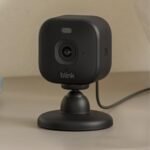
Offers strong visual clarity and smart home integration at a competitive price point that balances features and affordability.
Price vs. rivals
Typical
CheaperTypicalPricier
Priced at $59.99, this cam sits at the typical mid-range point for a 2K indoor security camera, offering solid value without being either notably budget or premium.
Ease of use
Excellent 90/100
The Ring Indoor Cam 2K is very easy for an average person to set up and use thanks to its simple app-based installation and intuitive controls.
Overview
If you’re after a straightforward indoor camera that actually delivers crisp video without breaking the bank, the Ring Indoor Cam 2K is worth a hard look. For $59.99, you get 2K resolution, two-way talk, night vision, and a built-in siren – all wrapped in a compact white wedge that sits on a shelf or mounts to a wall. It solves the basic problem of keeping an eye on your home or small business without a monthly subscription being mandatory (though you’ll want one for recordings). This is really for someone who wants a reliable, no-fuss security camera that integrates with Alexa and the Ring ecosystem, not a gadget that tries to do everything.
Key Features
Retinal 2K video quality – You get noticeably sharper footage than the 1080p cameras at this price. Details like a license plate through a window or a face at the door are actually readable, not pixel-blur.
6x enhanced zoom – Digital zoom that keeps enough clarity to see what’s happening across the room. Handy for checking if the package on the table is yours or if the cat is on the counter again.
Night vision with IR LEDs – Black-and-white video that stays clear in total darkness. Expect to see the outline of someone moving in the hallway, not a blob with glowing eyes.
Two-way audio with noise cancellation – You can talk through the camera and the other person hears you clearly, not like a tin can phone. Useful for telling the dog to get off the sofa or asking a visitor to leave a delivery.
Built-in siren – A loud alarm you can trigger from the app. Not something you’ll use daily, but nice if you ever need to scare off someone who shouldn’t be there.
Works with Alexa and Ring ecosystem – If you already have a Ring doorbell or security system, this camera fits right in. You can see it on your Echo Show or set routines like “turn on camera when I leave.”
Fit for You
You live in an apartment and want to check on your front door area without drilling holes for an outdoor camera.
You have a pet that stays home alone and you want to peek in on them – especially if they’re the type to eat shoes.
You run a small business (a café, a workshop) and need a quick way to monitor the cash register area after hours.
You already use Ring products and don’t want a separate app for indoor cameras.
You want a camera that plugs into an outlet, not one that needs batteries, because you have a spot with a power socket nearby.
You’re on a budget but still want 2K video – the step down to 1080p feels noticeable once you’ve seen this one.
Uses
Set it up in the living room to keep an eye on the babysitter or the kids while you’re making dinner. The two-way talk lets you remind them to finish homework without leaving the stove.
Point it at the back door or a window that’s easy to reach. The night vision means you’ll still get a clear view even when the lights are off and the room is dark.
Use it in a home office to monitor who comes in when you’re on a call. The motion alerts are adjustable, so you won’t get pinged every time the cat walks by – only when a person-sized shape moves.
For a rental apartment, stick it on a shelf facing the entry. You’ll know when the landlord or maintenance person shows up, and the video quality gives you a good look at their face.
Experience
Setting up the Ring Indoor Cam 2K is straightforward. Plug it in, open the Ring app, scan the QR code on the bottom, and follow the prompts. Expect it to take about five minutes – the app walks you through connecting to Wi-Fi and naming the camera. The one small annoyance: you have to hold the camera close enough to read the code while it’s plugged in, which is a bit awkward with the short power cord.
Once it’s online, the live view loads quickly – maybe two seconds on a solid Wi-Fi connection. The 2K feed is noticeably sharper than the old 1080p cameras. You can actually read text on a box across the room. Zooming in digitally up to 6x holds up better than you’d think; faces stay recognizable, not blocky.
Night vision kicks in automatically when the light drops. It’s infrared, so you get a crisp black-and-white image. In a completely dark room, you can still see furniture outlines and a person’s silhouette clearly. If there’s a little ambient light, the detail improves even more.
The two-way audio works fine for short conversations. There’s a slight delay – typical for these cameras – but it’s usable. The noise cancellation does a decent job cutting out background hum from a fridge or AC.
One thing that bugs some owners: the camera doesn’t pan or tilt. It’s fixed in place unless you buy a separate stand. If you need to cover a wide area, you’ll want to position it carefully or buy multiple units.
The power cord is 6 feet long, which is fine for most shelves but might require an extension cord if your outlet is far away. The camera itself stays cool to the touch and makes no noticeable sound – no buzzing or clicking.
Cloud recording requires a Ring Protect subscription, which starts at $3.99 per month for a single camera. Without it, you only get live view and motion alerts – no saved video. That’s a trade-off worth knowing before you buy. Some people wish there was a microSD slot for local recording; there isn’t.
Pros and Cons
Pros
Sharp 2K video – Real-world difference over 1080p is obvious, especially when you zoom in or need to read small details.
Easy setup – App guides you through in a few minutes, no technical skills required.
Alexa integration – Works smoothly with Echo devices; you can say “Alexa, show the kitchen camera” and it pops up on your screen.
Compact design – Small enough to tuck on a shelf or mount with the included bracket without looking ugly.
Built-in siren – A nice deterrent that you can trigger remotely if you see something suspicious.
Affordable price – At $59.99, it beats most 2K indoor cameras in its price range.
Cons
No local storage – You need a subscription to record clips. If you want to avoid monthly fees, look at cameras with a microSD slot.
Fixed field of view – No pan or tilt built in. You’ll have to manually reposition the camera if you want to change what it sees.
Short power cord – 6 feet is fine for most setups, but a longer cord would be more flexible for ceiling or high-shelf mounting.
App can be laggy with motion alerts – Sometimes you get the alert a few seconds after the motion happens, especially if you have multiple cameras.
Requires stable Wi-Fi – If your router is far away, the 2K stream might buffer or drop. A mesh network helps.
No HomeKit support – If you’re an Apple user, you’ll miss Siri integration. It’s Alexa and Ring only.
Advantages
Where the Ring Indoor Cam 2K really shines is in the Ring ecosystem. If you already have a Ring doorbell or security system, this camera works with the same app, same routines, and same alerts. You can set it up to record when your Ring doorbell detects motion, for example.
Compared to the best indoor security camera for home monitoring in this price range, the Ring holds its own with 2K resolution. Many competitors at this price still offer 1080p. The 6x digital zoom is also better than most – you actually get usable detail instead of a pixelated mess.
Another advantage: the physical design. It’s small and unobtrusive, with a simple wedge shape that sits on a desk or shelf without looking like a security camera. The white color blends into most interiors.
The two-way audio quality is above average for this category. Owners tend to mention that the person on the other end sounds clear, and they can be heard without shouting. That matters when you’re telling a kid to go do their homework or asking a delivery driver to leave the package.
Who Should Buy
Buy it if: You’re already in the Ring ecosystem and want a reliable indoor camera that gives you 2K video without spending $100. It’s also a great choice if you want simple, no-fuss monitoring with Alexa voice control.
Buy it if: You need a camera for a single room – like a nursery, home office, or entryway – and you don’t need pan or tilt. The fixed lens is fine for a focused view.
Skip it if: You absolutely don’t want any monthly subscription. The free tier is live view only, and that may not be enough for serious security. Look at cameras with microSD recording, like the Eufy Indoor Cam.
Skip it if: You need a camera that can turn to follow motion or cover a wide area. This one stays put. You’d be better off with a pan-tilt model like the Wyze Cam Pan.
Skip it if: You’re an Apple HomeKit user. Without HomeKit support, you can’t see the feed in the Apple Home app or use Siri. The Arlo Essential Indoor Camera works with HomeKit, but at a higher price.
FAQ
Is the Ring Indoor Cam 2K worth it?
Yes, for $59.99 you get 2K video that’s noticeably sharper than 1080p, solid night vision, and full Ring ecosystem integration – just know you’ll need a subscription for recorded clips, and the lens is fixed.
How does the Ring Indoor Cam 2K compare to the Arlo Essential Indoor?
The Ring offers 2K resolution at a lower price, while the Arlo Essential Indoor is 1080p but includes a privacy shutter and works with HomeKit. If you value video clarity and already use Ring, go with Ring. If you need Apple HomeKit, choose Arlo.
Does the Ring Indoor Cam 2K have night vision?
Yes, it uses infrared LEDs for black-and-white night vision. In complete darkness you get a clear view – you can see people and objects clearly up to about 30 feet, with good contrast and detail.
How long is the Ring Indoor Cam 2K setup guide?
The official setup guide is short – about 8 steps. Expect to be up and running in under 10 minutes: plug it in, download the Ring app, scan the QR code, connect to Wi-Fi, and mount it if desired.
Can I use the Ring Indoor Cam 2K without a subscription?
Yes, but you only get live view and motion alerts – no recorded video. If you want to review past events, you need a Ring Protect plan starting at $3.99/month per camera or $10/month for unlimited cameras.
Is the Ring Indoor Cam 2K good for home monitoring?
For basic indoor monitoring like checking on pets, kids, or an entry point, it’s excellent. The 2K video and two-way audio are strong. But it’s not meant for outdoor use, and the fixed lens limits coverage.
Final Verdict
The Ring Indoor Cam 2K is a solid, no-drama security camera that does the basics well and adds a crisp 2K twist. If you’re already in the Ring world, it’s a no-brainer. If you’re starting fresh, it’s still a strong contender – but weigh the subscription requirement and fixed lens against your needs.
The one thing to keep in mind: the real value comes from the ecosystem and video quality. If you don’t mind a small monthly fee and don’t need panning, this is one of the best indoor security cameras for home monitoring under $60. Otherwise, look at alternatives with local storage or pan-tilt. For most people, the Ring Indoor Cam 2K gets the job done without fuss.
At $59.99, the Ring Indoor Cam 2K sits in the middle of the indoor security camera market — not cheap enough to be an impulse buy, not expensive enough to make you wince. Its job is to convince you that paying a bit more than the budget brands buys something real: sharper video, a faster app, and Amazon’s ecosystem glue. But the budget crowd has gotten good, and the mid-range rivals aren’t standing still either. Here’s how it stacks up against three of the most common alternatives and who should actually buy which one.
Product
Price Range
Key Strength
Key Weakness
Best For
Ring Indoor Cam 2K
Mid ($60)
Sharp 2K video with usable 6x zoom; fast, polished app
Requires Ring subscription for motion alerts and cloud recordings; no local recording
Alexa households that want reliable, no-fuss video
Arlo Essential Indoor
Mid ($50–60)
Free basic cloud storage for motion events (up to 14 days)
Narrower 130° field of view; app feels sluggish compared to Ring’s
Buyers who want a free cloud tier without a monthly bill
Wyze Cam v3
Budget ($20–30)
Color night vision that actually works in pitch black; local microSD slot for recordings
Only 1080p resolution; app can lag and has more ads; privacy rep is mixed
Budget-focused buyers willing to trade polish for features
Kasa Indoor Cam (KP105)
Budget ($25–35)
Records to microSD onboard with zero subscription; Kasa app is solid and simple
People who refuse to pay a monthly fee for basic home monitoring
Ring Indoor Cam 2K vs Arlo Essential Indoor
If you’re comparing these two at the register, the deciding factor is almost certainly the subscription. Ring’s free tier gives you a live view and nothing else — no alerts, no clips, no history. You need a Ring Protect plan ($3.99/month) to actually get the camera doing camera things. Arlo, on the other hand, gives you free basic cloud storage for motion events that stays for 14 days. That’s a big deal if you just want to check what happened without pulling out your wallet every month. But the trade-off is video quality and speed. The Ring Indoor Cam 2K’s picture is noticeably sharper — especially when you crop in — and the Ring app is snappier. The Arlo’s field of view is 130° versus Ring’s 140°, which means you’ll see less of a room without moving the camera. Honestly: if you’re already paying for Ring Protect (or any Amazon/Alexa setup), stick with Ring. If you refuse to pay for a subscription and want something that mostly works out of the box, the Arlo Essential Indoor is the better fit.
Ring Indoor Cam 2K vs Wyze Cam v3
This is the fight that matters most for people who just want a camera that works. The Wyze Cam v3 costs half as much and gives you color night vision that is genuinely impressive — it uses a Starlight sensor to show you full-color video even when the room is nearly dark. The Ring Indoor Cam 2K night vision is good but standard: black-and-white IR. So the Wyze wins on that one trick. It also includes a microSD slot for 24/7 local recording, which Ring doesn’t have at any price without a subscription. So why would anyone pay double for the Ring? Because the Ring app doesn’t make you wait. The Wyze app can take four or five seconds to load a live view, and sometimes it just churns. The Ring app loads fast, notifications arrive reliably (not sometimes, not maybe), and the 2K video is genuinely sharper than 1080p when you zoom in on a license plate or a person’s face. If your tolerance for app slowness is low and you want the best video quality for a mid-sized room, pick the Ring. If you’re on a budget and can put up with a rougher software experience, the Wyze is still the best indoor security camera for home monitoring at its price.
Who should buy the Ring Indoor Cam 2K?
You should buy it if you’re already in the Amazon/Alexa orbit — you have an Echo, you shop on Amazon, you don’t mind a Ring subscription because you might use it for other Ring gear too. The video is crisp, the app is responsive, and the 6x zoom is actually usable (not a digital mess like some cheaper 2K cameras). If you just want one camera for the hallway or living room and you value reliability over saving $30, it’s worth it. Is the Ring Indoor Cam 2K worth it? For the right person, yes.
But if you absolutely refuse to pay a monthly fee and want local recording on a card, look at the Kasa Indoor Cam instead. It’s less polished, sure, but it records to the SD slot with no subscription, and the app is simpler in a good way. For a budget choice that still feels modern, that’s a strong alternative. And if you need color night vision or really hate paying for cloud storage, the Wyze Cam v3 is your camera — just be ready for the app to test your patience.
Ready to decide on the Ring Indoor Cam 2K?
See today’s price, stock and delivery options on Amazon.