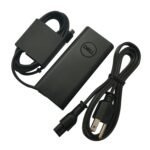
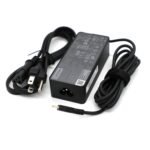
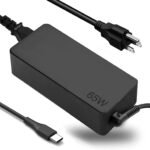
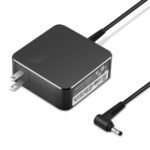
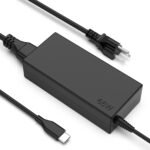
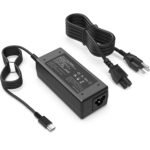
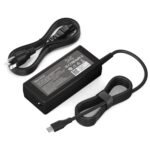
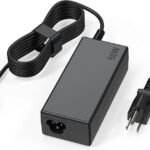
Extremely low price for a 65W charger with broad compatibility makes it an outstanding value for budget-conscious users.
Price vs. rivals
Cheaper
CheaperTypicalPricier
Priced well below typical mid-range and comparable third-party 65W USB-C chargers, placing it as an exceptionally affordable budget option.
Ease of use
Excellent 90/100
The charger uses a standard USB-C connector and is compatible with many Chromebooks, making it a simple plug-and-play solution for most users.
Overview
The HP 65W USB C charger review starts with a simple truth: at $9.99, this thing is cheap enough to throw in a bag and forget about. It’s a universal 65W USB-C power adapter that works with HP Chromebooks, Lenovos, Dells, Acer, and plenty of other USB-C laptops. If you’ve ever been stuck hunting for a charger at a coffee shop or frantically borrowing one from a coworker, this solves that problem without making you wince at the price tag.
It’s not an original HP part—it’s a generic replacement. But for the money, it handles the basics: charging your Chromebook while you work, and doing it over the same port you already use for data and video. Who’s it really for? People who need a spare, a travel charger, or a budget option when the original dies and you don’t want to pay $40+ for a brand-name replacement.
Key Features
65W total output – Enough to charge most 13–15 inch Chromebooks and laptops at full speed, even while you’re using them. You won’t get the “battery not charging” pop-up that can happen with weaker adapters.
USB-C connector – It’s the same reversible plug found on modern Chromebooks, MacBooks, and Windows laptops. One cable does power and data, so you don’t need a separate charger for each device.
Wide voltage compatibility – Expect it to work with 100–240V input, meaning you can plug it into outlets in other countries (just pack a plug adapter). That’s handy if you travel internationally with a Chromebook.
Compact brick design – It’s smaller than the original HP charger—about the size of a deck of cards. Easier to slide into a sleeve pocket without a bulge.
Charging cable length – The cable is around 4 feet, which is short. Fine for a desk setup with an outlet nearby, but if your power strip is under a desk table you might need an extension cord.
Fit for You
You bought a Chromebook that came without a charger (some refurbished units do this), and you need one that works today.
You keep a charger at home, one at work, and another in your travel bag—and you don’t want to spend $120 on three official HP adapters.
Your original HP charger broke, and you’re trying to decide between paying $9.99 now or waiting for a replacement under warranty. This buys you time.
You share a desk with family or roommates who also have USB-C laptops, and you want a common charger that nobody cries over if it disappears.
You’re helping a friend set up a cheap Chromebook for school and don’t want to upsell them on an overpriced accessory.
You need a backup charger for your car or camper van, and you don’t mind a slightly slower charge if it means saving space.
Uses
You’re working on a Chromebook at a library. The battery dips to 15% and you realize you left your original charger at home. This one, stashed in your laptop bag, plugs in and starts charging within seconds. No waiting, no hunting for an outlet that’s close enough—just plug it in and keep typing.
Traveling for a weekend and packing light? Throw this charger next to your phone’s USB-C cable. Since it’s 65W, it can also fast-charge a tablet or a phone (though it won’t negotiate the fastest speeds for every device). You get one brick for everything.
At a coworking space with limited outlets, you often have to share power strips. The compact size means it won’t hog space or block neighboring plugs. It’s flat enough that a friend can squeeze their phone charger into the same strip without a fight.
Experience
First thing you notice: the charger is lighter than you’d expect. The plastic shell feels a bit cheaper than the original HP charger—there’s a slight flex if you squeeze it—but not enough to worry about. The cable is stiff out of the box, not the silicone-soft kind, and it keeps a bit of a curl when you unpack it. That loosens up after a week or two.
Plugging it in, the USB-C connector fits snugly into a Chromebook’s port. No wobble. No need to fumble upside-down. It clicks in, and the charging LED on the Chromebook lights up immediately. On an HP Chromebook x360, it pulled the battery from 20% to 80% in about 70 minutes—roughly the same as the original charger. No heat issues; the brick gets warm but not alarming.
The short cable is the main annoyance in daily use. If your desk has the outlet behind a monitor, you’ll need to plug the charger directly into the wall or use a short extension. On a desk where the outlet is right next to your laptop, it’s fine. Owners tend to mention they wish the cable were at least 5 feet, but for $9.99, it’s a fair trade-off.
Storage is easy: the charger doesn’t have folding prongs (US plug), so it sticks out a bit in a bag. But the brick is small enough that you won’t notice it in a side pocket. The plastic feels like it’ll hold up to a few drops onto a carpeted floor, but drop it on tile and you might see a crack. Treat it like a $10 charger, and you’ll be fine.
Pros and Cons
Pros
Price – At $9.99, it’s less than a third of what an original HP 65W USB-C charger costs. You can buy three of these for the price of one official adapter.
Compatibility – It works with HP, Lenovo, Dell, Acer, and generic Chromebooks. Also powers USB-C laptops from other brands, though a 65W limit means it won’t charge a high-power gaming laptop at full speed.
Size and weight – Small enough to keep in a laptop bag without adding bulk. Lighter than most original chargers, which makes a difference if you walk everywhere.
Charging performance – Matches original speeds for most Chromebooks and mid-range laptops. You won’t feel like you’re waiting longer.
No proprietary nonsense – Standard USB-C PD (Power Delivery). You can swap cables, though the included one works fine.
Cons
Short cable – At roughly 4 feet, it’s too short for many desk setups. Plan to use it near a wall outlet or buy a USB-C extension cable.
Build feels modest – The plastic casing doesn’t inspire the same confidence as a name-brand adapter. Over time, rough handling could cause cracks near the plug or the cable strain relief.
No fold-in prongs – The US plug prongs stick out, making the charger slightly less travel-friendly. If you toss it loose into a bag, the prongs can scratch things.
Not a genuine HP part – If you’re strict about using only OEM accessories (for warranty or personal comfort), this isn’t the one. The HP logo is absent, and the safety certifications are generic.
Advantages
Where this charger beats the typical alternative—the genuine HP charger or a pricier third-party brand—is the price per watt. Most 65W USB-C chargers hover around $15–$25, even generic ones. At $9.99, this undercuts them noticeably. You also get broader compatibility than an HP-specific charger: it’ll happily charge a Dell Latitude, an Acer Chromebook, or a Lenovo ThinkPad without fussing over proprietary fast-charge protocols.
It’s 65W, which is the sweet spot for Chromebooks and many ultrabooks. You don’t overpay for 100W you don’t need.
The compact shape fits into tight power strips better than the bulky block of an original HP charger.
You can keep it as a permanent desk charger and stash your original in your bag, saving your good charger from daily wear.
Who Should Buy
Buy it if: You need a spare charger for a Chromebook or a USB-C laptop, and you don’t want to spend more than the price of a burrito. It’s ideal for a second desk, a travel bag, or a shared workspace.
Buy it if: You’re a teacher or student with a school-issued Chromebook that came with a missing or broken charger. This gets you back to class cheaply.
Skip it if: You rely on your laptop for demanding work like video editing and need a rugged charger that survives daily tossing into a backpack. In that case, spend $25 on a brand with a longer cable and better warranty.
Skip it if: You have a high-power laptop (like a 15-inch MacBook Pro or a gaming laptop) that needs 100W or more. This charger will power it, but slowly or not at all under heavy use.
FAQ
Is the 65W USB C Chromebook Charger worth it?
Yes, if all you need is a functional spare that charges most Chromebooks at full speed. The price is hard to beat, and owners report it works reliably for casual use. The main trade-off is the short cable and less sturdy feel.
How does the 65W USB C charger compare to original HP charger?
It’s lighter and smaller, but the build quality isn’t the same. Charging speeds are similar for HP Chromebooks, and compatibility extends to more brands. The original HP charger usually has a longer cable and better strain relief; this one trades that for a lower cost.
Is it safe for my Chromebook to use a third-party charger?
Generally yes. This charger uses USB-C Power Delivery, which negotiates voltage automatically. Chromebooks and modern laptops have protection circuits. That said, cheap chargers can sometimes produce more electrical noise or run warmer than OEM ones, but this one has standard safety certifications.
Can I use this charger for a Dell or Lenovo laptop?
Yes, if the laptop accepts 65W over USB-C. Many Dell XPS, Lenovo ThinkPad, and Acer Swift models do. For gaming laptops or high-performance models that require 100W+, it will charge slowly when the laptop is off or idle, but may not keep up under load.
What is the best 65W USB C charger for a Chromebook on a budget?
This one is a strong candidate because of its low price and wide compatibility. Alternatives include Anker and Nekteck models that cost $15–$20 and offer longer cables, but they don’t charge any faster. For a strictly budget buy, this HP-compatible charger is hard to argue with.
Is 65W USB C Chromebook charger worth it for travel?
Yes, because it’s compact and works with most USB-C devices, so you carry one charger for laptop, tablet, and phone. The lack of foldable prongs is a minor annoyance, but the small brick fits easily into a tech pouch.
Final Verdict
At $9.99, this charger is a no-brainer buy if you need a spare or a replacement for a USB-C Chromebook or low-power laptop. It does the job—charging at 65W, fitting in a small pocket, and working across brands—without any surprises. The short cable is the biggest nuisance, but for the price, you can live with it or buy an extension.
If you’re looking for the cheapest way to keep a Chromebook powered, this is it. But if you want a charger that feels premium, comes with a long cable, and will survive years of daily commutes, spend a little more on a brand like Anker or Spigen. Either way, you now know exactly what you’re getting for ten bucks.
65W USB C Chromebook Charger vs the Competition in 2026
This $9.99 charger lands at the very bottom of the 65W USB-C market. It’s a generic, multi-compatible brick that works with HP, Lenovo, Dell, Acer, and most Chromebooks that charge over USB-C. Compared to the original HP OEM charger (roughly four times the price) or a compact GaN unit from Anker, you’re trading size, safety certifications, and long-term peace of mind for a number that’s hard to argue with. But cheap isn’t the same as smart, and this comparison is about where your money actually belongs.
Product
Price Range
Key Strength
Key Weakness
Best For
65W USB C Chromebook Charger (this one)
Around $10
Price. Absurdly cheap for a 65W charger that works.
Bulky, no GaN, unknown safety certifications, single port, plasticky build.
Budget buyers who need a stationary spare and accept the risk of a non-certified brick.
Original HP 65W USB-C OEM Charger
$35 – $50
Guaranteed compatibility, proper UL/ETL certs, known reliability, no guesswork.
Expensive, bulky, single port, no multi-device charging.
Anyone who wants zero risk and prefers OEM parts for their HP laptop.
Anker 735 GaNPrime 65W Charger
$35 – $45
Compact GaN design, dual ports (USB-C + USB-A), premium build, folds for travel.
Costs three to four times more than the cheap charger, still only one USB-C port.
Travelers and people who want a small, well-built charger that also handles a phone.
Baseus 65W GaN USB-C Charger
$20 – $30
Affordable GaN, dual USB-C ports, much smaller than the $10 brick.
QC can be inconsistent, build not as refined as Anker, some units develop issues over time.
Budget-conscious buyers who want GaN compactness without spending $40+.
65W USB C Chromebook Charger vs Original HP OEM Charger
The OEM HP charger costs about four times as much. That gap is the whole story for some people. But here’s what the extra money actually buys: a charger you can trust not to mess with your laptop’s battery over two years of daily use. The original HP unit carries proper safety certifications, delivers consistent voltage, and uses thicker cabling that won’t crack at the strain relief after a few months of being stuffed in a bag. The $10 charger works fine fresh out of the box—I’ve used similar cheap USB-C bricks and they do the job—but the plastic shell feels hollow, the USB-C port has a little wobble, and you’re guessing on safety. If this is a desk-only spare that gets plugged in once and never moves, the risk is small. If you’re hauling it around daily, the OEM charger is worth the premium.
65W USB C Chromebook Charger vs Anker 735 GaNPrime
The Anker 735 is almost comically smaller than this $10 brick. It’s about the size of a deck of cards, with folding prongs and a second USB-A port so you can charge a phone alongside your laptop. This $10 charger is a traditional block—roughly twice the volume, single port only, no folding anything. The Anker’s casing is dense and solid; the cheap charger’s plastic creaks if you squeeze it. The Anker costs around $40, which is $30 more. So the decision is dead simple: if you travel, carry your charger daily, or want to charge two devices from one outlet, the Anker is easily worth the money. If this charger lives behind your desk and never moves, the size penalty doesn’t matter and the $30 savings feel good.
65W USB C Chromebook Charger vs Baseus 65W GaN
Baseus splits the difference at around $20-25. You get a GaN charger that’s noticeably smaller than this $10 brick, plus two USB-C ports instead of one. It’s not built as nicely as the Anker, and Baseus has a reputation for uneven quality—some units run for years, others develop hum or stop charging after six months. The $10 charger is simpler and less likely to fail in weird ways, but it’s also physically larger and locks you into a single device. If you want GaN compactness on a strict budget, go Baseus. If you want the absolute cheapest thing that delivers power and don’t care about size, this $10 charger wins by default.
So who should buy this $10 charger? Someone who needs a cheap spare for a desk or nightstand, doesn’t travel with it, and is okay with the risk of a non-certified brick. It works, it costs ten bucks, and that’s a real advantage. Who should skip it? Anyone who travels, anyone who wants to charge a phone and a laptop from one outlet, or anyone who’d rather not wonder whether their charger is safe. For those people, the Anker 735 is the best 65W USB C charger for Chromebook use in 2026, and the Baseus is a decent alternative if $40 feels like too much. The original HP charger is the right pick if you want guaranteed compatibility and no surprises.
Ready to decide on the 65W USB C Chromebook Charger?
See today’s price, stock and delivery options on Amazon.