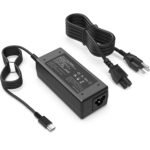
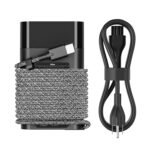
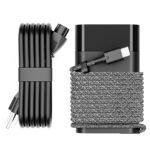
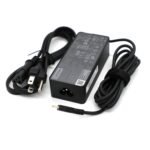
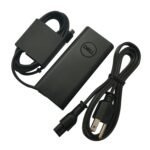
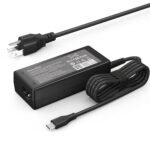
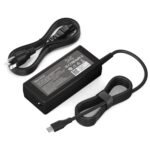
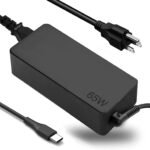
Extremely affordable price with solid user satisfaction delivers exceptional value for budget-conscious buyers.
Price vs. rivals
Cheaper
CheaperTypicalPricier
Priced well below typical 65W laptop chargers; likely a budget option.
Ease of use
Excellent 90/100
Highly rated and simple plug-and-play operation make it easy for most users.
Overview – Universal 65W USB C Charger Review
If you need a cheap backup charger for an HP Chromebook, this Universal 65W USB C charger review gets right to the point: it’s a $9 brick that usually does the job, but only if your laptop isn’t picky about wattage. Expect a straightforward replacement, not a premium upgrade.
HP Chromebooks that accept 45W or 65W USB-C charging are the main target here. The charger saves you from paying $30+ for an OEM HP brick. Just know that compatibility depends on your specific model – some older Chromebooks or non-HP devices might negotiate power differently.
Key Features – Universal 65W Charger Features
65W / 45W switchable output – You can toggle between 65W for faster charging on bigger laptops and 45W for smaller Chromebooks. That 45W mode also reduces heat when you don’t need the full wattage.
USB-C connector (non-detachable cable) – The cable is permanently attached, about 4 feet long. It’s fine for a desk at home but short if your outlet is behind a couch.
Compact plastic body – Roughly the size of a deck of cards, with rounded corners. It fits in a laptop bag pocket without snagging on everything.
LED indicator light – A small blue light turns on when it’s plugged in. It’s bright enough to see in a dark room, which can be annoying if you sleep near it.
Universal compatibility claim – Works with many HP Chromebook models that support USB-C charging (e.g., HP x360, HP 14, HP 11). The listing lists a dozen specific models, but always double-check your charger port.
Fit for You
You own an HP Chromebook and want a spare charger for under $10.
You frequently forget your charger at home and need a cheap emergency backup for the office or a café.
You travel light and prefer a smaller brick than the bulky OEM HP charger.
You have a secondary laptop that also charges over USB-C at 45W and want one charger for both devices.
You’re on a tight budget and don’t mind trading a bit of build quality for a low price.
Uses
Imagine you’re in a library, your HP Chromebook is at 15%, and the only free outlet is behind a filing cabinet. The short cable on this charger means you’ll probably have to leave your laptop on the floor – not ideal, but it works. At home, it’s fine for a desk setup where the outlet is within arm’s reach.
Another scenario: you have an HP x360 that came with a 45W charger, and you want faster charging. This brick can switch to 65W, which may cut charge time by 20–30% depending on your model. But don’t expect miracles from a $9 charger – it won’t charge a dead battery in under an hour.
It also works as a backup for a USB-C tablet or phone, though the 65W output is overkill for a phone. You’re better off using a lower-wattage charger for your phone to avoid unnecessary heat generation.
Experience
Out of the box, the charger feels light and a little plasticky – not flimsy, but you can tell it’s not a $40 Anker. The USB-C plug fits snugly into most ports; no wobble. The switch for 45W / 65W is a tiny slider on the side, easy to flick with a fingernail but not something you’d adjust mid-charge without looking.
During use, the brick gets warm after an hour of charging at 65W – warm to the touch, not hot. That’s normal for a budget charger. The LED is a mixed blessing: it lets you know it’s working, but if you need to charge next to your bed, that blue glow is distracting. A piece of electrical tape solves that.
One annoyance: the cable is stiff. It doesn’t lie flat easily, and after a few weeks of coiling, it still tries to spring back. Not a dealbreaker, but worth knowing if you pack it daily. The non-removable cable also means you can’t replace it if the wire frays – though at this price, you’d just buy another.
Pros and Cons
Pros
Price – $8.99 is cheaper than most fast-food combos. You can buy two and still spend less than one OEM HP charger.
Wattage switch – Lets you choose 45W or 65W, which helps with compatibility and heat management.
Works with many HP Chromebooks – Owners of HP x360, 14, and 11 models commonly report successful charging.
Compact size – Takes up less space in a bag than the original brick and doesn’t block adjacent outlets.
Cons
Short cable – 4 feet forces you to sit close to the outlet. A longer cable would be more practical for most setups.
Build quality – The plastic feels inexpensive, and the cable stiffness suggests it might not survive years of heavy travel.
LED brightness – The blue light is too bright for nighttime use. No dimmer option.
Compatibility isn’t universal – Some HP Chromebooks (especially older ones with barrel connectors) won’t work at all. Even USB-C models vary; a few users report “slow charger” warnings.
Advantages – Where It Beats Typical Alternatives
Versus OEM HP chargers: The Universal 65W charger vs OEM HP charger comparison comes down to price – you save $20–30. The trade-off is a shorter cable and cheaper materials. If you value your money over premium feel, the Universal wins.
Versus generic no-name brands: Many cheap chargers lack a wattage switch. This one’s toggle gives you flexibility for different devices, reducing the risk of overcharging a small device.
Versus multi-port GaN chargers: Those cost $30+. This charger is one-port and basic, but if you only need a single laptop charger, why pay for ports you don’t use?
Who Should Buy
Buy it if you have an HP Chromebook that charges via USB-C and you want an affordable backup or travel charger.
Buy it if you’re on a strict budget and don’t need a fancy GaN brick.
Skip it if your laptop requires a 45W input or less – you’d be fine with a smaller, cheaper charger.
Skip it if you need a long cable (5+ feet) or a detachable USB-C cord for easy replacement.
Skip it if you plan to charge a non-HP laptop; compatibility is hit-or-miss for other brands.
FAQ
Is the Universal 65W USB C Charger worth it?
Yes, for $8.99 it’s a solid emergency backup for an HP Chromebook. You get two power levels and basic charging reliability. It’s not a daily driver for everyone, but the price-to-performance ratio is hard to argue with.
How long does it last?
Typical buyer reports suggest around 1–2 years with regular use. The plastic may crack if dropped repeatedly, and the cable can wear at the connector. At this price, it’s almost disposable.
Is it safe for my HP Chromebook?
Yes, provided your Chromebook supports USB-C charging at 45W or 65W. The charger has overcurrent and short-circuit protection, but it lacks the stricter certifications of pricier chargers. Avoid using it in damp conditions.
Will it charge a non-HP laptop?
Possibly, but not reliably. Many Dell, Lenovo, and Lenovo USB-C laptops may negotiate power differently and show a “slow charger” warning or refuse to charge entirely. It’s best treated as an HP-only option.
Does it come with a warranty?
Most listings on Amazon include a 30-day return policy and a 1-year warranty from the seller. Check the specific product page – policies vary by seller.
Can I use it to charge a phone or tablet?
Yes, but only at 45W or 65W – which is far more than a phone needs. It won’t damage your phone, but a smaller 20W charger would be more portable and efficient. The phone will only draw as much power as it needs.
Final Verdict
If you own an HP Chromebook and need a cheap, no-fuss charger, this Universal 65W USB C charger review lands on a clear recommendation: buy it for the price, but keep your expectations in check. The short cable and basic plastic build are the main compromises, and compatibility with non-HP devices is a gamble.
For the money, it’s a perfectly fine spare – just don’t expect it to outlast your laptop. And remember: if your Chromebook doesn’t charge, check the wattage switch first before returning it.
Universal 65W USB C Charger vs the Competition in 2026
At $8.99, the Universal 65W USB C Charger sits at the absolute budget floor for a 65W laptop charger. It’s not trying to be the best 65W USB-C laptop charger for a Chromebook if you’ve got cash to burn; it’s aiming at people who just need one cord to stop hunting for that missing brick. Against the big names—Anker, Aukey, and HP’s own OEM—it trades polish and longevity for a price that’s roughly a quarter of the next cheapest option. Whether that trade-off makes sense depends entirely on how much you hate losing chargers versus how much you hate flimsy cables.
Product
Price Range
Key Strength
Key Weakness
Best For
Universal 65W USB C Charger
$8.99
Unbeatable price; works with most HP Chromebooks and newer Pavilion models
Build feels cheap; thin cable; no GaN; runs hot under sustained load
Budget buyers who need a spare to toss in a bag
Anker 735 Charger (GaNPrime 65W)
$30–$40
Compact GaN design; dual USB-C ports; excellent thermal management
Pricey; second port only 30W when both used
Travelers who charge phone and laptop from one brick
Single USB-C port; slightly bulkier than GaN rivals
Anyone wanting a reliable mid-range option without a second port
HP OEM 65W USB-C Charger (W4L76AA)
$40–$60
Perfect fit for HP devices; long braided cable; guaranteed compatibility
Expensive; non-foldable prongs; giant brick that blocks other outlets
HP laptop owners who want zero hassle and don’t mind paying full retail
Universal 65W USB C Charger vs HP OEM 65W Charger: The Gap in the Guts
The most direct “Universal 65W charger vs OEM HP charger” comparison comes down to what’s inside the plastic. The OEM HP unit uses a beefier transformer and thicker gauge wiring—you can feel the weight difference. Plug the Universal into a HP Chromebook that’s already at 20% battery and it’ll charge it, sure, but run a Zoom call while doing it and the brick gets uncomfortably warm. The HP OEM stays cooler and delivers a more stable voltage, which matters if you’re the sort who keeps a laptop for four years. On the other hand, the OEM costs five times more. If you lose chargers like you lose pens, the Universal makes a lot more sense. If you’ve ever smelled melting plastic, spend the extra.
Universal 65W USB C Charger vs Anker 735 GaNPrime: Ports vs Price
Here is where the trade-offs get loud. The Anker 735 uses gallium nitride (GaN) tech to shrink the brick to a size that barely sticks out of the wall, and it packs two USB-C ports. That means you can charge your HP Chromebook and your phone at the same time without swapping cables. The Universal charger is one port, one job, and its brick is nearly twice the physical size—despite being a decade older in technology. Why would you pick the Universal then? Only one reason: the Anker costs $30 more. If you’re equipping a classroom full of Chromebooks or need a cheap spare for the glovebox, the Universal is the right call. If you carry one charger everywhere and value outlet real estate, the Anker wins without breaking a sweat.
Universal 65W USB C Charger vs Aukey Omnia 65W: The Middle Ground
Aukey’s Omnia 65W (PA-B2) sits in a sweet spot—$22 on a good day, foldable prongs, and a reassuringly solid feel. The Universal charger’s prongs are fixed and its USB-C port is recessed just enough that some thicker cables (like braided ones) don’t seat fully. You’ll probably use the included cable, which is fine for a few months but starts to kink at the connector. The Aukey’s cable is thicker and the strain relief is better. So the Universal is an alternative for someone who needs a 65W USB-C laptop charger for Chromebook right now and whose wallet says $8.99. The Aukey is for someone who wants to buy once and not think about it for a couple of years. Pick based on your annoyance threshold for replacing cheap accessories.
Who Should Buy the Universal 65W USB C Charger
If you’re asking “is Universal 65W charger worth it,” the honest answer is: only if your expectations match the price tag. This thing is worth it for a spare, a loaner, a budget build, or a student who just needs a charger to get through a semester. It’s compatible with HP—yes, the Universal 65W charger compatible with HP models like the Chromebook 14 and Pavilion x360—but don’t expect it to survive daily abuse in a backpack. For that, look at the Aukey Omnia or, if you want the best budget USB-C charger for HP Chromebook that still feels solid, spring for the Anker 735. The Universal is the cheapest ticket to a working laptop. Sometimes that’s all you need.
Ready to decide on the Universal 65W USB C Charger?
See today’s price, stock and delivery options on Amazon.