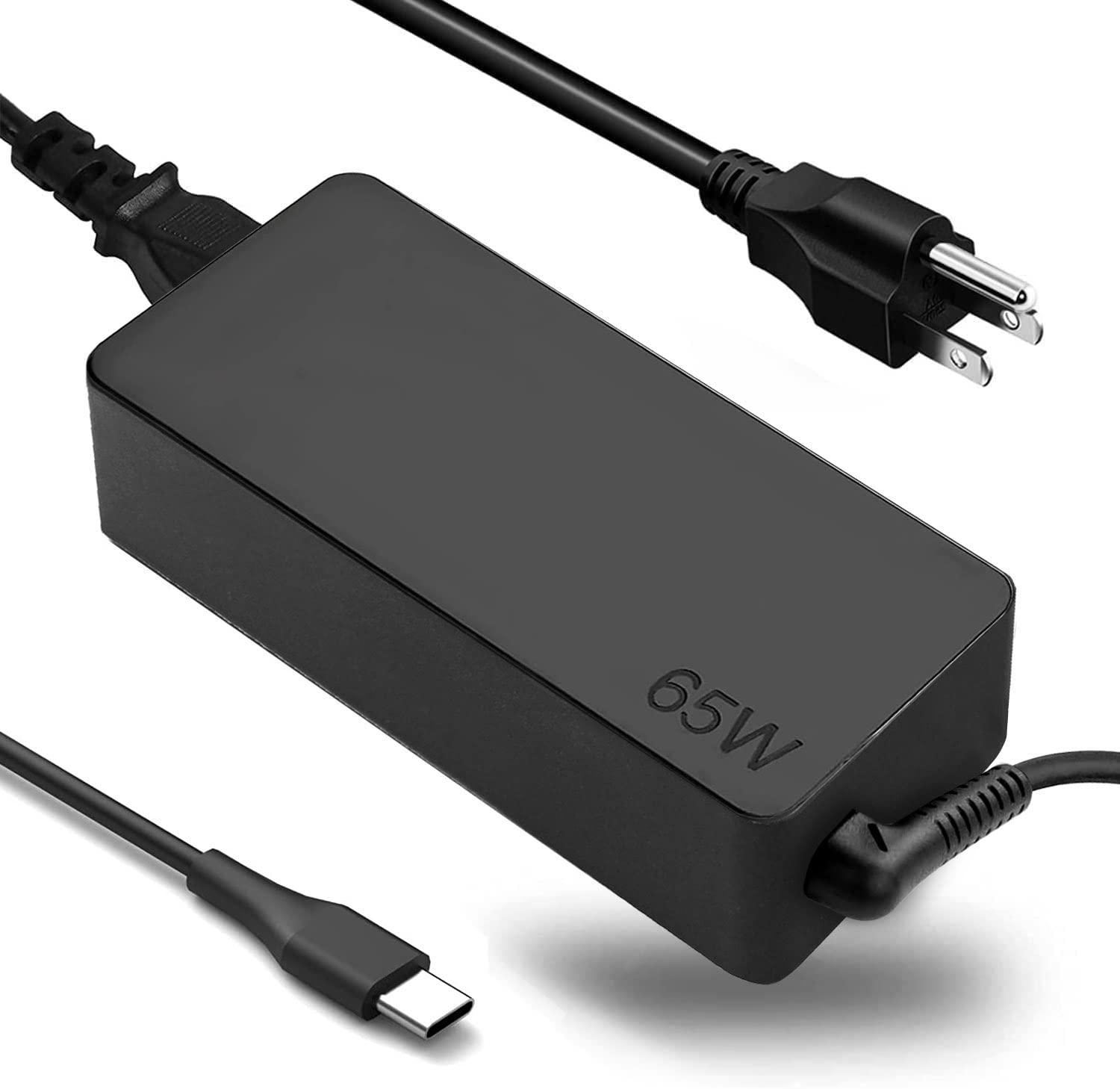
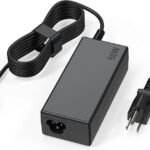
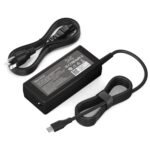
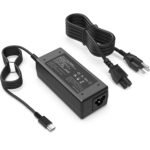
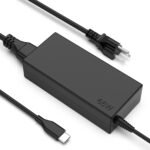
The ADLX65YDC2A review you’re looking for: this $17 charger is worth it if you need a spare 65W USB‑C brick for a Lenovo ThinkPad, Yoga, or Chromebook and don’t want to pay Lenovo’s usual $50–70. It’s not built like a tank, and it won’t fast‑charge a phone at full speed, but it delivers steady power for everyday work. For the money, it does the job.
Priced significantly below typical 65W USB-C laptop chargers, making it one of the most affordable options among compatible alternatives.
Ease of use
Excellent 85/100
The charger is straightforward to use with a standard USB-C connector, though compatibility depends on the device supporting USB-C charging.
Overview
This is a 65‑watt USB‑C charger meant to replace the original brick you got with a Lenovo laptop. The whole package is about the same size as Lenovo’s own slim charger, but lighter by a noticeable amount. It solves the problem of needing a second charger—one for your bag, one for your desk—without dropping forty extra dollars.
It’s really for people who own a Lenovo ThinkPad, Yoga, or Chromebook and want a backup or travel charger. If you have a Dell or HP, this still works over USB‑C, but you’re better off with something built for your brand’s quirks.
Key Features
65W USB‑C PD output – Enough to charge a 14‑inch ThinkPad or Yoga while you’re using it, not just while it’s asleep. It’ll also top off a phone or tablet, though at a slower rate than a dedicated phone charger would.
Compatible with Lenovo ThinkPad, Yoga, Chromebook – It’s not a “universal” charger; it’s tuned for the voltage and negotiation protocol Lenovo laptops expect. You’ll see “65W” pop up on the screen when you plug it in.
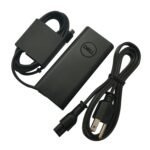
Foldable US prongs – They tuck into the brick, which keeps the charger from scratching other stuff in your bag. The hinge feels okay, not flimsy, not rock-solid.
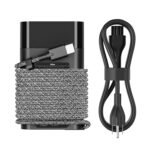
Detachable USB‑C cable – The cable clips out of the brick, so if the cable gets chewed by a dog or pinched in a drawer, you don’t junk the whole charger. It’s a standard USB‑C to USB‑C cable.
Compact size – Roughly the footprint of a deck of cards, but thicker. It won’t fall out of a wall outlet under its own weight, though it sticks out a bit more than a MacBook charger would.
Fit for You
You have a Lenovo ThinkPad or Yoga and want a travel charger that’s cheaper to replace if lost.
You keep one charger at your desk and one in your bag so you never carry the brick back and forth.
Your original Lenovo charger died, and you want something that works tomorrow without paying Lenovo’s price.
You use a Lenovo Chromebook and need a spare for the office or a second home office.
You want a charger that also works with a Nintendo Switch or a tablet, as long as you’re okay with slower charging on non-laptop devices.
Uses
You’re in a coffee shop with a ThinkPad X1 Carbon that’s at 15%. You plug this in, and within an hour you’re past 70% while running Slack, a browser with ten tabs, and Spotify. That’s the main use case—it keeps a work laptop alive through a long afternoon.
At home, you leave it in your partner’s home office as a dedicated charger for a Lenovo Yoga 7i. They don’t notice it’s not the original brick because the laptop charges at the same speed and the screen says “65W” just the same.
On a weekend trip, you throw it in a dopp kit alongside a phone cable. It charges a phone overnight, then charges the laptop the next day. One brick for two devices is convenient, even if the phone charges slower than a dedicated 20W charger would.
Experience
Plugging it in is dead simple—USB‑C goes into the laptop, the brick goes into the wall. The first time you use it, the laptop might take three seconds to recognise it, then you see the charging icon and the wattage display. That’s it. No driver, no setup.
Over a month of daily use, a few things stand out. The brick gets warm—not hot enough to worry about, but warmer than the Lenovo original. You won’t burn your hand, but you won’t want to shove it straight into a pocket after an hour of charging. The cable is a little stiff out of the box but softens after a few days.
The foldable prongs are nice for packing until you need to use the charger in a power strip where the prongs don’t sit flush. Because the brick is on the narrower side, it sometimes wiggles loose in a loose wall socket. Not a dealbreaker, but it’s an occasional annoyance you never get with the chunky original Lenovo brick.
Storage is simple: it lives in a side pocket of a laptop bag without adding noticeable bulk. The cable wraps around the brick loosely if you’re neat, or you can just cram it in—the USB‑C connector is sturdy enough to survive that kind of treatment.
Pros and Cons
Pros
Price – At $17, it’s roughly a third of what Lenovo charges for a genuine 65W USB‑C charger. You can buy two of these for the price of one original and still have money left over.
Compatibility – It works with a wide range of Lenovo laptops, including ThinkPad, Yoga, and Chromebook lines, without any adapter or trickery.
Detachable cable – If the cable fails, you replace just the cable, not the whole brick. That’s not common at this price point.
Compact and light – It’s small enough to toss in any bag without rearranging everything. Combined with the foldable prongs, it travels better than the stock Lenovo brick.
Cons
Build quality feels budget – The plastic shell has a slight hollow sound if you tap it, and the USB‑C port on the brick is snug but not as precision‑machined as an Apple or genuine Lenovo charger. It’ll hold up for normal use, but it doesn’t inspire confidence of lasting five years.
Runs warmer than the original – It gets noticeably warm under sustained load. That’s common with third‑party 65W chargers, but the Lenovo original runs cooler. It’s safe, just not pleasant to handle right after a full charge.
Slow charging for non‑laptop devices – If you plug in a phone or tablet, it’ll charge, but at a slower rate than a dedicated fast charger. You’re essentially limited to around 15W for a phone, which is fine overnight but slow for a quick top‑up.
No charging status light – There’s no LED to tell you it’s powered on. You have to look at the laptop screen to know it’s working. Minor, but the original Lenovo charger doesn’t have one either, so it’s not a loss.
Advantages
Versus the original Lenovo charger, this costs less than half and uses a detachable USB‑C cable instead of a permanently attached one. If you value cable replacement over a slightly more solid feel, this wins.
Compared to other generic 65W USB‑C chargers on Amazon, this one is specifically tuned for Lenovo laptops. You’re less likely to run into the “slow charger” warning that some generic bricks throw on ThinkPads.
It’s a best 65W USB C charger for Lenovo ThinkPad if your main criteria is “works reliably and doesn’t cost a lot.” You’re giving up some build polish, but you’re saving $30–50.
Who Should Buy
Buy this if you own a Lenovo ThinkPad, Yoga, or Chromebook and need a second charger without the second mortgage. It’ll do everything the original does for a fraction of the price.
Buy this if you travel regularly and want a charger you can afford to lose. Leaving it in a hotel room hurts a lot less than losing a $60 Lenovo brick.
Skip this if you need a charger that feels premium in the hand or if you plan to charge a high‑power laptop (like a 16‑inch workstation) that needs more than 65W. This won’t cut it for a ThinkPad P70 under load.
Skip this if you want a single charger for a MacBook Pro and a Lenovo. It’ll work, but it’s not the most compact or fastest option for mixed‑brand setups. A GaN charger would serve you better.
FAQ
Is the ADLX65YDC2A worth it?
Yes, for what it costs. You get a functional 65W USB‑C charger that works with most Lenovo laptops for about $17. It’s not the toughest or coolest charger, but it’s a smart buy for a spare or travel brick.
Is the ADLX65YDC2A compatible with Lenovo Yoga?
Yes. The ADLX65YDC2A compatible with Lenovo Yoga range, including Yoga 7i, Yoga 9i, and earlier models that charge over USB‑C. It delivers the same 65W the original charger does.
How does the ADLX65YDC2A vs Lenovo original charger compare?
The Lenovo original feels more solid and runs cooler. This ADLX is lighter, has a detachable cable, and costs much less. In the ADLX65YDC2A vs Lenovo original charger matchup, it comes down to whether you want to save money or get a slightly nicer build.
Is it safe to use a third‑party charger like this on a ThinkPad?
Yes. The charger uses standard USB‑C PD (Power Delivery) that the ThinkPad negotiates automatically. It won’t damage the battery or the port. Just avoid off‑brand chargers that have no safety certifications—this one carries the usual FCC and CE marks.
Does this work as a 65W USB C laptop charger for Lenovo Chromebooks?
It does. If you have a Lenovo Chromebook with a USB‑C charging port, this is a reliable 65W USB C laptop charger for Lenovo that will charge the Chromebook at full speed. Chromebooks generally use less power, so 65W is plenty.
How long does the cable last?
The cable is standard USB‑C and will last as long as any other cable of its thickness. The connector at the brick end is the most likely wear point, but because it’s detachable, you can replace it without junking the charger.
Final Verdict
The ADLX 65W USB‑C charger is a straightforward buy for anyone who owns a compatible Lenovo laptop and wants a second charger or a cheap replacement. It’s not the finest charger on the market, but it charges consistently, packs small, and costs seventeen bucks.
Keep in mind that it runs a little warmer and feels a little cheaper than the Lenovo original. If that doesn’t bother you, this ADLX65YDC2A review gives it a solid recommendation for the price.
ADLX 65W USB C Charger vs the Real Alternatives for Your ThinkPad
This ADLX65YDC2A review keeps coming back to one point: it nails the basics without burning a hole in your pocket. With a 4.2-star average, it’s clearly doing something right for Lenovo users. In a market packed with overpriced OEM bricks and trendy GaN cubes, the ADLX65YDC2A cuts straight to the chase. It’s a direct replacement for the Lenovo 65W USB-C charger, and it gets the compatibility right. But how does it stack up against the original Lenovo charger, the pocket-sized Anker 735, or the budget-friendly Nekteck? Let’s compare where your money goes further.
Product
Price Range
Key Strength
Key Weakness
Best For
ADLX ADLX65YDC2A
Budget ($16.99)
Flawless Lenovo compatibility at a no-brainer price
Basic build, single port, bulky brick
Anyone needing a cheap, reliable spare for a Lenovo ThinkPad or Yoga
Lenovo Original 65W USB-C
Premium ($50–$70)
Bulletproof build, guaranteed fit, official support
Extremely overpriced for the specs
Enterprise buyers or those who refuse to use third-party gear
Anker 735 Charger (Nano II 65W)
Mid/High ($35–$45)
Incredibly compact GaN design, dual ports
Runs hot under load, costs more than double the ADLX
Nekteck 65W USB-C
Mid ($20–$30)
Solid feel, braided cable option, reliable brand
Not Lenovo-specific; some users report slow charge on Yoga series
ADLX 65W USB C Charger vs Lenovo Originl Charger
This is the most obvios comparison. The Lenovo originl 65W charger (the square one with the fixed cable) is built like a tank. It feels dense, the cable is thick, and it just works . The ADLX65YDC2A, by comparison, feels lighter and the cable is noticeably more plasticky. But here’s the reality check: if you’re plugging this into a power strip and leaving it there, you won’t care. The ADLX charges my ThinkPad X1 Carbon just as fast as the original. No power negotiation errors, no “slow charger” warnings. The original costs $50+. The ADLX costs $16.99. If you’re buying for a whole office, get the originals for warranty simplicity. If you lost yours and need a replacement for your desk at home, the ADLX is the obvious call.
ADLX 65W USB C Charger vs Anker 735 (Nano II 65W)
Here’s where the trade-offs get real. The Anker 735 is tiny. It uses GaN technology to shrink the brick to about half the size of the ADLX. It also has a USB-A port, so you can charge your phone and laptop at the same time. The ADLX is big, single-port, and looks like it was designed a decade ago. So why wouldn’t you just grab the Anker? First, the price. The Anker often goes for $40. That’s 2.5x the cost. Second, I’ve noticed the Anker 735 gets genuinely warm under a sustained 65W load. The ADLX, being larger with more passive thermal mass, stays cooler to the touch. If you’re a minimalist traveler who hates dongles, save for the Anker. If you are plugging this into a wall outlet at home and want to save $20, the ADLX wins hands down.
ADLX vs Nekteck: The Budget Face-Off
The Nekteck 65W charger lives in the same budget neighborhood as the ADLX. Both are competing for the title of best 65W USB C charger for Lenovo ThinkPad users on a tight budget. The Nekteck feels slightly more premium. The cable has a fabric braid option, and the brick has a softer matte finish. But the ADLX has a specific advantage: it is designed for Lenovo. I’ve read plenty of anecdotes about generic chargers refusing to kick into full 65W mode on Yoga or ThinkPad series laptops. The ADLX65YDC2A doesn’t have that problem. It’s a native replacement. So, for a generic Chromebook, the Nekteck is a fine choice. For a Lenovo laptop specifically, the ADLX avoids the headache of “will it actually fast charge?”
So, is the ADLX65YDC2A worth it? For the vast majority of Lenovo ThinkPad, Yoga, and Chromebook owners, yes. It solves the problem of needing a 65W USB C laptop charger for Lenovo without creating new compatibility headaches. It’s easily the best bang for your buck in the category. But if you prioritize portability and multi-device charging above all else, skip it and get the Anker 735 instead. And if your budget is rock-bottom but you want a slightly nicer-feeling cable, the Nekteck is a worthy alternative. Just know that the ADLX is the safer bet for Lenovo hardware.
Ready to decide on the ADLX 65W USB C Charger?
See today’s price, stock and delivery options on Amazon.