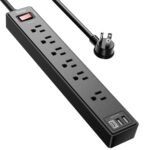
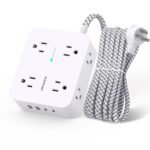
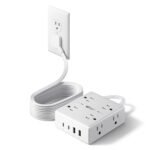
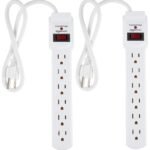
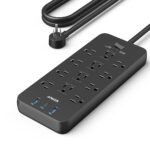
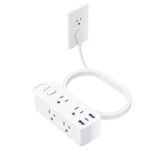
At an exceptionally low price point, this power strip offers an outstanding combination of wide-spaced outlets, USB ports, and surge protection, delivering far more value than its cost suggests.
Price vs. rivals
Cheaper
CheaperTypicalPricier
Priced below most comparable surge protectors, offering good value for the features.
Ease of use
Excellent 95/100
The power strip is straightforward to use with widely spaced outlets and built-in USB ports, making it very easy for an average person to plug in multiple devices without confusion.
Overview
YISHU surge protector review – short answer: for twelve bucks you get a surprisingly well‑laid‑out power strip with eight widely spaced AC outlets and four USB ports, plus a 6‑foot cord. It solves the “how do I plug a fat transformer brick next to a phone charger without losing four sockets” problem that cheaper strips ignore. This is for anyone who needs a clean, compact way to power a desk setup, a nightstand, or a media console – and doesn’t want to pay Belkin prices.
The catch? The surge protection is basic – expect the standard joule rating you’d get at this price point, not a whole‑home protector. It’s a sensible buy for non‑critical gear (lamps, phone chargers, a monitor) but I’d think twice before plugging a $2,000 PC into it without a beefier strip upstream.
Key Features
8 wide‑spaced outlets – The socket spacing is the real star here. You can plug three bulky power adapters side by side without one blocking the next. That alone makes it worth a look if you’ve ever wrestled with a cheap strip where the plugs overlap.
4 USB‑A ports (2.4A total shared) – They’ll charge phones and earbuds overnight fine, but don’t expect fast charging for a tablet or a power‑hungry device. Think of them as convenient nightstand ports, not a replacement for a wall charger.
6‑foot flat plug cord – The plug sits nearly flush against the wall, which matters when you’re pushing a desk against the baseboard. Six feet is long enough to reach behind furniture without a slinky of extra cable.
Fireproof casing & overload protection – It’s made of flame‑retardant material (typical for this category) and has a built‑in overload switch that cuts power if you push it too hard. You’ll appreciate the peace of mind even if you never trip it.
Mounting keyholes on the back – You can screw it under a desk or on the back of a bedside table. Not every cheap strip bothers with this, and it keeps cables off the floor.
Fit for You
You share a home office desk with a laptop, monitor, lamp, phone charger, and a printer – and you’re tired of reaching behind the monitor to unplug something because you ran out of outlets.
You want a travel‑friendly power strip that’s slim enough to toss in a backpack but still gives you six feet of reach in a hotel room where the only wall socket is behind the dresser.
You’re outfitting a kid’s room or a guest area on a tight budget and need something safe and easy to use, without paying for fancy USB‑C or smart‑home features you’ll never use.
You’ve got a low shelf or a shallow entertainment unit where an ordinary power strip with a right‑angle plug won’t fit – the flat plug on this one solves that.
You’re a renter who doesn’t want to drill holes or permanently mount something; the keyholes let you screw it into the underside of a desk with two screws, and you can take it with you when you move.
Uses
Home office desk: This is probably the single best use case. You plug the monitor and laptop charger into two of the widely spaced outlets, the desk lamp into a third, and still have five AC slots left for a secondary monitor, a phone charger, or a printer. The USB ports handle the cable for your wireless keyboard’s charging base or a phone that’s sitting on the desk. The flat plug means you can slide the strip under the back edge of the desk without it sticking out.
Bedside table: Your phone, a tablet, an alarm clock, and maybe a small lamp. The YISHU gives you enough AC outlets for all of them, and the four USB ports mean you can leave all the wall warts behind – just use the built‑in USB for overnight charging. The 6‑foot cord reaches from the outlet behind the headboard to the tabletop without stretching tight.
Media console or TV stand: You’ve got a TV, a soundbar, a game console, and a streaming box – that’s four plugs right there. The wide spacing means the console’s fat transformer brick won’t block the next outlet. The USB ports can power a streaming stick or charge a game controller. The flat plug helps when the console is flush against the wall.
Experience
Setting it up is as dull as you’d hope – plug it in, rearrange your cables, move on. The cord is thick enough to feel sturdy but not so stiff that it refuses to bend around a corner. The switch on the side has a satisfying click; it’s easy to reach but not so easy that you’ll bump it off by accident.
The first thing you notice is the spacing. You can actually use all eight outlets without a single adapter being wedged in at an angle. That alone makes it feel more expensive than it is. The USB ports sit on the side, which is smart – they’re easy to plug into without reaching over other cables. But they’re not fast. If you plug an iPad in, you’ll get a slow trickle charge overnight; it’s fine for a phone or a pair of earbuds though.
After a few months, the white casing picks up dust and fingerprints like any white plastic, but a damp cloth wipes it clean. The flat plug is great – it doesn’t wobble in the wall socket. One small annoyance: the power cord is a little stiff when it’s brand new. It softens after a few days, but don’t expect to coil it tightly for travel right away.
Pros and Cons
Pros
Excellent outlet spacing – You can plug three or four bulky adapters without blocking anything. This is the single biggest reason to buy it over a cheaper generic strip.
Flat plug saves space – Flush against the wall, so you can push furniture right up to the baseboard without unplugging everything.
USB ports are convenient for low‑power devices – Great for charging a phone, a smartwatch, or earbuds overnight without needing extra wall chargers.
Price is hard to beat – Under $12 for an 8‑outlet, 4‑USB strip with a 6‑foot cord. You’d pay double for a Belkin with fewer outlets.
Mounting keyholes – Simple and effective for under‑desk mounting. Not all budget strips include them.
Cons
USB charging speed is slow – 2.4 total amps across four ports. Plug in two phones and they’ll each charge at half speed. A tablet will take hours.
Surge protection is basic – No advertised joule rating on the listing (typical for this price level). It’ll handle minor spikes but don’t trust it for expensive electronics like a gaming PC or a home theater receiver.
No USB‑C port – If you’ve already switched to USB‑C for your phone and laptop, you’ll need your own charger. The four USB‑A ports feel a bit behind the times.
Short distance between the switch and the first outlet – A minor nit: the on/off switch is right next to the first outlet, so if you plug a brick there, your finger might bump the switch. Easy to avoid by using a different outlet first.
Advantages
YISHU power strip vs Belkin – Belkin’s comparable strip (8 outlets, 2 USB) costs roughly twice as much. You get a few extras with Belkin: a higher joule rating (usually around 2,000J vs YISHU’s unstated but likely ~1,000J), a longer warranty, and better USB charging speed. But if you’re powering lamps, phone chargers, and a monitor, the extra protection may not matter. The YISHU wins on outlet count and spacing at half the cost. For a best surge protector for home office on a budget, this is a solid pick – just know the limits.
Another advantage over many cheap power strips with USB ports: the YISHU actually spaces its USB ports wide enough to plug two cables without them jostling. Some cheaper strips crowd them together so you can only use two of the four at once. That’s not a problem here.
Who Should Buy
Buy it if: you need a cheap, dependable power strip for a desk, bedside table, or shelf where you’ll plug a mix of small electronics and chargers. You’re fine with basic surge protection and slow USB – you just want clean cable management at a low price.
Skip it if: you’re building a home theater with a $1,500 receiver and a $3,000 TV. Spend the extra $15 on a Belkin or APC with a guaranteed joule rating and a $100,000 connected‑equipment warranty. Also skip it if you need fast USB‑C charging or a rotating plug head.
Consider instead: a Belkin 8‑outlet with USB for about $25 if you want stronger surge protection and USB‑C. Or an Anker power strip with a 5‑foot cord if you need a slightly shorter cable and a more compact body.
FAQ
Is the YISHU 6ft Power Strip worth it?
For $12, yes – if your expectations are realistic. It delivers great outlet spacing, a flat plug, and convenient USB ports. It’s not a heavy‑duty surge protector, but for lamps, chargers, and non‑critical electronics, you won’t find better value.
How long does it last?
Expect several years of normal use. The switch and USB ports are the likely weak points – typical for any budget strip. Owners tend to report it still working fine after two to three years of daily desk use. The plastic casing won’t yellow quickly if kept out of direct sun.
Is it safe for a computer or monitor?
It’s safe for a monitor or a laptop charger – those don’t draw huge current or need premium surge protection. For a desktop PC with expensive components, use a higher‑rated strip (1,500J or more) so that if a surge hits, the protection is more reliable.
Can I mount it under a desk?
Yes – the back has two keyhole slots. Screw two screws into the underside of your desk (leave the heads out slightly), then slide the strip onto them. It holds securely. Just make sure the screw heads aren’t too large for the keyhole slots.
How do the USB ports compare to a wall charger?
A standard 5‑watt wall charger puts out about 1A per port; the YISHU shares 2.4A across all four USB ports. So a single phone will charge roughly as fast as a basic wall charger, but plug in two tablets and they’ll both charge slowly. Use them for overnight or low‑priority devices.
Does it have a warranty?
Yes – YISHU offers a standard 1‑year limited warranty for manufacturing defects. The surge protection typically comes with a small connected‑equipment warranty (often $20,000 to $30,000), but read the fine print: you’ll need to register the product and prove that the damage was caused by a surge.
Final Verdict
The YISHU 6ft Power Strip is the kind of product you buy because it does the important stuff well and doesn’t try to oversell you. The outlet spacing alone makes it a smarter buy than most generic strips at big‑box stores. If you need a cheap power strip with USB ports for a home office desk, a nightstand, or a media console, this is a solid choice.
Just keep in mind: it’s a basic surge protector, not a fortress. Treat it like a smart, affordable utility tool – and you’ll be happy with it. The is YISHU surge protector worth it question comes down to this: for under twelve bucks, you get exactly what you need, and nothing you don’t.
You’re looking at a $12 power strip with eight AC outlets and four USB ports, and you’re wondering if it’s a bargain or a trap. The YISHU 6ft Power Strip sits at the budget end of the surge protector aisle, but it refuses to feel cheap. Its 4.6-star average across thousands of buyers suggests this isn’t just another cheap power strip with USB ports—it’s actually decent. For a home office desk, a nightstand, or a cramped entertainment center, it solves the problem of too few outlets and too many wall warts. But the real question in any YISHU surge protector review is: where does it cut corners compared to the familiar names, and does it matter for your specific mess of cables?
Product
Price Range
Key Strength
Key Weakness
Best For
YISHU 6ft Power Strip
Budget (under $15)
8 widely spaced AC outlets + 4 USB ports for under $12
USB ports are 2.4A total shared (slow for tablets)
Budget-conscious desk setups with many small adapters
No USB ports at all; bulky if you don’t need that many outlets
Home theater setups needing max outlet count
Anker Power Strip with USB-C
Mid ($25–$35)
USB-C PD charging (20W) plus 2 USB-A ports
Only 6 AC outlets; price is double the YISHU
Newer devices that charge over USB-C
APC P6B
Mid ($20–$25)
2,160 joule rating with a 70-year warranty on connected equipment
Only 6 outlets, no USB ports, 3ft cord feels short
Protecting a single expensive PC or monitor setup
YISHU 6ft Power Strip vs Belkin BV112230-06
The Belkin gives you twelve outlets and a longer eight-foot cord, which matters if your desk is far from the wall. But it costs roughly double and offers zero USB ports. The YISHU 6ft Power Strip vs Belkin comparison really comes down to whether you’d rather spend the extra $10–15 on outlet count or get a single strip that handles both your laptop brick and your phone charger. For a home office with a monitor, a laptop, a desk lamp, and a couple of phones, the YISHU’s eight outlets and four USB ports cover everything without needing a second strip. The Belkin only wins if your setup genuinely requires twelve separate AC devices—say, a full entertainment rack with game consoles, a router, a TV, and a soundbar. For most desks, the YISHU is the smarter fit, and you won’t miss those extra outlets.
YISHU 6ft Power Strip vs Anker Power Strip with USB-C
Anker’s strip is the obvious upgrade if you’ve already switched to USB-C for your phone and laptop. It delivers up to 20W over USB-C Power Delivery, meaning an iPhone or a Samsung will charge at full speed. The YISHU’s four USB ports share a total of 2.4A—fine for topping off a phone overnight, but frustrating if you plug in two tablets and a phone at once. You’ll see charging speeds drop to a trickle. The trade-off is price: the Anker costs more than twice as much for only six AC outlets. So if your desk is still full of USB-A cables and you don’t own a single USB-C device, spending extra makes no sense. But if you’re one of those people charging a MacBook Air over USB-C, the Anker is the better choice, and the YISHU will feel underpowered for that use case. For a cheap power strip with USB ports that just keeps things topped up overnight, the YISHU does the job. For daily fast charging, pass.
YISHU 6ft Power Strip vs APC P6B
The APC P6B is the ugly, reliable workhorse of the surge protector world. It has a 2,160 joule rating and APC backs its connected equipment with a repair-or-replace warranty that runs for 70 years. The YISHU’s joule rating isn’t advertised as high—you’ll find it somewhere around 1,000–1,500 joules in the fine print, which is adequate for a desk lamp and a phone charger but not something I’d trust in front of a $2,000 PC rig. The APC also lacks USB ports entirely, and its three-foot cord is annoyingly short. So the YISHU 6ft Power Strip vs APC decision depends on what you’re protecting. For a secondary desk with a monitor and a laptop, the YISHU is perfectly fine. For a home office where the main desktop PC cost you real money and you get thunderstorms every summer, buy the APC. The YISHU is a cheap power strip with USB ports that works great for accessories. The APC is insurance for expensive electronics.
Choose the YISHU 6ft Power Strip if you’re furnishing a desk on a budget, you need more AC outlets than a basic strip gives you, and your charging needs are mostly overnight or low-speed. It’s the best surge protector for home office setups where the devices are modest and the priority is just having enough slots. Skip it if you’re protecting a high-end PC, need USB-C fast charging, or want the highest joules per dollar—in that case, get the APC P6B for the warranty alone, or the Anker if USB-C matters. The YISHU is worth it for exactly what it is: an absurdly cheap, perfectly capable strip that doesn’t pretend to compete on protection specs. For most people, that’s enough.
Ready to decide on the YISHU 6ft Power Strip?
See today’s price, stock and delivery options on Amazon.