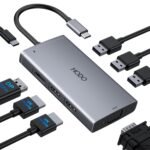
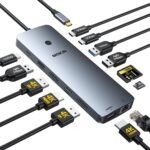
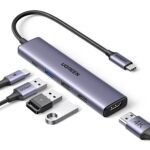
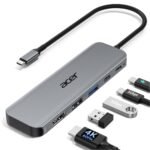
Is the Selore USB C Docking Station worth it? This Selore USB C docking station review gets straight to the point. For $26.99, it solves the single biggest headache for modern laptop owners: not enough ports. Specifically, it is one of the cheapest reliable ways to run dual monitors from a single cable. It is worth it for the desk warrior on a budget.
Priced at the lower end of the range for similar dual monitor USB-C adapters, offering good value relative to typical mid-range options.
Ease of use
Excellent 85/100
Plug-and-play setup makes it straightforward for most users, though occasional driver installation may be needed.
Overview
This hub is a simple answer to a common problem. Laptops are getting thinner, which means trading four or five ports for a single USB-C jack. The Selore takes that one port and gives you back two HDMI outputs, a couple of USB-A slots, and a place to plug in your charger.
It is not a full-blown Thunderbolt dock. It is a focused, purpose-built tool for anyone who needs more screen real estate without spending a fortune. Think home offices, student desks, and the “bring your own monitor” setup at work.
Key Features
Dual HDMI Output: This is the main event. You can run two external monitors alongside your laptop lid. Most people find this changes their entire workflow for the better.
4K Support: It pushes 4K at 30Hz on dual monitors or 4K at 60Hz on a single screen. That is perfect for spreadsheets and documents, though not ideal for high-refresh gaming.
USB-A 3.0 Ports: Two standard USB ports for your mouse, keyboard, or flash drive. They run at 5Gbps, which is fast enough for everyday file transfers.
PD 100W Pass-Through: A dedicated USB-C port for your laptop charger. It passes power through so the hub doesn’t drain your battery. Note that the hub itself only uses about 15W, leaving the rest for your computer.
Compact Build: It is roughly the size of a deck of cards. It slides into a laptop bag pocket without creating a bulge.
Fit for You
You use a MacBook Air or Dell XPS and miss having ports for your peripherals.
You track stocks or write code and need two screens to keep your sanity intact.
You have a single monitor now but want a second one without buying a new laptop.
You work from a coffee shop occasionally and need a quick plug-and-play solution.
You are tired of wrestling with a single HDMI adapter that flickers when you breath on it.
Uses
The “USB C to dual HDMI adapter” functionality is a lifesaver for specific scenes. Picture a real estate agent who needs to show listings on a big screen while keeping their notes private on the laptop. Or a remote worker jumping between Slack, email, and a spreadsheet without alt-tabbing every three seconds.
It also works well as a travel hub. Tuck it in a bag, and you can turn a hotel TV into a second monitor for watching movies or finishing up a presentation. It handles media streaming without a hitch, so Netflix on the big screen works fine.
Experience
Setup is zero effort. Plug it into your laptop, wait ten seconds, and the screens light up. There are no drivers to install even on Windows or Mac. It just works.
After a few weeks, you will notice the build is purely functional. It is a lightweight plastic shell. It gets warm under load—that is normal for any hub doing heavy video conversion. You will not notice it unless you touch it.
The cable is built-in and short. That keeps your desk clean but means it hugs your laptop tight. If you have a chunky case on your computer, you might need to angle the plug. The HDMI ports are also snug. A cheap cable might feel tight going in, but that is the port holding on for a secure connection.
Pros and Cons
Pros
Price: At $26.99, it undercuts almost everything in the category. It costs less than a dinner for two.
Reliable Dual Monitors: It consistently drives two displays without the flickering or dropouts you see with cheaper dongles.
No Driver Hassles: You plug it in, and it is recognized instantly. No rebooting, no downloads.
Cool Operation: It runs warm but stays cooler than some aluminum competitors with the same chipset.
PD Pass-Through: Keeping one charger port on the hub is a smart design choice that prevents cable clutter.
Cons
Plastic Build: It will not survive a drop onto concrete. It feels light and a bit hollow compared to metal docks.
30Hz on Dual 4K: If you need smooth cursor movement across two 4K screens, the 30Hz refresh rate might bug you. Mouse movement looks a little choppy.
Short Cable: The attached cable is about 6 inches. It is great for a tidy desk but forces the hub to sit right next to your laptop.
No Ethernet: If you need a wired internet connection, you will need a separate adapter. This is strictly for video, USB, and power.
Advantages
When you look at the Selore vs Anker USB C hub debate, the main difference is price. Anker makes solid hubs, but you pay extra for that aluminum shell and brand trust. The Selore does about 80% of what an Anker hub does for half the money.
It also handles heat better than some budget alternatives. The plastic casing actually lets heat dissapate differently than the sealed metal tubes some competitors use. It does not throttle performance as fast during long video sessions.
For those searching for the best USB C docking station for dual monitors under $30, this is the one to beat. It focuses on the core job—getting video out to two screens—and does it without extra fluff that drives up the cost.
Who Should Buy
Buy it if:< /strong>
You are a remote worker using a company laptop that only has USB-C.
You are obsessively looking for the best USB C docking station for dual monitors on a tight budget.
You are tired of unplugging and replugging a single HDMI adapter every time you sit down.
Skip it if:
You are a creative pro who needs perfect color accuracy at 60Hz on two 4K screens.
You need to charge a 16-inch gaming laptop at full speed whil e using the dock.
You want a premium Metal build that can survive being tossed in a bag every day.
FAQ
Is the Selore USB C Docking Station worth it?
Yes, particularly if your goal is to add dual monitors to your laptop without spending much. The 4.4 rating reflects that it works reliably for office tasks and media consumption right out of the box.
Does it support dual monitors at 60Hz?
It supports one monitor at 4K 60Hz. If you plug in two monitors, the refresh rate drops to 30Hz on both. This is standard for most affordable USB-C hubs because the bandwidth is split between two screens.
Is the Selore docking station safe for my MacBook?
Yes, it is safe. The PD pass-through manages power delivery properly so it does not overcharge or damage the battery. Owners tend to mention it works especially well with M1 and M2 MacBook Airs.
How long does the Selore docking station last?
With normal daily use, expect it to hold up for a few years. The plastic housing is durable enough for desk use but will crack if stepped on. The ports wear at the same rate as any budget hub.
Can it charge my laptop while using the monitors?
Yes, it can. You plug your original laptop charger into the hub’s USB-C PD port, and it passes up to 100W through to your laptop. The hub keeps working without draining your battery.
Is this the best USB C docking station for dual monitors?
For the price, it is hard to beat. If you compare it to $100+ docking stations, those offer faster data speeds and Ethernet. But as an affordable dual monitor docking station, the Selore delivers exactly what is promised without hidden issues.
Final Verdict
The Selore USB C Docking Station is a smart, honest product. It does exactly what it advertises—turns USB-C into dual HDMI—at a price that undercuts almost everyone. It does not pretend to be premium, and that is fine.
You should buy it if you need a second screen without taking out a loan. Just know its limits: it is plastic, it tops out at 30Hz on dual 4K, and for the money, that is a trade worth making.
Selore USB C Docking Station vs the Competition in 2026
The Selore USB C Docking Station lands in a funny spot. It’s cheap enough to buy on a whim at $26.99, popular enough to hold a 4.4 rating, and specced for exactly the thing most laptop users need: two external monitors from a single USB-C port. But budget docks are a crowded aisle, and price alone doesn’t win. Three real alternatives worth comparing are Anker’s PowerExpand 8-in-1, Wavlink’s Dual HDMI dock, and Cable Matters’ Triple Display station. Each trades off something different, and which one you pick depends on whether you hate wobbly ports, need full 60Hz on both screens, or plan to run three displays at once.
Product
Price Range
Key Strength
Key Weakness
Best For
Selore USB C Docking Station
Budget ($26.99)
Dual HDMI out at the lowest price around
Plastic shell, USB 3.0 speeds, no Ethernet
Budget-focused dual monitor setups
Anker PowerExpand 8-in-1
Mid-range (~$45–55)
Metal build, Anker reliability, clean aesthetic
Single HDMI output only, pricier for fewer displays
Users who value build quality over dual screens
Wavlink USB C Dual HDMI Docking Station
Budget (~$33–40)
Dual HDMI with full 4K@60Hz on both ports
Bulky adapter, occasional driver quirks
Dual monitor users who want full refresh rates
Cable Matters Triple Display Dock
Mid-range (~$55–70)
Three display outputs, USB 3.1, solid build
Overkill and overpriced for two-monitor use
Power users with three monitors or high data needs
Selore USB C Docking Station vs Anker USB C Hub (PowerExpand 8-in-1)
This is the comparison most people actually make. Anker has a deserved reputation for consistency, and the PowerExpand 8-in-1 comes in a metal shell that feels noticeably denser than the Selore’s plastic body. You can knock the Anker off a desk without worrying. That said, it only gives you one HDMI output. If your laptop can’t drive a second monitor through its own port, you’re stuck with a single external screen. The Selore, on the other hand, hands you two HDMI ports for half the price. The trade-off is that secondary port tops out at 4K@30Hz, which makes mouse movement feel a little sticky, and the USB-A ports run at 3.0 instead of 3.1. For the best USB C docking station for dual monitors under thirty bucks, the Selore wins on specs alone. But if you only need one external display and want something that won’t flex in your bag, the Anker justifies its higher cost.
Selore vs Wavlink Dual HDMI Dock
The Wavlink is the closest rival on paper. Both are affordable dual monitor docking stations with a similar port layout, but Wavlink gives you full 4K@60Hz on both HDMI outputs. That’s a meaningful difference if you do any video work or just hate the micro-stutter of 30Hz. The Wavlink also throws in an Ethernet port, which the Selore lacks. However, the Wavlink is bigger — it’s a chunky wedge that blocks the next USB port on your laptop. And the driver situation is less polished: some users report the displaylink adapter needing a reinstall every few OS updates. The Selore is more plug-and-play in practice, even if its second monitor is limited to 30Hz. So is the Selore USB C docking station worth it over the Wavlink? If your second monitor is for documents or email only, save the cash and stick with Selore. If you need both screens at full speed, the Wavlink is the better tool, driver niggles and all.
Selore vs Cable Matters Triple Display Docking Station
Cable Matters lives in a different category entirely. This dock supports three displays, runs USB 3.1 for faster file transfers, and uses a DisplayPort connection alongside HDMI. It’s built for people with stacked ultrawides or a laptop that doubles as a proper workstation. The Selore can’t touch that — it’s a USB C to dual HDMI adapter with some extra ports, not a full docking station. The catch is price and purpose. The Cable Matters costs more than double the Selore, and unless you actually run three monitors, you’re paying for ports you won’t use. For most people, the Selore is the smarter buy. For the handful pushing three screens or moving large video files, the Cable Matters is worth the jump.
Who should buy the Selore? Anyone setting up a dual monitor home office on a tight budget, students, or casual users who just want two screens for spreadsheets and browsing. The 4.4 rating holds up for that use case, and at $26.99 the risk is low. Who should skip it? If you need full 60Hz on both monitors, pick the Wavlink. If you want something that feels premium and only run one external screen, go with the Anker. And if three monitors are in your future, the Cable Matters will handle them without breaking a sweat. The Selore is a great deal for exactly one scenario — dual monitors without spending more than you have to.
Ready to decide on the Selore USB C Docking Station?
See today’s price, stock and delivery options on Amazon.