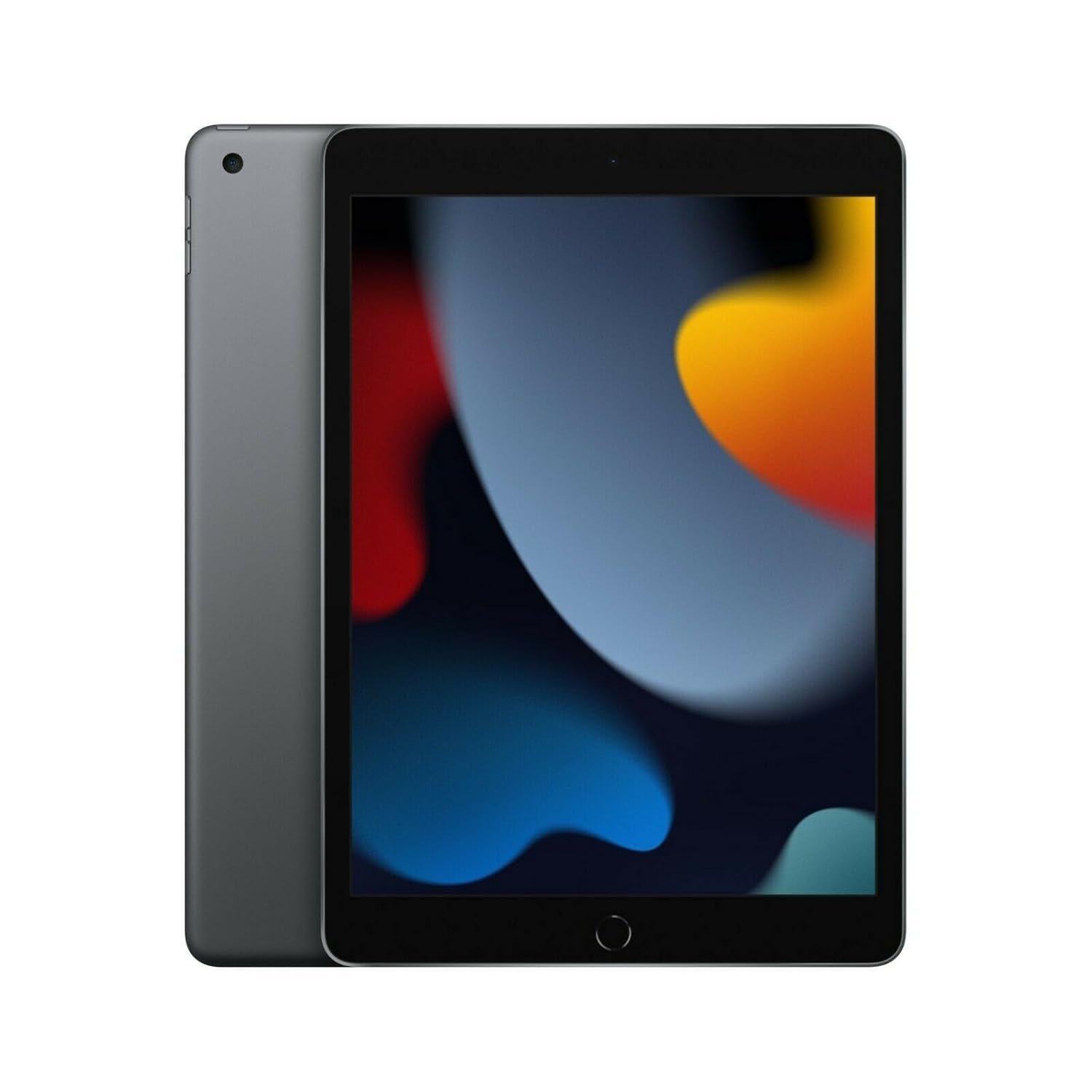
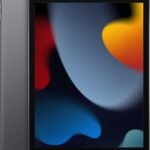
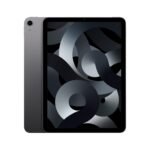
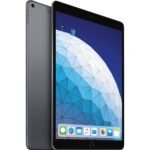
So, is the Apple iPad 9th Gen review worth your time and money? Short answer: yes, especially if you want a solid tablet without spending a ton. For under two hundred bucks renewed, you get the full iPad experience—apps, browsing, note-taking, streaming—without the weird corners some cheap tablets cut. It’s not fancy, but it gets the job done.
This renewed iPad offers excellent value for its price, delivering reliable Apple performance at a fraction of the cost.
Price vs. rivals
Cheaper
CheaperTypicalPricier
Priced below average for a renewed iPad of this generation, reflecting a competitive offer among refurbished units.
Ease of use
Excellent 90/100
The Apple iPad 2021 offers a straightforward and intuitive user experience with its responsive touchscreen and familiar iOS interface, making it easy for most people to navigate.
Overview
The Apple iPad 9th Gen is the 2021 model, sitting at the bottom of Apple’s current lineup. It’s a 10.2-inch screen with an A13 Bionic chip, 64GB of storage, and support for the first-gen Apple Pencil and the Smart Keyboard. That chip is the same one that powered the iPhone 11, so it’s not slow—even a couple years later.
What problem does it solve? The gap between a phone and a laptop. You need something bigger than your phone for reading textbooks, watching Netflix in bed, or typing out a quick essay, but you don’t want to lug around a MacBook. That’s this iPad. It’s also the one to grab if you’re on a tight budget and don’t care about the newest design or USB-C.
Key Features
10.2-inch Retina display – It’s not laminated to the glass the way the pricier iPads are, so there’s a tiny gap between your finger and the pixels. You’ll notice it only when you press hard, and honestly, the colors and brightness hold up fine for YouTube and reading.
A13 Bionic chip – The same processor that made the iPhone 11 feel snappy. For web browsing, email, and even some light gaming (hello, Genshin Impact on medium settings), it keeps up. It won’t break a sweat.
Touch ID (top button) – Unlike the iPad 10th gen’s side-button placement, the 9th gen puts the fingerprint sensor in the top button. It’s reliable and fast, and your thumb or finger naturally lands there when you pick it up.
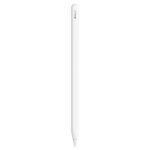
First-gen Apple Pencil and Smart Keyboard support – You can use the original Pencil (the one that charges by sticking into the Lightning port) and Apple’s clunky-but-functional keyboard cover. Both cost extra, but they turn the iPad into a decent note-taker or a tiny laptop.
Lightning connector and headphone jack – Two things you won’t find on the newer models. The headphone jack is handy if you’ve got wired earbuds. The Lightning port means you’re still using the same cable as your old iPhone.
64GB storage – Enough for apps, a few games, and some downloaded shows. If you’re a photo hoarder or plan to edit 4K video, you’ll run out fast. But for a student who mostly uses Google Docs and Spotify, it’s fine.
Fit for You
You’re a college student who wants to read textbooks, take handwritten notes, and keep your backpack light.
You’ve got a kid who needs a durable tablet for school apps and Minecraft, and you don’t want to cry when it drops.
You’re a casual user: browsing, email, FaceTime, maybe a little Kindle reading. Nothing intense.
You already have an iPhone or Mac and want something that syncs your notes, messages, and photos without hassle.
You want to use it as a dedicated screen for recipes in the kitchen—the headphone jack is nice for cooking podcasts.
Uses
Imagine you’re sitting in a lecture hall. You’ve got the iPad on your lap, the Apple Pencil in your hand, and a textbook PDF open on one side of the split screen. The A13 chip handles the multitasking without stuttering. You scribble a note, then switch to Safari to look something up. It’s quick enough that you don’t feel the lag.
At home, you’ve propped it up on the kitchen counter to follow a recipe. The screen gets bright enough to see through overhead lights, and the headphone jack means you can plug in an old pair of earbuds while you cook. No Bluetooth pairing nonsense.
On a plane, you’ve downloaded a couple of movies on Netflix and a bunch of music. 64GB gives you maybe 10–15 episodes or a few films, plus room for a couple games. The battery lasts long enough for a cross-country flight—Apple quotes 10 hours, and you’ll get pretty close with brightness turned down.
Experience
Setting up the renewed model is the same as a new one. You turn it on, it asks for your Apple ID, and within ten minutes you’re on the home screen. The box usually comes with the charger and cable, though some resellers skip the extras. Check the listing.
Day to day, it’s a thick bezel affair. The 10.2-inch screen means big black borders around the display—like an iPad from 2015. Some people don’t care. Others, after seeing the full-screen iPads, feel a bit cheated. You’ll get used to it, but the first time you hold it, you might think, “Huh, that’s chunky.”
The small annoyances: the first-gen Pencil charges by plugging into the Lightning port. It looks ridiculous—a long stick sticking out of the bottom. And if you bump it, it could snap off. Keep the Pencil capped and charge it separate. Also, the screen picks up fingerprints like nobody’s business. You’ll be wiping it down regularly.
Sound quality is just okay. The single speaker is on the bottom (or the right side if you hold it in landscape). It gets loud enough for a bedroom, but it’s thin—no bass. You’ll want headphones for music or movies.
Overall, living with the iPad 9th gen 64GB specs is a trade-off between price and polish. The performance feels current because of the chip, but the design feels two generations behind. That’s why it’s still the best budget iPad for students—you get the performance where it matters.
Pros and Cons
Pros
A13 chip is still fast – For everyday tasks, it matches the iPad 10th gen in most apps. You won’t notice a difference opening Safari or typing notes.
Headphone jack – A rare thing in 2025. If you’ve got wired earbuds, you save the hassle of adapters or Bluetooth pairing.
Works with Apple Pencil (first gen) and Smart Keyboard – Turns a cheap tablet into a real note-taking or light typing machine.
Solid battery life – Ten hours of mixed use, give or take. A full day of classes on one charge is realistic.
Renewed price is hard to beat – Under $200 for this much tablet? That’s the main reason to buy it.
Cons
Thick bezels and dated design – It looks and feels older than the iPad 10th gen. If you care about aesthetics, this isn’t it.
Non-laminated display – There’s a gap between the glass and the LCD. Writing with the Pencil feels slightly off, like you’re tapping on glass above the ink. You adjust, but it’s not as good as the Air or Pro.
Lightning port instead of USB-C – Slower data transfer, less universal. If you’ve already switched to USB-C for everything else, this is a step back.
64GB base storage is tight – No room for a huge game library or lots of offline videos. You’ll need to manage space.
Single speaker is weak – Mono sound. Watching in landscape means audio fires from one side. Fine for podcasts, not great for action movies.
Advantages
The 9th gen beats most alternatives by sticking to what Apple does well: the App Store, software updates, and a smooth user experience. For the price of a mediocre Android tablet, you get an iPad that will receive years of OS updates (Apple still supports the 2017 model). That’s a big deal.
iPad OS vs Android tablets – You get real tablet apps, not stretched phone versions. Even budget Android tablets often run phone apps blown up.
Apple ecosystem – Airdrop, iMessage, universal clipboard. If you’re already in the garden, this is the cheapest way to add a screen.
Resale value – Even renewed, an iPad holds value better than a cheap Samsung or Amazon Fire. You can sell it in two years and get half your money back.
Who Should Buy
Buy it if – You’re a student on a strict budget and need a reliable tablet for notes, reading, and streaming. Also buy it if you’re a parent getting a first tablet for a kid.
Buy it if – You want an iPad without paying for features you don’t need, like a fancy screen or ProMotion. The 9th gen is the pure “just the iPad” experience.
Skip it if – You plan to draw seriously. The non-laminated screen and first-gen Pencil lag are frustrating for artists. Get an iPad Air or Pro instead.
Skip it if – You want a modern design or USB-C. The iPad 9th gen vs iPad 10th gen comparison favors the 10th gen for its newer look, landscape selfie camera, and USB-C. But it costs more.
FAQ
Is the Apple iPad 9th Gen worth it in 2025?
Yes, if you can find a good renewed deal like this one at $183. It’s still fast enough for most tasks, and you get Apple’s software support for a few more years. The design is dated, but the price makes up for it.
Is iPad 9th gen worth it for students?
Absolutely. It’s the best budget iPad for students because the A13 chip handles note-taking, research, and video classes without lag. Pair it with a cheap Bluetooth keyboard and you’ve got a portable laptop replacement for under $250 total.
How does the renewed iPad 9th gen performance compare to new?
Renewed iPad 9th gen performance is basically identical to a new one—same chip, same battery life (if the reseller replaced the battery). The only difference is cosmetic wear. Read the listing carefully for “A” or “B” grade condition.
What are the exact iPad 9th gen 64GB specs?
10.2-inch Retina display (2160×1620), A13 Bionic chip, 64GB storage, 8MP rear camera, 12MP FaceTime HD camera, Touch ID, Lightning port, headphone jack, and speakers that play mono. It weighs 1.07 pounds.
Does it support the newest Apple Pencil?
No, it only works with the first-gen Apple Pencil (the one that charges via Lightning) and not the second-gen or USB-C Pencil. If you already have a newer Pencil, you’ll need an adapter, but it’s clunky.
How long will Apple support the iPad 9th gen?
Apple typically provides software updates for about five to six years after release. The 9th gen launched in 2021, so expect updates through at least 2026 or 2027. After that, apps may stop supporting it.
Final Verdict
The Apple iPad 9th Gen is a smart buy for anyone who needs a capable tablet without spending much. The A13 chip keeps it relevant, the headphone jack is a rare treat, and the price—especially renewed—makes it the one to beat for budget shoppers. It’s not the thinnest or prettiest iPad, but it does everything a normal person needs from a tablet.
One thing to keep in mind: storage. 64GB fills up fast if you download a lot of games or movies. Think about your habits. If you stream most things and only store a few apps, you’ll be fine. Otherwise, look for the 256GB model or get used to deleting stuff. Either way, at $183, this is the best deal in tablets right now.
The Apple iPad 9th Gen, now available renewed for around $183, sits right in the middle of the budget tablet market. It’s not the cheapest option, nor the newest. But it brings iPadOS, strong performance from the A13 chip, and Apple’s long software support to a price that undercuts most of its modern rivals. The question is whether that’s enough in 2026, when cheaper Android tablets and even Apple’s own iPad 10th Gen are sitting on the shelf.
Product
Price Range
Key Strength
Key Weakness
Best For
Apple iPad 9th Gen (Renewed)
~$180–200
iPadOS + A13 performance at a low price
Lightning port, chunky bezels, 64GB base
Students and casual users who want the Apple ecosystem on a budget
iPad 10th Gen
~$350–400
USB-C, modern design, landscape front camera
Price is nearly double for modest upgrades
Those who need USB-C or want a more modern iPad
Samsung Galaxy Tab A8
~$150–200
Expandable storage, USB-C, headphone jack
Slower processor, limited update commitment
Android users who need storage flexibility
Amazon Fire HD 10
~$100–150
Cheapest 10-inch tablet, decent screen
Restricted app store, ads, sluggish for anything beyond video
Media consumption only — Netflix, Prime Video, Kindle
Apple iPad 9th Gen vs iPad 10th Gen
You’d think the newer iPad would be the obvious pick. But at roughly double the price, the 10th Gen asks you to pay $170+ more for USB-C, a slightly thinner bezel, and a front camera that finally sits on the landscape edge. The core experience — same iPadOS, same app library, same 10.2-inch size — is nearly identical. The A13 chip in the 9th Gen still handles note-taking, video streaming, and most games without complaint. You don’t get USB-C, which is annoying if you already charge a MacBook or an Android phone with one cable. But if you’re okay carrying a Lightning cable, the 9th Gen is the better value. For students on a tight budget, this is the one to buy.
Apple iPad 9th Gen vs Samsung Galaxy Tab A8
The Tab A8 counters with expandable storage (up to 1TB via microSD) and a headphone jack — two things the iPad doesn’t have. It’s also a bit cheaper new, though renewed iPad 9th Gen prices overlap. But the Tab A8’s Unisoc T618 processor is noticeably slower. Apps take longer to open, split-screen multitasking stutters, and Samsung’s update policy won’t get you past Android 13 or 14. The iPad 9th Gen will likely get iPadOS updates for a few more years. If you’re deep in Google’s ecosystem and need to store movies locally for a flight, the Tab A8 wins. For anyone who wants to actually get work done or play games, the iPad 9th Gen is the stronger choice.
Apple iPad 9th Gen vs Amazon Fire HD 10
The Fire HD 10 is the cheapest 10-inch tablet you can buy. But the savings come with real compromises. You’re stuck with Amazon’s app store, which lacks most Google apps, many streaming services, and virtually any serious creative or productivity tool. Sideloading the Google Play Store is possible but annoying and not guaranteed to work forever. The Fire HD 10 is fine for watching Prime Video, reading Kindle books, or letting a toddler play with it. The iPad 9th Gen, even in its renewed 64GB form, runs every major app properly, supports every streaming service, and handles light photo editing and document work. If your tablet is purely a video machine, save the money. If you ever want to do more, you’ll end up buying an iPad anyway. Who should buy the Apple iPad 9th Gen? Students who need a reliable tablet for note-taking and browsing without spending $400. Anyone looking for the cheapest way into the iPad ecosystem for drawing or app-specific tasks. People who are fine with Lightning and don’t mind buying a renewed model. Who should skip it? If you need USB-C for peripheral compatibility or faster charging, the iPad 10th Gen is worth the extra cash. If you’re purely watching videos and want to spend as little as possible, the Amazon Fire HD 10 will do the job for half the price. And if you need expandable storage for offline media, the Samsung Galaxy Tab A8 is a better fit despite its slower performance. For most people on a budget though, the renewed iPad 9th Gen remains the best budget iPad for students and the smartest way to get iPadOS under $200.
Ready to decide on the Apple iPad 9th Gen?
See today’s price, stock and delivery options on Amazon.