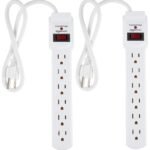
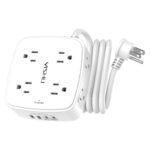
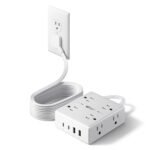
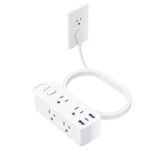
Anker's reputable build quality and integrated 20W USB charging elevate this surge protector beyond budget options while remaining accessible.
Price vs. rivals
Typical
CheaperTypicalPricier
This product is priced near the average for similar high-quality surge protector power strips, reflecting its reliable brand and solid feature set.
Ease of use
Excellent 95/100
Simple plug-and-play operation with multiple outlets and surge protection, making it very easy for anyone to use.
Overview
This Anker Power Strip review cuts straight to it: for $28.99, you get a 12-outlet surge protector with a 20W USB-C port and 2100J of protection. It’s a compact desktop extender that solves the problem of too few outlets and too many bricks, especially if you work from home. The trade-off is a shorter cord, but the build quality and Anker’s reputation make it an easy pick over cheap alternatives.
Think of it as a power station for your home office or media setup. It sits flat, looks clean, and the 2100J rating means it can absorb a decent surge before your gear takes damage. It’s not the highest protection you can find, but it’s plenty for laptops, monitors, and phone chargers.
Key Features
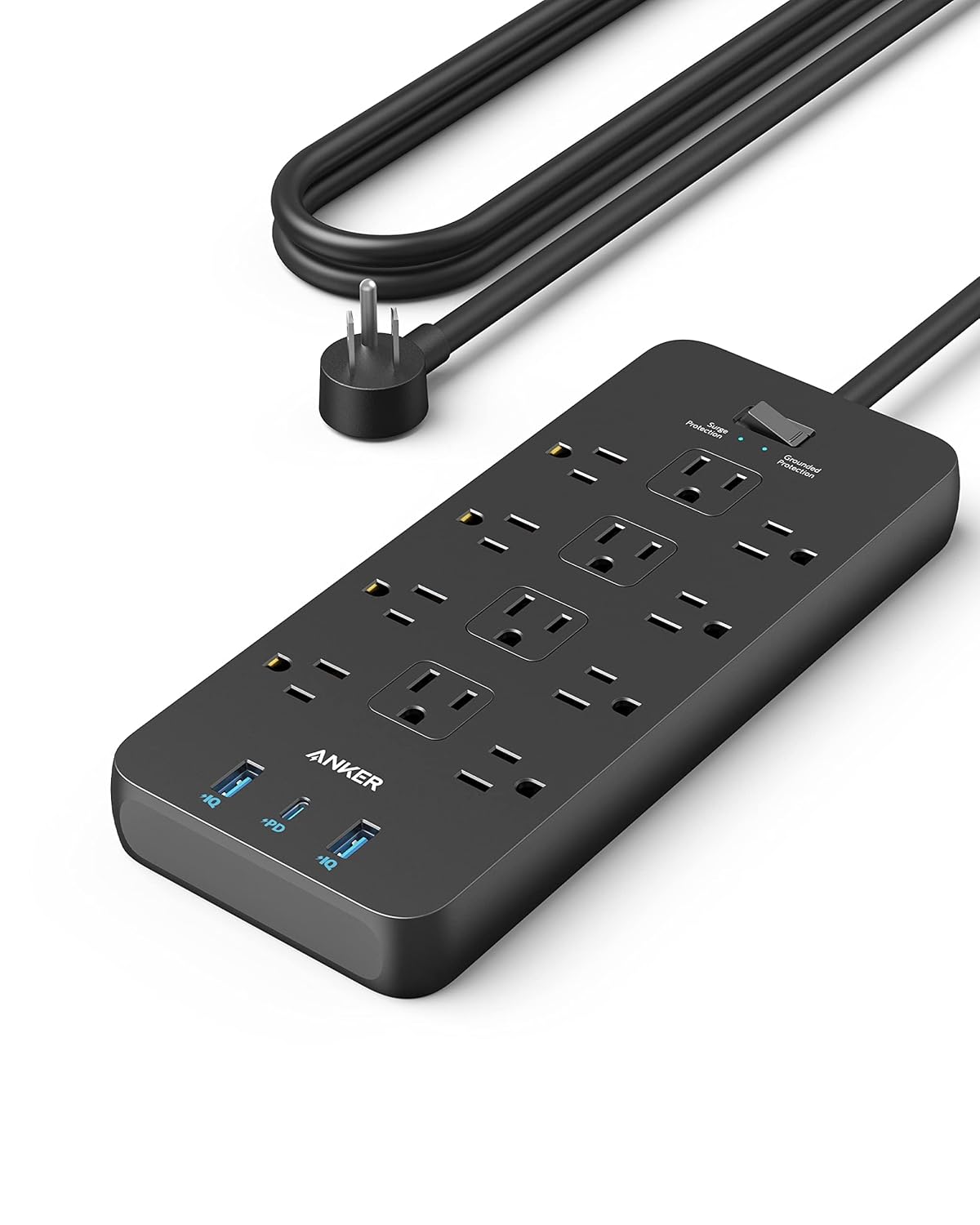
12 AC outlets spaced widely enough – Most power strips cram outlets together so adapters block each other. Here, you can plug in two bulky laptop bricks without fighting for space. A small win that saves daily frustration.
20W USB-C fast charging – This Anker Power Strip with USB C delivers real 20W, not the old 12W trickle. Your iPhone or iPad charges at proper speed, and even an Android phone will get a decent boost.
2100J surge protector rating – That 2100J rating is the sweet spot for home-office gear. Enough to handle common power spikes from your fridge or AC cycling, though not for a whole-home lightning strike. It’s certified and has a status indicator light so you know protection is live.
Compact, flat design – The strip is about the size of a paperback book, so it fits under a monitor stand or behind a bedside table without dominating the space. No ugly, bulky plastic box.
Built-in cable management – There’s a small cord wrap on the underside. A minor detail, but it keeps your desk from looking like a rat’s nest.
Fit for You
You have a home office desk with a laptop, monitor, phone charger, desk lamp, and maybe a printer – and only two wall outlets within reach.
You’re tired of swapping USB bricks every time you need to charge a tablet and a phone at the same time, and you want one place for both.
You travel or move between rooms and need a power strip that’s easy to toss in a bag without taking up half the space.
You live in a rental or dorm where the outlets are ancient and loose; this strip gives you fresh ports that hold plugs tight.
You want something that doesn’t look like an industrial extension cord on your nice desk.
Uses
Slap it under your monitor arm and suddenly your laptop, monitor, and phone charger all have a home. The 20W USB-C port becomes your go‑to for fast-charging an iPhone while you work. No more hunting for a brick.
In the living room, it handles the TV, streaming stick, soundbar, and a game console – all without daisy‑chaining multiple strips. The wide spacing means the wall warts for your router and Hue hub fit side by side.
If you’re setting up a temporary desk for a video call, you can plug a laptop, ring light, and external drive into one strip and keep the cord tucked out of frame. The short 4‑foot cord is actually a feature here – less slack to trip over.
Experience
Unboxing it, you’ll notice the build quality immediately. The plastic is matte and dense, not the cheap glossy stuff that cracks. The outlets have a nice firm click when you push a plug in – they hold tight without being impossible to pull out.
The USB‑C port is on the side, which makes sense because it’s always accessible even if you fill the top outlets. One small annoyance: the USB‑C port is only 20W total, so if you plug two devices into the USB‑A and USB‑C at the same time, the charging speed splits. It’s not a dealbreaker, but don’t expect fast charging for both simultaneously.
Setup takes ten seconds – plug it in, turn on the switch, check the green “protected” light. The cord is a bit short at 4 feet, so you’ll need to be near an outlet. That’s the biggest trade‑off: if your desk is far from the wall, this won’t reach. Owners often mention wishing for a 6‑foot cord.
The surge protector status light is a nice touch – if it ever goes out, you know the protection is gone and it’s time to replace the strip. No guessing.
Pros and Cons
Pros
Excellent outlet spacing – The 12 outlets are arranged in a gentle curve, and the gaps between them are generous. Even the chunky power brick for a MacBook Pro fits without blocking the adjacent socket.
20W USB-C is genuinely useful – It’s not a token port; it’ll fast-charge a modern phone. You can ditch at least one wall charger.
Compact and desk-friendly – It takes up very little real estate and looks clean. The cord wrap underneath keeps things tidy.
Solid build, good safety – The 2100J surge rating is backed by Anker’s warranty, and the strip has overload protection. You feel confident plugging expensive gear into it.
Cons
Short cord (4 feet) – If your outlet is behind a desk or across the room, you’ll need an extension cord or a different strip. This is the main reason someone might choose a Belkin model with a longer cable.
USB-C power is split when both ports used – The USB‑A port pulls from the same 20W budget. Plug in two devices, and neither gets full speed. It’s a typical limitation for a strip at this price, but worth noting.
No individual switches per outlet – You can only turn off the whole strip with the master switch. Some people like to kill power to specific devices without unplugging them.
Not wall-mountable – The strip sits flat on a surface. If you want to screw it under a desk, you’ll need to improvise or buy a different model.
Advantages
Where this strip beats most generic options is the combination of wide outlet spacing and a genuinely fast USB‑C port. Many $20 strips give you squat spacing and a 12W USB port that can barely charge an old iPhone. Here, you get proper desktop ergonomics.
Compared to a Belkin model at a similar price, the Anker tends to feel sturdier in the hand and has a more compact layout. The Belkin might offer a longer cord or a slightly higher joule rating, but for a home office desk, this layout just works better.
If you’re looking for the best surge protector power strip for home office use, this is a top contender because it matches the exact set of needs: lots of outlets, USB‑C, and a small footprint. It doesn’t try to be everything – it just does the one job well.
Who Should Buy
Buy it if: You need a desk or bedside strip with many outlets, want USB‑C fast charging, and your outlet is within 4 feet. You value build quality over a higher joule rating or a longer cord.
Skip it if: Your desk is far from a wall outlet – then get a strip with a 6‑ or 8‑foot cord from Belkin or AmazonBasics. Or if you need to protect a whole home theater system with a high‑end surge protector (look for at least 3000J and a $10k warranty).
Also skip if: You need individual switch control per outlet, or you plan to mount it under a desk permanently. This is a surface‑sitter.
FAQ
Is the Anker Power Strip worth it?
For $28.99, yes. You get twelve well‑spaced outlets, a 20W USB‑C port, and a solid 2100J surge protector in a compact design. It’s a clear upgrade from generic strips and holds up well against pricier options.
How does the Anker Power Strip compare to Belkin?
Anker Power Strip vs Belkin often comes down to cord length and layout. Anker has better outlet spacing and a nicer build; Belkin usually offers a longer cord and slightly higher joule ratings. For a desk, Anker wins. For a floor behind furniture, Belkin.
Can it charge a laptop?
The USB‑C port delivers 20W, enough to slowly charge a MacBook Air or an ultrabook if it’s asleep, but not enough to power it under load. Use the AC outlet for your laptop’s own charger – the 12 outlets make that easy.
Is it safe to use in a home office?
Yes. The 2100J surge protector is certified, has overload protection, and a status light. It’s perfectly safe for computers, monitors, and printers. Just don’t daisy‑chain it with another surge protector.
What’s the warranty like?
Anker backs it with a standard 18‑month warranty and a $100,000 connected equipment warranty if the surge protection fails. That’s typical for this price range, and Anker’s customer service is generally well‑regarded.
Does it have a wall‑mount bracket?
No. It’s designed to sit on a flat surface. You can prop it against a wall or use adhesive strips, but there are no keyhole slots for screws. For mounting, look for a different model.
Final Verdict
This Anker Power Strip review lands on a clear yes for anyone with a desk or small media setup. It solves the real annoyance of blocked outlets and slow USB ports, and it won’t clutter your space. The short cord is the one thing to keep in mind – measure your distance before buying.
If that cord length works for you, it’s the best $29 you can spend on a power strip right now. You’ll forget you even have it, which is exactly the point.
The Anker Power Strip (2100J, 20W USB-C, 12 AC outlets) sits right in the sweet spot of the surge protector market: it’s not the cheapest, not the most premium, but it nails the mix of power delivery, outlet spacing, and build quality that most home-office setups actually need. At $28.99, it asks you to spend a bit more than a no‑name strip, but you get a brand that actually supports its products. Compared to the usual suspects—Belkin, APC, and Amazon Basics—the Anker is the one I’d pick for a desk where a laptop, phone, monitor, and a lamp all live together. Let’s see how it stacks up.
Product
Price Range
Key Strength
Key Weakness
Best For
Anker Power Strip (2100J)
~$29
20W USB-C, wide outlet spacing, sturdy casing
Only 2100J surge rating (fine for most, not for whole-house gear)
Home office desks, charging multiple devices fast
Belkin 12-Outlet PivotPlug
~$30–$35
Rotating plug head, 4320J surge rating, 8ft cord
Bulky, USB ports are slow (2.4A shared), no USB-C
People behind heavy furniture who need a flexible plug orientation
Home theater setups or areas needing high joule rating
Amazon Basics 12-Outlet Surge Protector
~$18–$22
Low price, 4200J, basic feature set
Cheap plastic, cramped outlets, USB ports (if present) are slow and unreliable
Tight budgets where surge protection is a checkbox, not a priority
Anker Power Strip vs Belkin PivotPlug
This is the comparison that trips people up, because both cost about the same. The Belkin has a higher joule rating (4320 vs 2100) and its rotating plug is genuinely useful if your outlet is behind a desk or a cabinet. But here’s the catch: Belkin’s USB ports are still the old 2.4A shared type—fine for charging a phone overnight, frustrating when you want to fast‑charge a tablet while also powering a wireless charger. The Anker gives you 20W USB‑C, which charges a modern iPhone to 50% in about 30 minutes. For a home office where you’re constantly plugging and unplugging, that speed matters more than a higher joule number you’ll never need. The Anker also has wider outlet spacing (three blocks of four) so those chunky wall warts don’t block adjacent sockets—a real annoyance on the Belkin’s denser layout. Choose the Belkin if your outlet is unreachable without the pivoting head; choose the Anker for everyday desk convenience.
Anker Power Strip vs APC P11U2
The APC is the old guard—solid, but showing its age. It costs more ($35–$40), offers 4300J of protection, and includes a phone line port for cable modems. If you’re protecting a home theater with a coax‑fed cable box, that coax protector matters. But the APC still uses two USB‑A ports that max out at 2.4A total. No USB‑C. No fast charging. And the outlets are arranged in a clump, so plugging in a laptop brick means losing the two adjacent sockets. The Anker, with its three separately‑spaced outlet groups and a dedicated 20W USB‑C port, is a better fit for a desk where speed and layout flexibility top raw joule count. I’d take the APC if my setup included a modem or satellite receiver that needs surge coverage on the data line; otherwise, the Anker is more practical day‑to‑day.
Anker Power Strip vs Amazon Basics 12-Outlet
The Amazon Basics strip is half the price and double the joule rating—4200J for about $20. Sounds like a steal, until you touch it. The plastic housing feels thin, the outlets are tightly packed, and the USB ports (if you find a version that has them) are often rated for 1A each and fail after a few months. The Anker, by contrast, has a matte, slightly rubberized texture that doesn’t slide around your desk, and its 20W USB‑C port is actually worth using. If you need a surge protector for a seldom‑used guest room or a workshop where you’ll never plug in delicate electronics, save the $10 and get the Amazon Basics. But if this strip sits on your desk and handles your daily work gear—laptop, phone, monitor, maybe a desk lamp—the Anker’s build quality and charging speed make it the better long‑term buy. “Is Anker Power Strip worth it” for that scenario? Yes, easily.
For most people setting up a home office in 2026, the Anker Power Strip is the right call. It’s not the best for high‑end home theaters (that’s APC’s territory) and not the cheapest (Amazon Basics undercuts it), but it hits the practical center: fast USB‑C, smart outlet spacing, and a build that won’t feel flimsy after a year. If you absolutely need a rotating plug or coax protection, grab the Belkin or APC. Otherwise, the Anker gets you the features you’ll actually use every day, without the compromises of the budget alternatives.
Ready to decide on the Anker Power Strip?
See today’s price, stock and delivery options on Amazon.