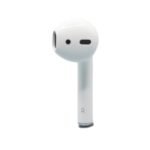
Apple EarPods offer solid value with brand reliability and convenient controls at a moderate price point for wired earphones.
Price vs. rivals
Cheaper
CheaperTypicalPricier
This product is priced at the lower end of the wired earbud market, significantly below premium options and comparable to basic bundled earbuds from other brands.
Ease of use
Excellent 92/100
Simple plug-and-play design with intuitive inline remote makes them very easy to use for most people.
Overview: An Honest Apple EarPods Review
Looking for a straightforward Apple EarPods review that tells you what’s what? The short answer: if you want wired earbuds that just work with your iPhone — especially the newer USB-C models — these are the best wired earbuds for iPhone at this price. For $19, you get a reliable remote, decent sound, and zero pairing nonsense. They’re simple. They work. And they’re probably better than you remember.
Key Features: What You Get with Apple EarPods USB-C
USB-C plug — This is the whole reason they exist now. Plugs straight into iPhone 15 or later, iPad Air, iPad Pro, and most modern MacBooks. No adapter required, which saves you the $10 Apple would’ve charged for a dongle.
Built-in remote with mic — Play, pause, skip tracks, adjust volume, take calls. That little pod on the cable has three buttons and a mic. Works for phone calls, FaceTime, voice memos, and dictation. One button does a lot.
Open-ear design — The earbud shape sits outside your ear canal. You’ll hear ambient noise — traffic, coworkers, your kettle boiling — which is a feature, not a bug, for certain situations. More on that later.
Classic EarPods shape — Same sculpted plastic that’s been around since 2012. It either fits your ears comfortably or it doesn’t. There’s no in-between, and Apple has never offered different sizes.
3.5 mm adapter in the box — Wait, no. With the USB-C version, you don’t get one. If you need to plug into an old headphone jack, you’ll need a separate USB-C to 3.5 mm adapter. Something to know before you buy.
It’s $19 — That’s the price. No more, no less. For what you get, it’s almost an impulse buy. But an impulse buy that you might actually use every day.
Fit for You: When These Earbuds Make Real Sense
You own an iPhone 15 or newer and you’re tired of Bluetooth pairing glitches during your morning commute.
You’re the person who lets coworkers borrow your earbuds for a quick call — these are cheap enough that you won’t stress about it.
You run on a treadmill and don’t want to worry about a $250 pair of wireless earbuds flying off and hitting the machine.
Your kid needs a pair of headphones for school that won’t get lost, broken, or eaten by the dog in the first week.
You work from home and need a backup pair for Zoom calls when your AirPods are dead on the charger.
You’re flying and want something that doesn’t need charging, doesn’t have latency, and doesn’t make you hunt for a Bluetooth menu when the cabin crew announces boarding.
Uses: Where the EarPods USB-C Earn Their Keep
Picture this: you’re on a video call and your AirPods die. You’ve got a meeting in 30 seconds. You grab the EarPods, plug them into your MacBook, and you’re in. No pairing, no “connecting…” spinner, no muting yourself by accident. That’s the use case that sells these things.
Or: you’re walking through the city and want to hear what’s happening around you — car horns, bike bells, someone calling your name from across the street. Open-ear earbuds let you keep your awareness. Same reason runners use them on roads. You trade a little bass for a lot of safety.
Then there’s the phone call quality. The mic on the EarPods cable is genuinely good. People on the other end will hear you clearly, even in moderately noisy rooms. That’s because the mic sits close to your mouth, not dangling somewhere near your cheekbone like most wireless earbuds.
And if you’re the kind of person who falls asleep listening to podcasts? The flat cable and lightweight design mean you can lie on your side without a hard plastic chunk digging into your ear. A small thing, but real.
Experience: Living with the Apple EarPods USB-C
Setup is comically simple. You plug them in. That’s it. No Bluetooth menu, no “forget device,” no “is it connected to my phone or my iPad?” drama. They just work. The remote controls volume, playback, and calls with a click that feels satisfyingly tactile.
The cable is that familiar flat rubbery cord Apple has used for years. It doesn’t tangle as badly as round cables, but it’s not magic — leave it in a bag for a day and you’ll still spend ten seconds untangling it. The plastic housing on the earbuds is smooth and glossy, which means it slides out of your ear if your hands are sweaty. Owners tend to mention that. A small ridge would’ve helped here.
Sound quality is… fine. Let’s be honest: these are not audiophile earbuds. The bass is present but not punchy. Mids are clear enough for podcasts and phone calls. Highs can get a little sharp on certain tracks, but nothing offensive. For the price, they’re perfectly adequate. For music listening on a noisy bus, you won’t notice the flaws.
The mic pod sits about chin height on the right cable. It’s light enough that it doesn’t pull on the earbud, but you’ll feel it brush against your collarbone now and then. A small annoyance, not a dealbreaker. Cleaning is straightforward — a little rubbing alcohol on a cloth, wipe the grille, done. No mesh to tear.
The biggest real-world annoyance? If you’re used to wireless earbuds, you’ll reach for your pocket to skip a track, forgetting the remote is on the cable. That takes about a week to rewire your muscle memory. After that, it’s natural.
Pros and Cons
Pros
Instant plug-and-play — No pairing, no batteries to charge, no Bluetooth dropouts. Plug in and go. That reliability is the whole point.
Very good call quality — The inline mic is positioned well and picks up your voice clearly. Better than most wireless earbuds for phone calls.
You can hear your surroundings — Open-ear design means you’re not isolated. Safer for walking, running, or working in a shared office.
Works across Apple devices — iPhone, iPad, Mac, even some iPods. One pair, all your gear. The USB-C plug makes that even easier now.
It costs $19 — That’s less than a replacement charging case for AirPods. If you lose them, it’s not a crisis.
Cons
The fit is not universal — Apple’s one-size-fits-all shape either works for your ears or it doesn’t. No wingtips, no different sizes, no silicone tips. If they fall out when you yawn, you’re out of luck.
Very little bass — The open design leaks sound and lacks low-end punch. If you listen to hip-hop or electronic music, you’ll notice the absence. Not a dealbreaker, but real.
No case included — You get just the earbuds. No carrying case, no pouch. They’ll live loose in your bag unless you buy a third-party case. For $19, it’s fair, but worth mentioning.
Cable microphonics — The cord transmits noise when it rubs against your jacket. You’ll hear it on quiet passages of a podcast. A clip solves it, but it’s an extra thing to buy.
Not sweat-resistant — No IP rating. You can use them for a light jog, but don’t take them into heavy rain or a drenching workout. They won’t survive that.
Advantages: Where the EarPods Beat the Alternatives
Compared to wireless options, the advantage is obvious: no charging. Your EarPods will never be at 2% battery when you need them. They’ll never “forget” your phone. They’ll never have that lag where you tap play and nothing happens for a second. For people who value reliability over convenience, that’s a real win.
Compared to other wired earbuds at this price — the $15 AmazonBasics or the $10 Skullcandy pair — the EarPods have a better mic and a more refined shape. The remote integration with iOS is tighter. Volume buttons work natively, the click feel is better, and the cord doesn’t turn into a rat’s nest as fast.
And in the EarPods vs AirPods comparison? AirPods win on freedom — no cable, no tug. EarPods win on price, call quality, and the fact that they can’t run out of battery mid-call. If you already own AirPods, the EarPods are a sensible backup. If you don’t, they’re a smart way to spend $19 while you save for the wireless upgrade.
Who Should Buy the Apple EarPods USB-C
Buy them if: You have a USB-C iPhone or iPad and want a simple, reliable pair of earbuds for calls, podcasts, and casual music listening. Also buy them if you travel and want a backup that won’t let you down.
Buy them if: You’re a runner or walker who needs to hear traffic and doesn’t want to spend $200 on open-ear wireless buds. These do the same job for 90% less money.
Skip them if: Your ears don’t like the standard EarPods shape. If the old ones fell out of your ears, these will too. Look at in-ear options with silicone tips instead.
Skip them if: You need deep bass or noise isolation. These leak sound and lack low-end thump. For music on a noisy train, you’ll be disappointed. Get a pair of in-ear monitors or noise-cancelling wireless buds for that.
Skip them if: You exclusively use Bluetooth and hate cables. You already know who you are. Stick with AirPods. These will just annoy you.
FAQ: Common Questions About the Apple EarPods USB-C
Are Apple EarPods worth it in 2025?
Yes, for $19 they are. If you need wired earbuds that work with modern Apple devices, there isn’t a better option at this price. The call quality alone justifies the cost.
What is the Apple EarPods sound quality like?
Clear and balanced, but light on bass. Great for podcasts, phone calls, and acoustic music. If you want thumping lows for hip-hop or EDM, look at in-ear buds with silicone tips.
Do the Apple EarPods USB-C work with Android phones?
They work as basic headphones — audio plays, the mic works for calls. But the volume and track controls may not function properly on all Android devices. Fine for listening, spotty for control.
How long do Apple EarPods last before they break?
With normal use, owners typically get 1–3 years. The cable is the weak point — it frays at the connector or earbud joint if you yank it out by the cord. Treat the plug gently and they’ll last.
Can you use Apple EarPods with USB-C for gaming?
Yes, and they’re actually decent for it. No Bluetooth latency means audio syncs perfectly with what’s on screen. The mic works for voice chat. The open design lets you hear your own voice, which helps avoid shouting.
Do the Apple EarPods USB-C work with the iPhone 15 Pro Max?
Yes, they plug directly into the USB-C port. No adapter, no pairing. All functions — audio, mic, remote controls — work exactly as expected.
Final Verdict: Apple EarPods Review — Bottom Line
Here’s the honest Apple EarPods review conclusion: this is a $19 product that does exactly what it promises. It plays audio clearly, takes calls well, and connects instantly with no fuss. The trade-offs — average bass, a one-size-fit-some design, and a cable that transmits noise — are real, but they’re also predictable. You know what you’re getting.
If you’re the kind of person who values reliability over flash, or you just need a backup pair that won’t let you down, these are an easy buy. The one thing to keep in mind: make sure the EarPods shape works for your ears before you commit. If it does, you’ve found your everyday wired earbuds for the next couple of years.
The Apple EarPods with USB-C are the unexpected long-lost cousin in Apple’s lineup: a $19 wired earbud that’s been quietly refreshed for the USB-C era. They’re not flashy, they don’t promise noise cancellation, and they certainly won’t impress anyone at the gym. But for the specific person who just wants earbuds that work—no pairing, no charging, no fuss—these are a weirdly sensible choice. The question is whether they’re your sensible choice, given the alternatives sitting on shelves right now.
Product
Price Range
Key Strength
Key Weakness
Best For
Apple EarPods USB-C
~$19
Polished remote + mic, comfortable open fit
Zero noise isolation, audio is “fine” not “great”
iPhone users who hate Bluetooth pairing and charging
Sony MDR-EX15AP
~$12–$15
Bass-forward sound, snug in-ear seal
Cheap cord tangles easily, barely acceptable mic
Bass lovers on a tight budget
Google Pixel USB-C Earbuds
~$29
Better bass and passive noise isolation than EarPods
Bulky housing, remote is clunkier, less durable cord
Pixel or Android users who want a USB-C inline control
Expensive, no inline remote, requires an adapter for USB-C
Musicians or critical listeners who need monitoring
Apple EarPods USB-C vs Sony MDR-EX15AP
If you’re looking at the Apple EarPods review pages and thinking “I just want cheap earbuds,” the Sony MDR-EX15AP is the monkey wrench. For about five bucks less, Sony gives you an in-ear design that actually blocks out the subway rumble. The EarPods sit loosely in your ear—fine for a quiet office, annoying on a noisy bus. But Sony’s cord is that thin, plasticky stuff that tangles itself while you blink, and its remote is a one-button affair that only handles play/pause and calls. Apple’s remote lets you adjust volume without fishing for your phone, which matters more than you’d think when you’re walking the dog. So: if your commute is loud, grab the Sonys. If you want volume control without digging in your pocket, stick with the EarPods.
Apple EarPods USB-C vs Google Pixel USB-C Earbuds
The Google Pixel USB-C earbuds are the closest direct alternative to the Apple EarPods USB-C. Both are made by phone companies for their own ecosystems. Google’s design uses silicone tips that nest inside your ear canal, which instantly gives you better isolation and a tighter low-end. The EarPods sound airy and open; the Pixels sound punchier and fuller. But Google’s remote is a teardrop-shaped bump that’s harder to find by feel, and the cord kinks near the plug after a few months. Apple’s remote is a flat rectangle you never fumble, and that reinforced Lightning-to-USB-C transition on the EarPods? It holds up better than the Pixel’s straight rubber sleeve. The Pixel buds also cost about $10 more. If you’re on Android, the Pixel earbuds make more sense for call quality and bass. If you’re on iPhone, the EarPods win for sheer integration—volume controls just work, and Siri responds instantly.
Apple EarPods USB-C vs Sennheiser IE 100 Pro
This comparison seems absurd—$19 versus $100—until you realize someone searching “best wired earbuds for iPhone” might land on both. The IE 100 Pro is a studio monitor: detachable cable, replaceable filters, sound so clean you hear spit on the hi-hat. You’d use these to mix a track or to catch every detail in a jazz recording. The EarPods don’t try to be that. They’re for podcasts, phone calls, YouTube videos, and the occasional pop song where you don’t care about the third violin. But the IE 100 Pro ships with a 3.5mm plug, so you’ll need a USB-C adapter (another $9) if you’re using a modern iPhone or a MacBook. Suddenly that $100 becomes $109, and you’ve got a dongle dangling off your pocket. The EarPods just plug in and work. If you need pro accuracy, get the Sennheiser. If you need a simple wired earbud that’s actually more convenient than wireless, the Apple EarPods are the smarter buy.
So who should buy the Apple EarPods USB-C? Anyone who owns a recent iPhone or iPad, hates charging AirPods, and spends most of their listening time on calls, podcasts, or casual music in a quiet room. The remote and mic quality are genuinely best-in-class at this price. Who should skip them? Anyone who wants bass, noise isolation, or a premium audio experience—grab the Sony MDR-EX15AP for the bus, or if you’ve got the cash, the Sennheiser IE 100 Pro for your desk. The EarPods aren’t the best-sounding wired earbuds you can buy. They’re the most forgiving—and for a lot of people, that’s exactly what “are Apple EarPods worth it” really means.
Ready to decide on the Apple EarPods USB-C?
See today’s price, stock and delivery options on Amazon.