Exceptional value for a feature-rich, extra-long strip at an entry-level price point, widely praised by users.
Price vs. rivals
Cheaper
CheaperTypicalPricier
Very low price for a 110ft RGB LED strip with music sync, far cheaper than most alternatives of similar length and features.
Ease of use
Excellent 85/100
The LED strip lights are generally easy to use with intuitive app control and music sync, though initial setup and adhesive placement may require some patience for an average user.
Overview
If you’re looking for cheap room lighting that can bounce to your playlist, the DAYBETTER LED Strip Lights review you’re reading now probably started the same way mine did: you saw a photo of a glowing desk and wondered if a ten-dollar roll could actually pull it off. Short answer: yes, for what it costs. This is a 110-foot roll of RGB strip lights with a music-sync feature controlled through a smart app. It solves the problem of wanting colorful accent lighting without spending fifty bucks. But it’s really for people who want a lot of strip for almost nothing — and who are okay with a little extra effort during setup.
Key Features
110 feet, one continuous roll – That’s enough to wrap around a queen bed frame twice or run along the baseboards of a medium-sized bedroom. You won’t have to splice two rolls together.
Music sync via built-in microphone – The strip has a small mic on the control box. It listens to whatever’s playing and changes colors to the beat. Works better with bass-heavy tracks; classical can look random.
Smart app control (Smart Life) – The same app used by a bunch of generic smart-home gadgets. You pick colors, set timers, adjust brightness, and save scenes. No hub needed — just Bluetooth and Wi-Fi.
RGB with 16 million colors – You get the full rainbow, plus white light modes (though the white leans a little cool, not warm).
Adhesive backing and included clips – The strip comes with 3M tape on the back. The clips are plastic and help hold corners. On painted drywall the tape sticks fine; on textured walls you’ll want the clips.
Cuttable every 3 LEDs – If you need a shorter run, snip at the marked line. The remaining piece still works, and the cut-off part can’t be reused unless you solder.
Fit for You
You’re setting up a bedroom accent wall behind your headboard and want a soft glow that’s not fighting with your lamp.
You host small hangouts in your living room and want the lights to thump along with your speaker — without spending more on lights than you did on the speaker.
You’re a dorm or apartment dweller who can’t install permanent fixtures and needs something peel-and-stick that won’t lose your deposit.
You have a desk or gaming setup that feels a little lifeless and a strip behind the monitor would give it personality.
You’re on a tight budget for holiday decorations but still want the house to feel festive — 110 feet covers a decent-size tree or mantel and windows.
You bought a cheaper strip before and got tired of the app crashing. The Smart Life app is actually stable, though not as polished as Govee’s.
Uses
Behind a bed headboard, set to a warm orange fade, the strip turns an otherwise dark corner into a cozy reading nook. You can dim it low enough not to bother your partner.
At a small party, switch to music mode with red-and-blue pulses. The mic picks up the beat pretty well — it’ll flash with the kick drum. No fancy DMX setup, just a decent party trick for ten bucks.
Under kitchen cabinets (if you have a smooth surface), the adhesive holds fine and gives counter lighting without the cost of hardwired under-cabinet fixtures. Just keep the control box out of sight — it’s not tiny.
Behind a TV, you can set it to “video mode” in the app to match the screen colors roughly. It’s not bias lighting because the strip only does one color at a time, but it adds a fun halo effect during movies.
Experience
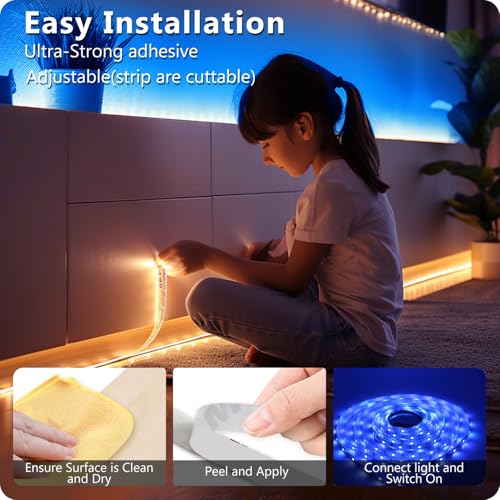
Setting up 110 feet of strip takes patience. The first hour is unrolling, pressing down the tape every few inches, and hoping you don’t create a kink that kills the connection. The adhesive sticks well to clean flat surfaces, but on textured ceiling corners it lost grip after two days. The plastic clips saved the run there.
The app pairing is straightforward: download Smart Life, press the button on the control box, and add device. Took me under three minutes. Once paired, the app responds quickly — no lag that makes you stab at the brightness slider twice.
Music sync mode is the headliner, but it has a quirk. The mic picks up ambient noise, so if you’re in a loud room the lights can go haywire. You can adjust the sensitivity in the app, but it’s not perfect. For a quiet bedroom playlist it’s fine. For a crowded living room, expect some random flickering.
The remote that comes in the box is basic — buttons for on/off, a few color choices, brightness, and music mode. It works through IR, so you need line-of-sight. The app is way more flexible.
Cutting the strip: I measured my desk, snpped at the cut line, and the remaining part kept working. The cut piece is dead without soldering, so measure thrice. Also, the 110-foot roll weighs about a pound — the control box is the bulk of it. You’ll need an outlet near where the strip starts because the control box has a wall plug, not a USB.
Cleaning? You don’t really clean the strip itself — just dust the surface before sticking. If you re-pose it, the adhesive loses stickiness. Use the included clips for repositioning.
Pros and Cons
Pros
Price – $9.99 for 110 feet is absurdly low. Comparible single-room strips from Govee start around $20 for half the length.
App stability – Smart Life is a mature platorm. It doesn’t crash mid-session, and it integrates with Alexa/Google Home if you ever go that route.
Color accuracy – For the cost, the RGB colors are vibrant. Red looks red, not pink. Blue looks deep.
Easy customiation – Setting timers and saving scenes means the strip can automate your morning wake-up light or evening wind-down.
Length – 110 feet covers a large room in one go. You don’t have to fiddle with connectors or exensions (unless you need more).
Cons
Adhesive isn’t permanent – On textured walls, painted wood, or any surface that’s not perfectly clean and smooth, the tape will peel within weeks. The clips help but are plastic and can crack if overtightened.
Music sync can be jumpy – The mic picks up everything, not just the beat. In a room with talking or a fan, the lights react to the noise, not the music.
No individual segment control – The whole strip shows one color at a time. No chasing effects or multi-color zones unless you buy a controller with more addressable LEDs (this one doesn’t).
Control box is bulky – The box measures about 3 inches by 2 inches, and the plug adds length. It’s hard to hide behind furniture without it dangling.
White light is cool – The “white” setting is a blue-ish cool white, not warm like incandecent bulbs. If you want a cozy warm white, you’ll have to mix RGB (red+green) and it won’t look perfect.
Advantages
Cost per foot – At roughly 9 cents per foot, it’s the cheapest reliable strip I’ve seen in this category. Govee strips run about 20 cents per foot.
App maturity – The Smart Life ecosystem is used by dozens of brands, meaning more community presets and smart-home integration guides online than some obscure brands.
Length without extensions – Most budget strips max out at 32 feet. This gives you triple that in one roll, which matters for big rooms or outdoor patio setups (if the controller is kept dry).
Easy cut-ability – Marked cut lines ever 3 LEDs let you size it exactly. Some cheaper strips require cutting through copper pads blind.
Who Should Buy
Buy it if – you need a lot of strip lighting on a tight budget, you’re okay spending an hour on install, and you want music sync that’s good enough for a party, not a concert.
Skip it if – you want addressable LED effects (individual color control), or you need a pure warm white for daily task lighting. Look at the Govee RGBIC strips instead (they cost more but let each segment do its own thing).
Skip it also if – you’re putting the strip on a rough or textured wall, unless you plan to use the clps and maybe a bit of extra tape.
Buy it for a beginner’s setup – a first apartment, a kid’s room, a rental where you can’t drill holes. It’s cheap enough to replace if you mess up.
FAQ
Is the DAYBETTER LED Strip Lights worth it?
Yes, for the price. You get 110 feet of RGB strip, a stable app, and music sync that works well in quiet settings. The trade-offs are the adhesive and the single-color limitation, but at $9.99 it’s hard to complain.
How long does it last?
Expect the LEDs themselves to last years – typical LED lifespan is 20,000+ hours. The adhesive may weaken earlier. The control box is the weak point; past buyer reports mention it dying after about 18 months with heavy use.
Can the DAYBETTER strip be cut and still work?
Yes, cut at the marked lines every three LEDs. The remaining strip works as normal. The cut-off piece cannot reattach without soldering. Plan your cuts before applying.
Is it safe to leave on overnight?
Yes, for short periods. The control box is UL-listed for low voltage (12V). The LEDs don’t get hot enough to harm furniture, but don’t cover the control box – it can warm up a bit.
Does it work with Alexa or Google Home?
Yes, through the Smart Life app. Add the skill to your voice assistant and say things like “Alexa, turn on bedroom lights to red.” It works, but naming the strip helpfully in the app matters.
How does the DAYBETTER compared to Govee LED strip lights?
Govee strips cost more but have stronger adhesive, longer warranties, and often offer addressable segments for effects. DAYBETTER gives you more length for less money but skips multi-color zones and has weaker tape. For basic ambient lighting, DAYBETTER wins on value; for effects, Govee.
Final Verdict
The DAYBETTER LED Strip Lights are a solid high-value pick if you want to add color lighting to a room without spending much. You’ll get the length you need, the app works, and the music sync is a fun bonus. But the adhesive is meh, and you can’t control sections individually. For the price – just over ten bucks – it’s worth grabbing if you’re patient with the install and don’t need professional-grade gear. Keep a few extra clps handy and you’ll be fine.
DAYBETTER LED Strip Lights vs the Competition in 2026
The LED strip market has never been more crowded. You’ve got smart-home giants, no-name brands selling by the pound, and then there’s DAYBETTER — a name that somehow manages to be both budget-friend and feature-complete. At roughly $10 for 110 feet, the DAYBETTER LED Strip Lights undercut most rivals by a mile. But cheaper doesn’t always mean better for your bedroom ceiling or behind your desk. So here’s the real question: is this the strip you should actually buy, or should you spend more for something from Govee, Philips Hue, or Lepower? Let’s line them up.
Product
Price Range
Key Strength
Key Weakness
Best For
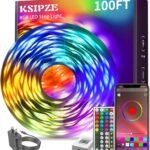
DAYBETTER LED Strip Lights 110ft
Under $15
Length-to-price ratio; music sync via built-in mic
Adhesive is weak; app occasionally lags
Budget-minded users who want mood lighting in a big room
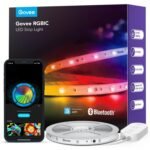
Govee LED Strip Lights (e.g., Govee H6159)
Mid-range ($20–$40)
Reliable app, scene modes, strong adhesive
Shorter strips often cost more per foot
People who want a dependable smart strip with minimal fuss
Home theater enthusiasts and smart-home power users
Lepower LED Strip Lights (e.g., 100ft roll)
Budget ($10–$15)
Cheap, simple, no app fuss (IR remote)
No music sync, no smart control, dimmer LEDs
Basic accent lighting where you don’t need an app
DAYBETTER LED Strip Lights vs Govee LED strip lights: the app and the glue
Let’s start with the matchup you’re most likely searching for: DAYBETTER LED Strip Lights vs Govee LED strip lights. Govee has earned a loyal following because its app doesn’t make you want to throw your phone against the wall. DAYBETTER’s app works — mostly. It connects through Bluetooth, and you’ll get the occasional “device disconnected” notification right when you’ve found the perfect sunset hue. But here’s the twist: DAYBETTER gives you a full 110 feet for the same money as a 32-foot Govee. That’s a lot more strip for your bedroom corners or under-cabinet runs. The trade-off? Govee’s adhesive sticks. DAYBETTER’s tape is just okay — you might need double-sided mounting clips (not included) after a few weeks. If you want to do a whole room and don’t mind fiddling with the app once in a while, DAYBETTER wins on scale. If you want a set-and-forget solution with a polished app, Govee is the better pick.
DAYBETTER vs Philips Hue: is the premium jump worth it for a bedroom?
Philips Hue Play Gradient Lightstrip costs about ten times what DAYBETTER does. That’s not a typo. You get the infamous Hue ecosystem — rock-solid Zigbee connectivity, gradient lighting that actually wraps around corners, and integration with your TV via the HDMI Sync Box. But here’s the thing: if you’re looking for the best LED strip lights for a bedroom, Hue is overkill unless you already own a Bridge and several bulbs. DAYBETTER’s RGB music sync (it listens through a built-in mic) is surprisingly responsive for a $10 strip. Sure, it’s not as smooth as Hue’s gradient effects, but for bouncing colors to a Spotify playlist while you’re reading in bed, it’s more than fine. The DAYBETTER strip also runs off USB or a standard wall plug — no hub required. So is DAYBETTER LED strip worth it in this comparison? If your budget is under $20 and you just want decent bedroom mood lighting, absolutely. If you want theater-grade ambience and already have Hue kit, the premium price brings premium control.
DAYBETTER vs Lepower: the raw budget showdown
Lepower strips are the cheapest way to add color to a room — often you can snag a 100-foot roll for the same $9.99 as the DAYBETTER. But Lepower strips are dumb strips. You get a basic IR remote that you have to point directly at the receiver; walk out of line-of-sight and you’re stuck on “disco mode” until you find the remote again. DAYBETTER is a smart app controlled LED strip light. That means you can change colors from your phone without getting out of bed. More importantly, the music sync on DAYBETTER actually works fairly well. Lepower doesn’t offer that at all. The downside? DAYBETTER’s LEDs feel a bit more saturated (good), but the adhesive pad is thin and the controller box is slightly bulkier than Lepower’s. For a kid’s room or a dorm where you want to hand someone a remote and be done, Lepower is fine. For anyone who wants to schedule lights or sync to music without buying extra gear, the DAYBETTER is the smarter $10.
So who should pick the DAYBETTER LED Strip Lights? You, if 110 feet of app-controlled RGB with half-decent music sync for ten bucks sounds like a no-brainer — and you’re willing to reinforce the adhesive with a few clips. You don’t need pitch-perfect color accuracy or a hub ecosystem. This is the strip for covering a long stretch of ceiling cove or the entire back of a large desk without emptying your wallet.
Who should skip it? Someone who’s already invested in Philips Hue and wants seamless integration. Or anyone who hates dealing with flaky Bluetooth reconnects — in that case, grab the Govee H6159 for a few dollars more. And if you literally just want colored light and never want an app, the Lepower IR remote roll will do the job for the same price, no smartphone required.
Ready to decide on the DAYBETTER LED Strip Lights?
See today’s price, stock and delivery options on Amazon.