This KNAON thermal printer review starts with the short answer to the question you are really asking: yes, it is worth it for a small shop printing 4×6 labels. It works without ink, connects by Bluetooth, and costs $44.99. Just know it feels light and plasticky — that is the trade-off for the price.
Competitive feature set and solid compatibility for small businesses at a reasonable price, though not the absolute lowest cost or highest build quality in the market.
Price vs. rivals
Typical
CheaperTypicalPricier
Priced near the middle of the range for portable 4×6 thermal printers, competitive with many budget and mid-tier alternatives.
Ease of use
Great 75/100
Wireless Bluetooth setup and broad compatibility make it fairly easy for average users, though initial pairing and app configuration may require some patience.
Overview: KNAON Thermal Printer Review
If you have ever wrestled a sheet of sticker paper into an inkjet printer and watched the ink bleed into the paper fibers, you know exactly why the category exists. Thermal printers skip all that. The KNAON is a direct thermal printer that takes standard 4×6 shipping labels and heats the image onto the paper. No toner, no ink.
This printer is built for the person who sells things from their dining room or garage. It is a 4×6 thermal label printer for shipping that connects over Bluetooth to your phone or over USB to your laptop. It works with Shopify, Etsy, eBay, PayPal, and the major carrier sites. If you fit that picture, this machine is aimed right at you.
Key Features
True Bluetooth and USB Connectivity – You can print from an iPhone, an Android tablet, a Windows laptop, or a Mac without digging for a serial cable. The Bluetooth setup takes about a minute once you install the app.
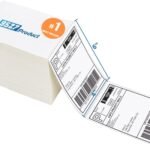
Direct Thermal Printing – There is no ink cartridge, toner, or ribbon inside this box. You buy rolls or fanfold labels, load them, and the printer does the rest with heat. Each label costs a fixed price with no consumable surprise.
Standard 4×6 Label Support – It accepts the same size label that USPS, UPS, FedEx, and every major shipping platform uses. It can also handle half-sheet labels if you tear them along the perforation.
Wide Platform Compatibility – The KNAON shipping label printer compatible with Shopify syncs right in. It also works natively with Etsy, eBay, Poshmark, Mercari, and PayPal. You do not need a third-party driver wrapper.
Compact Footprint – The printer is narrower and shorter than a shoebox. It slides onto a shelf or shares a desk corner without crowding your keyboard.
Fast Print Speed – Expect a label in roughly three to five seconds. It will not keep up with a warehouse fulfillment line, but it keeps pace with a one- or two-person operation without making you wait.
Fit for You
You should buy this printer if any of these sound familiar:
You ship between 5 and 50 packages a week and you are tired of taping paper labels onto boxes.
You run an Etsy shop from your apartment and your desk is small enough that a full-size laser printer feels like a parking violation.
You want to print labels from your phone while you stand next to the stack of boxes, walking back and forth to the computer only when absolutely needed.
Your current printer sits idle for days or weeks, and you are sick of the inkjet cartridges drying out or clogging between shipping days.
You are launching an online store and a $200+ dedicated label printer is not in the budget right now.
You sell on Poshmark or Mercari and want to print the prepaid label on a thermal label without formatting headaches.
Uses
You finish packing a customer’s order on your kitchen counter. You open the Etsy app on your phone, hit “print label,” and the KNAON wakes up and spits out the label. You peel the backing, stick it on the poly mailer, and it is ready for the carrier.
For anyone selling vintage furniture or breakables, the thermal process is a small mercy. You are not feeding label sheets through a laser printer and hoping the toner does not smear when you handle the box.
The portable thermal address printer for Etsy aspect is real. Because it runs on standard wall power and connects wirelessly, you can set it up on a folding table during a packing session and unplug it when you are done. It fits in a tote bag well enough for a craft fair or a popup shop where you want to print shipping labels on site.
It also works for printing return labels, customs forms, and inventory bin labels if you use the half-size labels. It is a one-trick pony, but it does its trick well.
Experience
Setup. You unbox it, plug in the power cord, and load the labels into the back slot. The printer ships with a short USB cable and a power adapter. You connect it to the app and let it find the printer over Bluetooth. Total time from box to first label is roughly ten minutes.
Daily use. The print quality is sharp for a thermal printer. Black marks on the white label are dark and crisp. Text stays legible down to small address lines. The adhesive on standard labels is strong enough to stay on cardboard without peeling.
Small annoyances. The plastic casing flexes if you push on it. It is a lightweight machine, which helps portability but hurts the feeling of durability. The Bluetooth connection can sometimes idle into a deep sleep that takes a few seconds to wake up when you send a job.
The printer makes a whirring and clicking sound during operation. It is not quiet enough for a silent office, but it is not loud enough to bother someone in the next room.
Label curl is present. Heat from the print process curls the label slightly as it comes out. Most thermal printers do this, but the KNAON does not have a strong built-in straightener. You can curl the label backward gently before sticking it on the box.
Pros and Cons
Pros
Price – At $44.99, it undercuts almost every brand-name competitor by a wide margin. You get ink-free printing for less than a typical toner refill.
Wireless printing – Bluetooth removes the cable tether. You can print from your phone or tablet without standing at the computer.
Setup speed – From the box to printing a label takes under 15 minutes. The drivers load automatically on modern operating systems, and the app finds the printer reliably.
Platform compatibility – The compatibility with Shopify, Etsy, and the other major platforms is genuinely plug-and-play. You do not need to adjust label templates.
Cons
Build quality – The enclosure is thin plastic. It rattles slightly on hard surfaces. This is not a printer that will survive a drop onto a concrete floor.
Bluetooth connection drops – Occasionally the printer loses the wireless connection and requires a power cycle to re-pair. It is not a daily occurrence, but it happens enough to mention.
No Ethernet port – You are limited to a direct USB connection or Bluetooth. It will not sit on a shared office network easily without tying up a computer.
Label curl – Freshly printed labels curl forward. You have to bend them back flat before applying them to avoid edges lifting.
Slow wake time – After a few minutes of inactivity the printer goes into a deep sleep mode. The first print job can take 10 to 15 seconds to start as it wakes up.
Advantages
A fair KNAON vs Rollo thermal printer comparison shows where the budget savings come from. A Rollo costs roughly three times as much and offers a metal chassis, faster wake times, and slightly lower label curl. The KNAON prints the same 4×6 labels at the same resolution with the same broad platform compatibility for a third of the price. If you are printing 20 labels a week, the Rollo advantages are hard to justify.
Against other budget printers in this price range, the KNAON has a straightforward Bluetooth pairing and does not require a driver download for the major selling platforms. The mobile app is basic but functional. Compared to an inkjet or laser printer that you already own, the KNAON wins on cost per label and convenience. There are no ink cartridges drying out. There is no paper jamming from sticker sheets. You push print and stick the label.
Who Should Buy
Buy it if you are a solo seller, a small Etsy shop, or just starting out and you want a dedicated label printer that works reliably without a huge upfront cost.
Buy it if you print from a phone or tablet and you want to stay wireless.
Buy it if your current printer setup makes you hate packing orders.
Skip it if you ship over 100 packages a week. The construction and speed are better suited to light use.
Skip it if you need to share the printer across several computers on a wired network. Look for an Ethernet model or a Rollo instead.
Skip it if you treat your tools roughly and need a metal chassis. This plastic body is not built for a workshop environment.
FAQ: KNAON Thermal Printer Review
Is the KNAON thermal printer worth it?
Yes, for a small business printing standard 4×6 labels, the KNAON delivers reliable, ink-free printing for $44.99. The value is clear when you compare running costs against an inkjet. You trade a bit of build quality for the lower price, and for most home sellers that trade makes sense.
KNAON vs Rollo thermal printer: what is the difference?
The KNAON vs Rollo thermal printer question comes down to budget. Rollo is metal, faster, and has better customer support. The KNAON costs a third of the price and prints the same labels with the same quality at a slower pace. If the price difference matters to you, get the KNAON.
Is the KNAON shipping label printer compatible with Shopify?
Yes, it integrates directly with Shopify. When you generate a shipping label in Shopify, you select the KNAON as your printer, and it formats the 4×6 label automatically. It works the same way with Etsy, eBay, and PayPal without special drivers.
What labels does it use?
It uses standard 4×6 direct thermal labels, either fanfold or roll. It does not require any special brand. Avoid glossy coated labels. Standard thermal paper works best and will not leave residue on the print head.
Does it work with a phone or just a computer?
It works with both. You connect via Bluetooth to an iPhone or Android phone using the dedicated app. For computers, you can use Bluetooth or the included USB cable. Print from the app on your phone, or direct from a browser label generation page.
How long does the printer last?
Owners typically report getting a year or more of light to moderate use. The plastic parts are the main wear items. If you print fewer than 50 labels a week and do not move it around constantly, expect several years of service from the electronics and print head.
KNAON Thermal Printer Review: Final Verdict
If you are reading this KNAON thermal printer review to decide whether to buy, the answer is clear: get it if you run a small shop and want to stop buying ink and messing with label sheets. It prints cleanly, connects wirelessly, and costs $44.99.
The one thing to keep in mind is that the plastic construction is not built for a warehouse floor. But for a dining table operation? This printer is the right tool for the job.
KNAON Bluetooth Thermal Printer vs the Competition in 2026
You don’t need a label printer that costs three times as much to ship orders from your living room. The KNAON Bluetooth Thermal Printer, at about $45, is the sort of device that makes you wonder why anyone pays more. This KNAON thermal printer review is more about trade-offs than specs: it’s a thermal printer, no ink needed, and it handles the usual 4×6 shipping label. It also works with your phone, which is a bigger deal than you might think when your order queue arrives while you’re not at your desk. The trade-off is visible the moment you pick it up: the shell is light, the build is budget, and the buttons feel generic. That’s the price of the price.
Product
Price Range
Key Strength
Key Weakness
Best For
KNAON Bluetooth Thermal Printer
Budget (about $45)
Phone-first printing and marketplace compatibility at a low entry price
Light plastic build; no heavy-duty feed
Home sellers printing 4×6 shipping labels in small batches
Rollo Wireless Printer
Premium (well above budget)
Dependable feed, long track record, solid software
Price is several times the KNAON
High-volume shippers who can’t risk a jam
MUNBYN R450
Mid (above KNAON, below Rollo)
Sturdier middle path with Bluetooth and USB
Setup can stall on Windows driver issues
Small businesses that print more than a few labels a day
Phomemo PM-246
Budget to mid (slightly above KNAON)
Real portability and a compact size
Less forgiving with label rolls; not built for long shipping-label sessions
Address labels away from a full workstation
KNAON Bluetooth Thermal Printer vs Rollo Wireless Printer
The KNAON vs Rollo thermal printer debate comes down to risk. If you’re choosing between the KNAON Bluetooth Thermal Printer vs Rollo thermal printer, ask how many labels you print before noon. Rollo’s wireless model has a heavier frame, a thicker feed mechanism, and a long reputation for not jamming when you’re packing 100 orders before the post office closes. The KNAON is lighter and costs a fraction of the price. For a new shop printing 10 labels a day, the KNAON is enough. For a business where a jam means a missed pickup and refund claims, the Rollo is the alternative that quietly pays for itself. You’ll feel the difference when you snap the label roll into place: the Rollo has a satisfying, solid click. The KNAON is a little looser, like a printer that expects you to be careful.
KNAON Bluetooth Thermal Printer vs MUNBYN R450
MUNBYN sits right in the middle of this category. The R450 is a standard 4×6 thermal label printer with both Bluetooth and USB, and its build quality lands between the KNAON and the Rollo. The catch is setup. The KNAON shipping label printer compatible with Shopify, Etsy, and USPS is the easy one because the phone app just sees it over Bluetooth. The MUNBYN can force you into driver troubleshooting on Windows, especially if you prefer a cable. If you’re shopping for the best Bluetooth label printer for small business, the KNAON’s phone-first Bluetooth is the practical winner. The R450 has a more stable feed for long bursts, and the thicker plastic matters when you pack it into a cabinet every night. Think of the KNAON as the easy choice and the MUNBYN as the cautious choice.
KNAON Bluetooth Thermal Printer vs Phomemo PM-246
Phomemo makes the portable argument. The PM-246 is a smaller label printer you can genuinely carry to the post office, but that portability comes with a narrower label path. It’s fine for address labels, not ideal for a box of shipping labels. The KNAON is still a desktop machine, just a light one. It’s not something you’ll carry in a backpack. But as a portable thermal address printer for Etsy, it fits a different routine: you print at home, pack at the same table, and don’t need a separate work area. The PM-246 makes sense if you’re mailing from a coworking space or a car. The KNAON makes sense if your “office” is a kitchen counter and you need one machine to handle real 4×6 shipping labels.
Is the KNAON thermal printer worth it? For a solo seller, an Etsy shop, or a small business printing fewer than 50 labels a week, yes. It’s the best 4×6 thermal label printer for shipping in that range because it does exactly what a shipping label needs to do and doesn’t require a second mortgage. Choose the KNAON Bluetooth Thermal Printer when money matters and your labels go out in batches, not all day long. If this comparison has one practical takeaway, it’s that the KNAON is the better deal, not the better machine. If you’re comparing KNAON Bluetooth Thermal Printer alternatives, the Rollo is the upgrade, the MUNBYN is the cautious middle, and the Phomemo is the travel printer. For a new company, this is close to the best Bluetooth label printer for small business because you can run it from your phone and not tie it to a desktop PC. The Rollo is the better machine. The KNAON is the better deal.
Ready to decide on the KNAON Bluetooth Thermal Printer?
See today’s price, stock and delivery options on Amazon.