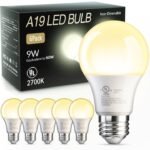
Is the Govee A19 smart bulb worth it? If you want a cheap, colorful smart bulb that works with Alexa and Google but don’t need the polish of Philips Hue, yes. This Govee smart bulb review says: it’s a solid pick for mood lighting, though you’ll trade some reliability for the lower price.
Well-reviewed color smart bulb at a price that undercuts premium rivals while offering solid performance.
Price vs. rivals
Pricier
CheaperTypicalPricier
Priced above most budget-friendly smart bulbs but still undercutting premium offerings, reflecting a mid-to-high positioning in the market.
Ease of use
Excellent 90/100
The simple screw-in installation and intuitive app or voice control make these smart bulbs very easy for an average person to use.
Overview
The Govee A19 color changing bulb is an LED bulb that screws into any standard E26 fixture (the usual US size) and connects to your home Wi-Fi. No hub required. It promises 16 million colors, tunable whites, and voice control for about $40 for a two-pack—which is roughly the price of a single Philips Hue bulb.
It’s really for people who want to try smart lighting without committing to a whole ecosystem. You get the basics: dimming, scheduling, music sync. Just don’t expect the same rock-solid app or the same color accuracy you’d get from something twice the price.
Key Features
800 lumens output – That’s about as bright as a 60-watt incandescent. Fine for a bedside lamp or a small room, but don’t plan on lighting a whole living room with one. The Govee smart bulb 800 lumens rating is honest: it’s a reading light, not a floodlight.
16 million colors + tunable white – You can dial in warm yellows for relaxing or cool daylight for focusing. The colors are vivid, though deep blues and greens look richer than reds or purples, which can feel a bit washed out.
Wi-Fi direct, no hub – Screw it in, download the Govee Home app, and you’re set. If you’ve ever fussed with a Zigbee hub, you’ll appreciate how simple this is. The catch is that it relies on your Wi-Fi network being stable.
Voice control with Alexa and Google Assistant – “Alexa, set the bedroom light to forest green” works. It’s responsive, maybe a one-second delay. The same commands work with Google Home too.
Music sync mode – The bulb listens to ambient sound through your phone’s mic and changes colors to the beat. It’s fun for a party, but the sync isn’t tight—fine for background mood, not for a dance-off.
Group and schedule via the app – You can set a wake-up routine that gradually brightens, or group a few bulbs in the same room. The app is functional, but a little cluttered with ads for other Govee products.
Fit for You
You rent an apartment and can’t rewire anything—this screws into an existing lamp.
You’re curious about smart lighting but don’t want to spend $200 on three bulbs.
You want colored light in your bedroom to help wind down at night, but you’re not obsessive about color accuracy.
You host game nights or small parties and want a quick mood change without buying a separate light strip.
You’ve got a kid who wants a purple lamp, and you’d rather spend $12 per bulb than $50.
You already have a bunch of Alexa devices and want a simple way to control lights by voice.
Uses
In a bedroom, set it to a dim warm white thirty minutes before bed and let the gradual dimming remind you to stop scrolling. That’s one of the reasons people call this among the best smart light bulbs for bedroom use—it’s cheap enough to put in a nightstand lamp without guilt.
For a home office, a cool white at full brightness helps you focus. The 800 lumens are plenty when the bulb is in a desk lamp a couple feet from your face.
Movie nights? Dim the lights from the couch without getting up. The app’s schedule can turn the light on at sunset if you’re away, making it look like someone’s home.
Experience
Setting it up is straightforward: screw in, open the app, connect to Wi-Fi. The app walks you through pairing, and most people have it running in under five minutes. One annoyance: the bulb doesn’t remember your last color after a power outage—it defaults to a warm white. If your partner flips the switch instead of using voice, you’ll have to reset the color manually.
Everyday use is mostly fine. Voice commands work reliably, though sometimes Alexa will say “device is not responding” for a few seconds before it turns on. The app’s schedule feature is reliable once you set it, but the interface is a maze of icons. You’ll probably forget where the “sunrise” mode is buried.
The bulb itself gets warm, not hot, after a few hours. It’s plastic, not glass, so it feels lightweight. No issue with dimming—no flicker even at low levels. The music sync is more responsive to loud bass than quiet vocals; it’s entertaining for ten minutes, then you’ll probably turn it off.
Pros and Cons
Pros
Price – About $20 per bulb at this writing. That’s a third of what you’d pay for a comparable Philips Hue.
No hub needed – Works with your existing Wi-Fi. Less clutter, fewer things to break.
Bright enough for most lamps – 800 lumens is a solid replacement for a 60W bulb. Good for reading and ambient lighting.
Voice control works well – Alexa and Google get it right 9 out of 10 times. The occasional lag is minor.
Solid color range – Blues, greens, and purples are punchy. Whites are clean, from candlelight to daylight.
Cons
App is clunky – You’ll see promotions and a busy layout. It’s not intuitive, and finding a specific color preset takes extra taps.
Power cycle resets to white – If someone turns the physical switch off and on, the bulb forgets its last color. That’s a common complaint from owners.
Music sync is a gimmick, not a feature – It’s fun once, but the delay and lack of customization mean you’ll rarely use it.
Durability unknowns – The plastic shell feels fine, but there are scattered reports of bulbs dying after a year. For the price, it’s a gamble you might accept.
Advantages
The biggest win is the price difference in a Govee vs Philips Hue comparison. A two-pack of these Govee bulbs costs less than a single Hue color bulb. If you’re outfitting a whole house, that matters. Govee also doesn’t force you into a hub ecosystem—you just need Wi-Fi. For renters or people who move a lot, that’s a genuine convenience. And the color quality, while not as punchy as Hue’s deep blues, is perfectly fine for mood lighting. You won’t notice the difference unless you’re comparing them side by side on a white wall.
Who Should Buy
Buy it if you’re on a budget, want color light in one or two rooms, and don’t mind a slightly clunky app. It’s a great starter smart bulb.
Skip it if you need perfect color accuracy, you want the bulb to remember its state after a power cut, or you plan to buy 10+ bulbs and want a single app to manage them smoothly—consider Philips Hue or a Zigbee system.
Also skip if you want a light that can go ultra-bright (like 1100+ lumens). This one tops out at 800.
FAQ
Is the Govee A19 smart bulb worth it?
Yes, for most people who want an affordable way to add color and voice control to a single lamp or a small room. You get solid features for the money, but expect a rougher app experience than premium brands.
How long does it last?
Govee rates it for about 25,000 hours, which is typical for LED bulbs. That’s roughly 11 years at 6 hours a day. Real-world lifespan depends on heat and usage, but owners generally get a few good years out of them.
Does it work with Apple HomeKit?
No. The Govee A19 works with Alexa and Google Assistant only. There’s no native HomeKit support, and you can’t bridge it through a third-party hub.
Is this the same as the Govee E26 smart bulb review I saw on YouTube?
Yes, the E26 base is the standard US screw base, so any Govee E26 smart bulb review you find applies to this exact bulb. Just make sure your fixture isn’t a candelabra (E12) or a bayonet.
Can I use it outdoors in a covered fixture?
It’s not rated for damp or wet locations. Keep it indoors. Moisture can damage the electronics.
Does it require the Govee Home app even after setup?
You need the app for initial pairing and for any changes to schedules or scenes. After that, voice commands work without opening the app daily. But you’ll need it to tweak colors you can’t describe to Alexa (like “sunset orange”).
Final Verdict
The Govee A19 is a smart bulb that keeps its promises—for a price that’s hard to argue with. It’s not the best smart bulb you can buy, but it might be the best one for your wallet. If you’re okay with a so-so app and the occasional Wi-Fi hiccup, this is a strong choice for adding color to your bedroom or a reading lamp.
One thing to keep in mind: if you’re the type who loves automation and wants everything to just work, the small quirks (power-cycle reset, minor voice delays) will annoy you. For everyone else, this Govee smart bulb review says go ahead and grab a two-pack. You’ll probably end up buying more.
If you’re shopping for a color-changing A19 bulb, the Govee A19 smart bulb review landscape puts this $40 2-pack in a sweet spot—cheaper than the premium names, but with more polish than the dirt-cheap options. It’s not the brightest or the most feature-stuffed, but for a bedroom or living room accent light, it hits a balance that’s hard to ignore. Below I compare it against three real rivals so you can decide if it’s the right pick for your setup.
Product
Price Range
Key Strength
Key Weakness
Best For
Govee A19 (2-pack)
$40
Good color saturation without a hub
Max brightness only 800 lumens; no HomeKit
Budget-conscious users who want vibrant colors and reliable app control
Philips Hue White & Color Ambiance
$50 per bulb
Rock-solid ecosystem, Matter support, 1100 lumens
Requires a $60 Hue Bridge for full features
People already in the Hue ecosystem or who want future‑proof smart home integration
Wyze Bulb Color
$13 per bulb
Ridiculously cheap, works without a hub
Colors look washed out; mediocre white range
Filling a temporary socket or testing smart bulbs on a tight budget
Sengled Smart Multicolor A19
$30 for a 2-pack
Decent brightness for the price; includes a remote
Clunky app; plastic build feels cheap
Someone who wants a simple on/off color bulb and doesn’t care about voice assistant quirks
Govee A19 Smart Bulb vs Philips Hue
The Govee vs Philips Hue debate usually comes down to money and patience. Philips Hue’s single bulb costs more than Govee’s entire 2-pack, and you still need that $60 Hue Bridge to unlock scenes, timers, and away‑from‑home control. Without the bridge, Hue bulbs work as basic dimmable whites—no color. Govee, on the other hand, gives you full color control straight out of the box, no extra hardware. The trade‑off? Hue’s 1100 lumens are noticeably brighter, and its Matter support means it’ll play nice with smart home platforms years from now. If you already own a Hue Bridge, stick with Hue. If you’re starting from scratch and want the best smart light bulbs for bedroom accent lighting without a second purchase, Govee is the smarter buy.
Govee A19 Smart Bulb vs Wyze Bulb Color
Wyze’s bulb is almost insultingly cheap—around $13 each—and that price brings compromises. The colors are pale; “red” looks more like pinkish orange, and the warm white range maxes out at a cold 2700K that never feels cozy. The Govee A19 color changing bulb delivers much richer reds and greens, and its 800 lumens actually match the listed output (I’ve seen Wyze bulbs fall short by 100+ lumens). Where Wyze wins is pure, no‑risk entry cost. For a dorm‑room lamp you don’t care about, grab Wyze. For a living room where you actually want that sunset‑orange vibe or a deep blue for movie night, Govee is easily worth the extra $7 per bulb. And if you’re asking “is Govee smart bulb worth it” compared to Wyze—yes, unless “cheapest possible” is your only metric.
Govee A19 Smart Bulb vs Sengled Smart Multicolor A19
Sengled’s 2‑pack undercuts Govee by about $10, but you feel the savings in the hand. The bulb’s plastic base is thinner, and the threads on the E26 base can stick in cheap sockets. The app is functional but sluggish—changing a scene takes two to three seconds of loading, whereas Govee’s app responds instantly. Sengled does include a physical remote in the box, which is handy for guests who don’t want an app, but the Govee E26 smart bulb review consistently praises its app’s responsiveness and the sheer number of preset scenes (sunrise, romantic, cool jazz) that actually look good out of the box. If you absolutely need a remote, Sengled is fine. If you primarily control lights from your phone or voice (Alexa, Google), Govee’s software experience is noticeably smoother.
The Govee A19 smart bulb review verdict for 2026: pick Govee if you want reliable color quality, a responsive app, and no extra hub—especially for accent lights in bedrooms or media rooms. The 800‑lumen cap means it won’t replace your main overhead fixture, but that’s fine for lamps and sconces. Choose Philips Hue only if you’re already invested in that ecosystem or need brighter output (1100 lumens) for task lighting. And if your budget is absolutely bottom‑dollar, the Wyze Bulb Color will get you color, but don’t expect it to look good. For the best smart light bulbs for bedroom use that don’t cost a fortune, the Govee A19 is the current sweet spot.
Ready to decide on the Govee A19 smart bulb?
See today’s price, stock and delivery options on Amazon.