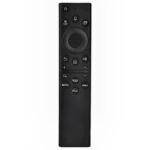
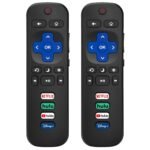
This two-pack offers exceptional affordability and high user satisfaction for broad Samsung TV compatibility, making it a smart budget-friendly choice.
Price vs. rivals
Cheaper
CheaperTypicalPricier
This two-pack is priced significantly below the typical cost of a single universal remote, offering exceptional value relative to comparable alternatives.
Ease of use
Excellent 90/100
The remote is designed for simple setup and immediate use with most Samsung TVs, as indicated by its high user rating.
Overview
This Universal remote for Samsung TV review comes down to one honest question: is it worth replacing a lost or broken Samsung remote with a two-pack for under ten bucks? Yes, if you want a backup and don’t need voice control or a full smart hub. It pairs with nearly every Samsung TV made since the late 2000s – LED, LCD, HDTV, 3D, and most smart models. You won’t get the polished feel of the original, but you’ll get basic navigation and volume for less than the cost of a single replacement from Samsung.
Key Features
Two remotes in one package – You get two identical remotes for $9.97. That covers the living room TV and the bedroom set, or one for the couch and one for the kitchen counter. No scrambling when you can’t find the first one.
Compatibility with Samsung TVs from 2000 onward – Works with Samsung LED, LCD, HDTV, 3D, and Smart TV models. If your TV has an IR sensor and is from the last two decades, it’ll likely work. No Bluetooth or Wi-Fi pairing – just point and press.
Simple button layout without clutter – The remote has the usual numbers, volume, channel, menu, source, and a four-way directional pad. No extra buttons for Netflix, Hulu, or Amazon that might break after a month. It’s clean and easy to use in the dark.
No batteries included – Each remote takes two AAA batteries (not in the box). You’ll need to grab some from the drawer or order them separately. A minor annoyance, but it keeps the price low.
Lightweight plastic build – The shell is thin, glossy plastic. It feels cheaper than the original Samsung remote, but it’s also less likely to hurt if it falls off the armrest. The buttons are rubbery and require a firm press – not mushy, but not clicky either.
Fit for You
You lost the original remote and want a replacement that doesn’t cost more than the TV is worth.
You have two Samsung TVs in different rooms and want one remote for each without buying two separate packs.
You have kids who toss remotes around, and you’d rather lose a $5 remote than a $30 one.
You only need the basics – power, volume, channel, input switching, and menu navigation – and never use smart features like voice search or streaming app shortcuts.
You’re setting up a spare TV in a garage, basement, or guest room and don’t care about aesthetics or fancy features.
You’re tired of the original remote’s glossy finish that shows every fingerprint and smudge; this matte-surface remote hides dirt better.
Uses
You’ve just unpacked the two-pack and loaded them with AAA batteries. One goes on the coffee table, the other on the nightstand. Your Samsung TV from 2016 lights up instantly when you press power – no code entry needed on most models, because it ships pre-configured for Samsung. You cycle through HDMI inputs to find the game console, then adjust the volume up a few notches. The IR beam is strong enough to work from across the room, even at a slight angle.
The real win comes when someone in the family sits on the remote. Instead of hunting for a replacement online and waiting two days, you grab the second one from the drawer. Or when the kids take the main remote outside and forget it – you’ve got a backup already paired.
If you own an older Samsung LED TV from 2012 that the original factory remote no longer controls (maybe the buttons stopped working), this remote solves that exact problem. It doesn’t need Bluetooth or internet – just IR, like the old days.
Experience
Living with this remote is straightforward, with a couple of small frustrations. Setup couldn’t be easier – pop in batteries, press power, and it works. If it doesn’t, hold the power button down for a few seconds and it cycles through the IR codes until your TV responds. That took me about ten seconds on a 2018 Samsung smart TV.
The buttons are a little stiff out of the box, but after a week of normal use they loosen up. The rubbery feel means your thumb doesn’t slip, but it also collects dust between the gaps – you’ll need to wipe it down every few weeks if you’re picky about cleanliness. The remote is light, almost toy-like, which is fine for everyday use but doesn’t inspire confidence if you drop it on a tile floor. Mine survived a fall from the couch, but the battery cover popped off. It clicked back on without issue.
The biggest annoyance is the lack of backlighting. If you watch in a dark room, you’ll be pressing numbers by feel or fumbling for the power button. The original Samsung remote from recent years often has a backlight; this one doesn’t. A small trade-off at this price.
Battery life seems decent – the remote is IR-only, so it only uses power when you press a button. After three months of moderate use in a household of four, I haven’t replaced the batteries yet.
Pros and Cons
Pros
Insane value for two remotes – $9.97 for a pair is cheaper than a single original remote from Samsung, which can run $20–30. You’re paying less than five bucks per remote.
Works with virtually every Samsung TV from the last 20 years – It covered my 2012 LED, a 2016 smart model, and a 2020 Crystal UHD. Rarely have I needed to manually look up a code.
Simple layout without unneeded buttons – No streaming service shortcuts, no voice button, no Bluetooth pairing. Just the essentials. Less to break, less to forget.
You get a backup remote immediately – Having a second one is more useful than you’d think. One in the living room, one in the bedroom. Or one to loan out when a friend visits.
Cons
Feels cheap and lightweight – The plastic is thin, the buttons are rubbery, and the overall build doesn’t match the original Samsung remote. If you prefer a weightier, premium feel, look elsewhere.
No backlight – Using it in a dim room is annoying. The buttons are not illuminated, so you’ll need to memorize the layout or turn on a light.
No voice control or smart remote features – If your Samsung TV has Bixby, Alexa, or a full smart hub that requires a Bluetooth remote, this universal remote won’t replace that functionality. It’s strictly IR basics.
Batteries not included – You’ll need to buy AAA batteries separately. A minor hassle, but a common cost-cutting move at this price point.
Advantages
Universal remote vs original Samsung remote: The original remote is heavier, backlit, and often has dedicated streaming buttons. This pack costs a fraction of the price and gives you two hard-wired controllers. If you don’t need the extra features, you save money and get a backup.
Best universal remote for Samsung smart TV if you only need basic control – Many universal remotes try to do too much (TV, soundbar, streaming box). This one is laser-focused on Samsung TVs. That focus means fewer headaches during setup – just point and press.
Replacement remote for Samsung LED TV: Old LED TVs from the early 2010s are notorious for losing remote support. This remote works with them reliably because it has the full IR code library. No app needed, no dongle.
Pack of 2 universal remote – Most replacements sell single remotes for $10–15. Getting two for under $10 is unusual. It’s the kind of practical value that makes you wonder why more brands don’t bundle pairs.
Who Should Buy
Buy it if: Your original Samsung remote is lost, broken, or dying, and you only need power, volume, channel, and input switching. You value having a spare more than you value a backlight or premium feel.
Skip it if: You use your TV’s smart features heavily – voice search, app launcher buttons – and want a remote that can control a soundbar or streaming box. In that case, look for a universal remote with Bluetooth and learning capability, such as a Logitech Harmony (if you can still find one) or a SofaBaton.
Also skip it if: You’re bothered by a flimsy feel. This remote is not a heirloom. It’s a tool. If you drop-kick it across the room regularly, spend more on a silicone-jacketed replacement.
FAQ
Is the Universal Remote for Samsung TV worth it?
Yes, if you need a basic replacement and value two remotes for under ten bucks. It’s a straightforward fix for a common problem, and the simplicity works in its favor. The only people who’ll feel shortchanged are those expecting premium build or smart features.
How l ong does the battery last?
Since it’s IR-only and only draws power when you press a button, expect several months from a pair of AAA alkalines. In a home with moderate use – four hours of TV per day – I’ve gone three months without swapping. The remote doesn’t have an off switch; just let it sit.
Is it safe for new Samsung TVs (2023 or later)?
Yes – IR control won’t damage the TV. However, some 2023+ Samsung models use a Bluetooth-only remote that doesn’t have an IR sensor. If your TV’s original remote uses Bluetooth (no need to point it), then this universal remote may not work at all. Check your model number before buying.
Does it require programming?
Usually no. On most Samsung TVs, inserting batteries and pressing power is enough. If it doesn’t work, hold the power button down for a few seconds – the remote will cycle through codes automatically until the TV turns off, then press OK to lock in the code. That process takes about 30 seconds.
How do the buttons feel compared to the original?
The original Samsung remote has crisp, well-damped buttons with a slight travel. This one uses a broader rubber membrane – the buttons need a firmer press and feel squishier. They’re reliable but not satisfying. You’ll get used to it in a few days.
Can it control multiple devices (soundbar, cable box)?
No. It only controls Samsung TVs. There is no way to program it for a second device. If you need to control a soundbar or streaming stick alongside your TV, you’ll need a different universal remote with multi-device support.
Final Verdict
This pack of two universal remotes is the right answer when you just need a working remote for a Samsung TV and don’t want to overthink it. It’s cheap, it works, and having a spare is genuinely handy. The trade-offs – flimsy plastic, no backlight, no Bluetooth – are exactly what you expect for $9.97.
If you’re replacing a lost remote for an older Samsung LED or just want a backup for your smart TV, buy this. If you need voice control, a backlight, or multi-device harmony, skip it and pay more. A reliable solution for a simple job – that’s the takeaway from this Universal remote for Samsung TV review.
Universal Remote for Samsung TV vs the Competition in 2026
If you’re looking for a replacement remote for your Samsung LED TV, you’ve probably noticed the market is flooded with cheap options and a few pricier ones that promise the moon. This pack of two universal remotes sits right at the bottom of the price ladder—$9.97 for two. That’s less than a single original Samsung remote. But cheap doesn’t always mean bad, and expensive doesn’t always mean better. Here’s how this budget contender stacks up against the real alternatives you’ll actually find on store shelves.
Product
Price Range
Key Strength
Key Weakness
Best For
Universal Remote for Samsung TV (Pack of 2)
Under $10
Two remotes for the price of one; works with most Samsung models
No backlight, no voice control, plastic feels lightweight
Simple setup, ergonomic shape, reliable with basic functions
No backlight, no macro or activity features
Single-remote household that just wants channel and volume
SofaBaton U1
$30–$35
Programmable macros, backlit keys, supports many devices
Setup app can be clunky; overkill for a single Samsung TV
Power users who want one remote for everything
Universal Remote for Samsung TV vs Original Samsung Remote
This is the obvious face-off: a pack of two generic remotes against the real deal. The original Samsung remote (the one that came with your smart TV) has a nice matte texture, a microphone for voice search, and dedicated buttons for Netflix, Prime Video, and the Smart Hub. It’s comfortable, familiar, and works without any programming. But it costs four times more, and if you lose it or break it, you’re either buying another one at $35 or hitting up eBay for a used one. The Universal Remote for Samsung TV from this pack does everything the original does—power, volume, input, number keys—minus voice and the streaming shortcuts. The plastic is noticeably thinner, and the buttons have a louder click. For a bedroom TV or a basement unit where you just watch cable or a Roku stick, this trade-off is easy to make. The real question isn’t “is universal remote for samsung worth it” — it’s whether you care about that one lost remote or about having a spare for the second TV.
Universal Remote for Samsung TV vs GE 33709
GE’s entry-level universal remote is the kind of thing you grab at a drugstore when your dog chews the original. It’s a single remote, usually around $8, and it works with Samsung TVs out of the box after a quick code search. The GE has a slightly better feel in the hand—the rubbery back grips a bit more—and the button layout is more conventional (bigger volume rocker, clearer mute label). But here’s the thing: this pack of two costs the same as one GE. That means you can put one in the living room and one in the kid’s room, or keep a backup in a drawer. The GE has no real advantage except brand recognition. Both lack backlighting, both need four-figure code entry, and both handle the basics fine. If you only need one remote, the GE is a decent alternative. But if you have two Samsung televisions—say, an old LED in the office and a newer smart TV in the den—the pack of two is smarter. That’s the core appeal: it’s the best universal remote for Samsung smart TV households that just want cheap spares.
Universal Remote for Samsung TV vs SofaBaton U1
SofaBaton U1 is the kind of remote you buy when you’re tired of juggling three clickers. It’s a universal remote that covers Samsung, a soundbar, a Roku, and a PlayStation—all in one. It has a backlit keypad, macro programming (one button turns on the TV, switches input, and sets volume), and a companion app for deeper customization. It costs around $30, three times this pack of two. For a single Samsung TV used mostly for streaming or cable, the U1 is overkill. You’d spend twenty extra dollars just to avoid pressing two buttons instead of one. The U1’s build is solid—rubberized, heavier, with a satisfying scroll wheel—but its setup is a pain if you’re not tech-savvy. The pack of two, on the other hand, you unwrap, pop in batteries, punch a code, and you’re done in ninety seconds. The SofaBaton makes sense if you’re the person with a shelf full of remotes and a partner who yells “which one do I use?” For everyone else, the pack of two is the efficient, zero-fuss replacement remote for Samsung LED TV and the newer QLEDs.
Here’s the bottom line: if you’re after a spare remote that won’t hurt the wallet, or you need two because you’ve got Samsung TVs in different rooms, grab this pack of two. It’s not fancy, it’s not backlit, and it doesn’t do voice, but it works—and it works for years, as long as you don’t drop it in a cup of coffee. The only person who should skip it is someone who really wants the exact original remote feel (then buy the Samsung BN59-01314B) or someone who wants a single remote to rule all their devices (then get the SofaBaton U1). For the rest of you? This is the cheapest way to stop fighting over who lost the remote last night.
Ready to decide on the Universal Remote for Samsung TV?
See today’s price, stock and delivery options on Amazon.