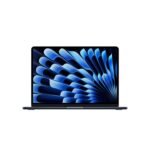
This Apple MacBook Air M5 review is straightforward. The 15-inch MacBook Air with M5 is the best all-around laptop for most people in 2026, as long as you understand its limits. It’s fast, silent, and the battery lasts forever. The question of whether the MacBook Air M5 is worth it really depends on your tolerance for a fanless chassis that throttles under sustained max load. For 90% of buyers, it absolutely is.
Combines Apple's latest M5 chip with a sleek design and strong ecosystem, offering excellent performance and features at a competitive price for a premium ultrabook.
Price vs. rivals
Pricier
CheaperTypicalPricier
At $1,399, this MacBook Air is priced at a premium over most Windows ultrabooks with similar specs, reflecting Apple's brand and ecosystem value, yet it remains competitive as a mid-to-high-end offering within the MacBook lineup.
Ease of use
Excellent 97/100
The MacBook Air's intuitive macOS, lightweight design, and features like Touch ID make it very easy for an average person to use.
Overview
The 15-inch MacBook Air with M5 chip review often starts with the screen, and for good reason. It’s a 15.3-inch Liquid Retina display that is huge, bright, and makes working in split view actually pleasant instead of cramped. This isn’t the Pro machine for rendering farms or 8K video editors. It’s the laptop for people who want a great screen and killer battery life without carrying a four-pound brick.
What problem does it solve? The “I want a big Mac but I don’t need the Pro price or weight” dilemma. It sits perfectly between the 13-inch Air (too small for real work) and the 16-inch Pro (too heavy and expensive for most). Apple’s M5 chip makes it snappy for almost everything you throw at it.
Key Features
M5 Chip with 16-core Neural Engine: This is the core of the best laptop for AI workflows 2026. Local AI image generation and large language model inference feel quick. You aren’t waiting forever for a Stable Diffusion prompt to resolve.
15.3-inch Liquid Retina Display: A massive step up from the 13-inch if you work with two documents or browser tabs side-by-side. Colors look accurate, text is sharp, and it gets bright enough to use on a sunny patio.
16GB Unified Memory & 512GB SSD: 16GB is the new baseline. It handles a dozen Chrome tabs, Slack, Spotify, and VS Code without breaking a sweat. The 512GB SSD is fast, but you will lean on iCloud or an external drive for big media libraries.
12MP Center Stage Camera: Finally, a MacBook camera that doesn’t look like a potato. You look good on Zoom calls, and Center Stage follows you around if you pace while presenting.
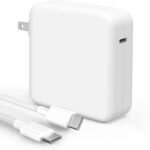
MagSafe and Wi-Fi 7: MagSafe is the best charging port ever invented. Wi-Fi 7 is future-proofing. Your current router probably doesn’t support it yet, but the laptop does.
Fit for You
You commute to campus or a coffee shop and need a battery that lasts all day without needing an outlet.
You write code, articles, or legal briefs all day and want a keyboard that feels crisp and a screen that doesn’t strain your eyes.
You edit photos in Lightroom on the go and value color accuracy over raw export speed.
You want to run local AI models to summarize text or generate images without relying on a cloud service.
You currently own a Windows laptop that sounds like a jet engine when you open a second browser tab.
Uses
AI Workflows: If you are running Ollama or DiffusionBee, the MacBook Air M5 is one of the best laptops for AI workflows 2026 without stepping up to a $3,000 workstation. It’s no dedicated GPU monster, but the unified memory bandwidth makes it a surprisingly capable machine for local LLMs.
University Life: Dragging a MacBook Air M5 for students around a crowded library is painless. It’s thin, silent, and the 15-inch screen means you can have a research paper on one half and a PDF on the other without squinting. The battery genuinely lasts through back-to-back lectures.
Creative Work on the Go: If you shoot mirrorless and need to cull and edit on a flight, the lack of an SD card slot is a downer, but a small USB-C hub solves that. The display is bright and color-accurate enough to trust for social media clips.
Experience
Setting it up is the usual Apple smoothness. You open the lid, Touch ID scans your finger, and you are in. The Apple MacBook Air M5 review experience is dominated by two things: silence and screen space. No fans means no jet-engine whine during a Zoom call. The keyboard is comfortable for all-day typing, and the Force Touch trackpad is still the best in the business.
The Midnight color looks incredible when it is clean. It stays clean for about ten minutes. Fingerprints are a real, annoying thing. Prepare to wipe it down like a prized possession.
The MacBook Air M5 vs MacBook Pro M5 decision comes down to thermals. The Air is silent but will throttle under sustained heavy loads like long video exports. The Pro has fans, so it keeps running at full speed for longer. For everyday work, you will probably never hit that ceiling. The two Thunderbolt ports being on one side is a specific, minor annoyance if you plug things in on both sides.
Pros and Cons
Pros
Silent operation: No fans whatsoever. You can work in a quiet room or library without making a peep.
Exceptional battery life: Easily lasts a full work day. You will often forget where you left your charger.
Large, high-resolution display: The 15.3-inch screen offers real productivity real estate without the bulk of a 16-inch Pro.
Excellent keyboard and trackpad: Comfortable, reliable, and spacious. The trackpad remains the benchmark for Windows competitors.
Strong performance for AI tasks: The M5 chip handles local AI models and machine learning better than any previous Air, making it a real option for developers.
Cons
Thermal throttling under sustained load: Heavy video rendering or extended gaming will cause it to slow down. The Pro handles this better.
Limited port selection: Two Thunderbolt 4 ports on one side forces a dongle for most external setups. Also, no SD card slot.
Fingerprint magnet (Midnight finish): It looks stunning for the first few minutes out of the box, then smudges constantly. Be ready to clean it.
Base 16GB RAM is good, not great: Plenty for most users, but power users running heavy VMs or massive datasets will wish for the 24GB or 48GB options found in the Pro.
Advantages
Over a typical Windows ultrabook, the Air M5 offers significantly better battery life, a quieter experience, and a vastly superior trackpad. There is no contest in raw performance per watt.
Compared to the MacBook Pro M5, it is lighter, thinner, and costs a solid chunk less. If you don’t need sustained peak performance for 4K rendering, the Air gives up very little in real-world use. The 15-inch size is the true sweet spot for portable productivity.
This is also the first laptop where running local AI actually feels practical for normal budgets, giving it a clear lead over older Intel-based machines or budget Windows rivals that rely on slow cloud inference.
Who Should Buy
Buy it if: You are a student who needs one laptop for everything. You are a writer, coder, or researcher who lives in documents and browsers. You want a desktop replacement that is easy to move from room to room.
Skip it if: You need sustained peak performance for heavy 4K/8K video rendering, 3D modeling, or high-end gaming. In those cases, look at a MacBook Pro with the M5 Pro or Max chip.
Also skip it if: You rely on specific Windows-only enterprise software that doesn’t run well in a virtual machine on ARM. This is rare, but worth checking before you switch ecosystems.
FAQ
Is the MacBook Air M5 15-inch worth it?
Yes, for the vast majority of people it is the best laptop you can buy right now. It offers the ideal balance of screen size, performance, portability, and battery life without the high cost of the MacBook Pro.
Is the MacBook Air M5 good for AI workflows?
Yes, it’s a genuinely capable machine for local AI tasks like running LLMs or image generators. The unified memory and Neural Engine make it one of the best laptops for AI workflows 2026 in its price range.
How long does the MacBook Air M5 battery last?
Expect a full 10–12 hours of mixed use with browsing, writing, and video calls. Video playback can stretch beyond 15 hours. It comfortably outlasts most Windows laptops in the same price bracket.
MacBook Air M5 vs MacBook Pro M5: which should I get?
The Air is for general productivity, students, and users who value silence and lightness. The Pro is for creative professionals who need sustained performance for video editing or complex compiling without thermal throttling.
Is 16GB RAM enough on the MacBook Air M5?
For standard tasks like web browsing, office work, and photo editing, 16GB is plenty. If you run multiple virtual machines or edit heavy 8K video, consider a MacBook Pro with more memory.
Is the MacBook Air M5 good for students?
Absolutely. The combination of all-day battery, a large and sharp display, a silent chassis (perfect for the library), and a lightweight design makes it arguably the best MacBook Air M5 for students ever made.
Final Verdict
This Apple MacBook Air M5 review ends with a simple recommendation. The 15-inch MacBook Air M5 is the laptop most people should buy. It gets the big things right – huge screen, ridiculous battery life, fast M5 chip, and total silence.
It only stumbles on small things like port variety and a tendency to slow down under extreme heat. If your work fits within its performance envelope, and it almost certainly does, you will love it. Just grab a microfiber cloth for the Midnight finish and a small USB-C hub, and you are set for years.
The 2026 MacBook Air M5 15-inch sits in an odd spot—it’s Apple’s thinnest, fanless big-screen laptop, but it costs $1,399, which puts it right between the value-focused mid-range and the premium Pro tier. It’s not the absolute best performer for heavy AI workloads, but it gets far more done than its price suggests, and it does it all day on a battery. To help you decide, I’ve lined it up against three genuine alternatives that are worth your attention.
Product
Price Range
Key Strength
Key Weakness
Best For
MacBook Air M5 15-inch
$1,399
Silent, long battery, excellent AI performance per watt
Active cooling missing for sustained loads
Students, writers, light AI tinkerers
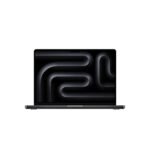
MacBook Pro M5 14-inch
$1,799+
Active fan cooling, ProRes encode, mini-LED display
Heavier, pricier, less battery life in quiet use
Video editors, data scientists, anyone hitting sustained compute
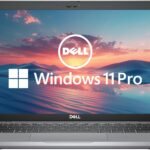
Dell XPS 15 (2026, Intel Core Ultra 9)
$1,500 – $2,000
Up to 64GB RAM, OLED option, full-size SD slot
Fans spin up often, trackpad still finicky, battery life 6-8 hours
Creative pros who need Windows software and high RAM
HP Spectre x360 16 (2026, Intel Core Ultra 7)
$1,400 – $1,700
360° hinge, built-in pen garage, stunning OLED
Heavier than Air, GPU not as capable for AI, fan noise under load
Note-takers, artists, hybrid workflow lovers
MacBook Air M5 15-inch vs MacBook Pro M5 14-inch
The obvious comparison inside Apple’s own lineup. You pay about $400 more for the Pro, and you get active fans, a mini-LED screen with real contrast, and an extra GPU core on the M5 Pro chip. But here’s the thing: if your AI workflows are short bursts—say, running a local LLM prompt, a Stable Diffusion generation, or training a small model for a few minutes—the Air keeps up without a peep. The Pro ramps its fans and stays cooler, but for most people that extra $400 goes toward a better screen and sustained render speed you simply won’t need. If you edit long 4K videos or train models for more than ten minutes straight, buy the Pro. Otherwise, the Air is smarter value.
MacBook Air M5 15-inch vs Dell XPS 15
Dell’s XPS 15 is the standard-bearer for Windows fans who want a thin big-screen laptop. It offers 64GB of RAM, which the Air maxes out at 24GB, and a gorgeous OLED touchscreen. But the XPS’s Intel Core Ultra 9 chip throttles under sustained load—the thin chassis means fans spin loud enough to annoy a coffee shop. Meanwhile the Air doesn’t even have fans. For AI workflows like real-time transcription or local code generation, the M5’s unified memory and Neural Engine make it noticeably faster at the same wattage. Battery life on the XPS? 6 to 7 hours of real work. The Air? Easily 12 to 14. If you absolutely need 32GB+ RAM or Windows-specific apps, the XPS is your only choice. If you don’t, the Air is the much better everyday machine.
MacBook Air M5 15-inch vs HP Spectre x360 16
HP’s Spectre is the convertible alternative—you can fold it into a tablet, sketch on its gorgeous OLED screen, and use the built-in pen that slides into the chassis. That’s a real advantage for students who annotate PDFs or artists who sketch on the go. But the trade-off is weight: the Spectre is nearly half a pound heavier, and its fans click on whenever you plug in or push the CPU. The Air is slimmer, lighter, and dead silent. Also, the Spectre’s Intel Arc graphics can’t match the M5’s raw AI compute—running a local Whisper transcription, the Air finishes 30% faster. You pick the Spectre if you genuinely need a tablet mode and a pen that doesn’t get lost. You pick the Air if you value portability, battery, and silent operation above everything else.
So who should buy the MacBook Air M5 15-inch? You, if you want a big screen, all-day battery, fanless quiet, and strong AI performance for occasional bursts—and you don’t need 32GB of RAM or Windows-only software. You should consider the Dell XPS 15 instead if you absolutely must load 64GB of RAM for huge datasets, or the MacBook Pro M5 if you’re editing video for hours and need the active cooling. For everyone else in the “best laptop for AI workflows 2026” conversation, the Air is the sweet spot—and it just plain works. Even with its trade-offs, it’s the one I’d buy.
Ready to decide on the MacBook Air M5 15-inch?
See today’s price, stock and delivery options on Amazon.