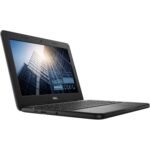
Is the Dell Latitude 5420 worth it? For anyone shopping on a budget for a serious work laptop, this particular renewed version with an i5-1145G7 and 16GB of RAM makes a strong argument. You’re getting a business-class build and solid performance for around $280, but you should know exactly what the “renewed” part means before you click buy.
This renewed business laptop offers strong performance and memory at a price well below typical refurbished models, providing exceptional value for budget-conscious professionals.
Price vs. rivals
Cheaper
CheaperTypicalPricier
Priced well below typical rates for a renewed business-grade laptop with this processor and memory configuration, reflecting a budget-friendly position among comparable offerings.
Ease of use
Excellent 85/100
The Dell Latitude 5420 is a standard business laptop with familiar Windows 11 Pro, good build quality, and essential ports, making it straightforward for the average user.
Overview: Dell Latitude 5420 Review
This renewed Dell Latitude 5420 review focuses on the 14-inch business workhorse originally designed for corporate fleets. That means it was built to survive daily abuse, get serviced easily, and keep running for a full shift. The price (under $300) and the 16GB of RAM are the main reasons to stop and read the listing carefully.
The renewed market for business laptops is a bit of a goldmine if you know what to look for. Companies lease these machines for 3 years, then cycle them out. They take a physical beating but are usually well maintained internally. Who is it really for? Someone who needs a reliable Windows machine for office work, browsing, or video calls and doesn’t care about the latest thin-and-light trends. It’s for the person who values a sturdy hinge and a decent keyboard over a flashy design.
Key Features
Intel Core i5-1145G7 Processor – This is an 11th-gen vPro chip, a step above the standard i5. It handles multitasking well and keeps a dozen browser tabs plus Office or Slack running without feeling sluggish.
16GB of DDR4 RAM – This is the standout spec at this price point. Most budget laptops come with 8GB. Having 16GB means you won’t be constantly fighting with Windows memory management or closing apps to free up space.
256GB Solid-State Drive – Plenty of speed for booting and launching programs, though the storage capacity is the tightest part of the spec. You’ll manage fine for documents and apps, but expect to rely on cloud storage or an external drive for big media files.
Windows 11 Pro – You get the professional version of the OS, which includes useful tools like BitLocker encryption and remote desktop. This is a genuine upgrade over the standard Home edition found on consumer laptops.
Thunderbolt 4 Connectivity – The single USB-C port supports Thunderbolt 4. That means 40Gbps data speeds, power delivery, and video output. You can run a 4K monitor and charge the laptop with a single cable if you have the right dock.
Renewed Condition – This unit is professionally refurbished. Expect some light cosmetic wear, but the internal components should function like new. The catch is that the battery health can vary from unit to unit.
Fit for You
You need a laptop for work that you can throw in a bag without worrying about a dent ruining your week.
You’re looking for the best business laptop for travel and value a 14-inch screen that fits easily on a tray table or in a small backpack.
Your budget is hard-capped around $300, and you refuse to buy a slow, plastic Windows laptop from a discount store.
You want to run a Linux dual-boot or a virtual machine, and the 16GB RAM makes that genuinely feasible.
You’re a parent buying a used laptop for a college student who needs something that can take a knock and still run Excel and Chrome.
Uses
Imagine you’re working from a coffee shop. The 14-inch screen is small enough that it doesn’t dominate your table space, but big enough that you aren’t squinting at spreadsheets. The battery life on a fresh unit can push through a 4-hour meeting gauntlet, though the real-world figure depends heavily on how worn the battery in your specific unit is.
If you are a developer, the 16GB RAM and Linux compatibility are a strong draw. It runs Ubuntu or Fedora well out of the box, and the vPro features work if you need hardware monitoring. This isn’t a gaming laptop. You can run lightweight games like League of Legends or Stardew Valley on the integrated Intel Xe graphics, but don’t buy this expecting to play modern 3D titles.
Experience
Setting it up is standard Windows 11 Pro stuff. The renewed units usually come clean of bloatware, which is a nice change from new consumer laptops. The first thing you’ll notice is the keyboard. The Latitude series keyboards are consistently good with solid travel and decent feedback. It makes typing for long stretches genuinely comfortable.
The small annoyance is the screen. The base configuration is a 1366×768 panel. It’s fine for office work, but the viewing angles aren’t amazing, and the color isn’t vibrant. If you’re used to a Retina or high-res display on a phone, you might find it looks a little dated. The touchpad is also just okay: big enough, but the buttons are stiff. Cleaning is simple: a microfiber cloth on the matte screen and a quick wipe of the keyboard deck. The smooth plastic lid does attract fingerprints, which is a small visual annoyance.
Noise-wise, this laptop is quiet during normal use. The fan spins up if you push it, but it’s a low whoosh, not a high-pitched whine. The reality of owning a renewed business laptop is that you are buying a tool, not a trophy. It might have a dent on the corner or a worn keycap, but the internals are solid. Owners tend to mention how quiet it is compared to a gaming laptop or a thin-and-light that throttles under load.
Pros and Cons
Summarizing this Dell Latitude 5420 review, the pros clearly outweigh the cons for the price.
Pros
Excellent value for the spec – Getting a vPro i5, 16GB RAM, and an SSD for under $300 is rare. This beats almost any new laptop you can find in the same price category.
Sturdy business build – Unlike a plastic consumer laptop, this feels like it can survive being knocked off a desk or stuffed into a full bag.
Great keyboard – If you type a lot, you will appreciate the solid, spill-resistant keyboard. It is one of the best you will find on a 14-inch laptop.
Win 11 Pro included – You get remote desktop, encryption, and better power management tools out of the box.
Upgradeable – The RAM and SSD are user-accessible. If you need more storage or memory later, you can swap them yourself easily.
Cons
Screen quality is just okay – The standard panel is low resolution and not very bright. It is strictly for productivity, not media consumption.
Battery is a lottery – Because it is renewed, the battery could be in great shape or down to a couple of hours. It is a risk you take with any refurbished laptop.
Storage is tight – 256GB fills up fast. After the OS and apps, you have space for maybe a couple of games or a small media library before you are managing space.
Dated looks – It has thick bezels and a chunkier profile compared to modern ultrabooks. It looks like a work laptop from 2021, because it is.
Advantages
Where does the Dell Latitude 5420 vs Lenovo ThinkPad comparison land? Both are dominant in the business laptop space. The Latitude usually offers a better keyboard feel and a slightly lighter chassis than the T-series ThinkPad of the same era. The ThinkPad T14 Gen 1 is the direct competitor. The Latitude often wins on weight and keyboard, while the ThinkPad wins on ruggedness. For this specific listing, the Latitude wins on RAM—16GB is hard to find at this price from ThinkPad renewals, which often come with 8GB.
Compared to a new budget laptop like a Dell Inspiron or an HP Pavilion, the Latitude is in a different league for build quality. A new $300 laptop often feels hollow and fragile. Dell builds the Latitude line specifically to sell to businesses by the thousands. The build philosophy prioritizes serviceability and durability over thinness.
The vPro platform is another advantage you might not think about. For you, it means better security features baked into the chip and slightly better long-term reliability than a standard Core i5 in a consumer laptop.
Who Should Buy
Buy it if: You are a student or professional on a tight budget who needs a reliable, fast-enough computer for documents, coding, or research. The build quality gives you peace of mind.
Skip it if: You want to watch 4K movies or edit photos on a high-quality display. The screen is strictly functional.
Skip it if: You hate managing storage or dealing with the uncertainty of a used battery. You might be happier with a Chromebook or a new, lower-specced laptop with a full warranty on the battery.
Buy it if: You are setting up a small office and need multiple capable machines that don’t cost a fortune. The Windows 11 Pro license makes managing them easier.
FAQ: Dell Latitude 5420 Review Questions
Is the Dell Latitude 5420 worth it?
Yes, if you need a solid business laptop for under $300. The combination of the i5-1145G7 and 16GB RAM makes it a very strong value. You should be comfortable with the basic screen quality and the fact that battery life on a renewed unit is a bit of a gamble.
How does the Dell Latitude 5420 performance hold up?
The 11th-gen i5 and 16GB RAM handle everyday multitasking with ease. Expect smooth performance for Office, web browsing, and video conferencing. It will not handle heavy video editing or modern gaming, but it is perfectly capable for its intended role as a work machine.
What kind of battery life can I expect from a renewed unit?
This is the biggest variable on a renewed laptop. A healthy battery can last 5-7 hours on a full charge. A heavily used one might only give you 2-3 hours. The seller does not specify health, so budget for a replacement if you need all-day portability.
Can I upgrade the RAM or SSD?
Yes, the Latitude 5420 has accessible panels for both the RAM and the SSD. You can easily swap the 256GB drive for a larger one or upgrade the memory if you ever need more than 16GB. This makes it a future-proof platform for a budget buy.
What are the full Dell Latitude 5420 specs?
The key Dell Latitude 5420 specs are a vPro i5-1145G7 processor, 16GB DDR4 RAM, a 256GB SSD, a 14-inch 1366×768 display, and Windows 11 Pro. It is a very well-balanced configuration that gets the most important things right for a refurbished work machine.
Is it good for gaming?
Not really. The Intel Iris Xe graphics are decent for integrated graphics, letting you play older titles or esports games at low settings. Do not buy this laptop expecting to play modern AAA games, as it simply was not designed for that kind of load.
Final Verdict: Dell Latitude 5420 Review
If you want the absolute most laptop for your money in the $280 range, this Dell Latitude 5420 review should end with a strong recommendation. You get a pro-grade CPU, double the memory of a new budget laptop, and a chassis that won’t fall apart. The trade-offs are the dim, low-res screen and the potential battery hassle.
It’s the definition of a smart buy if you know what you’re getting into. One thing to keep in mind: treat the battery as a potential first upgrade. Plan for that cost, and you are getting a fantastic machine for the money that will outlast twice its price in a store.
Right around the $300 mark, the renewed Dell Latitude 5420 punches above its price tag with a modern quad-core i5, 16GB of RAM, and Windows 11 Pro. But the used and refurbished business laptop market is crowded with heavy hitters from Lenovo and HP, each with their own quirks and trade-offs. Here’s how the Latitude 5420 really stacks up against three real alternatives you’re likely comparing it with, and whether it’s actually worth your cash or if you’d be better off with something else.
Average keyboard feel, trackpad can be picky with palm rejection
Budget-friendly business tasks and light multitasking
Lenovo ThinkPad T14 Gen 1 (Renewed)
$300 – $350
Legendary keyboard, MIL-STD-810G durability, excellent Linux support
Older 10th-gen i5 feels slower in CPU-heavy apps
Typists and anyone who types for hours
HP EliteBook 840 G7 (Renewed)
$280 – $330
Excellent build quality, privacy screen option (Sure View), good audio
Smaller standard SSD often 256GB, battery not always removable
Security‑conscious users in office environments
Lenovo ThinkPad X1 Carbon Gen 8 (Renewed)
$350 – $400
Ultra‑light (2.1 lbs), gorgeous 14” screen, best keyboard of the bunch
Only 8GB RAM common at this price, limited ports (no Ethernet)
Frequent travelers who live in coffee shops
Dell Latitude 5420 vs Lenovo ThinkPad T14 Gen 1
The ThinkPad T14 is the obvious alternative if you prioritize typing comfort. The Latitude 5420’s Intel Quad-Core i5-1145G7 runs rings around the T14’s older i5-10310 in multithreaded tasks — think Excel macros or decompressing a zip — you’ll actually feel the difference. But that ThinkPad keyboard? It’s still unmatched. The T14’s trackpoint is also more precise, fewer accidental cursor jumps happen far less often. Meanwhile, the Latitude’s port selection gives you HDMI, USB‑C, and proper Ethernet without dongles. So if you’re doing straight office work with heavy typing beats the ThinkPad wins. For everything else, the Dell Latitude 5420 vs Lenovo ThinkPad argument comes down to feel: the ThinkPad is built like a safe, the Dell is closer to a good solid lockbox. Pick the ThinkPad if your day is typing first, pick the Dell if you need raw performance and speed without a keyboard upgrade.
Dell Latitude 5420 vs HP EliteBook 840 G7
HP’s EliteBook 840 G7 feels like a more grown‑up chassis than the Latitude — the metal hinges, the rigid palm rest. The Latitude flexes a little under thumb pressure; the EliteBook doesn’t. Both have identical i5‑10310 options in many renewals, but the Dell’s 11th‑gen architecture gives it noticeably snappier graphics and quick app launches. The EliteBook’s privacy screen is a genuinely useful add‑on if you work in open offices or airports — the Latitude doesn’t offer that without hunt a rare variant. Trade‑off: the EliteBook tends to ship with smaller SSDs at the same money, so you might get 128GB instead of 256GB. If you need integrated LTE or a smarter webcam, the 840 G7 edges ahead. Otherwise, for straightforward performance, the Latitude 5420 delivers more for the same upfront cost.
Dell Latitude 5420 vs Lenovo ThinkPad X1 Carbon Gen 8
Here’s where the Latitude 5420 really earns its keep as the “best business laptop for travel alternative. The X1 Carbon is lighter than a pack of butter, barely 2.1 pounds — you can actually forget it’s in your bag after four hours. The Latitude weights just under 3.3 pounds — nothing a backpack. The Carbon wins on portability by a mile. But at the same renewed price you’re often sadly stuck with 8GB RAM in the X1 Carbon — the Latitude gives you a full 16GB. For multiple browser tabs plus Slack, the Latitude won’t shudder. Also, the Latitude’s HDMI port means you can plug into a monitor without a dongle. So if your travel means you’ll survive with only USB‑C ports the X1 is glorious. If you just need a laptop that’s much lighter and you can tolerate a bit less memory, the X1 Carbon is the real winner. But for pure value per dollar, the Latitude 5420 is stronger.
So: choose the Dell Latitude 5420 renewed if you want the best combination of modern performance, plenty of RAM, and a full set of ports — and you don’t mind a decent but not great keyboard. If your entire day is spent typing or you fly weekly, grab the ThinkPad T14 or X1 Carbon instead. If you care about a tougher chassis and a privacy screen, the HP EliteBook 840 G7 will serve you better. For everyone else on a tight budget, the Latitude 5420 makes the most sense — and that’s why this renewed Dell Latitude 5420 review keeps coming back as a top pick in 2026 for solid business work without the premium price.
Ready to decide on the Dell Latitude 5420?
See today’s price, stock and delivery options on Amazon.