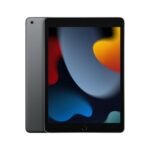
This renewed iPad offers reliable core functionality at a fraction of the original price, making it an excellent entry-level tablet for basic tasks.
Price vs. rivals
Cheaper
CheaperTypicalPricier
Priced significantly lower than most comparable renewed iPads, positioning it as an exceptional value in the budget segment.
Ease of use
Excellent 93/100
The iPad's intuitive touch interface and straightforward iOS make it very easy for an average person to navigate and use daily.
Overview
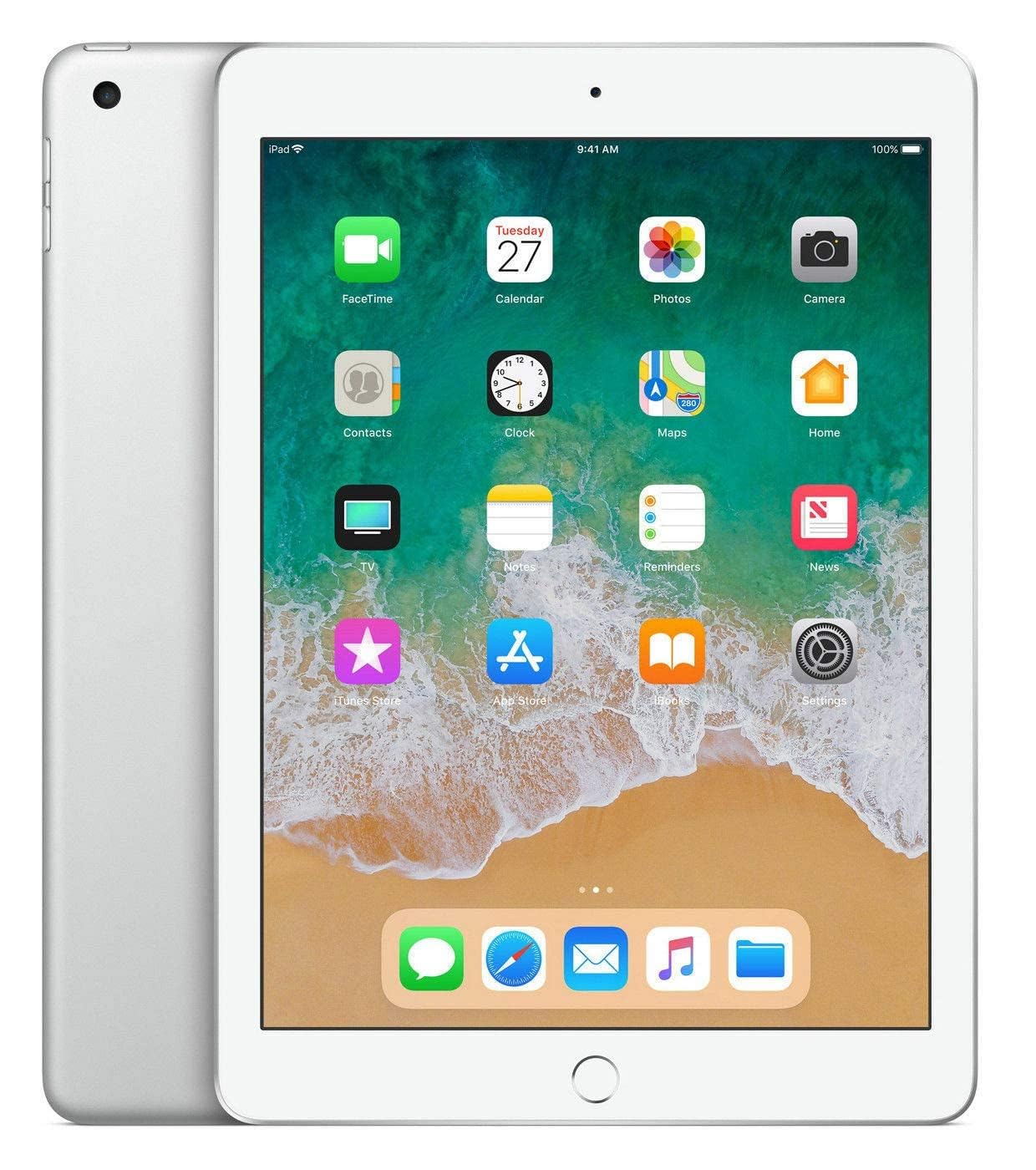
The Apple iPad 9.7 (2018) is the model that brought Pencil support to the budget lineup for the first time. It’s a 9.7-inch tablet with an A10 Fusion chip, a Retina display, and a design that hasn’t changed much since the iPad Air. For someone who needs a basic tablet for notes, web, and casual media, it solves the problem of paying flagship money for features you’ll never use. This Apple iPad 2018 review is for anyone eyeing the cheap refurbished listings and wondering if the old hardware still holds up.
It’s not a speed demon. It’s not a pro-level creative tool. What it is: a dead-simple, reliable slab for reading, writing, watching, and light work. The 32GB model is tight on storage, but at $79.99 renewed, it undercuts nearly every current budget Android tablet while giving you access to the Apple ecosystem.
Key Features
9.7-inch Retina display with True Tone – The screen adjusts white balance to match your room’s lighting, so reading at night is easier on the eyes than on older iPads. It’s not laminated, so there’s a tiny air gap between the glass and the panel, but you stop noticing after a few days.
A10 Fusion chip – The same processor that powered the iPhone 7. It handles iOS 15 (and likely 16) without stuttering for basic tasks. Expect it to feel a little sluggish with heavy games or multitasking, but for browsing and streaming, it’s fine.
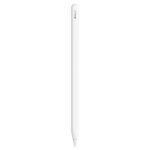
Apple Pencil (1st gen) support – This was the headline feature in 2018. You can sketch, take handwritten notes, or mark up PDFs. The Pencil charges awkwardly through the Lightning port, but it works well once paired.
Touch ID home button – A physical button with a fingerprint sensor. It’s fast, reliable, and works with wet or slightly greasy fingers better than Face ID ever did on iPhones.
Lightning connector and headphone jack – Yes, a headphone jack. If you still own wired headphones, this is the only current iPad that lets you use them without a dongle. The Lightning port charges and connects accessories; no USB-C here.
32GB internal storage – Realistically, you’ll have about 22GB free after the operating system. Fine for streaming media and a few apps. If you want to store movies or download many games, you’ll run out fast.
Fit for You
You need a large screen for reading textbooks or PDFs but don’t want to spend more than a hundred bucks.
You take handwritten notes in class or meetings and want something lighter than a laptop, with better battery life than a phone.
You’re buying a first tablet for a child and want the sturdy parental controls and kid-friendly app library that only Apple offers at this price.
You already own an iPhone or Mac and want a device that syncs messages, notes, and photos without any setup fuss.
You watch a lot of YouTube or Netflix in bed and want a screen bigger than your phone but not as heavy as a 12.9-inch Pro.
You’re on a tight budget and need a reliable secondary device for video calls, recipe browsing, and light email—no gaming or editing required.
Uses
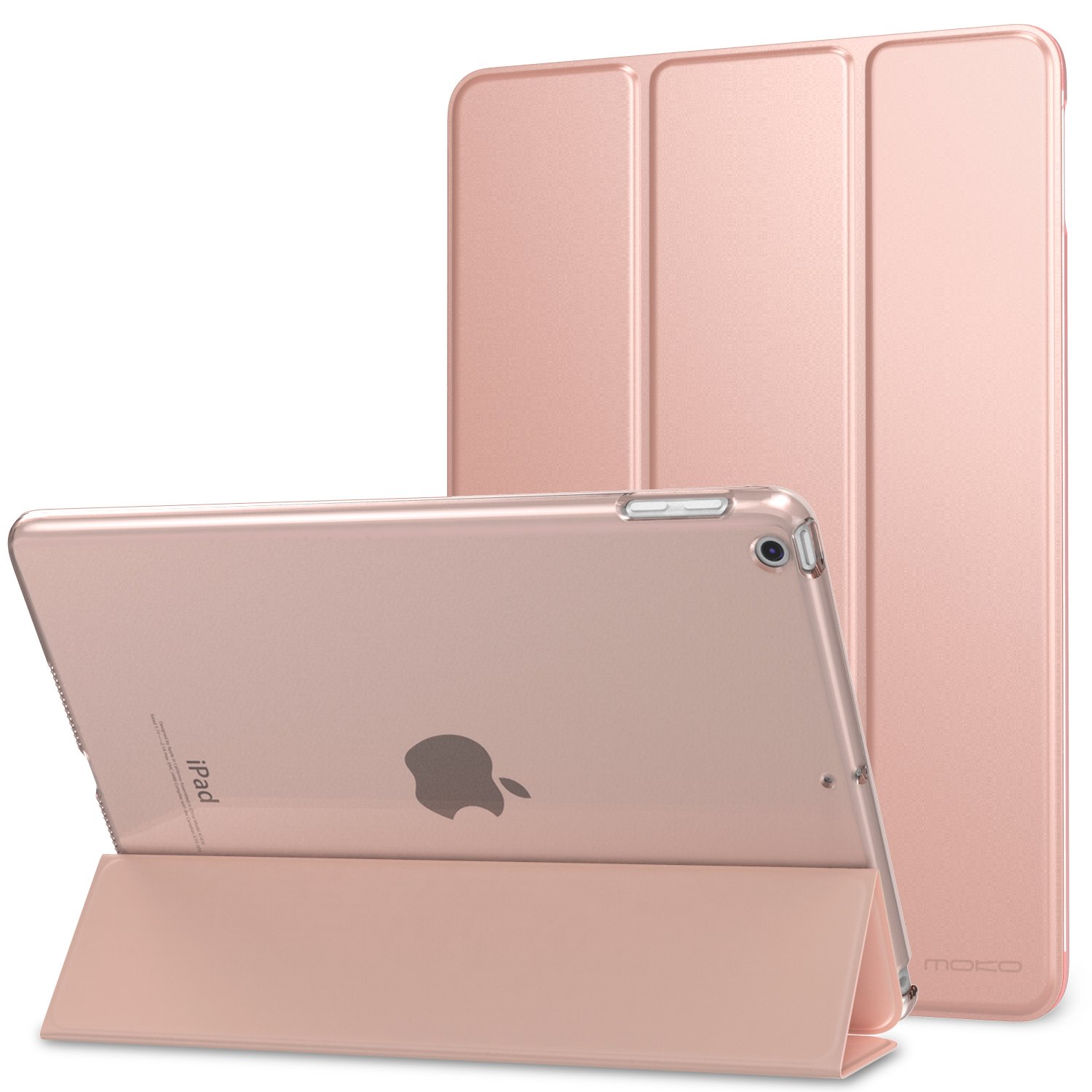
Picture yourself sitting in a coffee shop with a textbook split across the screen and a note-taking app like GoodNotes open on the side. The 9.7-inch size is just right for that. You prop it up in a cheap folio case and scribble with the first-gen Pencil. The battery will last you through a full day of classes—nine or ten hours of real mixed use is typical.
For home use, it’s the kitchen companion. You pull up a recipe on Safari, set it on the counter, and the auto-brightness keeps it readable even under cabinet lights. You can AirPlay music to a HomePod while you cook, and the headphone jack means you can plug into a speaker without a Bluetooth delay when watching a tutorial.
On a long flight, you load up Netflix shows onto the 32GB—maybe two or three movies and a handful of episodes—and the rest is streaming. The battery holds up for cross-country trips. The non-laminated screen means more glare than a Pro, but in a dim cabin it’s not an issue.
Experience
Setting up a renewed model is exactly like a new one: you press the home button, connect to Wi-Fi, and sign into your Apple ID. The finger often finds the Touch ID button before you’ve even thought about it. First impression: the bezels are thick by 2026 standards, but they give you a place to hold the tablet without accidentally tapping the screen. You’ll appreciate that when reading one-handed in bed.
Day to day, it feels like a slightly slower version of the iPad Air 3. Apps open with a brief hesitation—maybe a half-second longer than you’d like—but they run stably. You won’t notice the delay unless you’re jumping between five apps quickly. The speakers are single-channel at the bottom, so you get a mono mix that’s fine for podcasts but flat for music. Turn it sideways and the sound comes from one side only, which annoys some owners.
Battery life is solid. Expect to charge every other day with moderate use. The Lightning port is a bit of a pain if you’ve switched everything else to USB-C; you’ll need a separate cable. The headphone jack is a quiet hero—no dongle, no pairing, just plug and play.
The real letdown is the 32GB storage. After installing iOS, a few apps, and a couple of offline Netflix downloads, you’ll get the “Storage Almost Full” notification. You can offload photos to iCloud, but iCloud itself costs money after the free 5GB. Most people end up managing it, but it’s a friction point.
Pros and Cons
Pros
Price – At $79.99 renewed, it’s the cheapest entry point into the iPad ecosystem by a wide margin. You can’t buy a new Android tablet this capable for the same money.
Pencil support for note-taking – No other sub-$100 tablet works with a stylus this well. Latency is low, pressure sensitivity is absent (the Pencil on this model doesn’t have it), but for handwriting it’s more than good enough.
Long software support – Apple still issues security updates for this model as of early 2026. You won’t get the newest iPadOS features, but you’ll stay safe and app-compatible for at least another year or two.
Headphone jack – A rarity on modern tablets. If you own wired headphones or have a desk setup with a 3.5mm input, you skip the Bluetooth lag and dongle hassle entirely.
Physical home button with Touch ID – Fast, reliable, and works when your hands are damp or your face is masked. Some people prefer this to swiping.
Cons
Non-laminated display – There’s a visible gap between the glass and the image underneath. You can see it at extreme angles, and tapping feels slightly hollow. It’s fine for reading, less fine for precise drawing.
32GB storage is very tight – You get about 22GB usable. After a few apps, a game, and some offline content, you’re out of room. No expandable storage either.
A10 chip is starting to show its age – It runs iOS 15 smoothly but struggles with split-screen multitasking and heavy Safari tabs. Expect occasional reloads when switching apps.
Mono speaker, bottom-mounted – Sound is thin and easy to muffle if you hold it in landscape orientation. You’ll want headphones for anything with a soundtrack.
Lightning port instead of USB-C – Slower charging, slower data transfers, and yet another cable to keep around if you’ve already gone USB-C on everything else.
Renewed condition can vary – Amazon Renewed generally means a replaced battery and clean cosmetics, but some buyers report scratches or minor dents. The return policy is good, but it’s a lottery.
Advantages
Battery life beats almost any budget Android tablet at this price. Real-world eight to ten hours of screen-on time is normal, whereas cheap Android tablets often drop to six.
Apple’s app store is curated and polished. You get real note-taking apps like Notability and GoodNotes, plus pro-tier media apps like LumaFusion (though the A10 will struggle with heavy video). That ecosystem advantage is huge for students.
The iPad holds resale value better than any budget tablet. Even in 2026, a clean 2018 model can sell for $50–60. You’re not stuck with e-waste.
Who Should Buy
Students on a tight budget – You need a screen for PDFs, note-taking with a stylus, and light writing. This iPad with a $20 Pencil knockoff (or the real first-gen Pencil used) is the cheapest way to get that experience. Look for the 128GB model if you can stretch a little more; the 32GB will frustrate you by semester two.
Parents buying for a child – It’s tough, has solid parental controls, and kids can’t accidentally install malware. The 32GB is actually fine for a kid who streams and plays a couple of games.
Anyone who just wants a big screen for YouTube, Netflix, and web browsing – You don’t need a faster iPad. The screen is good enough, the battery lasts, and the speakers are tolerable if you use earbuds.
Skip this if you’re a digital artist – Even with a Pencil, the non-laminated screen and lack of pressure sensitivity will make drawing feel disconnected. Save for an iPad Air or a used iPad Pro 10.5 instead.
Skip this if you need to store lots of media offline – The 32GB will choke. A base model iPad 9th gen with 64GB isn’t much more expensive renewed, and it has USB-C and a better chip. Worth the extra $40–50.
FAQ
Is the Apple iPad 9.7 (2018) worth it in 2026?
Yes, if your needs are basic and your budget is under $100. The A10 chip handles light tasks, the screen is fine, and Apple still issues security patches. Just be ready for tight storage and slower performance than anything made after 2020.
How long does the battery last on a renewed iPad 2018?
Amazon Renewed units typically have a replacement battery that holds near-new capacity. Owners report about 8–10 hours of mixed use: browsing, video, and notes. Expect slightly less if you’re gaming or using cellular data.
Is the Apple iPad 2018 32GB refurbished review rating trustworthy?
With 4.3 stars across thousands of Amazon Renewed reviews, it’s a safe bet for a basic tablet. The main complaints revolve around storage limits and cosmetic wear. Most buyers are happy given the low price.
Can it run the latest apps and games?
It runs most current apps, but graphically intensive games like Genshin Impact will lag and heat up the tablet. Casual games, streaming apps, and note-taking tools work perfectly. Avoid demanding creative software.
How does the iPad 9.7 vs iPad Air 2 comparison look?
The 2018 iPad is noticeably faster than the Air 2 (A10 vs A8X), supports the Apple Pencil, and gets newer iOS updates. The Air 2 is thinner and lighter, but the 2018 model is a better buy today because it runs more software.
Is it safe to buy a renewed iPad from Amazon?
Amazon Renewed comes with a 90-day return policy and a battery replacement guarantee. The device is professionally inspected. Cosmetic flaws happen, but customer support usually handles issues quickly. It’s a low-risk way to get an old iPad.
What is the best budget iPad for students 2026?
The 2018 iPad at $79.99 is the cheapest option that still supports the Pencil. If you can spend a bit more, the 9th-gen iPad (2021) has a better A13 chip, more base storage, and USB-C. But for absolute minimum cost, the 2018 model wins.
Final Verdict
The Apple iPad 9.7 (2018) is a remarkably capable device for seventy-nine dollars. It’s not fast, it isn’t fancy, and the 32GB storage will test your patience if you try to stuff it with offline content. But for note-taking, browsing, streaming, and light productivity, it does everything a tablet should do without drama. That’s worth something.
The one thing to keep in mind: you’re buying an eight-year-old design. The bezels are thick, the port is outdated, and the screen isn’t laminated. If you accept those trade-offs, this Apple iPad 2018 review comes down to a simple recommendation: buy it for the price, use it for the ecosystem, and don’t ask it to do more than it was built for. For a low-cost entry into iPad land, it still earns its place.
At $79.99 renewed, the 2018 iPad is the cheapest way into the Apple ecosystem right now. It’s a 9.7-inch slab with an A10 Fusion chip and 2GB of RAM – specs that were modest even five years ago. In 2026 that means it handles typing, streaming, and basic note-taking fine, but stutters on modern games or split-screen multitasking. The question is whether the lower price justifies the age, or whether a newer budget tablet from Samsung or Amazon makes more sense for your wallet and your patience.
Product
Price Range
Key Strength
Key Weakness
Best For
Apple iPad 9.7 (2018) – Renewed
~$80
iOS app ecosystem, Retina display, headphone jack
2GB RAM, slow A10 chip, no USB-C, battery may be worn
Students on a strict budget who need Apple Pencil support (1st gen) and iCloud sync
iPad Air 2 – Renewed
~$60–$90
Thinner, lighter, slightly faster GPU
No Pencil support, older A8X chip, shorter software support
Cheapest possible iPad for reading and video
Amazon Fire HD 10 (2023)
~$100–$130
New device, USB-C, 10.1-inch screen, hands-free Alexa
Amazon Appstore is limited, no Google Play, slower performance than A10
Prime video watchers, kids’ tablets, Alexa household
Samsung Galaxy Tab A8 (2022)
~$100–$140
MicroSD slot up to 1TB, USB-C, Android 12 (upgradeable)
Anyone who needs expandable storage or prefers Android
Apple iPad 9.7 (2018) vs iPad Air 2 comparison
The iPad Air 2 is the obvious peer – same 9.7-inch Retina display, slightly thinner body, and a price that can dip below $70 renewed. But the Air 2’s A8X chip is two generations older, and it lacks the Apple Pencil support that the 2018 iPad introduced (first-gen Pencil only, with the weird Lightning adapter dance). If you just need a screen for Netflix and email, the Air 2 is a fine choice and saves you a few bucks. But the second you try to run any app from 2025 onward – like Procreate or a university portal that demands iOS 16 – the 2018 iPad will be the last device standing. The Air 2 stopped at iPadOS 15, and while it still works, you’ll miss security patches and app updates. That’s the real gap: software support timelines. The 2018 iPad currently runs iPadOS 18, and it’ll get one or maybe two more updates. The Air 2 is done.
Apple iPad 9.7 (2018) vs Amazon Fire HD 10
The Fire HD 10 (2023) is the new-kid-on-the-block alternative at around $30–$50 more. You get a fresh battery, USB-C charging (no more hunting for Lightning cables), and a 10.1-inch screen that’s actually slightly bigger than the iPad. But the Fire’s real weakness isn’t hardware – it’s the app store. You can’t install Google Docs natively, you’ll jump through hoops for Gmail, and forget about using a stylus for anything beyond basic drawing on Amazon’s own apps. The 2018 iPad, even renewed, gives you full access to the App Store, including Procreate, Notability, and the latest school portals. If your life runs on Google or Microsoft, the Fire might still work after sideloading the Play Store (a hassle that breaks with every update). If your life runs on iOS, the choice is simple. The 2018 iPad also has a headphone jack – which in 2026 feels like finding a payphone that still works – and a Retina display with higher pixel density (264 PPI vs 189 PPI on the Fire). Video looks noticeably sharper on the iPad, though the Fire’s speakers are louder for group watching.
Apple iPad 9.7 (2018) vs Samsung Galaxy Tab A8
The Galaxy Tab A8 is the Android camp’s best cheap tablet, new for around $110. Its standout feature is the microSD slot – you can toss in a 512GB card for pennies, while the 2018 iPad is stuck at 32GB (about 24GB usable after the system eats its share). That’s a real annoyance if you download movies for a flight or collect comics. The Tab A8 also has a USB-C port and a slightly wider, 16:10 screen that’s better for widescreen video. But the display is a downgrade: 1920×1200 resolution on an LCD that’s dimmer and less color-accurate than the iPad’s Retina panel. Performance-wise, the Unisoc T618 in the Tab A8 and the Apple A10 are roughly comparable in daily tasks – both feel sluggish when you open Chrome with six tabs. The iPad wins on app polish (especially drawing and note-taking with a Pencil) and long-term OS updates (Samsung promises only two major updates, so the Tab A8 is likely stuck at Android 14). The iPad loses on storage flexibility and charging convenience. If you need to store a local media library, the Tab A8 is the better tool. If you’re a student who wants to write on PDFs and keep everything in iCloud, the iPad wins.
So who should actually buy this renewed Apple iPad 9.7 (2018) in 2026? You, if your budget is hard-capped at around $80 and you need a dependable screen for reading, light typing, note-taking with an Apple Pencil, and streaming video where picture quality matters more than audio volume. You’ll live with 32GB (buy a cloud plan or delete apps regularly) and the ancient Lightning port. But if you can stretch to $100–$110, the Samsung Galaxy Tab A8 offers expandable storage and a warranty on a new device – a better fit for anyone who hoards media. And if you don’t care about the App Store at all, the Amazon Fire HD 10 is the smarter choice because it’s new, has USB-C, and costs less than a round of coffee replacements when the iPad’s degraded battery finally gives out. The 2018 iPad is worth it – only if you know exactly what you’re trading off.
Ready to decide on the Apple iPad 9.7 (2018)?
See today’s price, stock and delivery options on Amazon.