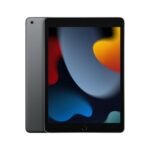
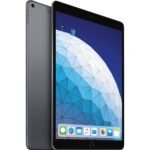
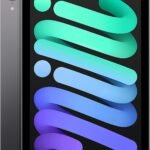
The renewed iPad offers excellent core functionality at a fraction of the new price, making it a compelling budget option.
Price vs. rivals
Cheaper
CheaperTypicalPricier
Priced at $111, this renewed iPad is significantly cheaper than typical renewed iPad prices, which often exceed $200, making it far cheaper than comparable alternatives.
Ease of use
Excellent 90/100
The iPad is widely known for its intuitive touch interface and user-friendly iOS, making it very easy for an average person to use right out of the box.
Overview
The Apple iPad 8th Gen review answer is simple: if you want a dependable tablet for under $120, this renewed model is hard to beat. It solves the problem of needing an iPad for basic tasks—web browsing, streaming, note-taking—without paying for features you don’t use. It’s really for students on a tight budget, parents buying for kids, or anyone who just wants a second screen for the kitchen.
The 10.2-inch Retina display isn’t fancy, the A12 chip is three generations old, and 32GB of storage means you’ll manage space like a Tetris champion. But at a renewed price around $111, you’re getting Apple’s software support, the App Store, and the ability to use a first-gen Apple Pencil. That trade-off makes sense for a lot of people.
Key Features
A12 Bionic chip – It’s not the latest, but it handles Safari, Netflix, Notes, and even light video editing without stuttering. You won’t feel slow unless you try to run a console‑grade game.
10.2‑inch Retina display – 2160×1620 resolution looks sharp for reading and watching. It’s not laminated, so there’s a tiny air gap that makes the screen feel slightly hollow when you tap, but you stop noticing after a day.
Touch ID via the Home button – Old‑school, yes, but it works instantly and doesn’t need Face ID’s angle dance. Great for handing the iPad to a kid without messing with passwords.
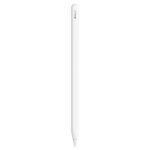
Apple Pencil (1st gen) support – This is why many students pick it. Scribble, sketch, mark up PDFs—the experience is smooth, though charging the Pencil by plugging it into the Lightning port is still ridiculous.
3.5mm headphone jack – Surprisingly rare on new iPads. Plug in wired earbuds for late‑night study sessions or cheap airline headphones.
Lightning port – Not USB‑C, so you’ll need the same cable your older iPhone uses. Annoying if you’ve gone all‑USB‑C, but convenient if you haven’t updated everything yet.
Fit for You
You want the cheapest way into the Apple ecosystem and already have Lightning cables around.
You’re buying for a child who will use it for school apps and Minecraft, and you don’t want to cry if they drop it off the couch.
You take handwritten notes in OneNote or GoodNotes and a $30 stylus won’t cut it—this iPad works with Apple Pencil.
You need a reliable FaceTime machine for weekly calls with family, and you don’t care about ultra‑wide camera effects.
You’re a student whose college offers iPad‑compatible textbooks or homework platforms and your budget barely covers $150.
You already own an old iPad that can’t update to the latest iPadOS—this 8th gen runs iOS 14 and later, so apps will work for years.
Uses
In a lecture hall, you prop it on a desk, open a PDF textbook, and scribble notes with an Apple Pencil. The A12 chip keeps the pages turning fast, and the battery lasts the full morning. You don’t need to hunt for an outlet until lunch.
At home, it sits on the kitchen counter playing a cooking video. The speakers are loud enough to hear over a blender, and the wide screen lets you see both the recipe and the ingredient list. The Lightning port means you can plug in a charge without moving your iPhone cable to the other room.
On a plane, you download a few shows to the 32GB drive the night before (because 32GB fills fast with four episodes of a drama). The headphone jack saves you from needing a Bluetooth adapter. The battery handles a five‑hour flight with power to spare.
Experience
Setting up a renewed iPad 8th Gen is straightforward: charge it, press the Home button, follow the on‑screen prompts. It arrives with a generic charger and cable (not Apple’s box, usually a white brick). The first thing you’ll notice is the bezels—they’re thick, especially the chin below the screen. That’s just what 2020 looked like. You get used to it quickly.
Everyday use feels snappy for the basics. Safari loads pages without reloading, iMessage syncs instantly, and YouTube streams at 1080p without buffering. The 32GB storage is the real bottleneck. After iOS takes its chunk, you have roughly 22GB free. One large game (say, Genshin Impact) can eat 10GB. You’ll learn to offload photos to iCloud and keep only a few apps installed at a time.
Battery life is about 10 hours of mixed usage, which matches Apple’s claim. But a renewed unit might have some battery wear—expect 85‑90% of original capacity. The old Home button feels clicky and reliable, though younger friends will ask, “Why does it have a button?”
Cleaning the screen is fine—standard iPhone care. The aluminum back feels solid, but the 1.1‑pound weight makes it a bit tiring to hold one‑handed for long reading sessions. The speakers are on the bottom edge rather than all four corners, so you’ll muffle them if you hold it in landscape.
The biggest annoyance with a renewed unit is cosmetic condition. You might get one with a tiny scratch on the bezel or a barely visible dent on the corner. Amazon’s “Renewed” standard is decent but not perfect. The screen itself is usually flawless if it passed inspection. For $111, a light scratch on the back is a fair trade.
Pros and Cons
Pros
Price – At $111 renewed, it’s the cheapest iPad you can buy that still supports the latest iPadOS apps.
Performance is good enough – The A12 Bionic handles browsing, video, note‑taking, and even light drawing without lag.
Apple Pencil support – No other tablet under $200 offers a stylus experience this good for note‑taking and sketching.
Headphone jack – A genuine convenience for anyone who hasn’t gone wireless or uses shared earbuds.
Reliable battery life – Even a used unit usually gets through a full day of classes or work if you charge overnight.
Software updates – Apple still supports the 8th gen with iPadOS 18, so security and new features keep coming.
Cons
32GB storage is cramped – After iOS and a few apps, you have maybe 20GB. Multiple games or offline video collections won’t fit.
Old design with thick bezels – The Home button, big bezels, and non‑laminated display feel dated compared to the iPad 9th gen or 10th gen.
Lightning port – Slower than USB‑C and requires a separate cable if you’ve already switched other devices.
Non‑laminated display – There’s a visible air gap; tapping the screen feels slightly “off” and the glass reflects more light than newer models.
Front camera is weak – 1.2MP, no ultra‑wide. FaceTime calls are fine, but Center Stage is missing, and video looks grainy in low light.
Renewed condition can vary – You might get a unit with small dings or scratches, and the battery might have some wear. Amazon’s return policy covers you, but it’s an extra step.
Advantages
Compared to the Fire HD 10, this iPad runs a real tablet OS with full app support (Microsoft Office, GoodNotes, streaming all work). The Fire HD feels like a toy next to it for school or work.
Against the Samsung Galaxy Tab A8, the iPad has a faster processor and longer software support. Samsung updates drop off after two years; Apple’s keep going for four or five.
The Apple Pencil support is a clear win over any Android tablet in the same price range. You get low latency, pressure sensitivity, and palm rejection that actually works.
The refurbished iPad 8th gen performance for everyday tasks is identical to a new unit—the A12 chip hasn’t slowed down, and iOS doesn’t degrade on used hardware. You save $200 versus buying new.
Who Should Buy
Buy it if you’re a student looking for the best budget iPad for students—you need the Apple Pencil for notes and your budget is under $150.
Buy it if you want a kitchen tablet for recipes, streaming, and video calls without worrying about it breaking.
Buy it if you already own an older iPad with Lightning cables and don’t want to replace your charging gear.
Skip it if you need storage for lots of games or video—then look for at least 64GB. A renewed iPad 9th gen starts around $200 and gives you 64GB plus the A13 chip.
Skip it if you hate the Home button and want a modern full‑screen design—you’ll be happier with an iPad 10th gen or an iPad Air.
Skip it if you need USB‑C for connecting cameras, external drives, or a monitor—this iPad only does Lightning.
FAQ
Is the Apple iPad 8th Gen worth it?
At a renewed price around $111, yes—it’s the cheapest way to get a real iPad with Apple Pencil support and reliable performance for browsing, streaming, and note‑taking. Just accept the 32GB limit.
How does the iPad 8th gen compare to the iPad 9th gen?
The iPad 8th gen vs iPad 9th gen comparison shows the 9th gen has a faster A13 chip, 64GB base storage (double), and a better front camera with Center Stage. If those matter, spend the extra $50‑70. If not, the 8th gen still works great for light use.
Is a renewed iPad 8th gen worth it?
Yes, if you’re comfortable with minor cosmetic wear. The is renewed iPad 8th gen worth it question depends on condition—Amazon’s Renewed rating is reliable, and you get a 90‑day return window. Battery life is usually above 80%.
What are the iPad 8th gen 32GB specs?
The iPad 8th gen 32GB specs include a 10.2‑inch Retina display, A12 Bionic chip, 2GB RAM (enough), an 8MP rear camera, a 1.2MP front camera, Touch ID, Lightning port, headphone jack, and support for Apple Pencil (1st gen) and Smart Keyboard.
Can it run the latest apps?
Yes—iPadOS 18 runs on the 8th gen, so apps like Netflix, Procreate, and Microsoft Office work fine. Heavy 3D games might load slower than on newer iPads but are still playable.
Is the refurbished iPad 8th gen performance good for multitasking?
For split‑view with a note‑taking app and a browser, yes. For more than two apps or heavy video editing, the 2GB RAM shows its age. Keep expectations sensible and it handles everyday multitasking without frustration.
Final Verdict
The Apple iPad 8th Gen (renewed) is the smartest buy for anyone who needs a capable tablet on a strict budget. At $111, you get iPadOS, a great screen for reading and watching, and the one feature that elevates it above any cheap Android tablet: Apple Pencil support. The 32GB storage is a real constraint—you’ll be managing space regularly—and the design is undeniably old. But if those trade‑offs don’t scare you, this is the best budget iPad for students and casual users by a wide margin.
One thing to keep in mind: check the seller’s return policy and inspect the unit when it arrives. A renewed iPad can be a steal or a nuisance. With Amazon’s 90‑day guarantee, you’re covered. Go in with open eyes and you’ll get exactly what you need for not much cash.
Right now, a renewed Apple iPad 8th Gen sits at roughly $111. That’s cheap enough to make you wonder if you really need to spend more. But it’s also old enough to make you wonder why anyone would buy a 32GB tablet in 2026. The truth is somewhere in the middle—it’s a solid budget pick if you’re locked into Apple’s world, but there are real alternatives that cost the same or just a bit more, and some of them make more sense for what you actually do with a tablet.
Product
Price Range
Key Strength
Key Weakness
Best For
Apple iPad 8th Gen (Renewed)
Around $111
Good performance for the price, full iPadOS app library
32GB storage fills fast; older design with thick bezels
Students who need specific iPad apps, light note-taking
iPad 9th Gen (Renewed)
$130–$170
Faster A13 chip, better front camera, still affordable
Costs $20–60 more than the 8th Gen
Anyone who can stretch the budget, wants longer software support
Amazon Fire HD 10 (2023)
$90–$120
Cheaper new, decent 1080p screen for video
No Google Play Store; slower processor; Amazon app ecosystem
Casual streaming, kids’ tablet, or Alexa-heavy households
Samsung Galaxy Tab A8 (2022)
$130–$160
Expandable storage via microSD, Android flexibility
Slower chip than the iPad, fewer tablet-optimized apps
Android users who need removable storage, media consumption
Apple iPad 8th Gen vs iPad 9th Gen – the twenty-dollar question
Here’s where the decision gets annoying. The 9th Gen looks nearly identical, but inside it’s got Apple’s A13 chip instead of the A12. For most note-taking, web browsing, or streaming shows, you won’t feel a difference. Where you will feel it is in the front camera: the 9th Gen has a 12MP ultrawide with Center Stage, so your face stays centered during video calls. The 8th Gen’s front camera is a 1.2MP mess that makes you look like you’re calling from 2015. If you use Zoom or FaceTime daily, that’s a real annoyance. Also, the 9th Gen starts at 64GB, not 32GB. Thirty-two gigs on the 8th Gen means after iOS and a few apps, you’ve got room for maybe one Netflix season offline and a dozen notes. The 9th Gen, even renewed, usually costs about $30–$50 more. If you can swing that, the comparison tilts hard toward the newer model. If you literally cannot spend another dollar, the 8th Gen still works fine for basic tasks—just know you’ll be managing storage like it’s 2014.
Apple iPad 8th Gen vs Amazon Fire HD 10 – the cheap-out vs the lock-in
The Fire HD 10 is tempting because you can buy it new for less than a renewed iPad 8th Gen. Screen’s okay (1080p, though not laminated, so there’s a visible air gap), and it’s fine for YouTube, Prime Video, or reading Kindle books. But here’s the catch: the Fire OS is a heavily skinned Android that blocks Google Play. You can sideload it, but it’s a hassle, and apps often run worse. Meanwhile, the iPad 8th Gen gives you genuine iPadOS—GoodNotes, Procreate Lite, any premium note-taking app, and proper multitasking. If your tablet life is just consuming content and you hate complexity, the Fire HD 10 is a better value. If you need to write on the screen, edit a document, or use any app that’s not on Amazon’s store, the iPad 8th Gen wins despite being older. Also, the Fire’s build is all plastic; the iPad’s aluminum back feels noticeably nicer in hand.
Apple iPad 8th Gen vs Samsung Galaxy Tab A8 – the storage debate
The Galaxy Tab A8 usually costs about the same as the iPad 8th Gen renewed, but it comes with a microSD slot. That means you can buy a $20 128GB card and suddenly have way more space for movies and files. The iPad’s 32GB is fixed—no expansion slot, no USB-C mounting on the go. That alone makes the Tab A8 a better choice for people who travel and download tons of shows. But the trade-off is performance: the Tab A8’s Unisoc T618 chip lags behind the A12 in the iPad, especially when switching apps or gaming. And Android tablets still struggle with app optimization; many phone apps just stretch to fit, whereas iPad apps are almost always purpose-built. So if your priority is storing media and you don’t push the tablet hard, the Tab A8 is a solid alternative. If you care about smoothness and app polish, the iPad 8th Gen feels faster day-to-day.
At $111, the Apple iPad 8th Gen is a good bet if your budget is that exact number, you’re already in Apple’s world (iCloud, iPhone, maybe an Apple Pencil knockoff), and your tasks are light: taking notes, checking email, watching Netflix in bed. Don’t buy it if you plan to store lots of photos or play demanding games—32GB will suffocate you, and the A12 will show its age. In that case, pay the extra $30–$50 for a renewed iPad 9th Gen, or go with the Samsung Galaxy Tab A8 if you want storage you can actually expand and don’t mind a slower chip. If you truly only watch video and read, the Amazon Fire HD 10 saves you more cash and avoids the hassle of managing an old iPad’s battery life. Just know you’re trading app quality for that savings.
Ready to decide on the Apple iPad 8th Gen?
See today’s price, stock and delivery options on Amazon.