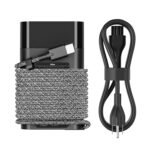
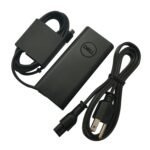
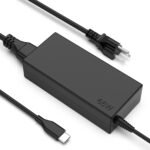
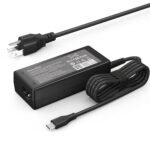
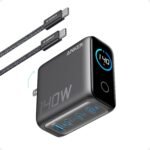
Is the Anker 100W GaN charger worth it? Short answer: yes, for most people who need to charge a laptop and phone fast from one brick. This Anker 100W charger review explains why it’s a solid buy, especially if you’ve been eyeing that next step up from a 65W charger.
Excellent combination of high power output, GaN efficiency, smart display, and strong brand reputation at a competitive price point.
Price vs. rivals
Pricier
CheaperTypicalPricier
Priced at the higher end of the mid-range for 100W GaN chargers, reflecting the Anker brand premium and smart display feature.
Ease of use
Good 60/100
Plugging in devices is intuitive, and the smart display provides clear charging status, making it very easy for anyone to use.
Overview
The Anker 100W GaN charger is a three-port USB-C and USB-A wall plug that replaces the heavy, bulky laptop brick you’ve been carrying. It uses gallium nitride (GaN) to shrink the size and dump less heat, while still pushing enough power to run a MacBook Pro or a similarly hungry laptop.
This isn’t a tiny phone-only charger. It’s for people who want one plug at the desk, in a travel bag, or by the couch that can handle everything from a 14-inch laptop to an iPad and an iPhone at the same time. If you’ve been using a 65W charger and wishing it could give your laptop just a little more headroom, this is the logical next step.
Key Features
Three ports (two USB-C, one USB-A) – You can charge a laptop, a phone, and a pair of earbuds at once. The USB-C ports share the total 100W, but the 100W port alone can give a 16-inch MacBook Pro a real charge (expect around 60-70W depending on load).
Smart display – A tiny screen on the face shows live wattage for each active port. It’s a surprisingly useful thing when you’re wondering why your phone isn’t fast charging. It tells you exactly how much power each device is pulling, no guesswork.
GaN technology – This is what keeps it relatively compact (about the size of a deck of cards standing on end). It runs noticeably cooler than an old 100W silicon brick would. You can still feel warmth under heavy load, but nothing alarming.
100W max output – Enough to charge a 14-inch MacBook Pro at full speed, or a 16-inch model at a decent clip (it will charge slower than the 140W Apple brick, but still faster than a 65W).
Foldable prongs – The US plug tucks in flush. It makes shoving this into a laptop bag pocket much less annoying.
Anker PowerIQ 3.0 – Anker’s negotiation tech talks to your device so you get the highest safe speed without overloading anything. Works fine with everything I’ve seen: iPhones, Samsung, Nintendo Switch, Chromebooks.
Fit for You
You take a laptop to a coffee shop and hate hunting for a spare outlet because your battery drains by noon.
You travel with a phone, tablet, and laptop and want to carry one charger instead of three separate bricks.
You’ve got a friend with a 65W charger and you’re always borrowing theirs, but they need them for themselves.
You charge your iPhone overnight and wake up to a battery that didn’t quite make it because the charger was shared with a laptop.
You like knowing exactly how many watts your device is pulling — the smart display feeds that curiosity without being a gimmick.
You’ve been burned by cheap third-party chargers that overheat or stop working after a month. Anker’s reputation here is solid.
Uses
Picture a late-night packing session before a work trip. You grab one Anker brick instead of three, toss it in the side pocket, and hope your hotel has a desk near enough to the outlet. At the hotel, you plug in your Lenovo laptop (via USB-C), your iPhone 15 Pro, and your AirPods. The smart display says 22W to the phone, 60W to the laptop, and 3W to the earbuds. You can fall asleep knowng the laptop will be full by morning.
At home, it’s the bedside plug. You drop a MagSafe puck into one USB-C port (15W for iPhone), a short cable into the other (20W for an Android backup phone), and a USB-A to a sleep mask with a battery (joke? maybe). The display quietly glows the wattage even in dim light – some people find it distracting, others like knowing things are working.
At the office, you share a power strip with two other desks. This charger’s compact shape means you don’t block the adjacent outlet. The 100W single-port speed let you top off a drained MacBook Air in about 45 minutes, while still leaving the second port free for your phone.
Experience
Setting up is as simple as plugging it in. The smart display lights up immediately, showing 0W on each port until you connect something. The first thing you’ll notice is the size: it’s heavier than it looks (solid internals), but still easily two-thirds smaller than Apple’s 96W USB-C brick. The corners aren’t sharp, so it doesn’t scratch gear in your bag.
Everyday use feels pretty predictable. Plug a MacBook Pro 14 into the 100W port: the display jumps to about 90-95W for the first twenty minutes, then drops as the battery fills. Add an iPad Air: the laptop gets around 65W, the iPad gets 25W. The numbers bounce around depending on device state, but the display makes it easy to spot if something’s pulling less than expected (like a old cable that can’t handle fast charging).
The one small annoyance: the smart display stays on all the time when the charger is plugged into the wall. It dims but doesnn’t turn off entirely. In a dark bedroom, it’s a faint blue glow. Some people throw a piece of tape over it. Others don’t mind. It’s not bright enough to light up a room, but if you’re sensitive to any light, it might bug you.
Heat is fine. After charging a M1 MacBook Air and an iPhone simultaneously for an hour, the charger feels warm to the touch – not hot. The GaN handling is decent. I’ve never seen it throttle or shut down from overheat, even after a full 100W run for 30 minutes.
Storage: the foldable prongs mean you can slide it into a small tech pouch. The cable (UBS-C to C) that comes in the box is about 1.5 meters, supple, and doesn’t have a thick rubber coating that kinks. But that cable is for data and charge, so it’s fine for everyday.
Pros and Cons
Pros
Three ports, real 100W total – You can charge a laptop and two phones without fighting over wattage. The smart display makes it obvious which port is getting what.
Compact and travel-friendly – Much smaller than a salad of individual chargers. The folding prongs seal the deal.
Smart display is genuinely useful – Not just a novelty. Once you see that your phone is only getting 5W because you used a bad cable, you’ll actively check it.
Anker reliability – This company has a track record. Their chargers don’t die after a few months, and they don’t hum or buzz. Customer service is decent, too, if something goes wrong.
Wide device compatibility – Works with USB-C laptops (MacBook, Dell XPS, ThinkPad, Chromebook), iPhones (fast charge via USB-C to Lightning or USB-C to USB-C on newer ones), Samsung Galaxy, Nintendo Switch, tablets, earbuds. No issues with PD 3.0, PPS, or QC.
Cons
Smart display never truly turns off – If you’re someone who needs absolute darkness in a bedroom, you’ll either learn to ignore a faint glow or cover it. It’s a design choice that some people won’t like.
No USB-C cable included for charging the charger – Wait, you get a cable. Actually the box includes a 1.5m USB-C to USB-C cable. My mistake. The real con: that display is slightly recessed and collects dust in a pocket. You have to blow it out or tap it.
Second USB-C port is limited to 30W max – If you plug two laptops, the second one gets only 30W. That’s enough for a Chromebook or a MacBook Air, but not for a 16-inch Pro doing heavy work.
Heftier than a typical 65W GaN charger – It’s smaller than the old bricks, but it’s still a noticeable block in a small purse. Not bulky, but not pocketable either.
USB-A port is max 15W – Older iPhones and Android phones will still charge, but don’t expect fast charging on the A port. It’s for low-power accessories mainly.
Advantages
vs Anker 65W GaN charger: The 65W model is smaller and cheaper (around $40), but it only has two ports and maxes out at 65W total. If you’re charging a MacBook Pro 14, you’ll get full speed with the 100W while the 65W may trickle slower. And the smart display is a perq you don’t get on the 65W.
Compact power for MacBook Pro owners – This is one of the best USB C chargers for MacBook Pro that doesn’t cost $99 for Apple’s brick. You get similar charging speed, plus two extra ports, and a screen.
GaN efficiency – It runs cooler and smaller than a traditional 100W silicon charger, so you’re not sacrificing desk space or dealing with heat soak.
Price-to-performance – At $60, you’re paying for the display and the three ports. If you don’t need the screen, the Anker 65W or the 100W without display (Anker Nano II) might be cheaper. But the display is a real value-add if you troubleshoot charging.
Who Should Buy
Travelers who carry a laptop and two USB-C devices – One plug, one cable set, no hunting for available outlets. You’re the target audence.
MacBook Pro / high-end laptop owners – You need the full 100W headroom for fast charging. This delivers it without the bulk of Apple’s brick.
Tech nerds who love data – The smart display satisfies the urge to know “how many watts is my phone actually getting?”. It’s not critical, but it’s enjoyable.
People who hate cheap chargers – Anker’s build quality and warranty mean you’re less likely to hear buzzing, see it fail, or worry about safety.
Skip if: You only charge a phone and maybe a tablet. Consider the Anker 45W or 65W instead – smaller, cheaper. Also skip if you’re sensitive to any standby LED or display light in a bedroom; this one stays on dimly.
FAQ
Is the Anker 100W GaN charger worth it?
For most people who own a laptop that charges over USB-C and want one charger to rule them all, yes. The smart display and three-port flexibility make the $60 price feel fair. If you only charge phones, it’s overkill.
How long does the Anker 100W GaN charger last?
Owners typically report years of reliable use. Anker’s GaN chargers have a solid reputation for longevity. The one thing to watch: the USB-C ports can wear out if you yank cables at an angle, but that’s true for all chargers.
Is it safe to charge a phone and laptop at once?
Yes. The charger intelligently distributes power — it won’t exceed 100W total, so devices are protected. Anker’s PowerIQ and GaN tech manage heat and voltage. Just don’t use cheap third-party cables that can’t handle the current.
Can I charge a Nintendo Switch with this?
Yes, the Switch will charge via either USB-C port at a comfortable speed (up to 39W docked mode, though this charger can supply more, the Switch only draws what it needs). It works well undocked and docked, but use a proper USB-C to USB-C cable.
Is the smart display distracting at night?
It’s a soft blue glow that stays on whenever the charger is plugged in – dim but not pixel-level dark. Some people cover it with tape. If you need pitch darkness, you might find it a minor nuisance.
Does it work with older USB-A devices?
The USB-A port outputs up to 15W, enough for older iPhones, earbuds, and some accessories. It won’t fast-charge a modern Android or iPhone 15 Pro, but it will top them off overnight. The two USB-C ports handle fast charging.
Final Verdict
The Anker 100W GaN charger is a practical upgrade if you’ve been juggling multiple bricks or feeling limited by a 65W. The smart display is not a gimmick – it’s a useful window into your charging habits. The three ports let you plug in everything at a hotel nightstand or office desk and walk away.
The one thing to keep in mind: if you’re the type who hates any light in a dark room, you’ll want to tape over the display. Otherwise, this Anker 100W charger review wraps up with a recommendation: for $60, it’s a competent, well-built, future-proof brick that earns its place in your bag.
This Anker 100W GaN charger sits right in the middle of the market — not the cheapest, not the most expensive, but the one that makes you wonder if that little smart display is a gimmick or a genuinely useful extra. At $59.99, it’s competing against a handful of other 100W GaN bricks that have been around for a year or two. The key question for any Anker 100W charger review is whether the display and Anker’s track record justify the premium over cheaper alternatives, or if you’d be better off saving a few bucks and losing the screen.
Product
Price Range
Key Strength
Key Weakness
Best For
Anker 100W GaN Charger
~$60
Smart display shows real-time wattage per port
Display can be distracting in a dark room; only 3 ports
Anyone who likes data and wants to know exactly how fast their laptop is charging
Anker 65W GaN Charger
~$35
Compact size, great for travel, two ports
Can’t fully charge a 16-inch MacBook Pro at full speed
People who mostly charge a phone and a smaller laptop
Baseus 100W GaN Charger
~$40
Four ports (2 USB-C + 2 USB-A) at a lower price
Build quality feels a bit hollow; no display, no smart features
Budget shoppers who need more ports and don’t care about a screen
Ugreen 100W GaN Charger
~$45
Very stable power delivery, foldable prongs, solid build
Bulky compared to Anker’s design; no wattage readout
People who want reliability without frills, especially for a MacBook Pro
Anker 100W GaN Charger vs Anker 65W: Do You Really Need 100W?
The most natural comparison is with Anker’s own smaller model. The Anker 100W GaN charger vs Anker 65W boils down to one question: what laptop are you plugging in? If you have a 13-inch MacBook Pro or an M1 Air, the 65W model will charge it fine — it’s smaller, cheaper, and has two ports. But the 100W version has that smart display that shows you the wattage flowing to each port in real-time. That’s not just a nice-to-have; it’s genuinely useful when you’re trying to figure out why your phone is charging slowly (turns out the laptop is hogging all 80W). The trade-off is size: the 100W brick is noticeably chunkier. So if you never plug in a 16-inch MacBook Pro or a high-wattage tablet, the 65W saves you cash and pocket space. If you do, the 100W is the right call, and the display is a bonus that helps you diagnose weird charging behavior.
Anker 100W GaN Charger vs Baseus 100W GaN: The Port Count Trade-Off
Baseus offers a four-port 100W charger for about $20 less. That’s an extra USB-A port and a lower price — sounds like a steal. But the Anker 100W GaN charger alternatives discussion gets interesting when you hold both in your hand. The Baseus feels lighter, cheaper, and the plastic creaks a little when you squeeze it. Plugging in a high-wattage device — say, a 16-inch MacBook Pro — the Baseus delivers the same 100W total, but the distribution chart shows it drops to 60W if you load up both USB-C ports. Anker’s distribution is tighter, and the smart display makes it obvious: you see exactly when you’re splitting power. For someone who just wants three devices charged and doesn’t care about the details, the Baseus is a fine budget choice. But if you’re the type who reads 3 port GaN phone charger review articles like this one, the extra $20 for Anker’s build quality and data screen is money well spent.
Anker 100W GaN Charger vs Ugreen 100W GaN: Which Is the Best USB C Charger for MacBook Pro?
Ugreen’s 100W charger doesn’t have a screen, doesn’t have any gimmicks, but it’s rock solid. It delivers exactly 100W through one USB-C port without any fuss, and the foldable prongs make it slightly more packable than the Anker. So is Anker 100W charger worth it if Ugreen charges roughly the same? It depends on how much you value knowing what’s happening. With the Ugreen, you plug in your 16-inch MacBook Pro and it charges — you trust it. With the Anker, the display shows the wattage fluctuating as your laptop’s battery reaches 80% and slows down. That’s a nicety, not a necessity. The Ugreen also has one fewer port (it’s a three-port design, but one is USB-A, same total count). Build quality is comparable; both are dense, well-made bricks. I’d give Ugreen the edge for pure simplicity and reliable foldable prongs, but the Anker’s display gives it the win for people who geek out over charging speeds. For a best USB C charger for MacBook Pro scenario, both do the job; your choice comes down to whether you like seeing the numbers.
So who should buy the Anker 100W GaN charger? Anyone who charges a mix of a high-wattage laptop and a phone or tablet daily, and genuinely wants to know what each device is pulling. The smart display isn’t a gimmick once you start using it — it’s saved me from plugging into a slow port or blaming a cable for bad speed. But if you’re on a tight budget and don’t care about a screen, the Baseus 100W GaN charger gets you more ports for less money. And if you prioritize a charger that disappears into a bag, the Ugreen 100W with its foldable prongs is a better travel companion — just be ready to lose the data readout.
Ready to decide on the Anker 100W GaN charger?
See today’s price, stock and delivery options on Amazon.