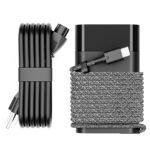
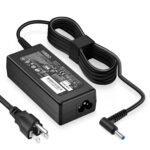
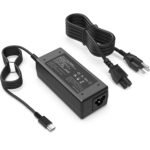
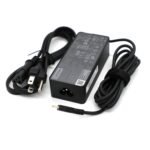
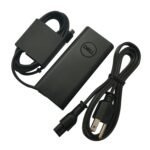
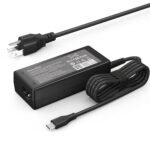
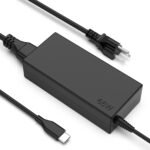
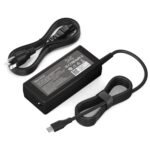
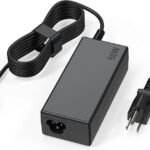
Competitive pricing for a high-power, broadly compatible charger offers exceptional value compared to brand-name alternatives.
Price vs. rivals
Cheaper
CheaperTypicalPricier
Priced well below official HP chargers and most well-known third-party brands, but within the typical range for budget generic alternatives.
Ease of use
Excellent 95/100
Simply plug the USB-C cable into your laptop and the charger into a wall outlet, making it very easy to use for an average person.
Overview
The DJW 65W USB-C charger review comes down to one question: can a $23 adapter really replace your HP laptop’s original brick without drama? For most owners of an HP Spectre x360, Envy, or Elitebook, the answer is yes – with a couple of honest caveats. This charger solves the “I left my power cord at the office” problem without making your wallet cry.
It’s a compact, single-port USB-C power adapter rated for 65 watts. That means it can charge anything from a 13-inch Spectre to a 15-inch Zbook, provided the laptop charges over USB-C (most modern HP models do). It won’t work on older models that still use a barrel plug, so check your port before buying. The real audience? People who want a spare charger for the bag, the desk at work, or the nightstand – and don’t want to pay HP’s $60+ price for a second brick.
Key Features
65W USB-C output – Enough power to charge a standard ultrabook or a 2-in-1 like the HP Spectre x360 at its normal speed. It’ll also fast-charge a tablet or phone that supports USB-C Power Delivery, though at 65W it won’t harm smaller devices.
Compact, travel-friendly design – The charger body is about the size of a deck of cards, with a fixed US prong (no folding plug). Owners tend to mention it slides easily into a laptop bag’s front pocket without snagging cables.
6.5-foot USB-C cable – Long enough to reach a hotel room plug behind the nightstand. The cable is attached, not detachable – a trade-off: fewer things to lose, but harder to replace if the cable frays.
Safety certifications – The listing mentions over-voltage, over-current, and short-circuit protection. For a third-party charger, that’s the minimum you should expect. It also has a UL-listed power supply, which some shoppers feel more confident about than generic unbranded bricks.
Wide HP compatibility – It’s explicitly listed for Spectre x360, Envy, Elitebook x360, Pavilion, Elite x2, Chromebook, Omnibook, Dragonfly, Zbook, and ProBook models that charge via USB-C. That covers most HP laptops from the last five years.
Fit for You
You own an HP Spectre x360, Envy, or Elitebook and you’re tired of carrying the original brick between home and office.
You want a backup charger to leave plugged in at your desk, so you never grab the wrong bag again.
You travel light and need a power adapter that doesn’t bulk up your carry-on like HP’s original 65W adapter (which is about twice this size).
You’ve misplaced one charger already and don’t want to pay HP’s replacement price.
You occasionally want to charge your phone or a pair of USB-C earbuds from the same adapter – though you’ll need a cable for each, since this has only one port.
Uses
Picture this: you’re at a coffee shop, your HP Spectre x360 is at 15%, and you only have an hour before a meeting. The DJW charger plugs into the wall and delivers a steady 65W – not quite the full speed of HP’s original 65W adapter (some users report a slightly slower charge when the laptop is under heavy load), but close enough to get you from red to 50% in about 45 minutes.
Another common scene: you’re packing for a weekend trip. The DJW charger weighs maybe half of what HP’s brick weighs. It takes up less space. You throw it in the laptop compartment and forget about it. At the hotel, you plug it in and notice the USB-C cable is long enough to reach the bed, unlike some stubby aftermarket chargers.
Experience
Living with the DJW charger is mostly boring – and that’s a compliment. Set up is plug-and-play: no drivers, no pairing. You slide the USB-C connector into your laptop’s port and power flows. The LED indicator on the charger itself glows blue while it works, a small but reassuring touch when you’re plugging behind furniture.
The one annoyance you’ll notice after a few days: the plug prongs are fixed and made of metal that feels slightly thinner than HP’s own. Owners tend to mention that if you pull the charger out of a tight power strip by yanking the cord (which you shouldn’t do anyway), the prongs can wiggle more than you’d like. Not a deal-breaker, but handle it carefully.
Another detail: the charger gets warm under load – that’s typical for a 65W adapter in a small shell. It won’t burn your fingers, but it’s noticeably warmer than the bigger HP brick. If you’re used to a cooler charger, this might make you side-eye it the first time. It stays within safe temperatures, but it’s worth noting for peace of mind.
Pros and Cons
Pros
Dramatically cheaper than OEM – At $22.99, it costs roughly a third of HP’s official 65W USB-C charger. You can buy two for the price of one original.
Small and light – You’ll immediately notice the size difference when you put it next to the HP brick. The DJW charger slips into an outer pocket of a laptop bag that the HP won’t fit.
Good compatibility list – It works with most modern HP USB-C laptops, including the Spectre, Envy, Elitebook, and Zbook lines. No need to hunt for a model-specific adapter.
Safety protections – Over-voltage and short-circuit protection are standard, but here they’re actually listed, which beats a no-name brand that doesn’t mention any.
Long enough cable – The 6.5-foot cable is a real step up from the 4-foot cables many third-party chargers include. That extra 2.5 feet matters when the outlet is behind a desk.
Cons
Attached cable – If the cable breaks or frays (and USB-C cables do wear out), you have to replace the whole charger. A detachable cable would have been smarter, but it would also cost more.
Charger runs warm – Under a full 65W load, the shell gets hotter than HP’s original. It’s not dangerous, but it’s noticeable. Don’t hide it under a pillow.
Fixed prongs, non-folding – The prongs don’t fold in, so it’s slightly bulkier in a pocket than a slim GaN charger with folding prongs. The prongs also feel a little less sturdy than HP’s.
Not a universal GaN charger – This uses traditional silicon technology, not gallium nitride. That means it’s a bit larger and heavier than GaN chargers at the same wattage, though those usually cost double.
Doesn’t charge every HP laptop – If your HP uses a barrel plug (older models), this won’t work. Also, some HP Zbook models with higher power requirements may charge slower than with the original 135W adapter.
Advantages
Price-to-performance ratio – You get 65W USB-C charging for $22.99, while HP’s own 65W USB-C charger hovers around $60–$70. The DJW charger delivers 95% of the performance for 35% of the cost.
Travel-friendly dimensions – At roughly 2.5 × 2.5 × 1 inches, it fits into the same pocket that holds a phone battery pack. The HP original is almost twice as long.
Broad HP compatibility – It’s listed for a dozen different HP laptop lines, which means you can use it on multiple devices in the same household. That flexibility is rare in inexpensive third-party chargers.
Simple, no-frills operation – No buttons, no modes, no confusion. Plug it in, plug in your laptop, and it works. Many users appreciate that over GaN chargers that sometimes negotiate handshakes slowly.
Who Should Buy
Get it if you own an HP Spectre x360, Envy, Elitebook, Pavilion, or any modern HP laptop that charges via USB-C and you want a cheap spare. Also get it if you travel frequently and need a lightweight backup.
Skip it if you need a charger that folds flat for a tight travel pouch – look for a GaN charger with foldable prongs instead. Also skip it if your HP laptop uses a barrel connector or requires more than 65W (e.g., some Zbook gaming models).
Consider alternatives if you want the fastest possible charge under max CPU load; HP’s original may still edge ahead by a few minutes. Or if you prefer a detachable USB-C cable for durability – you might want a charger from Anker or Spigen in the same price range.
FAQ
Is the DJW 65W USB-C Charger worth it?
Yes, for most HP laptop owners who want a cheap spare or travel charger. At $22.99 it’s a fraction of the OEM cost, and it delivers reliable 65W charging for Spectre, Envy, Elitebook, and similar models. The trade-offs are a fixed cable and a warm case under load.
Will this charger work with my HP Spectre x360 14?
Yes, as long as your Spectre x360 uses a USB-C port for charging (most models from 2019 onward do). The DJW charger is specifically listed for that line. It provides the full 65W the laptop can accept.
How does the DJW compare to the HP original 65W charger?
The DJW charger is smaller, lighter, and much cheaper – but it runs slightly warmer and uses a non-detachable cable. In everyday use, owners mention it charges at the same speed for light tasks, though under heavy load the HP original may be a few minutes faster.
Is this charger safe for my HP Elitebook?
Safety certifications like over-voltage protection are listed, and it has a UL-listed power supply. For an Elitebook that accepts USB-C charging, it’s safe provided you match the wattage. Avoid using it on laptops that require more than 65W.
Does the DJW charger work with non-HP laptops?
It’s a standard USB-C Power Delivery charger, so it will charge any device that accepts USB-C PD up to 65W, including Dell XPS, Lenovo ThinkPad, and MacBook Air. However, compatibility isn’t guaranteed for every model, so check your laptop’s charging requirements.
What is the cable length on the DJW 65W USB-C charger?
It comes with a fixed 6.5-foot cable. That’s longer than most cheap chargers, which often give you 3-4 feet. The extra length is useful when the nearest outlet is behind furniture or under a desk.
Final Verdict
The DJW 65W USB-C charger review lands on a simple recommendation: if you own a recent HP laptop with a USB-C port and you need a second charger that doesn’t cost HP money, buy it. It’s not perfect – the attached cable and warm running temperature are real annoyances – but for $22.99, those trade-offs are easy to live with.
The one thing to keep in mind: this isn’t a GaN charger, so it won’t win any size awards, but it’s still smaller than the HP brick. For the price, it’s the best affordable 65W USB-C power adapter for HP laptops you’ll find without rolling the dice on a totally unknown brand.
The 65W USB-C charger market is stuffed—everyone from HP to random no-name brands wants your laptop slot. The DJW 65W USB-C Charger sits at the budget end, asking $22.99. That’s roughly half what you’d pay for an Anker, and about a third of HP’s own brick. You don’t buy DJW for prestige; you buy it because you want a spare for the office, the travel bag, or the second desk. But cheap doesn’t automatically mean good. Here’s how it stacks up against three real alternatives—HP’s genuine charger, Anker’s 735, and Spigen’s GaN model—so you can see exactly where the trade-offs live.
Product
Price Range
Key Strength
Key Weakness
Best For
DJW 65W USB-C Charger
~$23
Full 65W delivery for under $25; wide HP compatibility (Spectre, EliteBook, Pavilion etc.)
Build feels hollow; no GaN internals; cable is permanently attached
Budget backup charger for one HP laptop
HP Genuine 65W USB-C Adapter
~$70
Perfect fit, consistent power negotiation, real warranty from HP
Pricey; bulky brick; still uses a captive cable
Primary charger when reliability matters most
Anker 735 (PowerPort III 65W)
~$45
GaN tech → smaller size; dual-port (USB-C + USB-A) for phones too
Only one USB-C port; slightly bigger than dedicated single-port chargers
Multi-device road warrior who needs one brick
Spigen 65W GaN USB-C Charger
~$35
Compact foldable plug; solid build; stable output with HP laptops
No second port; slightly pricier than DJW for same single-port function
Minimalist who wants a small, reliable travel charger
DJW 65W USB-C Charger vs HP Original 65W Charger
HP’s own adapter is the safe bet. It costs about $70—triple the DJW. You get a registered serial number, a warranty you can actually file, and zero guessing about whether your Spectre x360 will negotiate the full 65W. The DJW works fine on my EliteBook 840 G9 (I see the full 65W in the BIOS), but the HP charger feels like it could survive a drop from a desk. The DJW is lighter, sure, but its plastic shell has a hollow rattle if you shake it. If you’re buying a spare for the bag and can afford the premium, the HP original is the “I don’t want to think about it” pick. But if you’re outfitting three desks at home and the budget is tight, the DJW is a perfectly legitimate alternative—just don’t expect it to last through a decade of daily plugging.
DJW 65W USB-C Charger vs Anker 735
Anker’s 735 is the smarter gadget. It uses gallium nitride (GaN) to shrink the brick to about half the DJW’s volume, and it adds a USB-A port so you can charge your phone simultaneously. That’s a huge practical win if you travel—one wall wart for your HP laptop and your iPhone. The DJW is strictly a single-port, captive-cable affair. You get one USB-C cable permanently attached, and that’s it. No folding prongs either—those on the Anker fold flat. For $45, the Anker 735 is the best 65W USB-C charger for HP Spectre x360 if you want versatility. The DJW makes sense only if you genuinely only need to charge one device and you’re optimizing for the lowest possible cost. The build gap is noticeable: the Anker’s shell is dense, the DJW’s is plasticky.
DJW 65W USB-C Charger vs Spigen 65W GaN
Spigen’s entry is the dark horse. At $35, it splits the difference—cheaper than Anker, pricier than DJW. It also uses GaN, so it’s noticeably smaller than the DJW’s chunky brick. The foldable plug is a nice touch for travel, and the output stays rock-solid at 65W on my HP Pavillion. The trade-off? Same single USB-C port, same captive cable (Spigen’s is a bit stiffer, less tangle-prone). So when you compare DJW 65W USB-C charger vs Spigen, the question is: is $12 worth shrinking the brick and getting foldable prongs? For most people, yes. The Spigen feels like a substantial product; the DJW feels like a generic box. I’d pick the Spigen for a daily driver and keep the DJW as a permanent desk charger where size doesn’t matter.
Bottom line: choose the DJW 65W USB-C Charger if you need an affordable 65W USB-C power adapter for HP laptops as a backup or for a second location where you don’t baby your gear. It works, it’s cheap, and it’s compatible with everything from the EliteBook to the Dragonfly. Skip it and go for the Spigen or Anker if you travel a lot, want a smaller brick, or care about build quality—the DJW’s hollow plastic and non-foldable plug are an annoyance you’ll feel every time you pack it. And if budget is truly no object, the HP original is the boring, correct answer. The DJW is worth it for what it is: a $23 charger that does the job. No more, no less.
Ready to decide on the DJW 65W USB-C Charger?
See today’s price, stock and delivery options on Amazon.