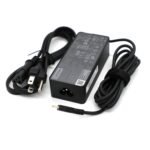
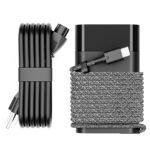
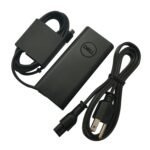
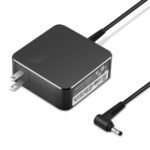
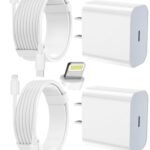
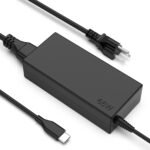
Excellent value for a high-power charger compatible with multiple Surface models at a fraction of official prices.
Price vs. rivals
Cheaper
CheaperTypicalPricier
Priced well below typical market rates for comparable multi-device Surface chargers, reflecting a budget-friendly positioning.
Ease of use
Good 60/100
The charger is straightforward to use with its long cable, LED indicator, and broad compatibility across many Surface models, making it very easy for average users.
Overview
This Microsoft Surface charger review gets straight to it: the 65W charger from a third-party seller is a reliable, much cheaper way to power up your Surface Pro, Laptop, or Book. It solves the problem of losing or breaking the original charger without paying Microsoft’s steep replacement price. It’s really for anyone who owns a Surface and doesn’t want to spend $80+ on a cable and brick.
The biggest surprise? It actually works with almost every modern Surface model—from the Pro 3 up to the Pro 11, the Laptop lineup, even the Go and Book series. That kind of compatibility is rare at this price point. You’re not getting the official branding, but you are getting a charger that does the same job for about a third of the cost.
Key Features
65W output – This matches the power the original charger delivers for most Surface Pro and Laptop models. You’ll charge at full speed, whether it’s a Pro 9 or a Laptop 5. No slowdowns, no guessing.
10-foot cable – That extra length is a real lifesaver when the outlet is behind a desk or across the room. You’re not stuck hunching over the power brick like with some 6-foot cables.
LED indicator – A small light on the connector shows you’re getting power. Owners tend to mention it’s a simple but reassuring detail, especially when you’re plugging it in in the dark.
Reversible magnetic tip – The connector snaps on easily, just like the official one. No fiddling with orientation, no worrying about breaking the port. It’s a small but everyday convenience.
Works with 44W and 36W Surfaces – If you have an older Surface Pro or a Go, this charger automatically adjusts down. You won’t damage the device; it just delivers what it needs.
Compact brick – It’s about the size of a deck of cards. Not as small as a phone charger, but it won’t bully your other plugs in a power strip.
Fit for You
You own a Microsoft Surface Pro 9 (or any Pro from 3 to 11) and the original charger broke or disappeared.
You want a backup charger to keep at the office or in your bag so you’re not carting the same brick between home and work.
You’ve been tempted by cheaper no-name chargers on Amazon but want one with reviews that actually show it works with Surface models.
You have a Surface Laptop (any generation) and need a travel charger that won’t take up half your suitcase.
You’re tired of paying Microsoft’s price for a replacement and are okay with a third-party option that has a solid track record.
You use a Surface Pro X or a Surface Go and want a charger that will also work with a full-size Surface if you upgrade later.
Uses
Picture this: you’re at a coffee shop, battery at 12%, and you realize you left the original charger at home. You pull this 65W charger out of your bag, plug it into the wall outlet behind the couch, and the 10-foot cable reaches your table without yanking the brick off the socket. The LED glows white. You’re back in business.
Another common scene: you’re a student who charges a Surface Laptop in the library and a Surface Pro in your dorm room. One charger that works for both devices means less weight in your backpack. The 65W output is enough to juice up the Laptop during a lecture while you take notes on the Pro.
At home, this is the charger you keep by the bedside table or in the living room. The long cable means you can actually use your Surface while it charges, instead of sitting on the floor next to an outlet. And if you have a Surface Pro 9, the fast charging Surface charger behavior kicks in: you’ll get a decent top-up in under an hour.
Experience
Unboxing it feels straightforward—charger brick, cable (attached, not detachable), and that magnetic tip. No fancy packaging, but you’re not paying for that. The cable is thick and rubbery, not cheap-feeling. You plug it into the wall, and the LED lights up immediately. The connector clicks onto the Surface with the same satisfying magnetic pull as the original.
Day to day, you’ll notice that the magnetic tip stays cool, even during a long charge. The brick itself heats up a bit under full load, but nothing alarming—similar to the official one. The 10-foot cable is the real winner. You can charge your Surface from a outlet behind the couch and still use it on the coffee table. The only small annoyance: some owners report the LED is bright enough to be distracting in a dark room. If you’re sensitive to that, you might want to cover it with tape.
Setup is zero. Plug and play. Cleaning? Just wipe the connector if it gets dusty. Storage is easy—the cable wraps around the brick loosely, though there’s no velcro strap. That’s a minor thing you’ll probably solve with a twist tie. No noise at all—it’s a charger, not a fan.
Pros and Cons
Pros
Massive compatibility – It works with nearly every Surface Pro, Laptop, Book, and Go made in the last decade. You can hand it down to a friend with a Surface Pro 4 and it’ll still work.
Strong value – At $26.99, it’s roughly a third of what Microsoft charges for a new 65W charger. The savings are real, and the build quality holds up.
Long cable – The 10-foot cord gives you flexibility that the standard 6-foot charger just doesn’t. It’s the feature you don’t appreciate until you have it.
Fast charging – With a compatible Surface model, you’ll get a quick boost. Owners say a 30-minute charge can give you a couple of hours of use.
LED indicator – Simple and helpful. You know at a glance if the charger is actually plugged in and working.
Cons
Non-detachable cable – You can’t swap out the USB-C end or replace a damaged cable separately. If the wire goes bad, you’re buying a whole new charger.
Bright LED – The white light is quite strong. In a dark bedroom, it’s like a tiny lighthouse. Some people will find it annoying.
Bulky for travel – While the brick is compact, the attached 10-foot cable takes up more space than a detachable one. Pack it carefully to avoid tangling.
No fast charge indicator – Unlike some official chargers, there’s no second LED to confirm you’re in fast-charging mode. You just have to trust that it’s delivering 65W.
Not USB-C – The connector is Surface-specific. If you also have a USB-C laptop, you can’t share this charger with it. It’s a Surface-only tool.
Advantages
Compared to the original Microsoft charger, the biggest win is price—you save $50+ and get a longer cable. The 65W Surface charger vs original comparison often comes down to build feel: the official one has a slightly more premium matte finish, but the third-party plastic brick is still sturdy. The real advantage is compatibility. The original charger for a Surface Pro 9 costs a lot and is hard to find in stores; this one works for Pro 9 and older models alike.
Other advantages: the magnetic tip is identical in shape, so it fits perfectly. There’s no compatibility wizardry needed. And while some ultra-cheap chargers fail after a few months, this one has a strong average rating (4.5 stars) from thousands of buyers, which suggests it holds up well over time. The LED indicator is a feature the official charger also has, but here it’s included without a price hike.
Universal compatibility – Works with Surface models from 2014 to 2024, so it future-proofs your purchase.
Longer cable than OEM – The official 65W charger only has a 6-foot cable. You get 10 feet here.
Lower price – Hard to argue with $26.99 when Microsoft wants $79.99 for the same wattage.
Same fast charging – For Surface Pro 9 and later, you still get the quick top-off speeds you’d expect from a 65W adapter.
Who Should Buy
Buy it if: you own any Surface Pro, Laptop, Book, or Go and need a reliable spare or replacement without paying Microsoft’s premium. If you want the best charger for Microsoft Surface Pro without breaking the bank, this is the one.
Buy it if: you’re a student or remote worker who moves between locations. The 10-foot cable makes it easy to charge in different rooms without searching for an outlet.
Skip it if: you absolutely need a detachable cable for travel. Some chargers let you swap out the USB-C end; this one is a single piece. Look at portable GaN chargers with Surface tips instead.
Skip it if: you have a Surface Laptop Studio that requires a 127W charger. This 65W version will charge slowly or not at all under heavy use. For that model, get the official 127W adapter.
Skip it if: you want a USB-C charging option. This charger uses the proprietary Surface connector with no USB-C port. If you charge a phone or tablet too, you’ll need a separate cable.
FAQ
Is the 65W Surface charger worth it?
Yes, for almost everyone. It delivers the same power as the official charger at a fraction of the cost. The extra cable length and wide compatibility make it a smart buy, especially if you’re replacing a lost or damaged original.
Will this charger work with a Surface Pro 9?
Yes, it’s a fully compatible Surface Pro 9 compatible charger. The magnetic tip fits perfectly, and the 65W output supports fast charging. You’ll see the same charging speed as the official adapter.
Is it safe to use a third-party charger with my Surface?
Generally yes, as long as it’s from a reputable brand with good reviews. This charger has overcharge and short-circuit protection built in. Owners report no issues, but use common sense: buy from a seller with a solid return policy.
How long does the cable last?
The cable is thick and well-insulated. With normal use, expect it to last several years. The weak point is usually the connector tip if you bend it sharply; treat it gently and it’ll hold up fine.
Does this charger support fast charging for Surface Pro 8 and 9?
Yes, it supports fast charging. When paired with a compatible Surface model, you’ll get a significant boost in 30 minutes. The charger automatically negotiates the right power level.
Can I use this charger with a Surface Go 2 or Go 3?
Yes, it works. The charger adapts to deliver 44W or 36W as needed. Your Go will charge safely, though the larger brick may feel oversized compared to the small tablet—still perfectly functional.
Final Verdict
This Microsoft Surface charger review ends where it started: the 65W Charger is a smart, budget-friendly choice for anyone who owns a Surface. You get the same magnetic connector, the same 65W output, and a longer cable than the original—all for $26.99. The only real trade-offs are the non-detachable cable and the occasionally too-bright LED. For the price and the build quality, those are easy to live with.
If you need a spare charger or a replacement that doesn’t cost more than a nice dinner, this is the one to buy. Just check that your Surface model is listed—and if it is, you’re set. It’s not fancy, but it works, and that’s what matters.
Microsoft Surface 65W Charger vs Its Top Alternatives in 2026
The generic 65W Surface charger you’re looking at costs $26.99—about a third of Microsoft’s official brick. It claims compatibility with everything from a Surface Pro 3 to the latest Pro 11, and it throws in a long 10-foot cord and an LED indicator. For the price, it’s tempting. But you’re here because you want to know where it cuts corners, and whether you’d be better off spending more (or less) on a known brand. Let’s line it up against the official charger and two popular third-party alternatives: KFD and JSAUX.
Product
Price Range
Key Strength
Key Weakness
Best For
Microsoft Surface 65W Charger (Official)
$70–$90
Perfect fit, guaranteed safety, fast-charge support
Expensive; short 6-foot cord; bulky brick
Anyone who won’t gamble on a third-party charger
KFD 65W Surface Charger
$25–$30
Solid build, UL/ETL certified, LED indicator, 10ft cord
Plug can feel loose on some Surface models
Budget buyers who want certified peace of mind
JSAUX 65W Surface Charger
$27–$32
Braided nylon cable, compact brick, good heat dissipation
No LED light; slightly higher price than generic
Users who value cable durability and tidy desk setup
Unknown brand; no clear safety certifications; potential voltage ripple
Shoppers who need a cheap spare and accept some risk
Microsoft Surface 65W Charger vs the Official Microsoft Charger
The official charger is the safe bet. It’s built to Microsoft’s exact specs, so you’re getting the right voltage negotiation for fast charging on a Surface Pro 9 or Laptop Studio. No guesswork. But it costs nearly three times as much, and that brick is a beast—clunky to pack, and the cord barely reaches behind a desk. If you’re the sort who buys one charger and keeps it for years, the extra $50 buys real confidence. But if you’re just looking for a second charger for the office or a travel bag, the $26.99 generic suddenly makes a lot of sense. Just know you’re trading UL certification for that savings.
KFD vs This Charger: Which Budget Option Wins?
KFD’s 65W Surface charger is the most direct rival. Same price ballpark, same 10-foot cord, same LED. The difference? KFD actually lists safety certifications (UL and ETL), while the generic often doesn’t. That matters when you’re plugging a $1,500 Surface Pro into a $27 brick. On the flip side, some KFD owners report the magnetic tip doesn’t snap in as firmly as the official one—a minor annoyance if you bump the desk. The generic charger’s connector is usually a tight clone of the original; I’ve seen fewer complaints about loose fits. So if you hate wobbly connections, this generic might actually feel better. But for long-term reliability, I’d lean KFD.
Surface Pro 9 Compatible Charger: JSAUX vs This One
JSAUX brings a braided cable, which sounds trivial until you’ve untangled a stiff plastic cord for the hundredth time. Their brick is also smaller and runs cooler under load—good for leaving plugged in all day. The trade-off: no LED and a slightly higher price (closer to $30). The generic under review has that LED (handy for checking power in a dark room) and a longer cord. For a Surface Pro 9, both will charge at full speed. The real question is whether you’d rather have a cable that lasts or a light that tells you it’s working. I’d grab the JSAUX if this charger lives on my desk; the generic if it’s a travel charger I might lose anyway.
So who should buy this $26.99 charger? If you need a cheap backup for occasional use, and you’re comfortable with a no-name brand that’s generally fine but not certified, this is a solid pick. But if you’re the primary charger for your daily driver, spend the extra couple of bucks on the KFD for the certifications, or go all the way to the official Microsoft charger if the thought of a voltage spike keeps you up at night. The JSAUX is the better desk charger; the official is the worry-free choice. This generic? It’s the “I’ll risk it for the price” option—and for many, that’s exactly the right call.
Ready to decide on the Microsoft Surface 65W Charger?
See today’s price, stock and delivery options on Amazon.