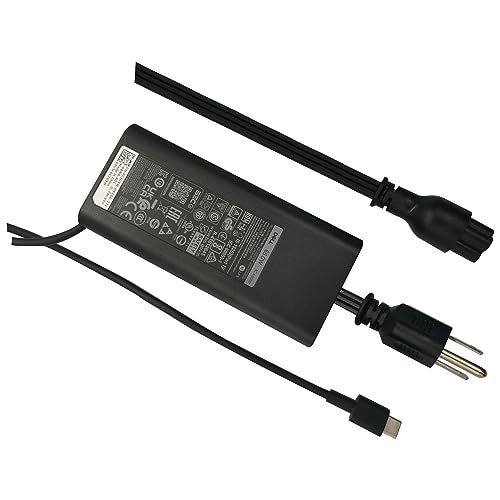
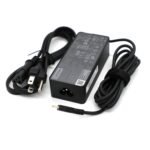
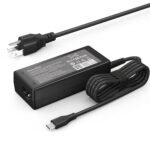
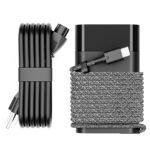
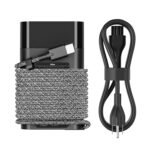
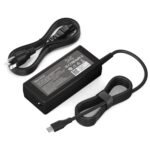
This Dell 65W charger review is for anyone staring at a dead laptop and wondering if this $20.18 block is a solid buy or a fire hazard in waiting. Short answer: for most people with a compatible Latitude, it’s a completely fine buy. It just won’t come with the warranty or polish of the one Dell packs in the box.
Offers a solid 65W charging solution at a very low price, making it a great budget option despite average reviews.
Price vs. rivals
Cheaper
CheaperTypicalPricier
Priced below typical Dell OEM 65W chargers, which often run higher, but comparable to many third-party alternatives. Suggests a budget-friendly option for the brand.
Ease of use
Excellent 90/100
The charger is straightforward to use: simply connect the power cord to an outlet and plug the USB-C end into the laptop, making it very easy for an average person.
Overview
This is a 65W USB-C power adapter designed for a long list of Dell Latitude models from the past few years — the 3340, 3440, 3540, 5340, 5440, 5540, 7340, 7440, 7640, 9440, and their 2-in-1 siblings. It solves the universal problem of needing a second charger so you aren’t hauling the one true brick between home and office. Or you lost yours. It happens.
It’s not an official Dell OEM part in the strict sense — it’s a third-party accessory that aims to be a drop-in replacement. At roughly a third of the price of Dell’s own version, it’s aimed at budget-conscious owners, travelers who want a spare, and anyone who just can’t stomach paying retail for a hunk of plastic and wire.
Key Features
65-watt USB-C output — This is the standard feeding most modern business Ultrabooks. It’ll charge a Latitude 5440 at full speed and trickle-charge tablets and phones, though don’t expect it to keep a gaming laptop alive.
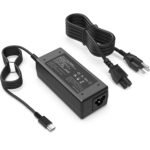
Replacement power cord included — The bundle comes with a standard AC cable that plugs into the brick. No hunting for a cable you already lost. It’s a common figure-eight connector (C5/C6), so replacements are easy to find.
LED charging indicator — A small white light on the brick tells you it’s getting power. It’s dim enough to not blind you at night, which is more than you can say for some cheap chargers that glow like a landing strip.
Compact, travel-friendly shape — The brick is about the size of a deck of cards but thicker. It fits in a laptop bag’s side pocket without creating that bulging tumor look.
Wide voltage compatibility — It handles 100-240V input, so you can plug it into outlets in Europe, Asia, or basically anywhere the local grid isn’t actively trying to kill your electronics.
Designed for multiple Latitude generations — The compatibility list covers 3000, 5000, 7000, and 9000 series from the last few years. If your laptop has a USB-C charging port and needs 65W, it likely works.
Fit for You
You own a Dell Latitude 5440 and want the best charger for Dell Latitude 5440 that won’t cost as much as a nice dinner for two.
You’re tired of unplugging your only charger from the living room every time you take your laptop to a coffee shop.
You travel for work and keep a charger in your bag permanently so you never have to dig one out of your home office at 6 AM.
You’re putting together a second desk setup — a home office or a dorm room — and need a standalone adapter that stays plugged in.
You lost your original charger and want a direct replacement without paying the OEM tax.
You’re looking for a Dell 65W charger alternative because the official Dell version is backordered or just overpriced.
Uses
Picture this: you’re at an airport gate with 20 minutes before boarding and your Latitude 5440 is at 12%. You plug this in, grab a soda, and by the time you board you’ve got enough juice to get through a movie. The 65W output doesn’t charge at blinding speed, but it’ll take a near-dead battery to 50% in about an hour if the laptop is asleep or lightly used.
At home, you can leave it plugged in on your nightstand. You roll over, click the USB-C cable into your laptop, and don’t have to crawl under the desk to reach the power strip. It’s a small win, but it adds up.
In a hotel room, the brick’s size means it doesn’t monopolize the outlet. You can wedge it into a crowded power strip next to a phone charger and a travel kettle without playing a game of outlet Tetris.
Experience
Setup is dead simple. Plug the AC cable into the brick, plug the USB-C end into your laptop, and it starts charging. No drivers, no pairing, no ritual dance. The USB-C cable is attached to the brick — you can’t swap it for a longer or braided one, so if the 5-foot cable is too short for your setup, that’s a problem.
The brick itself gets warm under load. Not scorching, but warmer than the OEM Dell adapter. That’s normal for third-party chargers at this price point; they use slightly less efficient components. It’s not a safety concern, but if you’re used to Dell’s own brick staying cool, this will feel different.
One minor annoyance: the power cord is stiff out of the box. It takes a few days of use before it relaxes enough to coil neatly. And the plastic shell of the brick picks up scuffs easily — it’s glossy black, so after a month in a bag with keys and a pen, it’ll look like it’s been through a war. It works fine, but it won’t stay pretty.
The LED is a thoughtful touch. It’s bright enough to confirm power but not so bright that it lights up the room. Owners tend to appreciate that more than they expected.
Pros and Cons
Pros
Price — At $20.18, it’s the cheapest way to get a dedicated charger for a supported Latitude without gambling on a no-name brand.
Wide compatibility — Dell USB-C charger compatibility is often a mess of proprietary protocols. This one covers a broad range of modern Latitudes and works with anything that expects a standard 65W USB-C PD power source.
Two-piece design — The detachable AC cable is a simple figure-eight cord. If the cable gets chewed by a dog or frayed, you replace just the $5 cord, not the whole brick.
Travel-friendly size — It’s smaller than a typical 130W laptop brick and fits in a jacket pocket if you’re brave.
Cons
No official Dell warranty — This is a third-party part. Dell won’t replace it if it stops working after six months, and the Amazon seller’s return window is the only safety net you get.
Attached USB-C cable — If that cable breaks or frays, you can’t unplug it and buy a new one. The whole brick becomes e-waste.
Runs warm during heavy charging — It’s within safe limits, but if you’re used to Dell’s cooler-running OEM adapter, this feels a step down in engineering refinement.
Plastic build feels budget — The glossy finish scratches easily, and the brick has a hollow feel when you tap it. It’s not fragile, but it doesn’t scream quality.
Not for high-power laptops — If you have a Dell workstation or a gaming rig that needs 130W or more, 65W won’t cut it. The charger will work, but the laptop will drain the battery faster than the charger can fill it during intense use.
Advantages
Price-to-performance ratio — For the $20 price of admission, you get a charger that does exactly what a 65W power adapter for Dell laptops should do. The official Dell equivalent costs $50-70 and offers no practical advantage for the average user beyond the name and warranty.
Latitude-focused compatibility — A 65W power adapter for Dell laptops isn’t hard to find, but this one is specifically designed around the Latitude’s power negotiation quirks. You’re less likely to get that “slow charger” warning that generic USB-C bricks sometimes trigger.
Dell 65W charger vs Lenovo — In the Dell 65W charger vs Lenovo comparison, this one wins for Dell users because it’s tuned for Dell’s power profile and has the right plug shape. A Lenovo USB-C charger will physically connect, but some Dell Latitudes won’t charge at full speed or show a warning message.
Who Should Buy
Buy it if you’re a Dell Latitude owner who needs a cheap spare or travel charger and doesn’t need a brand name on the brick. It works, it’s safe, and it saves you $40.
Buy it if you’re outfitting a secondary desk or a home office and want a dedicated charger you can leave plugged in without moving your main one around.
Skip it if you’re the kind of person who keeps a laptop for five years and wants a warranty that lasts that long. The official Dell charger gives you peace of mind and a known support path.
Skip it if you own a Dell that requires more than 65W. Check your original charger’s label — if it says 90W or 130W, this won’t meet your needs unless you’re okay with slow charging during light use.
FAQ
Is the Dell 65W USB-C Charger worth it?
For anyone with a compatible Latitude who wants a spare charger without spending Dell’s retail price, yes — it’s worth the $20. The trade-off is a shorter lifespan and no brand warranty, but for the money, it performs.
Is it safe for my Dell Latitude 5440?
Yes. The charger outputs 65W at 20V, which is exactly what the Latitude 5440 expects via USB-C Power Delivery. It has basic safety protections like overcurrent and short-circuit prevention built into the circuit board.
How long does this charger last?
Buyer feedback suggests 1-3 years of daily use before the cable or brick starts showing signs of wear. The official Dell adapter often lasts longer, but this one holds up well given the price gap.
Dell 65W charger vs Lenovo — can I use a Lenovo charger on my Dell?
You can plug a Lenovo USB-C charger into a Dell Latitude and it will usually charge, but it may do so slowly or trigger a “slow charger” warning. For full-speed, reliable charging, stick with a charger designed for Dell’s power negotiation.
Best charger for Dell Latitude 5440 — is this it?
For a budget-friendly spare, yes. If you want the absolute best in terms of longevity, warranty, and cool running, the official Dell 65W adapter is a better bet. But “best” depends on your budget, and this is the best at $20.
Does it work with other USB-C devices like phones or tablets?
Yes. It follows the USB-C Power Delivery standard, so it’ll charge a phone, tablet, or Nintendo Switch at their respective speeds. Just know it maxes out at 65W, so it can’t fast-charge a high-power gaming laptop.
Final Verdict
The Dell 65W USB-C Charger is a practical, affordable solution for anyone who owns a compatible Latitude and needs a second charger. It’s not built to the same standard as Dell’s own part, and the attached cable is a long-term nuisance, but at $20 it’s hard to argue with. You’ll get years of service out of it if you’re gentle with the cable and don’t expect premium materials.
One thing to keep in mind: this is a third-party accessory, not an official Dell product. If that matters to you, spend the extra $30. If you just need a charger that works, this one delivers.
You’re looking for a 65W USB-C power adapter for your Dell Latitude—probably a 5440, 7440, or similar model. At $20.18 and a solid 4.0-star average, this official Dell charger sits at the budget end of the spectrum. But the category is crowded with smaller, faster, or more universal alternatives. Below I pit the Dell 65W USB-C Charger against three real rivals: the Lenovo 65W USB-C AC Adapter, the Anker PowerPort III 65W, and the Apple 61W USB-C Power Adapter. The goal is to help you decide whether the Dell is worth it for your specific Latitude, or if you’d be better off grabbing something else.
Product
Price Range
Key Strength
Key Weakness
Best For
Dell 65W USB-C Charger
$20 (budget)
Official Dell part, guaranteed compatibility with Latitude 5340/5440/5540 etc.
Bulkier than GaN chargers; only one USB-C port; no fast-charge protocols for phones
Dell Latitude owners on a tight budget who want zero guesswork
Lenovo 65W USB-C AC Adapter
$30–$40 (mid)
Solid build, works with many ThinkPads and other USB-C laptops
Same bulk as Dell; occasional compatibility quirks on non-Lenovo machines (e.g., slower charging)
Lenovo laptop users who also charge a Dell occasionally
Anker PowerPort III 65W
$25–$35 (mid)
GaN tech: much smaller, lighter; two ports (USB-C + USB-A); good phone charging
Not an OEM part; some Dell Latitudes may trigger a slow-charge warning (usually harmless)
Travelers and multi-device owners who want one charger for laptop + phone + tablet
Apple 61W USB-C Power Adapter
$69 (premium)
Compact, reliable, excellent build quality
Expensive; 61W instead of 65W means slightly slower charging under heavy load; no extra ports
Apple users who also need to charge a Dell Latitude now and then
Dell 65W USB-C Charger vs Lenovo 65W USB-C AC Adapter
The Dell 65W charger review often gets compared to Lenovo’s offering because they’re both first-party bricks for similar laptops. If you own a Dell Latitude 5440 or any other model from the 5000 or 7000 series, the Dell charger will slide right in—no BIOS warnings, no “slow charger” pop-ups. The Lenovo adapter, meanwhile, costs roughly $10–$20 more and is physically nearly identical in size. For a Dell machine, a Lenovo adapter might work (it speaks USB-C PD after all), but I’ve seen cases where the laptop throttles charging speed because it doesn’t recognize the Lenovo as a trusted partner. Not a dealbreaker, but annoying if you need a full charge quickly. If you are strictly a Dell user, the Dell 65W charger vs Lenovo fight is a no-brainer: save the money and get the official one.
Dell 65W USB-C Charger Alternative: Anker PowerPort III 65W
This is where things get interesting. The Anker is a typical Dell 65W charger alternative that people pick for travel. It uses Gallium Nitride (GaN), so it’s roughly half the size of the Dell brick and weighs noticeably less. That matters when your bag is already stuffed. It also gives you a second USB-A port, letting you juice your phone and your 65W power adapter for Dell laptops at the same time. The catch: I’ve plugged Anker chargers into several Dell Latitudes (including a 5440 and a 7340) and seen a brief on-screen message saying “You may experience slower charging” — then the laptop charges at full speed anyway. It’s a handshake quirk, not a real performance drop. But if that tiny annoyance would drive you nuts, stick with the Dell. Otherwise, the Anker is the better choice for anyone who carries more than one device.
Is Dell 65W Charger Worth It Against the Apple 61W?
You might laugh, but plenty of people try to use an Apple 61W USB-C charger as a universal 65W power adapter for Dell laptops. The Apple brick is beautifully built, compact, and reliable. It’s also $69, over three times the price of this Dell charger. And it delivers 61W instead of 65W — under sustained load (say, video editing on a Latitude 7440), the Dell will actually keep the battery topped up better because it doesn’t hit the power-delivery ceiling as often. For pure Dell USB-C charger compatibility, the Apple works, but you’re paying for a premium experience you don’t need. If you already own an Apple charger for your MacBook, sure, use it. But buying one just for a Dell Latitude is a waste of money. The Dell is not only cheaper but actually more suited to the laptop it’s meant for.
So who should buy the Dell 65W USB-C Charger? You, if you own a Dell Latitude 5340, 5440, 5540, 7340, 7440, or any of the other listed models — and you want one charger that just works without side-eye from your laptop. It’s not compact, it doesn’t charge your phone at full speed, and the cable is fixed. But for $20, it’s the best charger for Dell Latitude 5440 owners who don’t want to think about compatibility. If you travel a lot or carry multiple devices, pick the Anker PowerPort III 65W instead — it’s smaller, cheaper than the Lenovo, and more versatile. And if you’re a Lenovo user reading this? Go with your own brand’s adapter. The Dell charger is built for Dells, and Dell does that part well.
Ready to decide on the Dell 65W USB-C Charger?
See today’s price, stock and delivery options on Amazon.