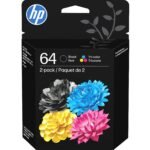
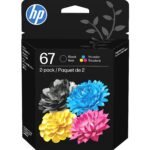
Is the HP 67XL Ink Cartridge worth it? This HP 67XL review says yes for the home office crowd. You pay more upfront, but you swap cartridges far less often. For anyone printing documents consistently on a compatible DeskJet or Envy, the XL version of the standard 67 saves you time and money over the long run. That’s the honest bottom line.
Balances reliable OEM quality and high-yield page count with a moderate price point, earning strong customer satisfaction.
Price vs. rivals
Typical
CheaperTypicalPricier
Priced near the middle of the range for high-yield OEM ink cartridges, in line with brand-name equivalents though above budget/compatible alternatives.
Ease of use
Excellent 85/100
Installing the cartridge is straightforward for most users, as it simply snaps into the printer, though packaging may vary slightly in unboxing experience.
Overview – What the HP 67XL Actually Is
The HP 67XL is the high-yield version of the standard HP 67 ink cartridge. It holds roughly three times the black ink, which means you deal with the “replace cartridge” warning far less often. If you are tired of running out in the middle of a job, this is the fix.
This cartridge is designed for the steady home user. It solves the problem of expensive, low-page-yield cartridges without forcing you into a subscription you might not want. For the typical family printer, it strikes a good balance between upfront cost and running costs.
Key Features of the HP 67XL
The main reasons people pick the 67XL over the standard 67 come down to a few clear benefits. Here is what you get:
Triple the page yield. The standard HP 67 gives you around 200 pages. The XL bumps that to roughly 600. That is the whole reason it exists.
Instant Ink ready. This cartridge works with HP’s subscription service. If your printing spikes, you can sign up and the service will ship a new one before the old one dries up.
Broad printer support. HP 67XL compatible printers include the DeskJet 1255, 2700, and 4100 series, plus the Envy 6000 and 6400 series. Double-check your model, but it covers most of the recent consumer line.
Consistent print quality. You get sharp, dense text that looks professional. No banding, no streaks. Genuine HP ink is formulated for their printheads.
Packaging varies, worry not. HP changes boxes a lot. The cartridge inside is exactly the same. The cardboard might look different from the Amazon photo, but the 3YM57AN part number does not lie.
Is the HP 67XL the Right Fit for You?
You should buy the HP 67XL if you are in one of these situations:
You print homework assignments or work documents a couple of times a week.
You hate the “low on ink” warning that pops up before a deadline.
You are looking at the standard HP 67 and the XL and you want the one that saves money over six months.
You already subscribe to HP Instant Ink and want a backup retail cartridge that lasts longer than the standard one.
You have an Envy 6400 or DeskJet 2700 and you mostly print black text.
Everyday Uses for the HP 67XL
The HP 67XL lives in the printer you actually use. You grab it for the stuff that matters: school permission slips, medical forms, travel itineraries, and owner’s manuals that are easier to read on paper.
In a home office, it earns its keep. Print a 30-page contract or a set of invoices. The printer just gets it done. You do not hear the grinding noise of a cartridge running dry halfway through. That peace of mind is the real value.
Many people searching for the best high-yield ink cartridge for home office settle on this one. For the Envy and DeskJet family, it is the strongest option HP makes.
Experience: Living with the HP 67XL
Installing the HP 67XL is standard stuff. Tear the tape, pull the orange tab, slide it into the left bay until it clicks. The printer takes a minute to recognise it and run its priming routine. You will hear the usual clunks and whirs.
A few weeks in, the printer will warn you the ink is low. Ignore it. HP’s empty warnings are famously cautious. You will get another 30 or 40 pages out of it.
It keeps printing clean text right up until the end. When the cartridge is truly dry, the print drops out in strips. Then you swap.
A specific annoyance is the price tag at checkout. Paying $35 for a single cartridge stings when the standard one is $25. You have to trust the math that the per-page cost is lower.
For a light user, the ink can sit there for months, which raises the risk of it drying before you finish it. Keep the package sealed in a cool drawer.
Pros and Cons of the HP 67XL
Pros
Lower cost per page. Over the life of the cartridge, you spend less per sheet than you would with the standard 67. The savings add up.
Fewer swaps. You install it and forget it for months. That convenience is hard to put a price on.
Reliable black text. The output is crisp and dark. No streaking or fading, even on cheap copy paper.
Instant Ink compatible. If you decide to try the subscription, this cartridge is ready to go. It gives you flexibility.
Cons
High upfront cost. $35.89 is a big hit for a single cartridge. You have to be confident you will use the ink to get your money’s worth.
Premature low ink warnings. HP printers nag you to replace the cartridge well before it is empty. You learn to live with the constant yellow triangle.
No color XL option. This XL is for black ink only. The color cartridge in the right bay is still the standard size, so you will swap that one just as often.
Packaging inconsistencies. Sometimes you get a cardboard box, sometimes a plastic clamshell. It looks cheap, but the cartridge works fine either way.
Advantages: HP 67XL vs HP 67
The most direct comparison is HP 67XL vs HP 67. The XL costs more at the register but costs less over time. The math is simple: roughly 200 pages from the standard, roughly 600 from the XL. If you print three pages a day, the regular one lasts two months. The XL lasts six. The convenience alone is worth the upgrade.
Against third-party remanufactured cartridges, the 67XL wins on reliability. Generics often throw chip errors or print streaks. HP’s firmware is designed to work best with its own ink. You are paying for that guarantee.
For the home office looking for value, the 67XL is the strongest option HP makes for this printer family. A laser printer still wins on volume, but for the mixed load of a family printer, the 67XL makes sense.
Who Should Buy the HP 67XL
Buy it if: You own a compatible DeskJet or Envy and you print black text regularly. Students, remote workers, and parents with school-age kids are the ideal audience.
Skip it if: You print once a month. The standard HP 67 will waste less money. Also skip it if you burn through ink every week; a black and white laser printer will save you a lot more in the long run.
Consider Instant Ink instead if: Your volume fluctuates wildly. The subscription can match your usage better than a single retail purchase.
FAQ about the HP 67XL
Is the HP 67XL Ink Cartridge worth it?
For the average home office user printing a few times a week, yes. You save on cost per page and avoid frequent swaps. If you print very rarely, the standard 67 or an Instant Ink subscription is a better fit.
What is the HP 67XL page yield?
HP rates the 67XL black cartridge at roughly 600 pages. The standard HP 67 yields about 200. Real world numbers depend on what you print, but you can expect at least double the pages of the standard cartridge.
Which printers are HP 67XL compatible printers?
The HP 67XL works with the DeskJet 1255, 2700, and 4100 series, plus the Envy 6000 and 6400 series. Always confirm with HP’s website using your exact model number before buying.
Can I use this cartridge with HP Instant Ink?
Yes, HP 67XL Instant Ink eligibility is a standard feature. You can activate it through your printer’s dashboard. The service monitors your ink level and sends replacements automatically.
How does it compare to a cheaper third-party cartridge?
The HP 67XL costs more upfront but delivers consistent quality. Third-party cartridges often cause printer firmware errors or produce spotty text. If reliability matters, stick with the genuine cartridge.
Will the ink dry out if I don’t use the printer often?
Yes, ink has a shelf life. If you print less than once a month, the larger reservoir in the XL might go bad before you use it up. In that case, a standard cartridge or a laser printer is a smarter choice.
Final Verdict on the HP 67XL
The HP 67XL is a solid, straightforward upgrade over the standard ink cartridge. It holds more ink, costs less per page, and keeps your printer running without the usual interruptions. If you own a compatible Envy or DeskJet and you print consistently, this is the black cartridge to buy.
The one thing to keep in mind is your own printing volume. The HP 67XL rewards regular use.
If you are a light printer, you are better off saving the upfront cash. For everyone else, this is the smartest ink purchase you can make for this printer family. That is the honest takeaway from this HP 67XL review.
In the search for the best high-yield ink cartridge for home office, the HP 67XL is the default answer for anyone with a compatible HP DeskJet or Envy. It carries a 4.7-star rating, an ISO-rated page yield around 300 pages, and Instant Ink support, which puts it above the standard HP 67 and the crowd of generic replacements.
Regular home office printing on HP DeskJet 1255, 2700, 4100, or Envy 6000, 6400 series
HP 67 Standard Yield
Lower than XL
Same OEM quality, cheaper entry price
Much lower page yield, higher cost per page
Light, occasional printing
Amazon Basics 67XL Compatible
Budget, well below OEM
Low upfront cost
Generic chip and shell can be inconsistent
Tight budgets or backup use, if you accept the gamble
Canon PG-275XL
Premium, similar OEM pricing
Genuine high-yield black for Canon PIXMA printers
Not compatible with HP DeskJet or Envy printers
PIXMA owners comparing printer ecosystems
HP 67XL Ink Cartridge vs HP 67
The easiest comparison is the one HP makes for you. The HP 67XL vs HP 67 question is really about how often you print. The standard HP 67 costs less and works in the same printers, but the HP 67XL page yield is more than double: about 300 pages versus 120. If you only print a page or two a week, the standard HP 67 is fine. If you’re printing homework packets, shipping labels, or a 40-page tax document, the XL will save you from replacing a cartridge at 9 p.m. The HP 67XL Instant Ink eligibility is worth checking too, especially if you already use an HP subscription plan.
HP 67XL Ink Cartridge vs Amazon Basics 67XL Compatible
Amazon Basics makes a compatible 67XL for much less, and it’s the biggest HP 67XL alternative if you’re shopping on pure price. On a good run it prints as black and as sharp as the original. The catch is consistency. A generic cartridge has to read the chip correctly, deliver ink at the right pressure, and not dry out mid-project. When one works, you feel smart. When it doesn’t, you’ll remember why the original has a 4.7 rating. This is also where the HP 67XL review gets practical: original HP cartridges are boring in the best way. They click in, the printer recognizes them, and the ink level reading behaves. For a home office printer you depend on, that predictability is worth the extra cost.
HP 67XL Ink Cartridge vs Canon PG-275XL
This comparison is less about the cartridge and more about the printer under it. The Canon PG-275XL is the high-yield black cartridge for Canon PIXMA machines, and it is a good piece of original equipment. If you already own a PIXMA, it’s the right call. If you’re choosing between an HP DeskJet/Envy and a Canon PIXMA for a home office, both cartridges can claim to be the best high-yield ink cartridge for home office in their own family. The printer features, paper handling, and running costs matter more than the ink itself. But for anyone with an HP 67XL compatible printer, the Canon is not an alternative; it’s a clue that you’re really comparing printers, not cartridges.
If you’re asking “is HP 67XL worth it”, the answer depends on your printer and your print volume. If you own one of the HP 67XL compatible printers and print several times a week, yes. That $35.89 sticker stings, but the reliable chip, 300-page yield, and Instant Ink option make it the lowest-hassle path for a home office. If you print once every few weeks, save the cash and get the standard HP 67 instead, because the XL capacity won’t earn its keep. If you’re on a tight budget and willing to gamble, Amazon Basics 67XL is the clear price play. And if you’re actually shopping for a new printer, the Canon PG-275XL belongs in that conversation for PIXMA owners. For most people with an HP DeskJet or Envy, the original HP 67XL is still the one to buy.
Ready to decide on the HP 67XL Ink Cartridge?
See today’s price, stock and delivery options on Amazon.