This is the HP 20 lb Printer Paper review you’d give a friend who just wants to know if the cheap ream is worth buying. If you’re wondering whether the HP 20 lb Printer Paper is worth it, the short answer is yes for most everyday tasks, but you’ll want to know where it shines and where it jams before you hit “add to cart.” It’s a solid 20 lb printer paper that handles routine printing without fuss, and it’s usually priced low enough to make the decision easy.
Balanced everyday paper with strong brand reliability and eco-certification at a fair price that users consistently praise.
Price vs. rivals
Typical
CheaperTypicalPricier
Priced near the middle of the typical range for a standard 20-pound ream; not a discount option but aligned with mainstream brand-name copy paper.
Ease of use
Excellent 98/100
Paper requires no setup or technical skill—just load it into a printer, making it essentially effortless for anyone.
Overview
This is a single ream of 8.5 x 11 paper—500 sheets of 20 lb stock—designed for the mundane reality of daily printing. It’s not fancy photo paper or heavy cardstock. It’s the paper you use for homework, invoices, shipping labels (on the right printer), or that 30-page report you’ll never read again. The core problem it solves isn’t archival quality; it’s just getting your document out of the tray without a paper jam.
This paper is really for people who print a little of everything and don’t want to think about the cost per sheet. The 92 bright rating gives it a cleaner look than basic multipurpose paper, which is a nice upgrade if your documents go to clients or professors. If you own an inkjet, expect minor feathering unless you use HP’s own inks, which tend to pair better with this sheet.
Key Features
20 lb weight: This is the standard weight for most office and home printers. It feeds reliably through laser jets and most inkjets, and it’s light enough that a 500-sheet ream stays under 6 pounds.
92 Bright rating: You’ll notice text looks crisper and slightly whiter compared to the 84-bright paper you might grab at a dollar store. Color graphics won’t pop like they would on a heavier coated sheet, but black text is definitely sharp.
FSC Certified: It’s sourced from responsibly managed forests. If you care about eco-labels, this keeps your conscience clean without a price penalty.
ColorLok Technology: HP’s coating tech is built into this paper. It dries faster, which means less smudging when you grab the page right after it prints. That’s a real advantage if you’re printing in a humid basement or using liquid ink.
500 sheets per ream: At roughly $7, you’re paying about 1.4 cents per sheet. That’s cheap enough that you won’t wince when you print a 20-page draft you’ll scrap.
Fit for You
You run a home office and print a mix of contracts, shipping docs, and reference pages on a weekly basis.
You’re a student juggling essay drafts and printed lecture slides, and you want paper that won’t bleed ink when you highlight it.
You’re setting up a printer for your parents or less tech-savvy partner and want paper that jams less often during double-sided printing.
You print daily crosswords or sudoku and want a sheet that holds up to eraser marks without tearing.
You’re tired of cheap paper that curls at the edges after a week in a humid room—this holds flatter under typical office conditions.
Uses
This is the paper you’ll reach for when you’re printing a 50-slide presentation handout and you need the text to stay legible. The 92 bright finish helps when you’re photocopying or scanning, since the original sheet reflects light better, giving you cleaner copies.
Home users will find it handles everyday tasks fine: printing a boarding pass, a recipe for the counter, or a quick flyer for a lost cat. It also works well for kids’ school projects—not watercolor-grade, but fine for crayons, markers that don’t soak through, or simple cut-and-paste collages. For double-sided printing, you’ll get slight see-through at 20 lb, but it’s within the normal range for budget paper.
One thing it isn’t for is high-volume inkjet photo printing. If you’re cranking out 8x10s of family vacation shots, you’ll want a heavier paper designed for photo ink. For everything else, from memos to manuals, it’s the right tool.
Experience
Owning this paper is the closest thing to “no news is good news” in the printing world. You load the ream into the tray, and it just works. The sheets feed smoothly, the edges don’t leave paper dust in your printer, and you’re not constantly clearing jams like you might with ultra-budget store brands.
A small annoyance: the ream wrapper is stiff plastic, and you need a bit of patience to open it without tearing the top sheets. Also, when you get down to the last 20 sheets, they can sometimes stick together if the paper has been sitting in a damp room. Keep the ream sealed in a dry spot and you’ll avoid that.
Expect some minor ink bleed with colored markers, since this is standard 20 lb paper, not a coated sheet. But for regular printing, it’s quiet, predictable, and frustration-free. It’s the kind of paper that doesn’t make you think about it, which is probably the best compliment you can give.
Pros and Cons
Pros
Reliable feeding: The sheets have a consistent texture that most printer rollers grip well, which cuts down on misfeeds.
Bright finish: The 92 bright rating makes document text look sharper than standard multipurpose paper.
Clean edges: You won’t find loose fibers or dust in the box, which keeps your printer’s internals cleaner over time.
Fast ink drying: ColorLok tech helps, especially on inkjets where wet pages can smear.
Affordable: At about $7 per ream, it’s competitively priced with other mainstream brands.
Cons
Not for photo prints: Graphics look flat and colors are muted compared to coated or heavier paper.
Lightweight show-through: You can see ink from the reverse side if you print both sides, which might bother you for important reports.
No packaging reseal: Once open, the ream is exposed to humidity. In a damp climate, the last sheets can curl.
Drying time on some inkjets: If you use non-HP inks, color prints might smudge more than you’d like; budget ink sets have worse adhesion.
Advantages
Compared to a typical store brand, this sheet has a higher brightness rating and a tighter quality control for jams. The HP printer paper vs Hammermill debate usually comes down to preference, but this HP ream tends to feel smoother to the touch and runs flatter after coming out of a laser printer, while Hammermill’s 20 lb sheet is a bit sturdier if you tend to handle papers roughly. For everyday use, that extra smoothness translates to crisper text.
The other advantage is availability. This is one of the most recognized 20 lb printer paper quality options on the market, so you can usually grab it on sale. It pairs especially well with HP printers, but it’s genuinely universal—you can run it through Brother, Canon, or Epson machines without issue.
Who Should Buy
Buy it if you want a reliable, no-surprises paper for home, school, or a small office.
Buy it if you need a solid 92 bright paper review winner for price-conscious bulk printing.
Skip it if you regularly print high-resolution photos or marketing materials needing a glossy finish—look for 32 lb or a coated paper instead.
Skip it if you need a waterproof or tear-resistant sheet, like for outdoor signs or luggage tags.
FAQ
Is the HP 20 lb Printer Paper worth it?
Yes, it is for most everyday printing, because you get reliable feeding and a bright finish at a price that’s hard to beat for the quality. The catch is that it’s not a performance paper; it’s a workhorse. If your printing is routine documents, this is the best printer paper for everyday use you can grab without researching other options.
How long does it last?
Stored properly in a dry, cool spot, it stays flat and printable for years; the ink won’t fade readily, though the paper itself can yellow slightly over decades. For normal home use, a ream will last you months unless you print way more than the average user. Keep the wrapper partially closed to protect unused sheets from moisture.
Is it safe for laser printers?
Yes, this 20 lb sheet is rated for both inkjet and laser printers. The smooth surface handles the heat of a fuser unit, and you won’t get toner smearing. Just don’t run it through a machine that requires heavier paper, like some high-speed copiers, because jams are more common with lightweight stock.
Does it jam often?
Expect jams to be rare with this paper if your printer is in good shape. The sheet has a consistent thickness and dry edge, which are the main reasons paper gets stuck. Most user complaints about jams come from reusing paper or loading damp sheets, not from this ream itself.
Can I use it for crafts or drawing?
It’s fine for pen-and-ink work, pencil sketches, or marker doodles if you put a sheet of cardboard underneath. Watercolors and heavy acrylic will buckle the page. For origami or paper airplanes, this is actually decent since it holds a crease without cracking easily.
Is the HP 20 lb Printer Paper good for shipping labels?
You can use it for regular paper labels or packing slips, but it’s not adhesive-backed, so you’ll need a label sleeve or tape. For direct thermal printers, you’ll still need thermal labels. This paper works best for the documents that go inside the box, not the label itself.
Final Verdict
If you’re after a dependable ream of copy paper that won’t break the bank or your printer’s feed rollers, this is the one. The HP 20 lb Printer Paper review boils down to this: it nails the basics—bright 20 lb printer paper quality, clean feed, and a price that makes stocking up painless. It’s not for photography, but it’s a top pick among HP printer paper vs Hammermill comparisons for office and school tasks.
The one thing to keep in mind is that it’s a paper for every day, not for special projects. Buy it if you want the same result print after print. It won’t make your boring memo exciting, but it will make sure nobody notices the paper, and that’s exactly what you want.
So you are shopping for the best printer paper for everyday use and landed on the HP 20 lb ream. It is the default, sitting right in the middle of the market at around $6.97. Not the cheapest you can find, but far from the priciest. This HP printer paper review helps you weigh whether that middle ground is your best bet, or if you should trade up to something like Hammermill, or save a few bucks with a generic brand.
Product
Price Range
Key Strength
Key Weakness
Best For
HP 20 lb Printer Paper
$6 – $8
Best all-around consistency for both inkjet and laser without feathering or jams.
Brightness is standard (92), so color documents don’t pop as much as premium papers.
Balanced daily home and office use where reliability matters more than cost.
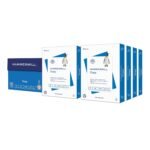
Hammermill Copy Plus 20 lb
$7 – $10
Better rigidity and a smoother surface lead to sharper text, especially on laser printers.
Price is higher for what is essentially the same category of paper.
Users who want a slightly more premium feel and crisper text from their laser printer.
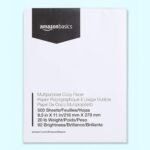
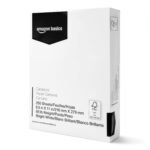
Amazon Basics Multipurpose Copy Paper 20 lb
$4 – $6
Unbeatable price, particularly in multi-packs.
Rougher texture, more lint and dust, higher show-through on double-sided jobs.
High-volume draft printing, student budgets, or scratch paper.
Georgia-Pacific Spectrum 20 lb
$5 – $8
Solid contender for office supply contracts with a low jam rate in high-speed printers.
Sheets can sometimes be inconsistently cut; packaging is notoriously flimsy.
Offices burning through reams on networked printers where cost per page rules.
HP 20 lb Printer Paper vs Hammermill Copy Plus
If you are wondering whether the extra money for Hammermill is worth it, you are asking the right question. Hammermill Copy Plus has a tactile advantage. The paper feels denser and has a sharper snap when you riffle the stack. HP 20 lb is a little more relaxed in the hand. In the print tray, that means Hammermill tends to resist curling better in humid conditions. So is HP printer paper worth it over Hammermill? It depends on your printer. If you mostly send documents to a laser jet, the Hammermill paper can deliver visibly crisper text. On an inkjet, the HP paper actually handles the wet ink a bit better because its surface absorbs it more predictably. You get less feathering on those dense paragraphs. For most home offices, the difference is slight, but the price gap is real.
20 lb Printer Paper Quality Compared to the Budget Options
A lot of people look at the “92 bright paper review” data and wonder why they cannot just buy the $4 ream from Amazon Basics. You can. And there are days when it makes sense. The issue with really cheap 20 lb paper shows up in the details. It is grainier. When you write on it with a pen, the ink feathers. Flip the sheet over and you see yesterday’s text shadowing through because opacity is lower. The HP 20 lb paper solves the two biggest annoyances of budget paper directly. It does not load with excessive paper dust that gums up the feed rollers, and it holds up to duplex printing without distracting show-through. You pay a couple of dollars more to avoid those specific frustrations.
HP vs Georgia-Pacific Spectrum: The Office Standard Face-off
Georgia-Pacific Spectrum is the other heavyweight in the office supply aisle. It is often a few cents cheaper per ream. The knock against Spectrum has always been consistency. Some reams are flawless. Others have a slightly rough edge from the cutter that can cause the first few sheets to skew in the tray. HP 20 lb printer paper is more uniform out of the box. If you manage a copier that hates paper with personality, the HP is the safer bet. If you are strictly looking at the monthly paper bill and your printers are forgiving heavy-duty beasts, Spectrum covers the same ground for less.
Buy the HP 20 lb Printer Paper if you want the safest, most predictable experience for a mix of inkjet and laser printing without hunting for a sale. It stakes a strong claim as the best printer paper for everyday use in a standard home office. Buy the Hammermill Copy Plus if you print mostly black text on a laser and hate the feeling of cheap paper. The extra crispness is worth a dollar or two more. If you are a student printing hundreds of pages that will be graded and tossed, grab the Amazon Basics alternative and pocket the difference. HP sits comfortably in the middle, asking a very small premium for a large jump in reliability.
Ready to decide on the HP 20 lb Printer Paper?
See today’s price, stock and delivery options on Amazon.