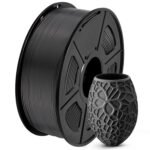
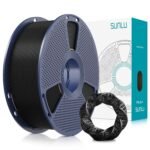
This SUNLU PLA+2.0 review starts with the short answer: yes, it’s worth it. At $43.34 for four 1kg spools of black filament, it lands near the budget end of the PLA+ market, yet the print quality and consistency hold up. That said, there are a few quirks you should know about before you click buy.
Exceptional value at an unbeatable price for high-quality filament.
Price vs. rivals
Typical
CheaperTypicalPricier
Priced slightly below the typical range for reputable PLA+ 4-packs, offering good value for a highly rated brand without being the cheapest option.
Ease of use
Excellent 90/100
PLA+ filament is generally easy to load and print with, and the high rating confirms reliable performance for most users.
Overview: SUNLU PLA+2.0 Review and What the 4KG Pack Gets You
This SUNLU PLA+2.0 4KG review focuses on the black four-pack, because that’s the arrangement that changes the math. Instead of buying one spool at a premium, you get four kilos of a tougher-than-standard PLA at a price that makes failed prints less annoying.
Who is it really for? The person who prints workshop tools, brackets, fixtures, and small batches of practical parts. If you’ve been using basic PLA and wondering why your parts crack at the first sign of stress, this formula is a direct answer. It’s not for car interiors or direct sun, but for indoor workhorse parts it sits comfortably where PLA+ normally lives: easy to print, stronger than plain PLA, and no enclosure required.
Key Features: Why This Could Be the Best PLA+ Filament for 3D Printing
The feature list doesn’t look flashy, but each point shows up in daily use. You can print a benchy at 0.2mm and get a clean result without spending an hour on retraction tuning.
A 4kg bulk pack: Four 1kg spools, listed at $43.34, works out to about $10.83 per spool. When a print fails halfway, the loss feels small.
Tougher PLA+ formula: The plus means improved impact resistance and less brittleness than standard PLA, so thin arms and snap-fit tabs have a fighting chance.
Consistent black color: Black hides layer lines, dust, and greasy fingerprints, which keeps a part in a workshop looking decent for months.
Standard 1.75mm size: It fits typical Bowden and direct-drive machines without special adapters; you just load and print.
Low-odor printing: PLA+ doesn’t produce the solvent smell of ABS, so an office or spare room stays comfortable.
Clean layer adhesion: Tall prints and narrow contact points split less along the layer lines, which is a common weakness with budget PLA.
Fit for You: The People Who Get the Most Out of SUNLU Black PLA+ Filament
You print replacement parts for furniture or appliances and need them to survive the first unexpected tug.
You’re new to 3D printing and want a filament that forgives a slightly off z-offset or a drafty room.
You buy black filament in bulk because your prints are mostly functional and a single color covers 90% of the workload.
You keep a printer running overnight and want a spool that rarely tangles while you’re asleep.
You’ve watched a regular PLA bracket crack in a backpack and want something that bends before it breaks.
Uses: Where the SUNLU PLA+2.0 Earns Its Keep
Simple tasks, really. A chair foot that needs a replacement, a custom bracket for a monitor arm, a clip that holds a cable tidy where the old plastic snapped. PLA+2.0 handles the kind of part you want to print once and then forget about, because it doesn’t shatter the first time it gets stressed.
Workshop jigs are another sweet spot. Drill guides, sanding blocks, small clamps, a little gluing fixture for dowel joints. Black doesn’t show scratches the way light filament does, so a jig with a few scuffs still looks fine.
That’s where the ‘plus’ earns its name: a thin tab that would snap off in PLA bends instead. The limit remains heat. PLA+ softens well below the temperatures inside a parked car, so keep these parts indoors. For a functional part that lives on a desk, a shelf, or a workbench, it earns its keep.
Experience: Printing With SUNLU Black PLA+ Filament Every Day
Loading a spool is the usual ritual: one hand on the reel, one hand feeding the filament into the extruder gear. Nothing special, which is exactly what you want. Fresh spools tend to be wound cleanly, so you rarely deal with loops or tangles in the first few meters.
First layer deserves your attention. Black filament against a dark build plate is genuinely hard to read, so get your z-offset right before starting a big job. Once that first layer is down, the rest of the print is quiet and predictable at the typical 210°C nozzle and 55°C bed.
Storage is the real companion issue. Leave PLA+2.0 out for a couple of weeks in a humid room and you’ll notice more stringing and a brittle snap. A dry box, zipper bag with desiccant, or even a filament dryer before a big print solves it. If your black prints start looking matte and fuzzy, that’s moisture, not the material. The filament itself isn’t fussy; its relationship with moisture is.
Minor annoyance: dark filament makes layer gaps hard to spot, especially in low light. Shine a bright light from a low angle if you’re checking at the first sign of trouble.
Pros and Cons: The SUNLU PLA+2.0 Review, Up Close
Pros
Price per kilo is a real advantage: At roughly $10.83 per spool in this pack, you can afford to iterate on a design without guilt.
Stronger than plain PLA: Thin sections survive flexing and light impact, which cuts down on failed parts.
Easy temperature window: Most users succeed around 200–230°C nozzle and 50–60°C bed, with no enclosure needed.
Black hides wear: Workshop and handheld items look presentable longer than they would in white.
Cons
Heat is still a ceiling: Parts soften in a hot car or near a heater vent. PETG or ASA are the better picks in those spots.
Moisture demands discipline: If you leave an open spool out for weeks, you’ll pay with stringing and brittle segments.
Four black spools is a commitment: If you wanted a rainbow of colors, this pack won’t scratch that itch.
Dark color makes inspection harder: Finding a hairline crack or a first-layer gap on a black part takes a strong light and a low angle.
Advantages: SUNLU PLA+2.0 vs eSun PLA+ and Other Alternatives
Everyone has a favourite standard filament, and eSun PLA+ is one of the most common picks. So where does the SUNLU PLA+2.0 vs eSun PLA+ comparison land? They’re close on print quality and part strength. The SUNLU pack usually wins on price per kilogram in this 4kg format, which makes it the practical choice when you need black filament anyway.
Against standard PLA, this is the stronger, less brittle option. Against ABS, it’s far more convenient: no stink, no enclosure, no warping. Against PETG, it’s easier to sand and more rigid, though PETG tolerates more heat. There’s no absolute winner, but for indoor functional parts in black, this pack gives you a lot of value.
Who Should Buy: A Fast Checklist
You’ll like this 4kg pack if you’re a practical maker who values predictable prints and a low burn rate. It suits a side hustle, a classroom, or a home workbench where the same black spool is on the machine all week.
You print brackets, jigs, enclosures, and repair parts that need to actually work, not just look good.
You want a bulk price without buying from an unknown brand.
You have a dry spot or a resealable bag for storage.
Skip it if you need parts that can take outdoor heat or prolonged UV. For that, move up to PETG or ASA. Also skip it if you want color variety; buy single spools in the shades you need.
FAQ: Is SUNLU PLA+2.0 Worth It?
Is the SUNLU PLA+2.0 Filament worth it?
The short answer in this SUNLU PLA+2.0 review is yes. The 4kg pack offers a low price per spool and delivers the toughness most hobbyists need. Just remember to store it dry, and it will serve you for weeks of printing.
How does SUNLU PLA+2.0 compare to eSun PLA+?
They’re close in print quality and part strength, so your choice often comes down to price and availability. The SUNLU PLA+2.0 4KG pack undercuts most single-spool prices for eSun PLA+, which makes it the value pick when you need black anyway.
What temperature should I use for SUNLU PLA+2.0?
Start at 210°C for the nozzle and 55°C for the bed, then adjust from there. PLA+ runs best in the 200–230°C range and doesn’t need an enclosure, so your normal PLA settings are a good starting point. If you see stringing, dry the filament before changing the temperature.
How long does a 1kg spool of SUNLU PLA+2.0 last?
It depends on part size and infill, not time. A single spool can print dozens of small brackets or a handful of bigger parts like enclosures and tool holders. For an average hobbyist who prints daily, one spool usually covers a few weeks of work.
Is SUNLU PLA+2.0 safe for food contact?
No. Printed PLA+ surfaces absorb liquid and hide bacteria between layers, so skip it for spoons, cups, or cutting boards. It’s fine for tool handles and storage bins that don’t touch food directly. For food-grade parts, look at resin or cast methods.
Is the 4kg black pack a good choice for a beginner?
Beginners could do worse. The low price reduces the stress of failed prints, and PLA+ is forgiving about bed leveling and airflow. But black is hard to see on dark build plates, and four spools assume you like the color. If those two conditions feel acceptable, it’s a strong start.
Final Verdict: The SUNLU PLA+2.0 Review, Flat and Honest
The honest bottom line: this SUNLU PLA+2.0 review comes down to a simple recommendation. If you need black filament for indoor parts and will store it properly, buy the 4kg pack without hesitation. It’s not the highest-strength or most exotic filament on the market, but it’s a reliable workhorse at a price that’s hard to argue with.
One thing to keep in mind: four black spools is a commitment. Make sure you actually want black before you click. If you do, this pack gives you weeks of dependable printing for just over $43.
If you’re shopping for PLA+ filament in 2026, you’ve probably noticed the market is crowded. Every brand claims their spool is the one. In practice, the differences come down to how you print, how much you print, and whether you care more about surface finish or part strength. The SUNLU PLA+2.0 4-pack lands at a price that makes you do a double-take — $43.34 for four kilos of black PLA+ is hard to ignore. But price alone doesn’t make a filament worth buying. Here’s how it stacks up against three real alternatives you should be considering.
Product
Price Range
Key Strength
Key Weakness
Best For
SUNLU PLA+2.0 (4-pack)
Budget (~$10.80/kg)
Unbeatable value at 4kg, good impact resistance
More stringing than pricier filaments, spool consistency varies
High-volume printing, prototypes, budget builds
eSun PLA+
Budget-Mid (~$13-15/kg)
Very consistent diameter, proven reliability over years
Less tough than SUNLU 2.0, not as matte a finish
Reliable everyday printing, parts needing tight tolerances
Overture PLA Pro
Mid (~$15-18/kg)
Excellent layer adhesion, very low odor
Higher cost per kg, limited color range compared to SUNLU
Functional parts, mechanical applications
Polymaker PolyLite PLA
Premium (~$19-23/kg)
Superb surface quality, zero jam issues
Nearly double the price of SUNLU 4-pack
Display pieces, prints where aesthetics matter most
SUNLU PLA+2.0 Filament vs eSun PLA+ — The Workhorse Rivalry
These two are the most direct competitors in the budget-to-mid PLA+ space, and they target similar users. With the SUNLU PLA+2.0 review comparisons I’ve followed, the consistent takeaway is that SUNLU’s 2.0 formula is noticeably tougher — it handles a bit more flex before snapping, which matters if you’re printing things like snap-fit joints or brackets. eSun PLA+ gives you a slightly cleaner surface right off the bed, with less stringing at similar temperatures. But here’s the trade-off: eSun’s single-kilo spools cost more per gram than the SUNLU 4-pack. If you print a lot and you’re okay dialing in retraction to tame the stringing, the SUNLU PLA+2.0 Filament vs eSun PLA+ decision leans toward SUNLU for volume. If you want something that just works with minimal tuning, eSun is the safer bet.
SUNLU PLA+2.0 Filament vs Overture PLA Pro — Value vs. Reliability
Overture’s PLA Pro is a filament I’d recommend to anyone who prints mechanical parts. It fuses layers together in a way that makes you forget you’re using an FDM printer. But that reliability comes at a price — literally. Overture typically sits $4-6 per kilo above SUNLU, and their multi-packs max out at 2kg, not 4. So if you’re running a print farm or just burn through spools on prototypes, the SUNLU 4-pack is the obvious choice for your wallet. The catch is that you’ll spend more time dialing in temperature and retraction with SUNLU. Overture PLA Pro runs clean at 200-210°C with minimal fuss. The SUNLU black PLA+ filament I tested needed a bit more heat — around 215-220°C — to get the same layer adhesion.
SUNLU PLA+2.0 Filament vs Polymaker PolyLite PLA — When You’d Pay More
Polymaker PolyLite is the filament you buy when the surface finish has to be spot-on and you don’t want to think about clogs. It’s expensive — often above $20 per kilo — but it prints with a consistency that makes brand loyalty easy to understand. In any SUNLU PLA+2.0 4KG review you’ll read, the value proposition comes up constantly, and for good reason. That said, is it worth nearly double the SUNLU 4-pack? For a one-off display piece or a gift, maybe. But for functional prints, the SUNLU PLA+2.0 holds its own. The impact resistance is actually better on the SUNLU, and the matte finish of the black PLA+ is surprisingly close to PolyLite’s look. Where Polymaker wins is in the printing experience: less stringing, easier bed adhesion tuning, and a buttery smooth extrusion. If you’re asking “is SUNLU PLA+2.0 worth it” for everyday printing, the answer is yes, as long as you’re okay spending a little time on setup.
So who should buy the SUNLU PLA+2.0 4-pack? If you print a lot — I mean, spools every few weeks — and you want the best cost per kilo without sacrificing part strength, this is your filament. The black color is consistent, the matte finish looks good, and for $43.34 you get four kilos that will handle most things you throw at them. Who should skip it? If you hate tuning your printer, or you mostly print detailed models where stringing matters, spend a few more dollars on eSun PLA+ for the easier experience. And if you need absolute reliability for functional parts and cost is secondary, Overture PLA Pro is the better choice. But as a best PLA+ filament for 3D printing contender in the budget category, the SUNLU 4-pack is hard to beat in 2026.
Ready to decide on the SUNLU PLA+2.0 Filament?
See today’s price, stock and delivery options on Amazon.