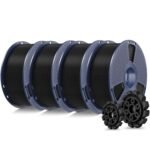
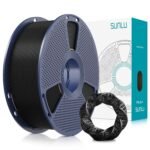
Need a straight answer on the SUNLU PLA filament? This sunlu pla review says yes, it’s worth it for most hobbyists. You get a solid black PLA spool for about fourteen dollars, and it prints with fewer headaches than its price suggests. Not perfect, but a dependable workhorse.
Exceptional quality and strong user satisfaction at a price well below typical market averages make this an outstanding value in its category.
Price vs. rivals
Cheaper
CheaperTypicalPricier
Priced at the lower end for 1kg PLA filament, this is a budget-friendly option compared to typical mid-range brands, appealing to cost-conscious users.
Ease of use
Excellent 85/100
The filament is straightforward to load and use with most 3D printers, though basic familiarity with 3D printing is helpful for best results.
Overview: A Straightforward SUNLU PLA Review
PLA is the filament people start with because it’s forgiving and cheap. SUNLU’s black PLA does exactly that job. It’s a 1kg spool of standard 1.75mm filament, vacuum sealed with a desiccant bag, ready to survive your first few rolls while you learn the ropes.
It solves a simple problem. You need reliable plastic parts without paying a premium. For prototypes, jigs, brackets, and anything that doesn’t sit in a hot car, PLA is enough. This filament is really for makers who print often, want a decent finish, and don’t feel like fussing over exotic materials.
Key Features That Matter
Price per kilogram – At $13.99, it undercuts many big-name PLA spools by a few dollars. That adds up when you’re printing a lot of failed calibration cubes.
Standard 1.75mm diameter – SUNLU lists tight tolerance, and buyers generally report consistent flow. Expect fewer clogs than with bargain-bin mystery filament.
Vacuum-sealed with desiccant – The spool arrives dry, which matters more than you’d think. Wet PLA pops, hisses, and leaves rough surfaces. This avoids that out of the box.
Black color quality – It’s a true, deep black with a slightly matte finish. Print settings aside, the parts look clean and uniform, and dark colors hide layer lines well.
Spool construction – A simple plastic spool with a good edge for filament clips. Not fancy, but it doesn’t wobble on the holder, and that’s what you need.
Fit for You
You burn through PLA quickly and want to keep cost per print low.
You’re new to 3D printing and don’t want to calibrate settings for a finicky material.
You need a black filament for practical parts like brackets, spacers, and storage boxes.
You have a range of temperatures in your room and want a filament that tolerates drafts without warping instantly.
You’re printing a cosplay prop that needs a uniform dark color underneath the paint.
You’re making large, flat prints that need good first-layer adhesion without a heated enclosure.
Uses: Where It Earns Its Keep
Start with a phone stand. The black PLA prints at 215°C, sticks fine to a textured sheet, and pops off when it cools. You’ll have a usable object in half an hour.
Or a set of cable clips for your desk. They’re small, so the spool lasts a long time. Because the filament is consistent, you can print a dozen and they’ll all fit the same screws.
Another place it shines: tool organizers. The low warping of PLA is a real advantage for rectangular bins with flat bottoms. A drafty window sill won’t ruin the print as easily as it would with PETG.
That’s the broad pattern. For anything that stays indoors, PLA is a fine material, and this spool gives you what you need without drama.
Experience: Living With It
Right out of the bag, the spool is dry and tidy. The vacuum seal is a small touch that prevents the most common beginner mistake, leaving filament exposed to humid air. You can just load it and go.
Printing is ordinary. That’s a compliment. At 210°C on a 60°C bed, the first layer goes down with no fuss. You’ll notice a faint sweet smell, like hot corn chips, which is PLA being PLA. No resin-style fumes.
There are small annoyances. The spool has no cardboard core, so you can’t recycle it as easily. Also, black filament makes it harder to spot the difference between a smooth first layer and one that’s slightly too low. Your eyes will play tricks on you until the part lifts.
Storage is straightforward. Keep the bag sealed with the desiccant when you’re not printing. Some owners say the filament absorbs moisture after a few weeks in a damp garage, so don’t leave it out. A cheap dry box fixes that if you need one.
Another thing you’ll notice is how the black hides dust. A spool on an open shelf picks up particles over time, but the filament feeds fine. Just wipe the outside of the spool if you’re fussy.
The one thing you’ll likely appreciate is the price per successful print. When a prototype fails because of a design mistake, not the filament, losing a few dollars of plastic feels okay. That’s the real value of this spool.
Pros and Cons
Pros
Great entry-point price – $13.99 for a kilo of black PLA is hard to beat. Even with shipping, it’s often cheaper than local stores.
Reliable extrusion – Owners mention smooth, consistent flow across prints, which cuts down on failed spools and jams.
Deep, matte black – Good for parts that should look uniform and hide fingerprints.
Wide print window – Typical PLA settings work fine. You won’t need to babysit temperature towers.
Vacuum packaging – Arrives dry, so you can trust it for a first print right away.
Cons
Not the toughest material – PLA is brittle by nature. Drop a part and it might snap. This is true of all PLA, not a flaw of SUNLU.
Plastic spool only – Some suppliers use cardboard that you can recycle. Here you get a plastic spool to reuse or toss.
Black color hides inspection – You’ll struggle to spot thin layer lines or minor underextrusion. Light-colored filament is easier to scrutinize.
No built-in filament clip – You need to tape the end or use a clip. Not a dealbreaker, just a missing convenience.
Temp sensitivity in the nozzle – If your hotend runs hot, the material can ooze during travel moves. Keep retraction on.
Advantages: SUNLU PLA vs Overture PLA and More
When you compare SUNLU PLA vs Overture PLA, the two are closer than you’d expect. Overture has a slightly more refined spool design and a broader color range, but it usually costs a couple of dollars more. SUNLU’s advantage is that it matches the printing behaviour for less money. This sunlu pla review gives the edge to the cheaper spool.
Cost per print – At list price, SUNLU undercuts most established brands. Over a year, that’s real savings.
Straightforward behavior – No weird oozing or stringing out of the box, unlike some ultra-budget filaments.
Good layer adhesion – Parts feel solid when you flex them. Not as stiff as PETG, but typical for PLA.
Beginner-friendly forgiveness – It tolerates the typical first-layer mistakes a beginner makes.
Who Should Buy: The Best PLA Filament for Beginners?
For many people, this is the best PLA filament for beginners to start with. It’s cheap enough to make mistakes and consistent enough to learn the basics. The black color actually helps hide the kind of small blemishes that would make you worry.
Beginners making their first few prints who want a reliable, cheap black PLA.
Hobbyists who need lots of filament for prototypes and don’t care about color variety.
Makers who already have a dry box and just need a workhorse spool for functional parts.
Students or workshop users who print in bulk and want to keep costs down.
People who want to try SUNLU’s brand without dropping a lot of money. This is the right starting point.
If you need a filament that survives outdoor heat or impacts, look for PETG or ABS instead. PLA won’t do that, no matter the brand.
FAQ
Is the SUNLU PLA filament worth it?
Yes, it’s worth it for most hobbyists. This sunlu pla review agrees with the common verdict: you get a functional spool of black PLA for $13.99. The trade-offs are minor. A plastic spool, no filament clip, and a material that’s inherently brittle. For the price, it’s a fair deal.
What are the best SUNLU PLA print settings?
A nozzle temperature of 200–215°C and a bed of 50–60°C works well. Start in the middle at 210°C and adjust by five degrees if you see stringing or poor layer adhesion. Most owners report success with standard PLA profiles in their slicer. Those are the typical SUNLU PLA print settings.
How is SUNLU PLA black filament quality compared to other brands?
The black filament quality is consistent and deep, with a matte finish that looks good on finished parts. Comparably priced filaments sometimes look shiny or streaky. This one prints uniform, and the color stays opaque even in thin sections. Some premium brands may be slightly more consistent, but not by much.
How long does a 1kg spool last?
A 1kg spool contains roughly 330 meters of filament, enough for about 80 to 100 small objects or a few large ones. The exact number depends on your print settings and infill. Expect it to last a few weeks of moderate printing, much longer if you’re just tinkering.
Is SUNLU PLA safe for printing in a room?
Yes, PLA is considered one of the safer filaments for indoor printing. It has a mild sweet smell and doesn’t release harsh fumes like ABS. That said, any printing releases particles, so good ventilation is still a smart idea. Don’t sleep next to a running printer.
Does SUNLU PLA need a heated bed?
A heated bed is recommended but not always required. At 50–60°C, the first layer sticks reliably and prevents warping on larger parts. If your printer has no heated bed, you can use a glue stick on a glass plate and print slow for small objects.
Final Verdict: Where This SUNLU PLA Review Lands
Bottom line: this sunlu pla review lands on a yes. If you want a dependable, inexpensive black PLA that does its job without drama, this is it. You won’t be amazed, but you won’t be disappointed either. That’s exactly what a workhorse filament should be.
The one thing to keep in mind is that PLA is PLA. It’s not for high-heat or high-impact parts. If you understand that limitation, this spool will serve you well. At $13.99, you can afford to buy one and see for yourself.
SUNLU PLA filament vs the Competition: A sunlu pla review for 2026
Most sunlu pla review pieces start with price, and this one is no different. At $13.99 per kilo, SUNLU black PLA sits clearly in budget territory, and it prints at the same settings you’d use for more expensive reels. In the 2026 market, the real rivals are Overture, Hatchbox, eSUN, and Polymaker. If you’re weighing SUNLU PLA filament alternatives, the question isn’t whether SUNLU is good enough; it’s what you’re willing to pay for the next step up.
Product
Price Range
Key Strength
Key Weakness
Best For
SUNLU PLA filament
Budget ($13.99 per kilo)
Low price, decent first-layer reliability, consistent matte black finish
Less tidy spool winding than pricier brands; not for tight-tolerance parts
Beginners, prototypes, and high-volume printing
Overture PLA
Mid (around $20 per kilo)
Very consistent diameter and a broad color range
Costs noticeably more for modest gains
Everyday printing when you want fewer surprises
Hatchbox PLA
Premium (roughly $25 per kilo)
Tight tolerance, clean winding, dependable from the first meter
Price is close to double SUNLU’s
Detailed parts, mechanical fits, picky hotends
eSUN PLA+
Budget-mid (around $18 per kilo)
Tougher PLA+ blend with better impact resistance
Needs hotter hotend temps and extra retraction tuning
Functional prints that would crack in plain PLA
Polymaker PolyLite PLA
Mid to premium (about $20–25 per kilo)
Matte surface and clean layer aesthetics
Pricier and harder to find locally
Showpiece prints where finish matters more than cost
SUNLU PLA filament vs Overture PLA
The most useful comparison is SUNLU PLA filament vs Overture PLA, because those two names dominate every beginner thread. Strip away the price talk, and SUNLU PLA vs Overture PLA comes down to consistency. Overture has a slightly better reputation for diameter consistency, which can save you if your extruder is particular. But the gap is smaller than the price difference suggests. For print settings, start at 210 °C with a 60 °C bed and standard PLA profile; SUNLU handles that easily. The SUNLU PLA black filament quality is acceptable for tabletop terrain or brackets, though it isn’t the deepest, glossiest black — more of a matte charcoal with a slightly warm tint. If you want a reel you can throw in any printer and forget about, pick Overture. If you’re okay watching the first layer and tweaking retraction once, SUNLU is the smarter spend.
SUNLU PLA filament vs Hatchbox PLA
Hatchbox is the premium alternative that many people recommend to beginners, and you can see why the first time you open the box. The spooling is immaculate, the diameter tolerance is tight enough for press-fit pins, and the prints come out with a clean, even surface. That comes at a real price. For the cost of two Hatchbox spools, you can run three SUNLU spools and still have change. If a part has to mate with another part, buy Hatchbox. If you’re printing a drawer full of jigs, spacers, and failed benchy attempts, SUNLU keeps more money in your pocket and prints fine.
SUNLU PLA filament vs eSUN PLA+
eSUN PLA+ is less of a head-to-head and more of a category shift. The “+” means it’s blended for extra stiffness and impact resistance, so functional parts that get handled or dropped are better with eSUN. The trade-off is that you have to dial in hotter temps and retraction settings, or you’ll get stringing and a rough surface. Plain SUNLU PLA stays within the usual 200–215 °C range and just prints. For decorative prints, prototype fit-checks, and general messing around, the extra few dollars for eSUN aren’t necessary. For a bracket that takes real load, they are.
Pick SUNLU PLA filament if you want to spend under $14 per kilo and you’re happy with standard PLA behavior. It’s close to the best PLA filament for beginners, because the cost of a failed print is low and the settings are forgiving. SUNLU PLA print settings are simple: 210 °C hotend, 60 °C bed, no special profile. If that sounds like enough, you’ve found your reel. If you need tighter tolerances for moving parts, choose Hatchbox instead. If the part will get knocked around, grab eSUN PLA+. That’s the honest answer to “is SUNLU PLA filament worth it” in 2026.
Ready to decide on the SUNLU PLA filament?
See today’s price, stock and delivery options on Amazon.