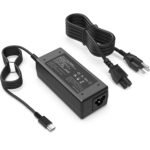
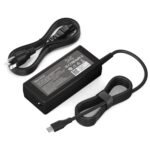
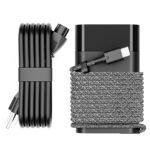
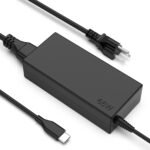
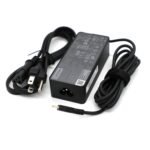
If you need a replacement or spare power brick for an HP laptop and you’re not keen on spending $50–$80 for an official one, this HP 65W charger review is for you. At under ten bucks, this compatible adapter with the smart blue tip is a solid budget option – but there are a few things you should know before you click “buy”.
Exceptional price relative to typical chargers, with high customer satisfaction, but budget segment implies trade-offs in longevity or build.
Price vs. rivals
Cheaper
CheaperTypicalPricier
This charger is priced far lower than typical alternatives for HP-compatible 65W/45W adapters, which are usually in a much higher price range.
Ease of use
Excellent 95/100
Plug-and-play design with clear compatibility for HP laptops makes it very easy for most users to set up and use.
Overview – What It Is and Who It’s Really For
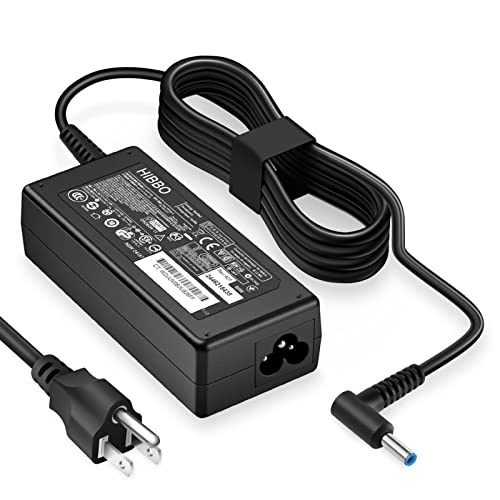
This is a third-party power adapter that matches the 65W rating of many HP laptops. It uses the so-called “smart blue tip” (the 4.5mm barrel connector with a blue centre pin), which HP has been putting on their mainstream notebooks for years. The whole package is a small brick, a standard six-foot cord to the wall, and the DC cable that plugs into your laptop.
It solves the obvious problem: you lost your original charger, the cable got chewed by a pet, or you just want a second brick to keep at your desk or in your bag. The catch is that it’s not made by HP – it’s a generic replacement that has to work within the same electrical specs. For light to moderate use, it’s fine. For heavy gaming or sustained high-load work, you might notice it running warmer than an OEM adapter.
Key Features
65W output (19.5V, 3.33A): Matches the power draw of most HP 65W-compatible laptops. You’ll get full charging speed for daily tasks, video streaming, and office work.
Smart blue tip connector: This is the 4.5mm outer diameter barrel plug with a blue centre pin. It’s the standard for HP laptops from the last five or six years – think Pavilion, Envy, ProBook, and some Spectre models.
Built-in cable management: The DC cord has a little velcro strap wrapped around it. Not a huge deal, but it keeps the cable tidy when you toss the charger in a backpack.
LED indicator: A small white light glows when the charger is plugged into the wall and working. Handy for checking at a glance whether power is reaching the brick.
Lightweight design: Weighs about half a pound. Lighter than the original HP 65W brick, which can feel a bit chunky if you’re carrying it around campus all day.
Fit for You
You need a backup charger to leave at the office so you don’t have to haul your main one back and forth.
Your original HP adapter died or the cable frayed, and you’d rather spend ten bucks than fifty right now.
You travel a lot and want a cheap second brick that can stay in your carry-on while the main one lives on your desk.
You have an older HP laptop that still works fine but the original charger finally gave out after years of abuse.
You’re setting up a dedicated workstation at home and don’t want to unplug the charger from your laptop every time you move rooms.
You bought a used HP laptop that came without a charger, and you just need something that works – fast, cheap, and reliably enough for everyday use.
Uses – Real Moments Where It Earns Its Keep
Picture this: you’re in a coffee shop working on a spreadsheet, and your laptop battery hits 15%. You pull this charger out of your bag, plug it in, and within a few minutes the charge light stops blinking. It tops up at about the same rate as the original HP adapter – expect around 60–70% charge in an hour for a typical 3-cell battery.
Another scenario: you’re travelling and staying with a friend. You don’t want to pack your expensive OEM brick because you’re afraid it might get lost or damaged. This $10 unit sits in your backpack, and if it disappears, you’re out the cost of a pizza dinner instead of a whole new original charger.
Or maybe your kid’s HP laptop charger got pulled off the table one too many times, and now the tip is bent. Swap it with this one and you’re back online in two minutes. It’s not a glamorous use, but it’s the kind of problem this thing solves without drama.
Experience – What Living With It Is Like
Setup is zero: plug the barrel tip into your laptop, plug the AC cord into the brick, and the brick into the wall. The white LED comes on consistently. The cable is a standard length – about six feet – which is enough for most desk setups but might be a little short if your outlet is far from your desk.
During normal use – web browsing, YouTube, typing documents – the brick stays cool to the touch. Under heavier loads like video editing or gaming, it gets noticeably warm. Not “burn your fingers” hot, but warmer than the original HP brick would get. Owners tend to mention that if you have a laptop that uses the full 65W constantly (for example, a ProBook running a demanding CAD program), the adapter can run warm after an hour or two. That’s the trade-off for the price.
The cord is a bit stiff out of the box – typical for cheap replacement chargers. It softens up after a week of use. The blue tip fits snugly into HP laptops with the matching port. It doesn’t wobble or disconnect easily. One small annoyance: the velcro strap that wraps around the DC cable is a little flimsy. It’ll hold for a few months, but don’t be surprised if it eventually loses its grip.
Storage is simple. The brick is small enough to tuck into a side pocket of a backpack. It’s not as compact as a GaN charger, but it’s far from bulky. If you’re used to the original HP 65W brick, you’ll find this one slightly smaller and about 20–30 grams lighter.
Pros and Cons
Pros
Super cheap: At $9.90, it’s one of the lowest prices you’ll find for a compatible HP charger 65W. Even if it lasts only a year, it’s still a great deal.
Genuine compatibility: The smart blue tip fits a huge range of HP laptops – from Pavilion x360 to Envy 13 to ProBook 450. No forced fitting or wiggling.
Good for light use: For email, browsing, streaming, and office work, it performs exactly like the official brick. Charging speed is the same.
LED indicator is useful: A simple white light tells you it’s getting power. You don’t have to guess if the outlet is dead or the charger is faulty.
Lightweight build: Easy to carry as a spare. Doesn’t weigh down a bag noticeably.
Cons
Runs warmer under load: If you push your laptop hard (gaming, rendering, continuous high CPU/GPU usage), this adapter gets hotter than an official HP brick. Not dangerous, but something to be aware of.
Not USB-C: It’s a barrel connector only. If you own a newer HP laptop that charges via USB-C, this won’t work.
Build quality is average: The AC plug feels a little plasticky, and the velcro strap is cheap. It’ll last a year or two with normal care, but it’s not built to survive being dropped every day.
Short DC cord: The cable from the brick to the laptop is about 5 feet – adequate for most desks, but not generous. If you need to route the cable behind furniture, you might wish it were longer.
No warranty to speak of: Third-party sellers on Amazon often offer a 30-day return window, but don’t expect a multi-year warranty like you’d get from HP direct.
Advantages – Where It Beats Typical Alternatives
Price vs performance: The official HP 65W smart blue tip charger runs $40–$60. This one costs a quarter of that and delivers the same day-to-day charging experience. If you’re on a tight budget, it’s the clear winner.
Compact size: Compared to older HP chargers from the 90W era, this 65W brick is noticeably smaller. It’s also lighter than most HP laptop power adapter 65W OEM units, which tend to be a bit chunky.
Widespread compatibility: The smart blue tip is arguably HP’s most common connector from 2017 onward. This charger works with more models than an older round-tip or slim-tip adapter would.
Easy to find: You can order it from Amazon and have it two days later. No digging through eBay for a used original one.
Who Should Buy
Buy it if: You need a spare charger for casual use and you’re happy to save $30–$50. Students, home-office workers, and anyone with a secondary laptop station will get good value here.
Skip it if: Your laptop regularly pulls 65W for hours at a time (heavy gaming, 3D rendering, video exporting). In that case, spend a bit more on an official HP charger or a reputable third-party brand with better thermal design.
Also skip it if: You want a single charger that works with multiple devices via USB-C. This is strictly a barrel-plug adapter.
Consider an alternative if: You need a longer cord. Some users prefer a 10-foot AC cable – this one is standard length only.
FAQ
Is the HP 65W charger worth it?
Yes, for the price, it’s worth picking up as a spare or replacement if you don’t run your laptop at full load constantly. It charges at the same speed as the original, and the smart blue tip fits the majority of modern HP notebooks.
How long does this charger last?
Based on typical user reports, a well-treated unit lasts one to two years. The cheap AC cord can fray if you yank it often, but the brick itself tends to keep working as long as it doesn’t get physically damaged.
Is it safe for my HP laptop?
Safe in the sense that it supplies the correct voltage (19.5V) and current (3.33A). The charger has basic over-current and short-circuit protection. That said, it’s not certified by HP, so you’re trusting a generic manufacturer’s quality control. For everyday use, most people have no issues.
Will this HP 65W vs 45W charger matter for my laptop?
Yes. If your laptop originally came with a 45W charger, using a 65W one is fine – the laptop only draws what it needs. But if your laptop requires 65W (for example, a ProBook with a dedicated GPU), a 45W charger will charge slower or may not work under load. This 65W unit covers both cases.
Does this work with the HP smart blue tip charger standard?
Yes, the tip is exactly the 4.5mm blue-centre connector used on HP laptops from around 2017 onward. It fits snugly into Pavilion, Envy, ProBook, and some Spectre models. It does not fit older round-tip or slim-tip ports.
What laptops is this compatible with?
It’s compatible with any HP laptop that uses a 19.5V barrel input and a 4.5mm smart blue tip. Common models include the HP Pavilion 15, Envy x360, ProBook 450 G7/8, and many others. Check your laptop’s power port – if the centre pin is blue, this will work.
Final Verdict
The HP 65W charger review bottom line: if you want a cheap, functional spare for an HP laptop with a blue tip port, this adapter delivers. It’s not built to survive a decade or to handle constant high-power loads, but for the money, it’s one of the best budget HP laptop charger options you’ll find. Just keep it away from dusty corners and don’t expect it to cool itself as well as the official brick does during heavy use.
The one thing to remember: this is a replacement for the original, not an upgrade. It’s perfect for a second desk or a travel bag, but if your work depends on your laptop running at full throttle for hours, you might want to invest a bit more in an OEM adapter. For everyone else, ten bucks is a fair price for a charger that gets the job done.
HP 65W Laptop Charger vs the Competition in 2026 – Which One Stops the Annoying “Plugged In, Not Charging” Message?
At $9.90, this third-party HP 65W charger (the one with the smart blue tip) is aggressively cheap. It’s not a genuine HP part, but it’s compatible with the vast majority of HP laptops that use the 4.5mm blue-tip connector. The 4.6-star average from thousands of buyers tells you it mostly works—but “mostly” isn’t the same as “reliably.” In a market where a genuine HP adapter runs near $40 and premium third-party brands sit around $20–$25, this budget option fills a very specific slot. The question is whether that slot is right for your laptop, your wallet, and your tolerance for the occasional weirdness.
Product
Price Range
Key Strength
Key Weakness
Best For
HP 65W Smart Blue Tip (third-party)
~$10
Rock-bottom price; works with most HP models 2015+
Inconsistent build; no surge protection; tip can loosen
Budget backup or travel charger for light use
Genuine HP 65W Smart AC Adapter (original part)
~$35–$45
Perfect compatibility; OEM safety certifications; long cable
Expensive; bulky brick; no third-party warranty
Primary charger for daily-driver laptop; peace of mind
Nekteck 65W USB-C PD Charger (with HP adapter tip)
~$20–$25
GaN technology = tiny size; also charges phones/tablets via USB-C
Requires separate HP tip cable; max 20V/3.25A for HP laptops
Travelers who want one brick for everything
Anker 65W PowerPort III (USB-C, plus HP barrel tip)
Bulky when using the barrel adapter; may not negotiate correctly with older HP models
Households with mixed devices (HP + USB-C laptops & tablets)
HP 65W Laptop Charger vs Genuine HP 65W Smart AC Adapter – Is the $30 Gap Worth It?
You can buy three of the cheap blue-tip chargers for the price of one genuine HP adapter. That’s tempting. But here’s the annoyance the OEM part solves: the “Plugged in, Not Charging” bug. That message often appears on HP laptops when a third-party charger can’t properly handshake with the embedded controller. Genuine HP chargers have a tiny authentication chip that tells the laptop “we’re legit, go full speed. The $10 knockoff skips that chip (or uses a generic handshake). It mostly works, but occasionally the laptop throttles charging to 45W or just stops entirely until you unplug and replug. If you never see that error, you saved money. If you see it twice a week, you’ll start hating that blue tip. Also: the genuine cable is thicker, the strain relief actually strains (instead of cracking after six months). For a desk charger that sits on your desk and never moves? The cheap one is fine. For a laptop that gets tossed into a bag daily? The OEM is safer.
HP 65W Charger Review – How It Stacks Against Nekteck’s GaN Alternative
This isn’t a fair fight in size. The Nekteck GaN 65W USB-C charger is maybe two-thirds the volume of a bar of soap. The HP third-party brick is a literal brick next to it. If you travel with a phone, tablet and a USB-C laptop, the Nekteck + a USB-C to HP barrel cable set costs about $25 total. You get one charger for everything. The trade-off: that HP barrel cable is another cord to lose, and the USB-C port on the Nekteck may not always deliver full 65W to older HP models (many 2016–2015 HP laptops expect 19.5V via barrel, not 20V via PD). The cheap HP blue-tip plugs straight in, no extra cable. So for a pure HP laptop charger, the $10 adapter wins on simplicity. For a travel charger that doubles as a phone charger, Nekteck wins outright. Also: the Nekteck feels solid in hand. The cheap HP adapter’s plastic shell creaks.
HP 65W vs 45W Charger – But This 65W Budget Pick vs Anker’s 45W PowerPort
Anker’s 45W charger (with an HP tip) is actually smaller and lighter than the HP 65W third-party brick, but its lower wattage means a big problem: a drained 65W laptop charges at half speed, and some will display “Slow Charger” warnings. Anker builds the cable integrated and has much better safety (surge protection, over-temp cutoffs). The HP 65W third-party $10 charger will charge faster, but if the tip gets warm the cheap internals have no thermal cutoff—the only protection is the fuse inside the plug. If you run your laptop under heavy load while charging the bargain adapter can hit 140°F. Not dangerous, but not comfortable on a lap. Anker’s cooler. So: if you mostly charge overnight or with light tasks, the HP is fine. If you game or video edit while plugged, Anker runs cooler and safer. Plus Anker’s warranty is 18 months. The cheap HP? You get what you get.
For the longest time I used a genuine HP 65W charger for my work laptop. When it finally died I grabbed a $10 smart blue tip on a whim. After six months the tip started needing a wiggle to keep contact. It still works, but I keep a spare. If you have one HP laptop and it’s your only machine, spend the $35 on genuine and be done. If you have two old HP laptops scattered around the house and you just need a spare that “probably works,” the $10 one is the best budget HP laptop charger you’ll find. But if you travel heavily with more than just an HP, the Nekteck or Anker alternative will annoy you less on the go. The cheap blue tip is brilliant for the lowest price. It’s merely fine for everyday reliability. Know which situation you’re in.
Ready to decide on the HP 65W laptop charger?
See today’s price, stock and delivery options on Amazon.