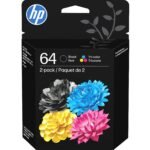
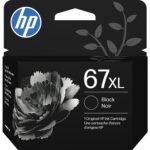
This HP 67 ink review gets straight to the point. These are the official cartridges for a wide range of HP DeskJet and Envy printers. They are worth it if you want no-hassle printing and decent quality, but you should know the 2-pack price isn’t the whole story.
Offers reliable OEM quality and Instant Ink compatibility at a moderate price for a two-pack.
Price vs. rivals
Typical
CheaperTypicalPricier
Priced at a typical mid-range level for OEM ink cartridges, slightly above average due to brand premium and Instant Ink compatibility, but still comparable to other standard two-packs from major printer manufacturers.
Ease of use
Excellent 90/100
Based on the high user rating and typical ease of replacing ink cartridges, installation is straightforward for most users.
HP 67 Ink Review: Overview
The HP 67 ink cartridges are the standard replacement option for a household printer. They solve the basic problem of getting black and color ink into your machine without leaks, smudges, or compatibility arguments. You slot them in and they work.
They are really designed for the casual home user. You print newsletters, school handouts, and the occasional boarding pass. You want the printer to get out of your way. At just under $44 on Amazon, the 2-pack lands right where you expect it to for an official consumable.
Key Features
Genuine HP Hardware – The cartridge snaps in cleanly. No shims, no tape, no third-party override chips needed. The chip inside communicates directly with your printer.
Instant Ink Ready – If you print a lot, signing up for the plan makes the per-page cost drop hard. The cartridge has the microchip to manage the subscription.
Black and Tri-Color Bundle – The 2-pack covers both essential slots. You install them at the same time and start fresh – an oddly satisfying feeling.
Smart Ink Tracking – The printer gives you a solid estimate of remaining ink. It is a bit cautious, but you rarely run out mid-job. The warning gives you time to order more.
Resealable Packaging – The newer cardboard boxes are easy to open, and you can store the old cartridge inside for recycling. It is a small detail that shows some thought.
Fit for You
You own an HP Envy 6000 or DeskJet 2700 and want a replacement that works without a Google search.
You print a handful of color documents every week and don’t want them to look washed out or have banding.
You are setting up HP Instant Ink for the first time and need the correct cartridges to activate the program.
You have been burned by cheap refills that dried out in a month. The genuine HP ink is formulated differently.
You want a quick, obvious gift for a friend who owns a compatible HP printer.
Uses
Printing a PDF of a child’s art project in full color. The tri-color cartridge mixes inks well enough that gradients in the sky or grass look natural, not blocky or streaked.
Printing a return shipping label. The black cartridge produces dense, dark text that barcode scanners can read on the first try. That alone can save you a trip to the post office.
Printing a quick photo. For a home printer, the HP 67 does a fair job on glossy paper. Skin tones are respectable. It is a solid way to get a 4×6 print for the fridge.
Printing double-sided documents for a book club. The black ink dries fast enough that the pages don’t jam or smudge when the printer flips them over.
Experience
When you start reading an HP 67 ink review, you are probably wondering about the setup. It is simple. You pull the protective tab, push the black one into the left slot, and the color into the center slot. The printer makes a loud clattering noise while it primes the ink system. That is normal and lasts about a minute.
The packaging varies. Sometimes you get a cardboard box. Other times it is a plastic clamshell. The cartridges themselves are identical – the first time you get the clamshell it feels a bit wasteful.
One annoyance shows up a few weeks in. The printer tells you the ink is low, but you can still print for a while. The warning light stays on, which is irritating if the printer is in a shared space.
If you do not print for a month or two, expect to waste some ink during the automatic cleaning cycle. That is just how dye-based inkjet printers work. The HP 67 is not immune to this. If you go on a two-week vacation, the printer will run a cleaning cycle when you return.
The cartridge is small. Palm sized. It makes you realize how little ink you are actually buying for the price. There is no XL version of the 67.
Pros and Cons
Pros
100 percent compatibility. You never see a “non-HP” error message. The printer accepts it immediately.
Good color accuracy. Skin tones and solid colors come out true enough for homework and family projects.
Easy to find. You can buy them at most office supply stores or on Amazon with fast delivery.
Instant Ink integration. If you subscribe, the entire cost model changes. The cartridge becomes a gateway to much cheaper printing.
Cons
Expensive per milliliter. Compared to generic cartridges, the cost of ink is high. You pay for the convenience and reliability of the HP brand.
Tri-color runs out fastest. The tri-color cartridge is where the trouble lives. It runs out the fastest, always on yellow first, and you have to replace the whole unit.
No high-yield option. Unlike some previous series, HP does not offer an XL version of the 67. You are stuck with the standard page yield.
Aggressive low ink warnings. The printer pushes you to buy a replacement early. The constant on-screen prompt is a nag you cannot dismiss.
Advantages: Best Ink Cartridges for HP Envy 6000
Where the HP 67 beats the competition is straight up reliability. Generic cartridges often ship with the wrong chip or a bad seal. This one works every time you install it.
The color consistency is noticeably better than store brand cartridges. Printed photos have a wider range of tones. Reds are actually red, instead of a muddy orange.
The official HP 67 is the clear choice for anyone who just wants the printer to work. The ink formulation is tuned for the specific hardware, which means less waste and better color during the life of the cartridge.
Who Should Buy
An HP 67 ink review should always point out that the subscription changes the math. Here is who it works for.
Buy it if you have an HP Envy 6000 or DeskJet 4100 and want a cartridge that works without failures.
Buy it if you are trying HP Instant Ink. The first 2-pack gets you set up correctly.
Buy it if you value your time over the absolute lowest cost of consumables.
Skip it if you print less than once a month. The ink will likely dry or clog before you use it. Look for a laser printer.
Skip it if you print hundreds of pages a week. You need a bulkier tank printer or a business model. The HP 67 cartridges will empty too fast and eat into your budget.
FAQ
Is the HP 67 ink cartridge worth it?
Yes, if you own a compatible HP printer and print at least a few pages weekly. The reliability and decent print quality justify the price difference compared to generic brands. It is a clear investment in a simple, hassle-free printing experience.
What is the difference between HP 67 vs HP 61 ink cartridges?
The HP 61 is the previous generation designed for older Envy and Photosmart models from a few years ago. The HP 67 is the current standard cartridge for newer printers like the Envy 6000 series. They are physically different sizes and the chips use different technology.
What printers are on the HP 67 compatible printers list?
The HP 67 works with the DeskJet 1255, 2700, and 4100 series, plus the Envy 6000 and 6400 series printers from HP. It is always a good idea to double-check your specific printer model number against HP’s official website compatibility chart.
Is the HP 67 instant ink eligible?
Yes, absolutely. It is one of the primary cartridge types designed for the HP Instant Ink subscription program. When you enroll, HP tracks your usage over the internet and sends new cartridges automatically before you run out.
How long does the HP 67 black tri-color 2-pack last?
The black cartridge is rated for roughly 200 standard pages of mixed text and graphics. The tri-color cartridge lasts around 150 pages of average mixed use. Your real-world yield will vary depending on your specific print jobs and how much color you use.
Can I use third-party ink instead of the HP 67?
Yes, but it is a bit of a gamble. Third-party options are noticeably cheaper upfront, but they often have lower ink quality, can leak into the printer, or might trigger a warning screen that stops you printing until you confirm they are safe.
HP 67 Ink Review: Final Verdict
The HP 67 cartridges are exactly what a home office printer needs. They are reliable, widely available, and deliver solid print quality for the price. This HP 67 ink review confirms that the 2-pack is a good value for regular users.
The bottom line: buy them for convenience. Skip them if you print rarely or need high volume. And seriously consider Instant Ink. It turns the HP 67 from a simple cartridge into a smart long-term solution.
HP 67 ink cartridges vs the Competition: Best Pick for Your Printer in 2026
The HP 67 Black and Tri-Color 2-pack sits in a weird spot. It’s the default for a huge range of recent HP printers—the Envy 6000 series, the DeskJet 4100 series. You get a sealed, official ink delivery system. But the market has changed. You have older HP 61 cartridges floating around, remanufactured alternatives stacking up on Amazon, and the ever-present question of whether you should just buy the XL inks instead. Here’s how the HP 67 stacks up against the real rivals.
Product
Price Range
Key Strength
Key Weakness
Best For
HP 67 2-Pack (Target)
Mid (~$44)
Official quality, Instant Ink ready
Lower yield than XL per dollar
Reliable everyday home printing
HP 61 Cartridges
Budget for legacy (~$30-35)
Very familiar, cheap old stock
Old tech, lower yield, messy swaps
Older HP printers (3050, 4500)
Generic/Reman HP 67
Low (~$15-20)
Rock-bottom upfront cost
Inconsistent quality; no Instant Ink
Extreme budgets or very light printing
HP 67XL (Singles)
Premium (~$25-30 per color)
Best overall cost per page
Higher cash outlay to start
High-volume home or school use
HP 67 ink cartridges vs HP 61 ink cartridges: The Obvious Question
You might be tempted to buy an HP 61 pack because it’s everywhere and cheap. Don’t. The HP 61 uses a different print head design and older ink formula. It simply isn’t compatible with the Envy 6000 or DeskJet 4100 series. Even if you could force the connection, the chip on the cartridge won’t communicate properly. The HP 67 is a genuine upgrade, with smarter ink level tracking, better integration with HP Smart, and better resistance to clogging if you go weeks without printing. The HP 61 is a legacy product. The HP 67 is the current standard.
The Budget Alternative: HP 67 ink cartridges vs Generic Remanufactured Cartridges
Paying $44 for the HP 67 2-pack hurts when you see a listing for a remanufactured HP 67 black plus tri-color for under $20. I get it. The generic option makes sense if you print rarely but want cartridges on the shelf. The trade-off is risk tolerance. Remanufactured cartridges can work perfectly, then sometimes throw a “Cartridge Problem” error that forces a nozzle wipe. You lose the ability to join Instant Ink, which is a genuine cost-saver for families that print a few dozen pages a month. If reliability and convenience are your priority, the official HP 67 is the better bet. If you are willing to tinker to save $25, the generics are a viable alternative.
Standard vs XL: Is the HP 67 2-Pack the best ink cartridge for your HP Envy 6000?
The 2-pack gives you one black and one tri-color. For most people, this lasts a couple of months. But eventually, one runs out before the other. You end up buying another full pack. The HP 67XL singles cost more up front—roughly $28 for the black and $30 for the tri-color. The math changes completely if you print a lot. The XL black has roughly double the page yield for half the price per page. The HP 67 2-pack is the smart default for new printer owners. The HP 67XL cartridges are the smarter long-term choice for anyone using an HP Envy 6000 for homework, coupons, or photos. This is the real “is HP 67 ink cartridge worth it” question: it’s worth it, but the XL is worth more.
So who should buy the HP 67 Black/Tri-Color 2-pack? Anyone new to the HP Envy 6000 or DeskJet 4100 series who wants a straightforward, reliable start without betting on generic quality. It is the safest option. If you print sparingly or want to risk the lowest price, a remanufactured HP 67 from a place like LD Products is your alternative. But if you know your household burns through a color cartridge every six weeks, skip the standard 2-pack and buy the HP 67XL black and tri-color individually. The upfront cost is higher, but you get the best cost-per-page and fewer frantic trips to the store.
Ready to decide on the HP 67 ink cartridges?
See today’s price, stock and delivery options on Amazon.