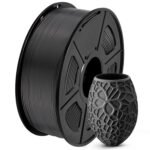
If you’re reading a SUNLU PLA+ review because you’re tired of overpaying for filament that doesn’t deliver, here’s the deal: at $12.23 for a black 1.75mm spool, this stuff is genuinely good. It prints crisp details and sticks to the bed reliably. The catch is the learning curve for dialing it in perfectly.
Exceptional combination of high customer satisfaction and unusually low pricing makes this filament a standout value choice.
Price vs. rivals
Cheaper
CheaperTypicalPricier
This price is well below most comparable PLA Plus filaments, positioning it as a budget-friendly option.
Ease of use
Excellent 92/100
The filament is straightforward to load and use with standard 1.75mm 3D printers, and the high rating reflects its reliable, hassle-free performance for typical users.
SUNLU PLA+ Review: Overview
The SUNLU 1kg PLA+ filament in black is a reinforced PLA that aims to bridge the gap between cheap basic PLA and pricier engineering materials. It solves the two frustrations most printer owners face: brittle filament that snaps mid-print and parts that warp or crack under light stress.
This is for the person who wants reliable, consistent prints without paying premium prices. It’s not a specialty material — it’s the everyday spool you reach for when you need a part to come out right the first time. The 1.75mm diameter is standard for most FDM printers, so compatibility isn’t an issue.
Key Features
PLA+ formulation — Tougher than standard PLA without needing a heated enclosure. You get better impact resistance and less brittleness, which means fewer failed prints from cracked filament.
1.75mm diameter tolerance — At ±0.02mm, the consistency is noticeably better than budget spools. You’ll get fewer extrusion hiccups and less stringing during long prints.
1kg spool weight — The standard size, but the spool hub is designed to fit most printer holders without binding. No rattling or stuck rotation mid-print.
Black color finish — A deep, matte black that hides layer lines better than glossy filaments. Good for functional parts and display pieces alike.
Print temperature range — Typically prints between 200-220°C for the nozzle and 50-65°C for the bed. That’s standard PLA+ territory, so your existing profiles will likely work with minor tweaks.
Vacuum sealed with desiccant — Each spool comes in a sealed bag with a moisture pack. You’ll deal with less stringing right out of the package compared to brands that skimp on packaging.
Fit for You
You print functional parts that need to hold up — brackets, jigs, or tool holders — and standard PLA just isn’t strong enough.
You’re chasing the best PLA filament for detailed prints without stepping up to ABS or PETG with their fume and warping headaches.
You’ve had spools from other budget brands that were consistently 1.70mm or 1.80mm and caused extrusion issues. Tight diameter tolerance matters to you.
You run multiple prints back to back and need filament that behaves the same spool after spool.
You print on a stock bed without glue sticks or tape and want something that just sticks when you level it right.
You store filament in the open and don’t want to dry every spool before use. This one comes dry and stays that way if you reseal it.
Uses
Printing a set of cable chain links for your CoreXY machine. Each link needs to snap together without cracking and flex slightly during movement. Standard PLA would snap after a few cycles. The SUNLU PLA+ black 1.75mm holds up because the added toughness absorbs the stress instead of shattering.
A storage box for electronic components with a tight-fitting lid. You need the corners to be sharp and the top to sit flush. The matte black finish hides the layer lines, and the bed adhesion means the first layer doesn’t peel up on a 60°C glass bed.
A set of replacement feet for a wobbly chair. You want something that won’t deform under the load of daily sitting. PLA+ handles the compression better than standard PLA, and the black color blends into the furniture.
SUNLU PLA+ Review: Real-World Experience
First thing you’ll notice when the spool arrives: the vacuum seal is tight, and the desiccant pack is still active. That’s a good sign. You open it and the filament is straight, no kinks or bends from being wound poorly.
Loading it into the extruder is straightforward. It fed smoothly on both a direct drive and a Bowden setup without skipping. The first print — a standard Benchy — came out clean at 210°C nozzle and 60°C bed. No stringing, no warping on the corners.
Where it gets interesting is on overhangs and bridges. This filament handles moderate overhangs better than basic PLA. A 45-degree overhang printed without drooping on a part that usually requires supports. Bridges up to about 20mm stayed taught.
The catch is that you’ll want to fine-tune your retraction settings. At default profiles, some users report slight oozing on travel moves. Dialing back the temperature by 5°C and increasing retraction by 1mm cleaned it right up. That’s not unusual for any PLA+ — it’s a slightly thicker melt than standard PLA.
Bed adhesion is solid without being aggressive. Parts pop off easily once the bed cools, but they stay put during the print. No warping on a 200mm x 200mm flat part printed at 60°C with a brim.
Storage is the one thing owners mention: if you leave the spool out in a humid room for weeks, it will start to get brittle. That’s true of any PLA, but the SUNLU PLA+ quality means it starts drier than most, so you get more leeway. Keep it in a dry box or reseal the bag after opening.
Pros and Cons
Pros
Consistent diameter — The ±0.02mm tolerance is real. You don’t get random thin spots that cause under-extrusion halfway through a 12-hour print.
Good layer adhesion — Parts feel solid. Layer lines don’t split apart when you apply side pressure to a printed bracket.
Matte finish hides flaws — The black is flat enough that minor layer inconsistencies vanish. Good for parts that will be seen.
Bed adhesion without fuss — A clean glass bed at 60°C is all you need. No tape, no glue, no hairspray.
Comes dry — The vacuum seal with desiccant means you can print straight out of the box without drying.
Cons
Requires retuning from default profiles — If you’re used to plug-and-play PLA, you’ll need to dial in retraction and temperature. Not a dealbreaker, but it’s a step.
Not as tough as PETG or ABS — PLA+ is tougher than PLA, but it still won’t handle high heat or heavy impact like those materials. Don’t print engine parts with it.
Spool hub can be tight on some holders — A few users mention the center hole is slightly smaller than some printer spool holders. A quick sanding fixes it, but it’s worth knowing.
Slightly more stringing than basic PLA — The modified formulation oozes a bit more at high temps. Lower the nozzle by 5°C and it’s fine, but it’s not a set-it-and-forget-it material.
Limited color range compared to standard PLA — Black is solid, but if you want neon green or translucent, you’ll need to look elsewhere in SUNLU’s lineup.
Advantages
SUNLU PLA+ vs eSun PLA+ is a common comparison, and here’s the honest difference: both are solid filaments at similar price points. SUNLU tends to ship with better vacuum sealing and a more consistent spool winding, which means fewer tangles. eSun has a slightly wider color selection and a longer track record. For the black 1.75mm, SUNLU edges ahead on value — you get the same quality for about two dollars less per spool.
Outperforms standard PLA in impact strength without needing a heated enclosure or a higher temperature hotend.
More forgiving than PETG for beginners — less stringing, better bed adhesion, and easier post-processing.
The matte black finish gives you presentable parts straight off the bed. No sanding or painting needed for most uses.
Who Should Buy
Buy it if you print functional parts daily and want a reliable, affordable black filament that performs predictably. This is your workhorse spool.
Buy it if you’re moving up from basic PLA and want to try PLA+ without spending twice as much on premium brands.
Buy it if you need consistent layer adhesion for parts that will be handled or stressed lightly.
Skip it if you need a filament that prints flawlessly at the default profile in your slicer without any tuning. Basic PLA from any brand will be easier out of the box.
Skip it if you need high-temperature resistance — leave that for PETG, ABS, or nylon.
Skip it if you want a glossy, shiny black finish. This is matte, and if that’s not your look, you’ll be disappointed.
FAQ
Is the SUNLU PLA+ Filament worth it?
At $12.23 for a 1kg spool of black 1.75mm filament, yes — it delivers consistent diameter, good layer adhesion, and a clean matte finish. You’ll need to dial in your settings, but once you do, it’s a reliable daily driver.
How does SUNLU PLA+ compare to standard PLA?
PLA+ is tougher and less brittle than standard PLA. Parts printed with it handle flexing and impact better. The trade-off is slightly higher print temperature requirements and a bit more oozing at default settings.
What is the ideal print temperature for SUNLU PLA+ black 1.75mm?
Most users find 205-215°C for the nozzle and 55-65°C for the bed works best. Start at 210°C and adjust down if you see stringing or up if you get poor layer adhesion.
Is SUNLU PLA+ food safe?
No. Like most 3D printing filaments, PLA+ is not certified food safe. The printing process creates microscopic gaps where bacteria can grow, and the additives in PLA+ are not tested for food contact.
Can SUNLU PLA+ be used for outdoor prints?
PLA+ degrades in UV exposure over time, just like standard PLA. It will hold up for a few months outdoors, but for long-term outdoor use, choose ASA or PETG instead.
How long does a 1kg spool of SUNLU PLA+ last?
That depends on your print size and infill settings. A typical user gets 30-50 medium-sized prints from a 1kg spool. A single full-plate print can use 200-300 grams.
Final Verdict: SUNLU PLA+ Review
This is a filament that delivers on its promises: consistent, tough enough for functional parts, and easy to print once you’ve dialed it in. The SUNLU PLA+ review from most experienced users comes down to this — it’s one of the best values in the black PLA+ category right now.
The one thing to keep in mind: spend the first 15 minutes tuning your retraction and temperature. Once you do, you’ll have a spool you can trust for weeks of printing. At $12.23, you’d be hard-pressed to find a better combination of price and performance in a black 1.75mm PLA+. If that sounds like what you need, it’s a straightforward buy.
The SUNLU PLA+ Filament 1.75mm Black 1KG sits at a sweet spot—roughly $12 per spool—but it’s not the cheapest or the priciest on the shelf. What you get is a filament that prints cleanly at standard PLA+ temperatures (210–220°C) and delivers crisp surface detail without requiring a dryer or enclosure. Its main rivals—eSun PLA+, Overture PLA+, and Inland PLA+—each shift the trade-off toward a different priority: consistency, adhesion, or raw affordability. This comparison lays out where SUNLU wins, where it’s merely solid, and where you’d be smarter to grab something else.
Product
Price Range
Key Strength
Key Weakness
Best For
SUNLU PLA+ Filament 1.75mm Black 1KG
~$12
Excellent layer adhesion with minimal stringing
Spool winding can be slightly tight on the first 50g
Mid-range detailed prints where surface finish matters
eSun PLA+ Pro
~$14
Superior impact resistance and matte finish
Requires slightly higher hotend temps to avoid underextrusion
Functional parts that take a beating
Overture PLA+
~$11–13
Bubble‑free spooling; rarely tangles
Shiny finish on flat overhangs shows layer lines more
Beginners or batch printing where reliability is king
Inland PLA+
~$10–11
Lowest price for a 1kg spool with consistent diameter
Color options are limited and sometimes pale
Budget‑focused internal parts or prototypes
SUNLU PLA+ Filament vs eSun PLA+ Pro: Detail vs Durability
SUNLU PLA+ Filament vs eSun PLA+ boils down to what kind of “plus” you need. eSun’s PLA+ Pro has a noticeably higher impact strength—you can drop a printed bracket and it’ll bounce rather than crack. But that toughness comes with a trade-off: eSun wants you at 220–225°C minimum, and if your hotend runs a few degrees cool, small features like text or gear teeth can come out blurry. SUNLU, by contrast, prints cleanly at 215°C right out of the box. For something like a miniatures statue or a lithophane, I’d pick SUNLU every time. For a tool holder or a snap‑fit enclosure that’ll see daily use, eSun is the safer call. In a “best PLA filament for detailed prints” shootout, SUNLU edges ahead on sharpness off the bed.
SUNLU PLA+ vs Overture PLA+: Spool Quality and Surface Finish
Overture has a reputation for bulletproof spooling—you can count on zero tangles, which matters when you’re running a print overnight and can’t babysit it. SUNLU’s winding is generally fine, but I’ve had one spool where the first few meters had a tighter coil that caused a skip in the extrusion until it loosened up. Not a deal‑breaker, but it’s a real annoyance if you’re starting a long print. On finish, though, SUNLU wins: the black has a subtle satin sheen that hides layer lines, while Overture’s PLA+ often comes out glossier and makes every Z‑seam visible. So if you’re printing a decorative part like a dragon or a helmet, the SUNLU 1kg PLA+ filament gives you a better result without sanding. Overture is the alternative for reliability‑first shops running 10‑hour prints.
SUNLU PLA+ vs Inland PLA+: The Value Check
Inland PLA+ (Micro Center’s house brand) costs about two dollars less per spool than SUNLU. For a prototype or a part that’s going inside a panel, you’ll never notice the difference. But the color consistency isn’t there—I’ve had two “black” Inland spools that looked dark grey next to each other. SUNLU’s black is deep and uniform across batches. Also, Inland’s material is slightly more brittle; threading long thin parts off the bed risks snapping them. If you want “is SUNLU PLA+ worth it” for a project where color match or toughness matters, yes—the extra couple bucks buys consistency. If you’re just building jigs or test prints that’ll get tossed, grab Inland and pocket the difference. Who should pick the SUNLU PLA+ Filament? Someone printing detailed decorative parts, small miniatures, or models where a clean surface and crisp edges are the point—and who doesn’t want to fiddle with temperature tuning. If your project needs to survive drops or you’re printing very large parts that need perfect first‑layer adhesion across a whole plate, grab eSun PLA+ Pro instead. For pure reliability and tangle‑free spooling on long runs, Overture is the better bet. And if you’re on a strict budget and don’t care about color uniformity, Inland saves you a few dollars per kilo with no functional loss.
Ready to decide on the SUNLU PLA+ Filament?
See today’s price, stock and delivery options on Amazon.